
Introduction
This manual provides instructions for the Monoprice USB4 Gen 3 Silicone Cable. This high-performance cable is designed for versatile connectivity, supporting 40Gbps data transfer, 8K60Hz and 4K120Hz video output, and PD 3.1 fast charging. Its soft silicone construction ensures flexibility and durability.
Setup
The Monoprice USB4 Gen 3 Silicone Cable is designed for plug-and-play operation.
- Identify Compatible Ports: Ensure your devices (laptop, monitor, smartphone, etc.) have USB-C ports that support USB4, Thunderbolt 3, or Thunderbolt 4 for optimal performance. The cable is also backward compatible with USB 3.2, USB 3.1, and USB 2.0 devices, though performance will be limited by the lowest common standard.
- Connect the Cable: Insert one end of the USB-C cable into the USB-C port of your source device (e.g., laptop).
- Connect to Destination Device: Insert the other end of the USB-C cable into the USB-C port of your destination device (e.g., external monitor, docking station, external SSD, power adapter).
- Secure Connection: Ensure both connectors are fully inserted into their respective ports to establish a stable connection.
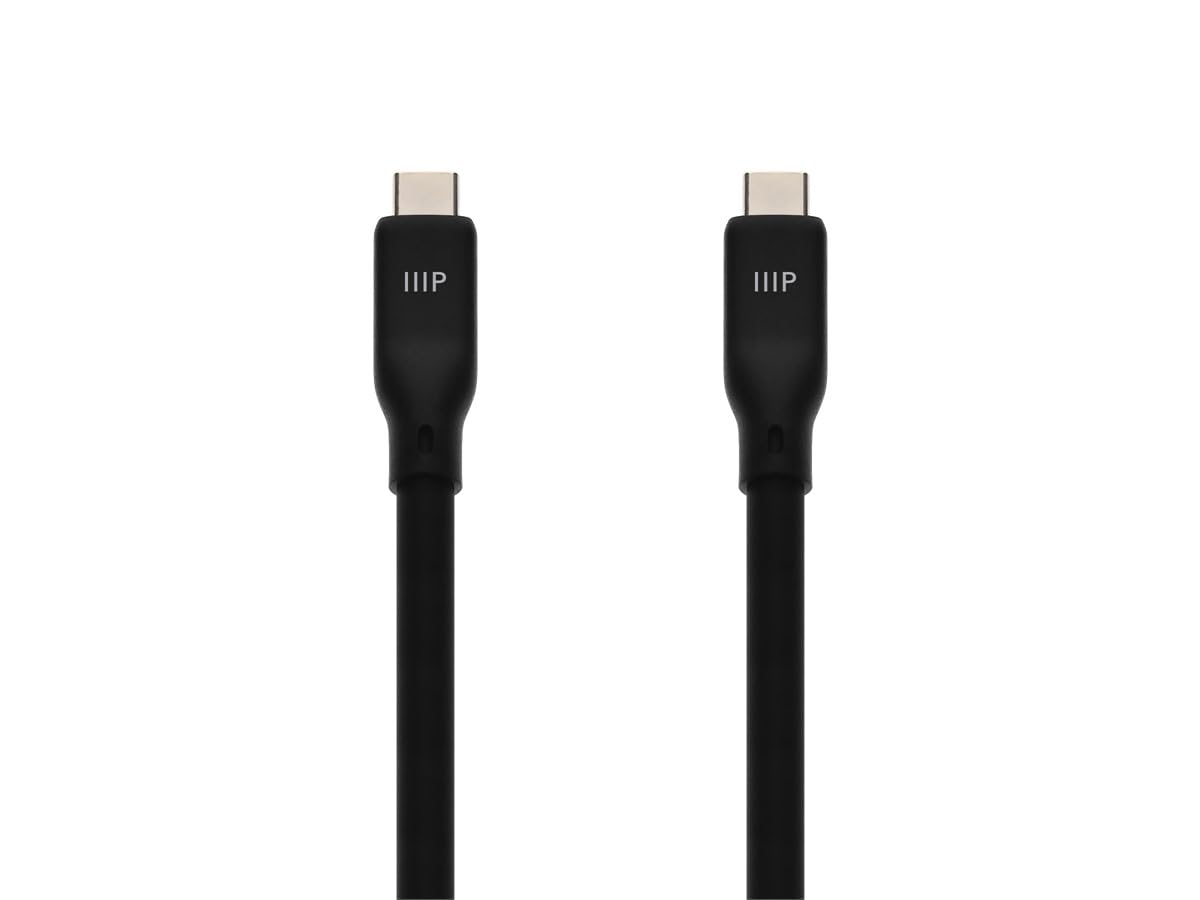
Image: Close-up view of the Monoprice USB4 Gen 3 Silicone Cable's USB-C connectors, highlighting their design for secure and reliable connections.
Operating Instructions
The Monoprice USB4 Gen 3 Silicone Cable supports multiple functions simultaneously.
- Data Transfer: Connect the cable between two compatible devices (e.g., computer and external SSD) to achieve data transfer speeds up to 40Gbps. This is ideal for large file transfers, backups, and accessing high-speed storage.
- Video Output: Use the cable to connect a USB-C enabled laptop or tablet to an external monitor or display. It supports resolutions up to 8K at 60Hz or 4K at 120Hz, providing clear and immersive visual experiences. Ensure your source device and display also support these resolutions and refresh rates.
- Power Delivery (Charging): The cable supports PD 3.1 fast charging, allowing you to power and charge compatible laptops, tablets, and smartphones. Connect one end to a USB-C power adapter and the other to your device. The actual charging speed will depend on the power adapter and the device's charging capabilities.
- Multi-function Use: The cable can simultaneously handle data transfer, video output, and power delivery, depending on the capabilities of the connected devices and ports. For example, you can connect a laptop to a USB-C hub that provides power, connects to an external display, and has USB ports for peripherals, all through this single cable.

Image: A laptop connected to an 8K Ultra HD monitor, demonstrating the cable's capability to extend displays with high resolution and refresh rates.

Image: A setup showing a laptop connected to various peripherals like an external hard drive, smartphone, and monitor via USB-C, illustrating the cable's versatility for ultimate connectivity.
Maintenance
To ensure the longevity and optimal performance of your Monoprice USB4 Gen 3 Silicone Cable, follow these maintenance guidelines:
- Cleaning: Gently wipe the cable with a soft, dry, lint-free cloth. Avoid using harsh chemicals, solvents, or abrasive cleaners, as these can damage the silicone material.
- Storage: When not in use, coil the cable loosely. The silicone material is designed to resist tangling and kinking, making storage easy. Avoid tight coiling or sharp bends, which can stress the internal wires over time.
- Handling: Always grasp the connector housing when plugging or unplugging the cable. Avoid pulling directly on the cable itself, as this can damage the internal connections.
- Environment: Store the cable in a cool, dry place away from direct sunlight, extreme temperatures, and excessive moisture.

Image: The Monoprice USB4 Gen 3 Silicone Cable coiled, demonstrating its flexibility and tangle-resistant silicone construction for easy storage.

Image: A visual representation highlighting the high-quality silicone construction of the cable, emphasizing its soft, skin-friendly, and flexible properties, along with TPE/PVC material for added durability.
Troubleshooting
If you encounter issues with your Monoprice USB4 Gen 3 Silicone Cable, refer to the following common troubleshooting steps:
- No Connection/Intermittent Connection:
- Ensure both ends of the cable are fully and securely plugged into the respective ports.
- Try unplugging and re-plugging the cable.
- Test the cable with different devices or ports to rule out issues with the cable itself or the connected devices.
- Clean the USB-C ports on your devices and the cable connectors for any dust or debris.
- Slow Data Transfer Speed:
- Verify that both connected devices (source and destination) support USB4 or Thunderbolt 3/4 for 40Gbps speeds. If one device is older, the speed will be limited to the lowest common standard (e.g., USB 3.2, USB 3.1).
- Ensure there are no other high-bandwidth operations running simultaneously that might be consuming resources.
- Check if your device drivers are up to date.
- No Video Output or Low Resolution:
- Confirm that your source device's USB-C port supports DisplayPort Alternate Mode (Alt Mode) for video output.
- Ensure your monitor and source device support the desired resolution (e.g., 8K60Hz, 4K120Hz).
- Check your display settings on your computer to ensure the correct resolution and refresh rate are selected.
- Try a different display or source device to isolate the problem.
- No Charging or Slow Charging:
- Verify that your power adapter supports USB Power Delivery (PD) and provides sufficient wattage for your device.
- Ensure your device is compatible with PD 3.1 fast charging.
- Try a different power adapter or charging port.
- Some devices may limit charging speed if they are in heavy use or running hot.
Specifications
| Feature | Detail |
|---|---|
| Model | USB4 Gen 3 Silicone Cable 3ft |
| Brand | Monoprice |
| Connector Type | USB Type-C (Male to Male) |
| Cable Type | USB4 Gen 3 |
| Data Transfer Speed | Up to 40Gbps |
| Video Resolution Support | 8K@60Hz, 4K@120Hz |
| Power Delivery | PD 3.1 Fast Charging |
| Cable Material | Premium Silicone (Soft, flexible, tangle-resistant) |
| Compatible Devices | MacBooks, iPads, Smartphones, Laptops, Tablets, Monitors, External SSDs, and other USB-C devices. |
| Special Features | Data Transfer, Video Output, Power Delivery, Flexible Silicone Construction |
Warranty and Support
For warranty information and technical support, please refer to the official Monoprice website or contact Monoprice customer service. Keep your purchase receipt for warranty claims.


