
1. Introduction
The UDPOWER C600 Solar Generator with 120W Solar Panel is a portable power station designed to provide reliable electricity for various applications, including camping, travel, RV use, and emergency power backup. This manual provides essential information for the safe and efficient operation of your C600 power station and accompanying solar panel.
2. What's Included
Please verify that all items are present in your package:
- UDPOWER C600 Portable Power Station (595Wh)
- UDPOWER 120W Solar Panel
- 120W AC Adapter
- 12V Car Charging Cable
- User Manual
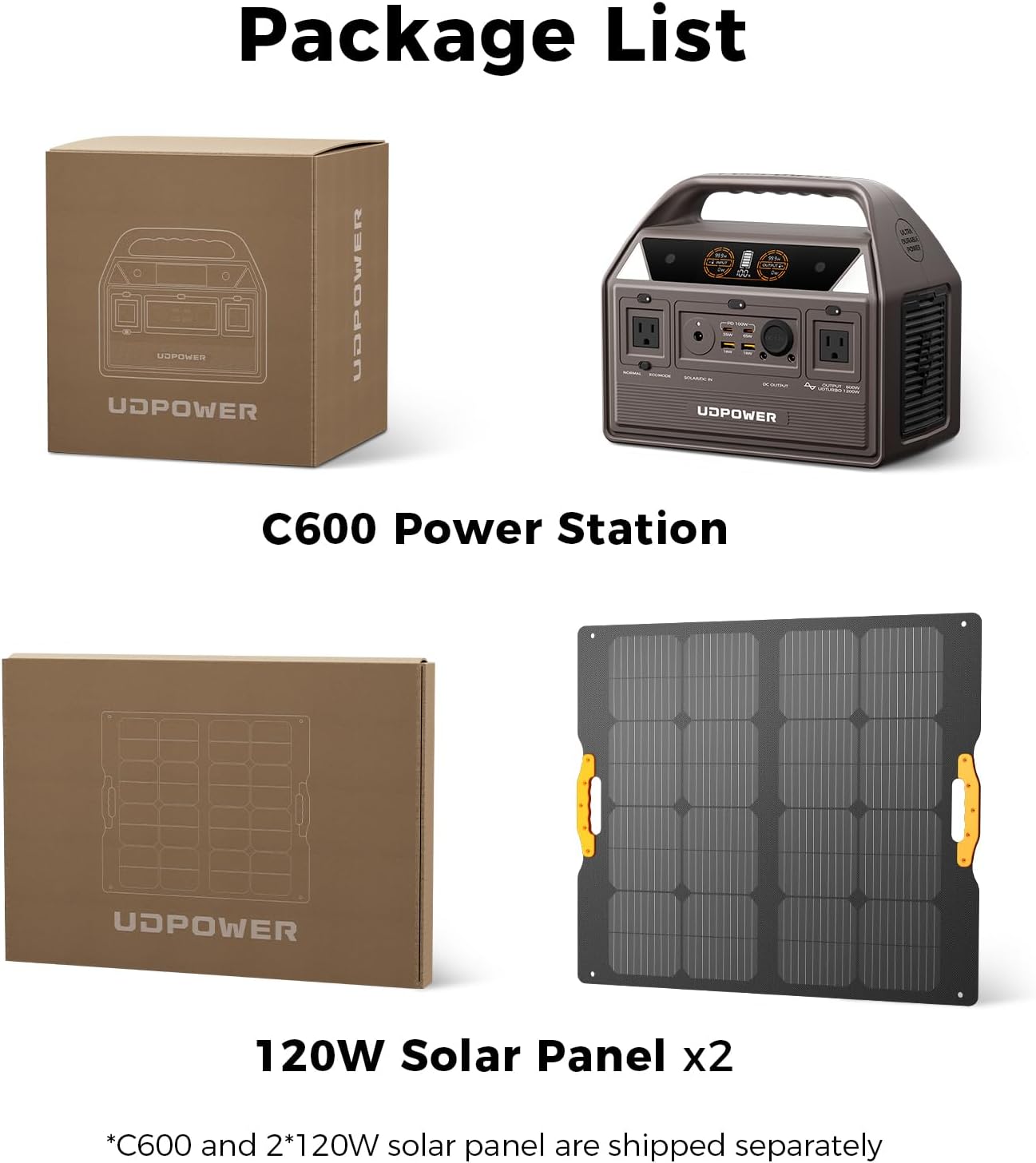
Image: Contents of the UDPOWER C600 and 120W Solar Panel bundle. The image shows the C600 Power Station and two 120W Solar Panels in their respective packaging boxes.
Note: The C600 Power Station and 120W Solar Panel are shipped separately.
3. Key Features
- 600W AC Output / 1200W Surge with UD-TURBO: Capable of powering a wide range of devices, including refrigerators, power tools, and medical equipment (CPAP compatible), with clean pure sine wave output for sensitive electronics.
- Max 240W Solar Charging Ready: Features the fastest solar input in its class, allowing for a full recharge in approximately 2.5 hours with compatible solar panels (sold separately). Supports an 18V-28V wide voltage range.
- 595Wh LiFePO4 Battery: Offers over 4000 charge cycles with 80% capacity retention, providing a lifespan 10 times longer than traditional lithium-ion batteries. Weighs only 12.3 lbs, making it highly portable.
- Military-Grade Protection: UL2743/FCC/ROHS certified with a 6-layer safety system, including over-voltage, short-circuit, and temperature protection, along with an explosion-proof battery design.
- Ultra-Low Noise & Smart Heat Dissipation: Equipped with an advanced silent fan and optimized internal structure, operating below 30dB. The high-efficiency cooling system prevents overheating, ensuring stable performance.
- 9 Output Ports: Allows simultaneous powering of multiple devices, including 2x 600W AC outlets (1200W surge), 65W+35W USB-C PD (for laptops), 2x 18W USB-A (for phones/tablets), 12V car port, and 2x DC5521 ports.

Image: Front view of the UDPOWER C600 Power Station, highlighting the display and various output ports.
4. Setup
4.1 Initial Charge
Before first use, it is recommended to fully charge the UDPOWER C600 Power Station. Use the provided 120W AC Adapter to connect the power station to a wall outlet. The LCD display will show the charging status.
4.2 Solar Panel Connection
To connect the 120W Solar Panel:
- Unfold the solar panel and place it in direct sunlight, ensuring no shadows obstruct the panels.
- Connect the solar panel's output cable to the "SOLAR/DC IN" port on the C600 Power Station.
- The LCD display will indicate solar input wattage when charging is active.

Image: The UDPOWER C600 Power Station connected to an unfolded 120W solar panel, demonstrating solar charging setup.
5. Operating Instructions
5.1 Powering On/Off
Press and hold the main power button for a few seconds to turn the unit on or off. The LCD display will illuminate upon activation.
5.2 LCD Display
The color LCD display provides real-time information:
- Input Wattage: Shows the power being drawn into the unit (e.g., from AC adapter or solar panel).
- Output Wattage: Displays the power being consumed by connected devices.
- Battery Percentage: Indicates the current charge level of the LiFePO4 battery.
- Estimated Run/Charge Time: Provides an estimate of how long the unit can power devices or how long until fully charged.
Video: A demonstration of the UDPOWER C600 Power Station's features, including the LCD display and various ports. This video highlights the unit's functionality and ease of use.
5.3 Using AC Outlets
Press the "AC Output" button to activate the two 600W AC outlets. Plug your devices into the standard AC ports. The unit supports up to 1200W surge with UD-TURBO technology.
5.4 Using DC Outputs (USB, USB-C, Car Port, DC5521)
Press the "DC Output" button to activate the DC ports. Connect your USB, USB-C, 12V car, or DC5521 devices. The USB-C ports support Power Delivery (PD) up to 100W for fast charging laptops and other compatible devices.
5.5 LED Lighting
The C600 features integrated LED lights. Press the light button to cycle through three brightness settings (low, medium, high) or to activate an SOS mode for emergencies.

Image: The UDPOWER C600 Power Station in a nighttime setting, illustrating its quiet operation and smart LED lighting feature.
5.6 ECO Mode
Activate ECO Mode to reduce standby power loss by 70%. The unit will automatically shut off after 10 hours of inactivity in this mode, conserving battery life.
6. Charging the C600 Power Station
The C600 can be charged via multiple methods:
- AC Wall Outlet: Use the provided 120W AC Adapter.
- Solar Panel: Connect a compatible solar panel (18V-28V, up to 240W max input) to the "SOLAR/DC IN" port.
- Car Charger: Use the 12V Car Charging Cable to charge from your vehicle's cigarette lighter port.
For optimal battery health, avoid fully discharging the unit frequently and recharge it regularly.
7. Maintenance
- Storage: Store the power station in a cool, dry place away from direct sunlight and extreme temperatures. For long-term storage, maintain a charge level between 50% and 80%.
- Cleaning: Use a soft, dry cloth to clean the exterior. Do not use abrasive cleaners or immerse the unit in water.
- Battery Health: The LiFePO4 battery is designed for longevity (4000+ cycles). Regular use and proper charging practices will maximize its lifespan.
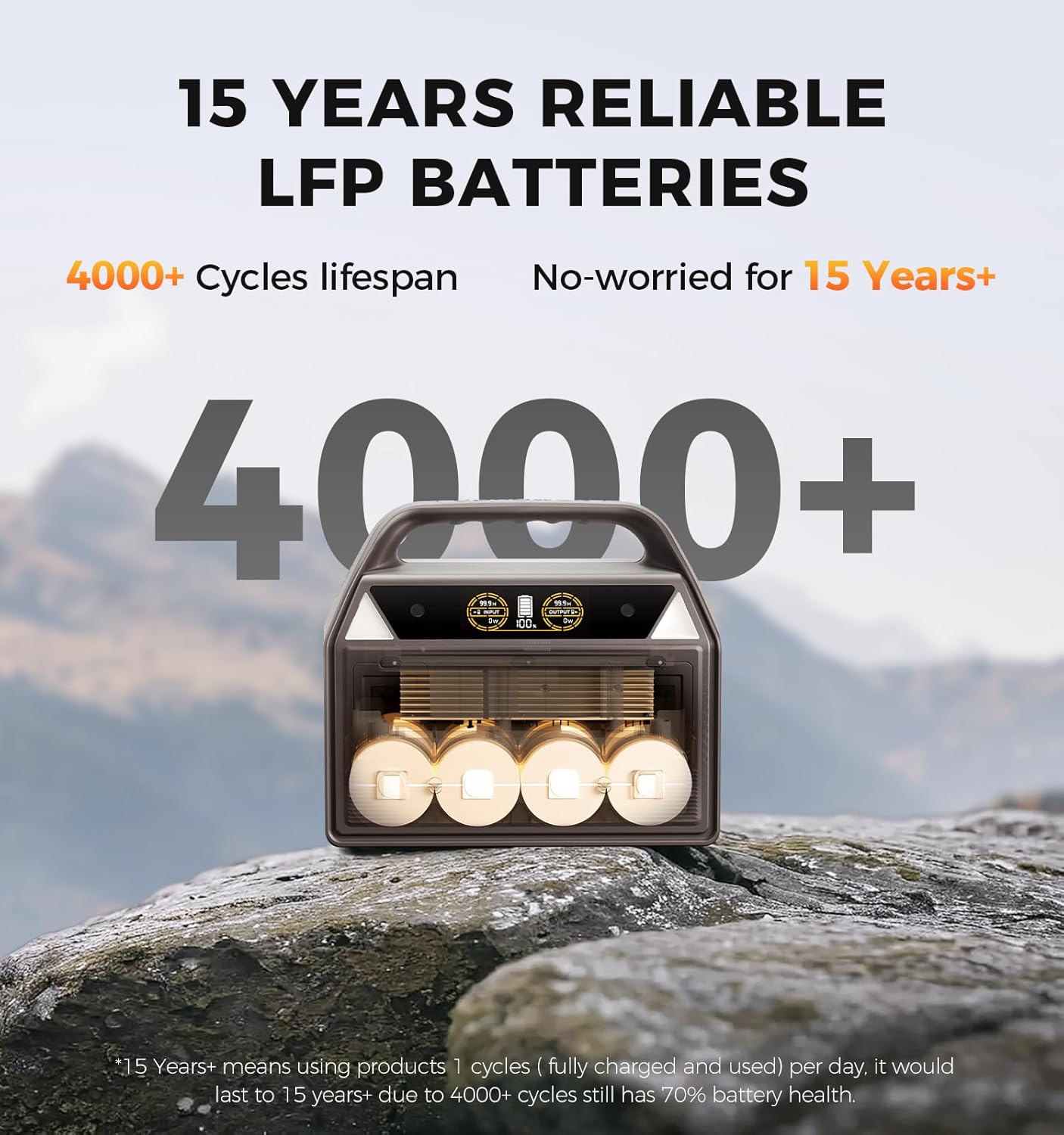
Image: An internal diagram of the UDPOWER C600, illustrating the arrangement of its durable LiFePO4 batteries, designed for over 4000 charge cycles.
8. Troubleshooting
- Unit Not Turning On: Ensure the battery is charged. If completely depleted, connect to AC power for a few minutes before attempting to power on.
- No Output from Ports: Verify that the specific output section (AC or DC) is activated by pressing its respective button. Check if the device requires more power than the port can supply.
- Slow Charging: For solar charging, ensure the panel is in direct sunlight and free from obstructions. For AC charging, confirm the adapter is correctly connected and functioning.
- Overload Protection: If the unit shuts down due to overload, disconnect the high-power device, wait a few minutes, and then restart the unit.
9. Specifications
| Feature | Specification |
|---|---|
| Model Name | AC0600 |
| Battery Type | LiFePO4 |
| Capacity | 595Wh |
| AC Output | 600W (1200W Surge) |
| USB-C PD Output | 1x 65W, 1x 35W |
| USB-A Output | 2x 18W |
| DC Output | 12V Car Port, 2x DC5521 |
| Solar Input | Max 240W (18V-28V) |
| Dimensions (L x W x H) | 11.02" x 5.91" x 9.45" |
| Weight | 12.79 lbs |
| Operating Temperature | -4°F to 113°F (-20°C to 45°C) |

Image: A detailed view of the UDPOWER C600 Power Station with its dimensions labeled, showing its compact and portable design.
10. Warranty & Support
The UDPOWER C600 Solar Generator comes with:
- 3-Year Limited Warranty
- 2-Year After-Sales Extended Warranty
For technical assistance or warranty claims, please contact UDPOWER support:
Email: support@udpwr.com
Availability: 24/7 U.S. Support
