
COTAO B0FQ9YSG43
COTAO Meacode Smart Anti-Snoring Device Instruction Manual
Model: B0FQ9YSG43
Welcome to Your COTAO Meacode Smart Anti-Snoring Device
Thank you for choosing the COTAO Meacode Smart Anti-Snoring Device. This innovative device is designed to help reduce snoring through its unique AI algorithm and dual-pulse technology. It precisely monitors and adjusts your breathing in real-time, aiming to provide a more restful sleep experience.
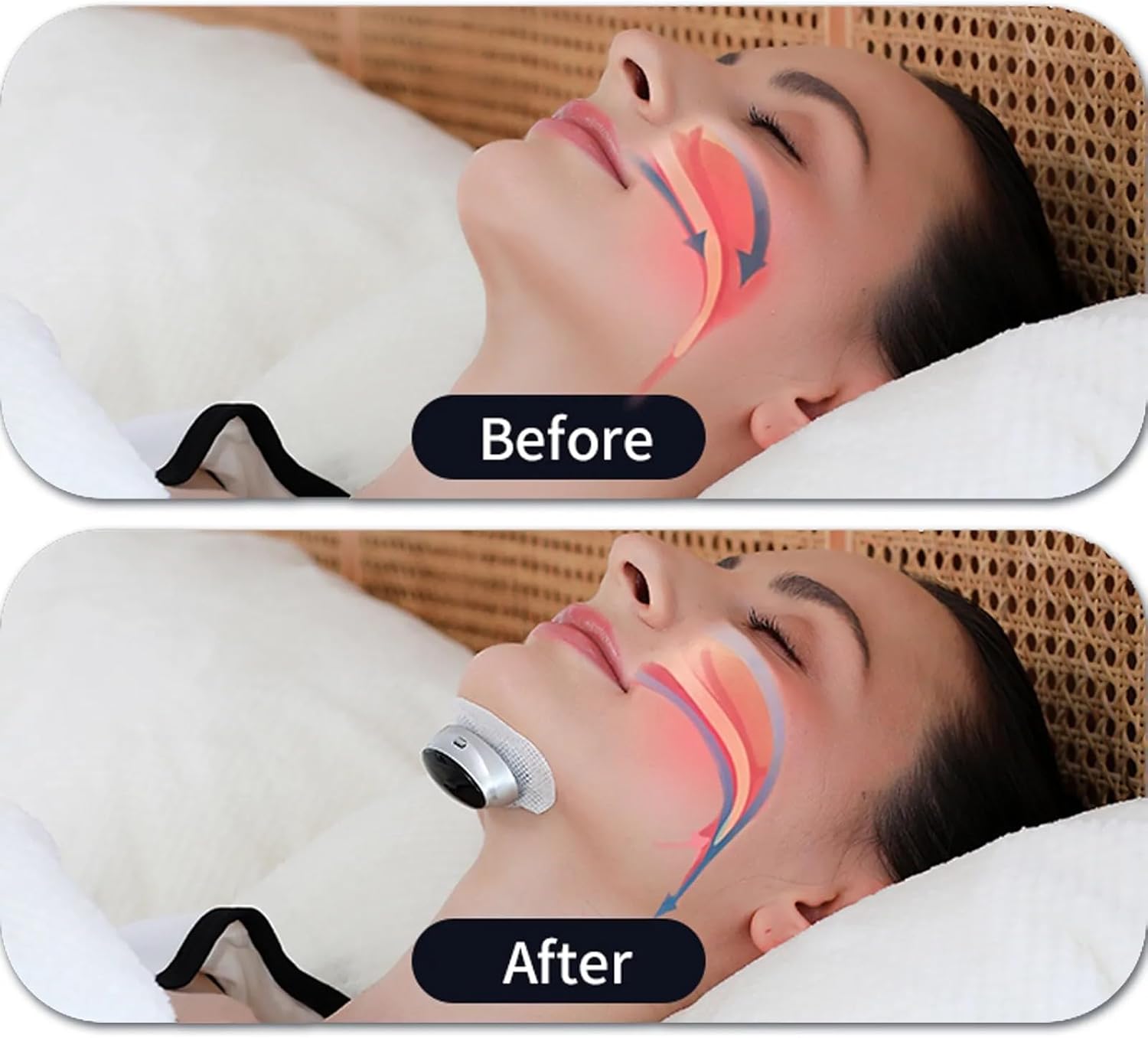
Image: Visual representation of improved airflow in the respiratory system with the device.
The device features an ergonomic and ultralight design, weighing approximately 0.42 ounces, ensuring comfort and minimal restriction during sleep. This manual provides essential information on how to set up, operate, and maintain your device for optimal performance.

Image: The device utilizing dual-pulse technology on the skin.
Important Safety Guidelines
Please read all safety information before using this device to ensure safe and effective operation. Keep this manual for future reference.
- Do not use the device if you have a pacemaker, defibrillator, or any other implanted electronic device.
- Consult a healthcare professional before use if you have any pre-existing medical conditions, especially related to sleep, breathing, or heart health.
- Keep the device out of reach of children and pets.
- Do not attempt to disassemble or modify the device. This will void the warranty and may cause malfunction or injury.
- Use only the provided charging cable and adapter.
- Avoid exposing the device to extreme temperatures or direct sunlight.
Legal Disclaimer:
Actual product packaging and materials may contain more and different information than what is shown on our website. We recommend that you do not rely solely on the information presented and that you always read labels, warnings, and directions before using or consuming a product.
What's Included
Upon opening your product package, please ensure all the following items are present:
- COTAO Meacode Smart Anti-Snoring Device
- Charging Case
- USB-C Charging Cable
- Instruction Manual
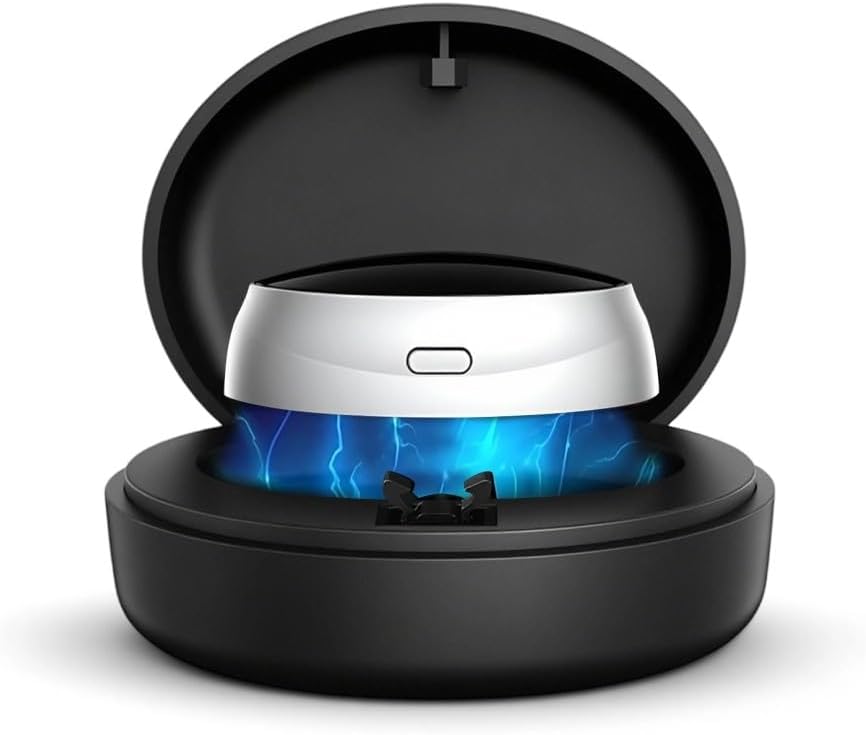
Image: The Meacode Smart Anti-Snoring Device and its charging case.
Getting Started
Charging the Device
Before first use, fully charge your COTAO Meacode Smart Anti-Snoring Device. The device utilizes magnetic charging for convenience.
- Place the device into its charging case.
- Connect the USB-C charging cable to the charging case and a suitable power source (e.g., USB wall adapter, computer USB port).
- The indicator light on the device or case will show charging status. Refer to the device's specific light indicators for full charge notification.
- A single charge provides multiple nights of use, thanks to advanced battery technology.

Image: Connecting the USB-C charging cable to the device's case.
Initial Placement and Fit
Proper placement is crucial for the device's effectiveness and your comfort.
- Ensure your skin is clean and dry in the area where the device will be placed.
- Gently attach the device to your chin or neck area as indicated in the product illustrations. The ergonomic design is intended for a secure yet comfortable fit.
- Adjust the device until it feels comfortable and stable. It should not feel too tight or loose.

Image: Correct placement of the device on the chin.
Using Your Device
Powering On/Off
The device features simple one-button operation.
- To turn on: Press and hold the power button for a few seconds until the indicator light illuminates.
- To turn off: Press and hold the power button again until the indicator light turns off.
Understanding Operating Modes
Your device may offer different intensity levels or modes to suit individual needs. These modes typically adjust the intensity of the dual-pulse technology.
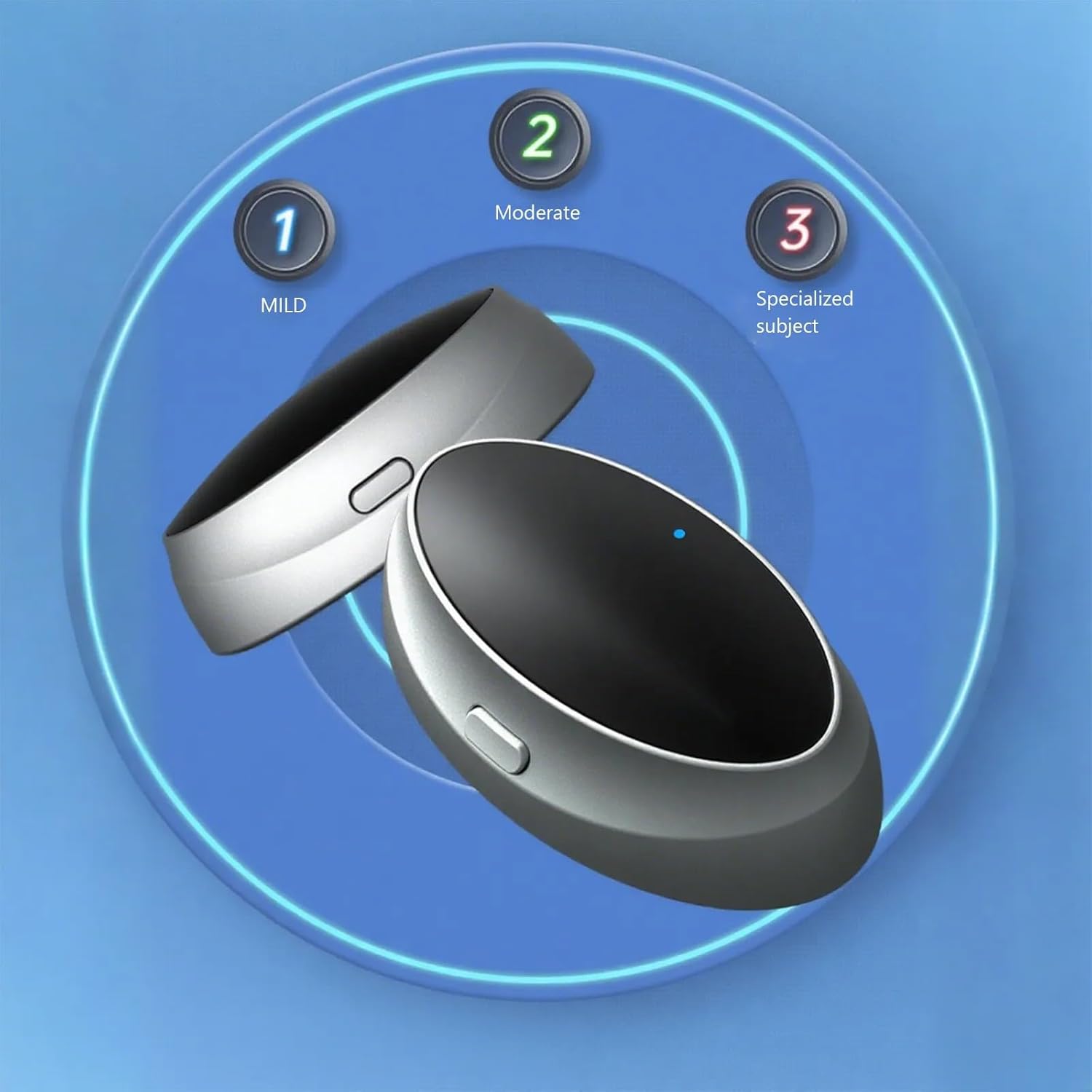
Image: Device settings for Mild, Moderate, and Specialized Subject.
- Mild: For users new to anti-snoring devices or those with light snoring.
- Moderate: A balanced setting for regular snorers.
- Specialized Subject: An intensified setting for more pronounced snoring issues.
Refer to the device's specific controls to cycle through these modes. Start with the Mild setting and adjust as needed for comfort and effectiveness.
During Sleep
Once activated and properly placed, the device's AI algorithm will begin monitoring your sleep patterns and breathing. When snoring is detected, the dual-pulse technology will gently stimulate the muscles to encourage proper breathing and reduce snoring without disturbing your sleep.
Care and Maintenance
Cleaning
To maintain hygiene and device longevity, clean your anti-snoring device regularly.
- After each use, gently wipe the device with a soft, damp cloth.
- Do not use harsh chemicals, abrasive cleaners, or immerse the device in water. The device is designed to be waterproof, but direct immersion for cleaning is not recommended.
- Ensure the device is completely dry before placing it back in the charging case or storing it.
Storage
When not in use, store the device in its charging case in a cool, dry place, away from direct sunlight and extreme temperatures.

Image: Storing the compact anti-snoring device.
Common Issues and Solutions
| Problem | Possible Cause | Solution |
|---|---|---|
| Device not turning on | Low battery; device not charged. | Charge the device fully using the provided USB-C cable and charging case. |
| Device not effective | Incorrect placement; wrong mode selected; device not activated. | Ensure correct placement on the chin/neck. Try a different operating mode (e.g., Moderate or Specialized Subject). Verify the device is powered on. |
| Discomfort during use | Device placed too tightly; sensitive skin. | Adjust placement for a looser, more comfortable fit. If skin irritation occurs, discontinue use and consult a doctor. |
| Device not charging | Cable or adapter issue; poor connection. | Check if the USB-C cable is securely connected to both the case and the power source. Try a different USB port or adapter. |
Product Specifications
- Model: B0FQ9YSG43
- Brand: COTAO
- Manufacturer: COTAO
- Technology: AI Algorithm, Dual-Pulse
- Weight: Approximately 0.42 oz (12 g)
- Dimensions: 15 x 10 x 5 cm (Parcel Dimensions)
- Battery Life: Extended battery life for multiple nights of use per charge.
- Charging: Magnetic charging, USB-C compatible.
Warranty and Customer Support
COTAO stands behind the quality of its products. If you have any questions, concerns, or require assistance with your Meacode Smart Anti-Snoring Device, please do not hesitate to contact our customer support team. We are committed to ensuring your satisfaction.
For support, please refer to the contact information provided on your product packaging or the official COTAO website.
Ask a question about this manual
Ask about setup, troubleshooting, compatibility, parts, safety, or missing instructions. Manuals+ will review the question and use this page’s manual context to help answer it.