
GenXenon G06
GenXenon AI Smart Glasses G06 User Manual
Model: G06 | Brand: GenXenon
Introduction
The GenXenon AI Smart Glasses G06 are designed to enhance communication and daily activities with advanced features. These smart glasses offer real-time translation in over 160 languages, Bluetooth 5.3 connectivity for audio and calls, and smart touch controls. They are equipped with an auto on/off wearing sensor and an open-ear audio design for situational awareness.
What's in the Box
Upon unboxing your GenXenon AI Smart Glasses G06, please verify that all the following items are included:
- GenXenon AI Smart Glasses G06
- Glasses Cloth
- Charging Cable
- User Manual
- Glasses Box

Product Overview
The GenXenon AI Smart Glasses G06 feature a lightweight design with integrated technology for seamless interaction. Key components and dimensions are detailed below.


Setup
1. App Download and Activation
To unlock the full functionality of your GenXenon AI Smart Glasses G06, download the NebulaBuds Translation App and activate your device.
- First Step: Download the NebulaBuds App by scanning the QR code with your mobile phone or visiting the official website: NebulaBuds App Download.
- Second Step: Turn on Bluetooth on your phone and the smart glasses. Enter the NebulaBuds App settings and select "Bind New Device".
- Third Step: Enter or scan the activation code and tap "Connect" to activate the free translation function.

2. Bluetooth Pairing
The glasses utilize Bluetooth 5.3 for a stable connection with your smartphone.
- Ensure the smart glasses are powered on.
- Enable Bluetooth on your smartphone.
- Search for "GenXenon G06" or a similar device name in your phone's Bluetooth settings.
- Select the device to pair. A confirmation sound or indicator light will signal a successful connection.

3. Charging
The GenXenon AI Smart Glasses G06 use magnetic charging. Connect the provided charging cable to the magnetic charging port on the glasses.
- The orange light indicates charging is in progress.
- The green light will turn off approximately one minute after the glasses are fully charged.

Operating Instructions
1. Power On/Off and Wear Detection
The glasses feature an intelligent wear activation system:
- Auto On: Unfold the temples, put on the glasses, and they will power on automatically.
- Auto Off: Remove the glasses, and they will power off automatically after 15 seconds.
2. Touch Controls
The integrated touch controls on the temples allow for easy management of various functions:
- Previous Track: Twice-tap the Left Touch Button.
- Next Track: Twice-tap the Right Touch Button.
- Play/Pause: Once-tap either button.
- Voice Assistant: Long press the Left Touch Button for 2 seconds.
- Remote Photography: Long press the Right Touch Button for 2 seconds.
- Answer Call: Once-tap either button.
- Hang Up Call: Once-tap either button.
- Volume Adjustment: Swipe forward or back on the right temple to adjust volume. Triple-click the right button to activate Outdoor Mode for increased volume.

3. AI Translation Modes
The GenXenon AI Smart Glasses G06 offer multiple translation modes for diverse communication needs.

Glasses + Mobile Mode (Face-to-Face Translation)
This mode facilitates face-to-face conversations by translating speech between two individuals. One person wears the glasses, and the other uses the phone.
Video: Demonstrates the Glasses + Mobile Mode for real-time face-to-face translation. The user wears the glasses, and the other person speaks into the phone, with translations provided through the glasses and phone.

Simultaneous Interpretation
This mode allows for real-time interpretation of conversations, ideal for meetings or lectures where you need to understand a speaker in a different language.
Video: Demonstrates the simultaneous interpretation feature, showing how the app translates spoken language in real-time.
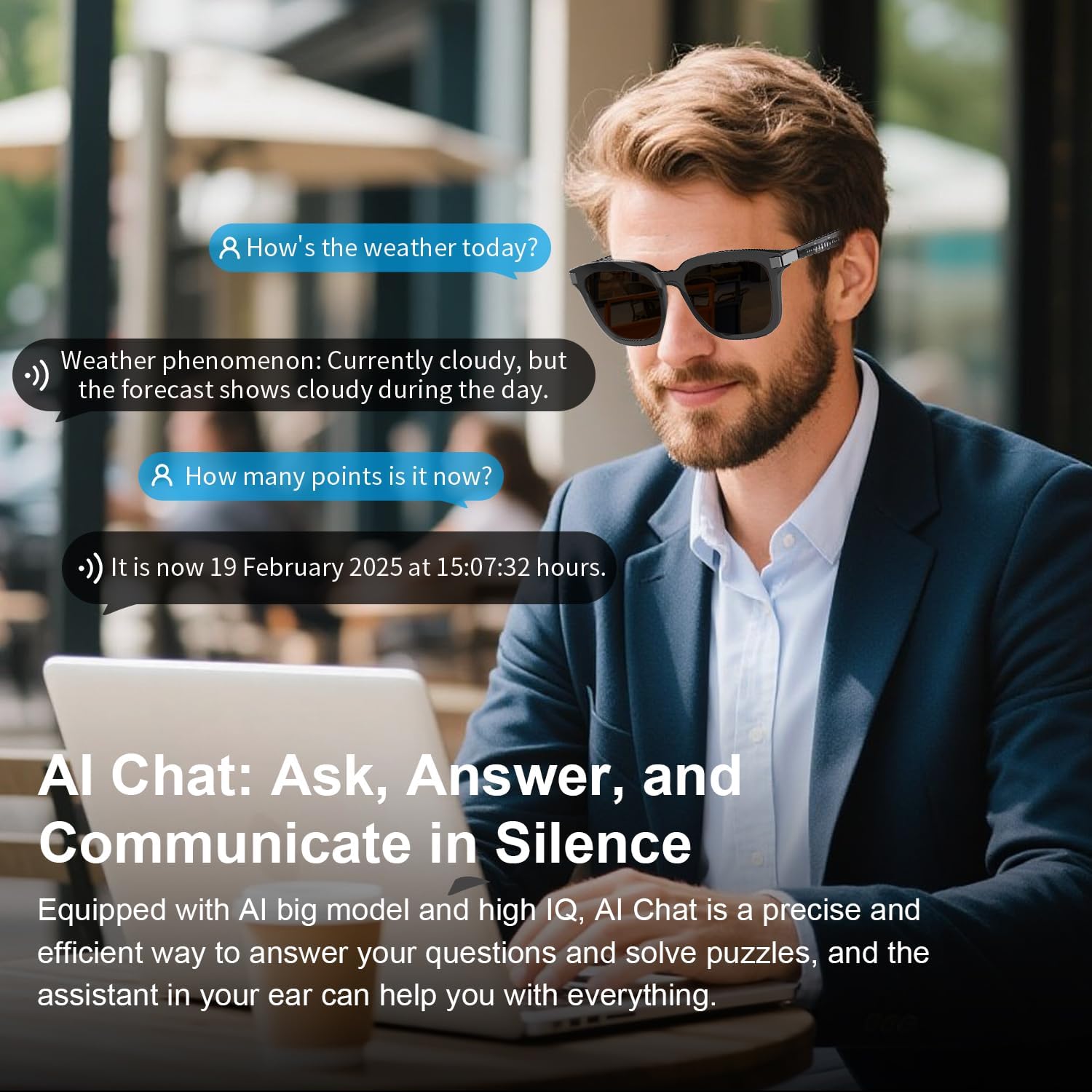
AI Chat Mode
Engage with the AI assistant for questions, puzzles, and information retrieval. The assistant in your ear provides discreet assistance.

4. Live Recording
Record conversations and meetings with real-time speech-to-text conversion. The app can also distinguish between speakers.
Video: Guide on how to use the live recording feature in the app, including selecting language, starting/stopping recording, and distinguishing speakers.
5. Voice Assistant
Activate your AI companion with a wake-up word to perform various tasks hands-free.
Video: Instructions on how to set and use the AI wake-up voice assistant, including selecting a voice and activating the assistant.
Key Features
- Multi-functional AI Translation: Real-time face-to-face translation in over 160 languages, simultaneous interpretation, and audio/video call language switching.
- Bluetooth 5.3: Stable connection compatible with iOS and Android devices.
- Long Battery Life: Dual 100mAh batteries provide up to 8 hours of playback time, fully recharged in 70 minutes.
- Innovative Design: Lightweight, translucent curved frames with an Auto On/Off wearing sensor.
- High Quality Sound & Open-Ear Design: AAC speakers deliver clear sound without blocking ambient noise. Intelligent noise cancellation for calls, music, and translations.
- Remote Shooting: Tap controls to initiate remote photo capture (Note: Glasses do not have a built-in camera).
- Outdoor Mode: Triple-click the right button to activate outdoor mode, increasing volume and improving audio clarity in noisy environments.

Lenses
The glasses are equipped with UV400 polarized lenses, offering protection and glare reduction.

Use Cases
The GenXenon AI Smart Glasses G06 are versatile for various scenarios:
- International Travel: Communicate effortlessly with locals.
- International Business Meetings: Facilitate understanding across language barriers.
- Learning & Training: Instant translation aids in understanding foreign knowledge.
- Academic Communication: Helps participants understand lectures and discussions.
- Daily Activities: Enjoy music, take calls, and use the voice assistant while staying aware of your surroundings.


Specifications
| Feature | Detail |
|---|---|
| Model Number | G06 |
| Operating System | Android Wear 1.0 |
| Special Feature | Lightweight |
| Battery Capacity | 100 Milliamp Hours (Dual batteries) |
| Connectivity Technology | Bluetooth 5.3 |
| Battery Cell Composition | Lithium Polymer |
| Color | Gray-AI (Current Variant) |
| Target Audience | Unisex Adults |
| Manufacturer | GenXenon |
Troubleshooting (Frequently Asked Questions)
- Q: What are the benefits of open-ear design?
A: Open-ear audio design provides the effect of in-ear design while reducing discomfort. It also allows you to perceive changes in the surrounding environment while listening to audio or talking, enhancing safety and awareness.
- Q: Do these glasses work with my phone?
A: Yes! Universal Bluetooth 5.3 compatibility ensures seamless pairing with both iOS and Android devices.
- Q: Are these suitable for both women and men?
A: Absolutely! GenXenon smart glasses adapt to your style and needs. The neutral frame design is unisex, combining style with lightweight comfort suitable for all-day wear.
Maintenance
To ensure the longevity and optimal performance of your GenXenon AI Smart Glasses G06, follow these maintenance guidelines:
- Cleaning: Use the provided glasses cloth to gently wipe the lenses and frame. Avoid using abrasive materials or harsh chemicals that could damage the coatings or frame material.
- Storage: When not in use, store the glasses in their protective box or the soft pouch to prevent scratches and damage.
- Water Resistance: The glasses are rated IPX5 waterproof, meaning they can resist a sustained, low-pressure water jet spray. However, they are not designed for submersion in water. Avoid prolonged exposure to heavy rain or direct water streams.
- Temperature: Avoid exposing the glasses to extreme temperatures (hot or cold) as this can affect battery life and electronic components.
Warranty and Support
GenXenon products are designed for quality and reliability. For warranty information, technical support, or service inquiries, please refer to the official GenXenon website or contact customer service through your point of purchase. Keep your proof of purchase for warranty claims.
Visit the GenXenon Store: GenXenon Store on Amazon
Ask a question about this manual
Ask about setup, troubleshooting, compatibility, parts, safety, or missing instructions. Manuals+ will review the question and use this page’s manual context to help answer it.