
OTTOCAST OTTOCAST Mini Slim
OTTOCAST Mini Cube 3.0 Wireless CarPlay & Android Auto Adapter User Manual
Model: OTTOCAST Mini Slim
Brand: OTTOCAST
Introduction
The OTTOCAST Mini Slim is a compact 2-in-1 wireless adapter designed to convert your car's existing wired CarPlay or Android Auto system into a wireless experience. This device offers fast auto-reconnection and supports dual-band 2.4Ghz + 5Ghz Wi-Fi for stable performance. It aims to provide a seamless and clutter-free integration of your smartphone with your vehicle's infotainment system.
What's in the Box?
- OTTOCAST Mini Slim Adapter
- USB Plug Adapter (Type-A to Type-C)
- User Manual
- Product Packaging

Image: The OTTOCAST Mini Slim box contents, showing the compact adapter, a USB-A to USB-C adapter, and the user manual.
Video: This video demonstrates the unboxing of the OTTOCAST Mini Slim, showcasing the adapter, the USB-C adapter, and the included user manual.
Setup Instructions
Step 1: Insert the Adapter
Insert the OTTOCAST Mini Slim into your car's USB port (USB-A or USB-C using the provided adapter). The device will power on, and a Bluetooth pairing prompt will appear on your car's display.

Image: A close-up view of the OTTOCAST Mini Slim being inserted into a car's USB port, illustrating the first step of the setup process.
Step 2: Enable Phone's Bluetooth and Wi-Fi
On your smartphone, enable both Bluetooth and Wi-Fi. Connect to the device named "CAR2-XXXX" via Bluetooth. Your phone will then automatically establish a Wi-Fi connection with the adapter.

Image: A smartphone screen displaying the steps to enable Wi-Fi and Bluetooth and connect to the "CAR2-XXXX" device for pairing.
Step 3: Confirm CarPlay/Android Auto Connection
A prompt will appear on your car's display asking to use CarPlay or Android Auto. Confirm the connection. Your wireless CarPlay or Android Auto will now be active.
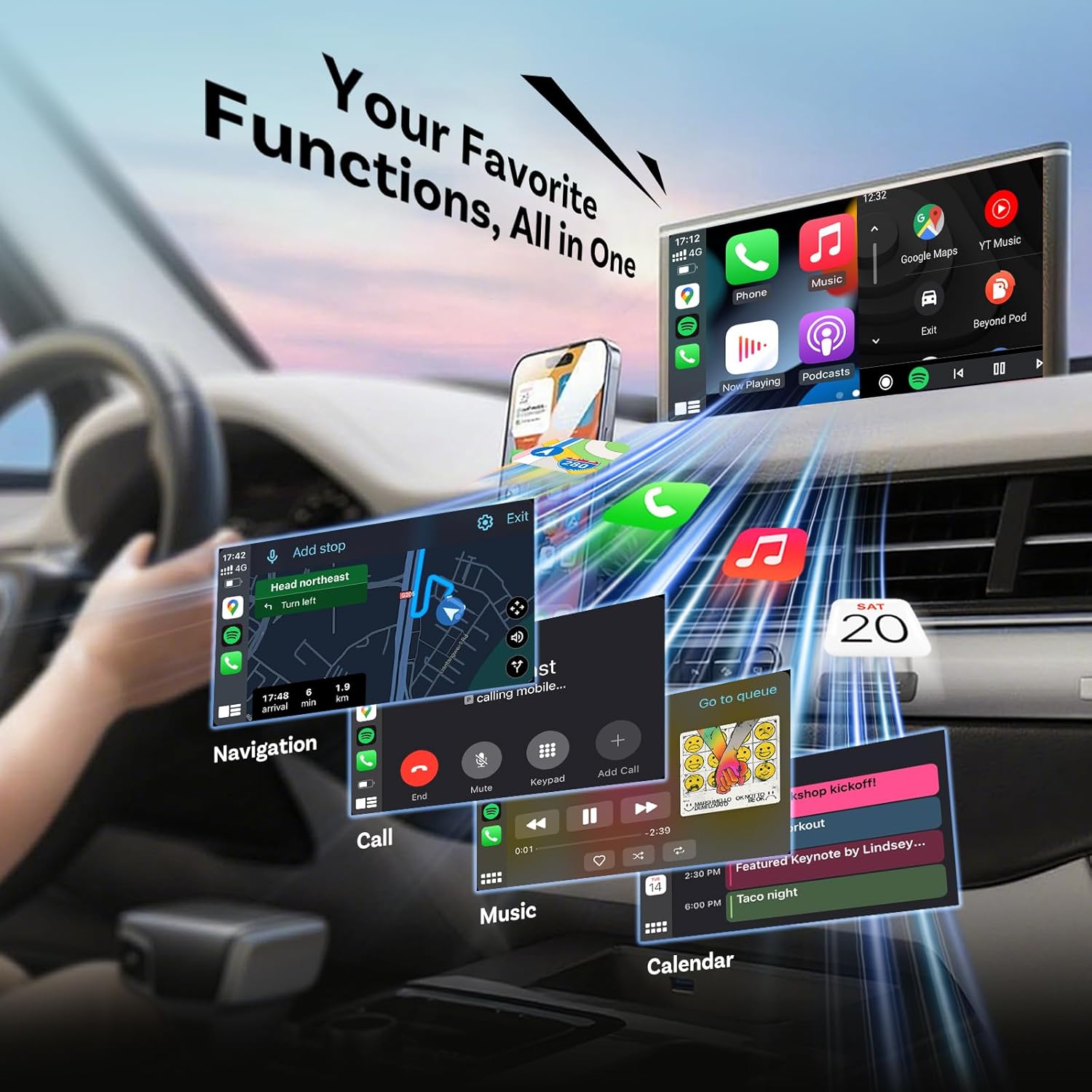
Image: The car's infotainment screen displaying a prompt to confirm the use of CarPlay with the connected device.
For cars with a Type-C port, use the included USB-A to USB-C adapter to connect the Mini Slim.

Image: Illustration demonstrating how the OTTOCAST Mini Slim can be connected to both USB-A and USB-C ports in a car using the appropriate adapter.
Operating Instructions
Once successfully paired, the OTTOCAST Mini Slim will automatically connect to your last-paired phone within 5-8 seconds when you start your car. The device supports both Wireless CarPlay and Wireless Android Auto, allowing access to navigation, music, calls, and calendar functions directly on your car's display.
- Automatic Reconnection: The adapter is designed for quick and automatic reconnection to the last used device upon starting the vehicle.
- Multi-Device Support: The device can remember up to two paired phones. It will automatically connect to the last paired phone.
- Retain Original Car Controls: All original car controls, including touchscreen, steering wheel buttons, rotary knobs, Siri, and Google Voice, remain fully functional with the wireless connection.
- Voice Control: Utilize Siri or Google Assistant for hands-free control of navigation, calls, and music.

Image: A car's infotainment screen displaying the CarPlay interface with various applications like navigation, music, and phone calls.

Image: Three panels demonstrating the continued functionality of OEM knob control, touchscreen control, and steering wheel buttons when using the wireless adapter.

Image: An illustration of a driver and passenger using voice commands with Siri and Google Assistant for navigation and other functions in a car.
Compatibility
The OTTOCAST Mini Slim is compatible with 98% of cars that come with factory-installed wired CarPlay or Android Auto. It supports iPhones with iOS 10+ and Android phones with Android 11+.
Important Notes:
- Not compatible with BMW or Tesla models.
- YouTube/Netflix and similar video streaming services are not supported through this adapter.
- It is normal for the device to feel slightly warm during operation.

Image: A visual guide indicating car brands compatible with the OTTOCAST Mini Slim, along with a QR code for checking specific vehicle compatibility.
For detailed vehicle compatibility, please visit: https://check.adaptermanual.com/AMZ/

Image: An illustration showing various iPhone models compatible with iOS 10+ for Wireless CarPlay and Android phone models compatible with Android 11+ for Wireless Android Auto.
Maintenance
The OTTOCAST Mini Slim supports Over-The-Air (OTA) firmware upgrades to ensure optimal performance and compatibility with future updates. Regularly checking for and installing updates is recommended.
- Firmware Updates: Access the update feature through the device's interface or a dedicated app (refer to the user manual for specific instructions).

Image: A smartphone screen displaying options for checking and performing firmware updates for the OTTOCAST device, with a note about resolving common issues through updates.
Troubleshooting
If you encounter issues with your OTTOCAST Mini Slim, consider the following common solutions:
- Connection Issues:
- Ensure your car's wired CarPlay/Android Auto system is functional before connecting the adapter.
- Verify that Bluetooth and Wi-Fi are enabled on your smartphone and correctly paired with "CAR2-XXXX".
- Restart your car and phone, then re-attempt the connection process.
- Check for and install any available firmware updates for the OTTOCAST Mini Slim.
- Audio or Call Quality:
- If experiencing delays or poor audio quality during calls, ensure your phone's cellular signal is strong.
- Sometimes, interference can occur. Try repositioning the adapter if possible, or temporarily disconnect and reconnect.
- Device Not Recognized:
- Confirm your car model is listed as compatible. Refer to the compatibility section or the provided link.
- Ensure the USB port in your car is active and provides power.
For persistent issues, refer to the detailed user manual or contact OTTOCAST customer support.
Specifications
| Product Dimensions | 0.81 x 0.93 x 0.81 inches (2.07 x 2.35 x 2.07 cm) |
| Item Weight | 1.44 ounces |
| Model Number | OTTOCAST Mini Slim |
| Connectivity Technology | Bluetooth 5.0, Wi-Fi (2.4Ghz + 5Ghz Dual-Band) |
| Special Features | 2-in-1 Wireless CarPlay & Android Auto, Automatic reconnection, Ultra mini design |
| Processor | A7S Dual-Core Processor |
| Material | Aluminum Alloy Shell, Acrylic + PC Panel |

Image: An exploded view diagram illustrating the advanced materials and precision engineering of the OTTOCAST Mini Slim, including its aluminum alloy shell and internal components.

Image: A visual comparison highlighting the compact size of the OTTOCAST Mini Slim, shown next to a smartphone and a human finger for scale.
Warranty and Support
The OTTOCAST Mini Slim comes with 2 years of dedicated OTTOCAST support. This includes:
- 1-Year Hassle-Free Coverage
- Dedicated Customer Care
- Professional Technical Guidance
For assistance, please refer to the contact information provided in your product packaging or visit the official OTTOCAST website.

Image: An illustration depicting the comprehensive support offered by OTTOCAST, including warranty coverage, customer care, and technical guidance.
Related documentsOTTOCAST Mini Slim


Ask a question about this manual
Ask about setup, troubleshooting, compatibility, parts, safety, or missing instructions. Manuals+ will review the question and use this page’s manual context to help answer it.