1. Introduction
Welcome to the DUCOCUB Air1 Pro Adaptive Hybrid Active Noise Canceling Wireless Earbuds. This manual provides detailed instructions for setting up, operating, and maintaining your new earbuds to ensure optimal performance and longevity. Please read this manual thoroughly before use.
2. What's in the Box

Image: All components included in the DUCOCUB Air1 Pro package.
- Bluetooth Earbuds (2 units)
- Charging Case (1 unit)
- Ear Tips (XS/S/M/L sizes)
- Type-C Cable (1 unit)
- User Manual (1 unit)
3. Product Features
-
Adaptive Hybrid Active Noise Canceling: Utilizes both feedforward and feedback microphones to precisely cancel noise across all frequencies, suppressing engine hums, office chatter, and street noise for an immersive listening experience.

Image: Internal diagram showing the dual-microphone system for hybrid ANC.
-
Crystal-Clear Calls with 6-Mic ENC System: Each earbud features 3 microphones (total of 6) combined with advanced AI noise reduction algorithms to isolate your voice and filter out environmental sounds like wind, traffic, and crowds, ensuring clear conversations.

Image: Earbuds in use during a phone call, demonstrating effective call noise reduction.
-
Immersive Hi-Res Audio with Deep Bass: Equipped with an 11mm dynamic driver, these earbuds deliver powerful bass and crisp, detailed highs. Support for SBC and AAC codecs ensures high-quality audio across various devices.

Image: Cross-section of an earbud highlighting the 11mm dynamic driver for enhanced audio.
-
Extended Battery Life & Wireless Charging: Enjoy up to 49 hours of total playtime with the charging case. The case supports both wireless charging and fast USB-C charging, providing 2 hours of use from just 10 minutes of charge. Dual LED displays show battery status for both earbuds and the case.

Image: Visual representation of the extended battery life and charging features.
-
Smart Touch Controls & App Integration: Manage music, calls, and volume with intuitive one-touch commands. The companion app allows for EQ tuning, personalized touch controls, and a "Find My Earbuds" feature.
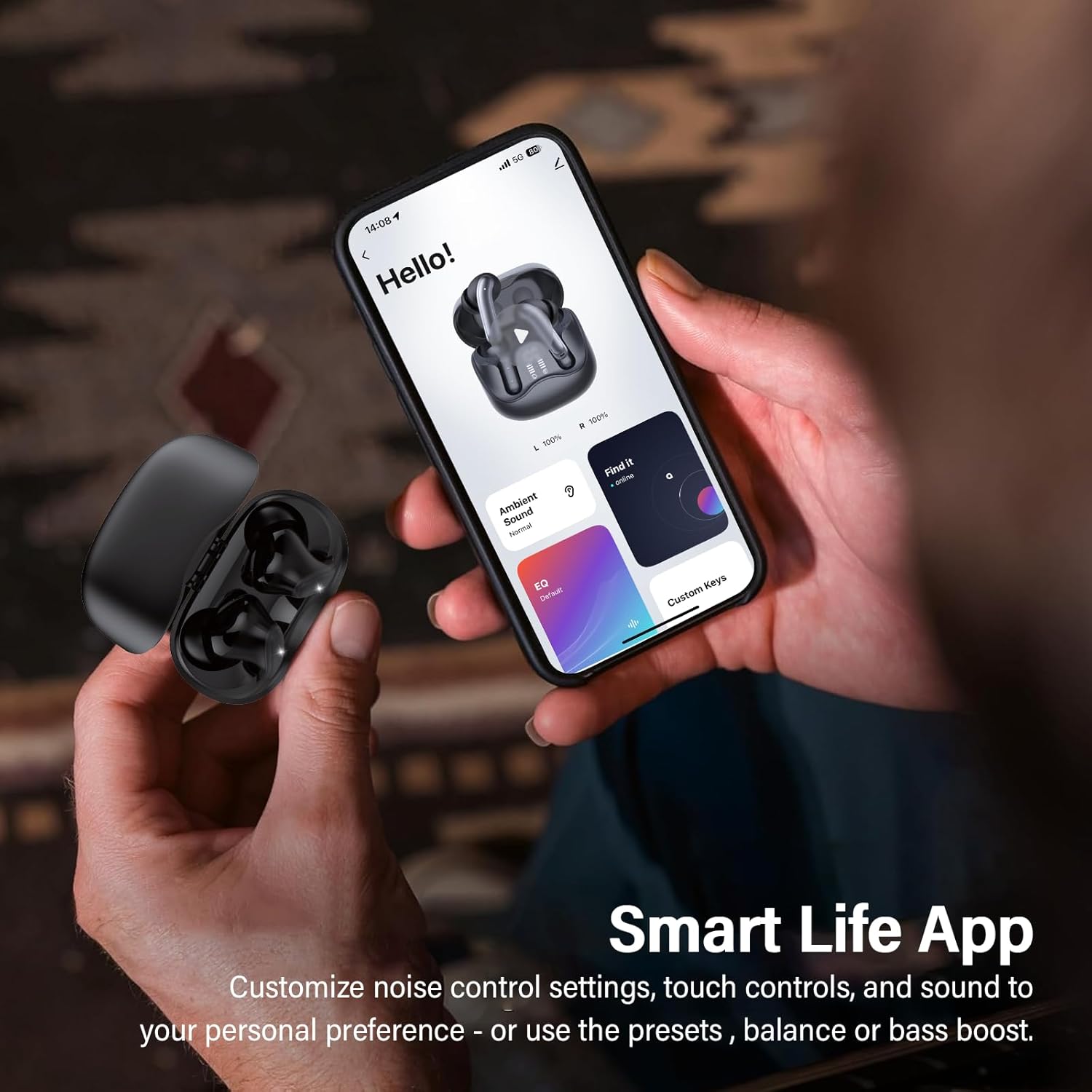
Image: Smart Life App interface for customizing earbud settings.
-
Multipoint Bluetooth 5.4 Connectivity: Connect to two devices simultaneously (e.g., smartphone and laptop) and seamlessly switch between them without re-pairing. This feature is activated via the companion app settings.
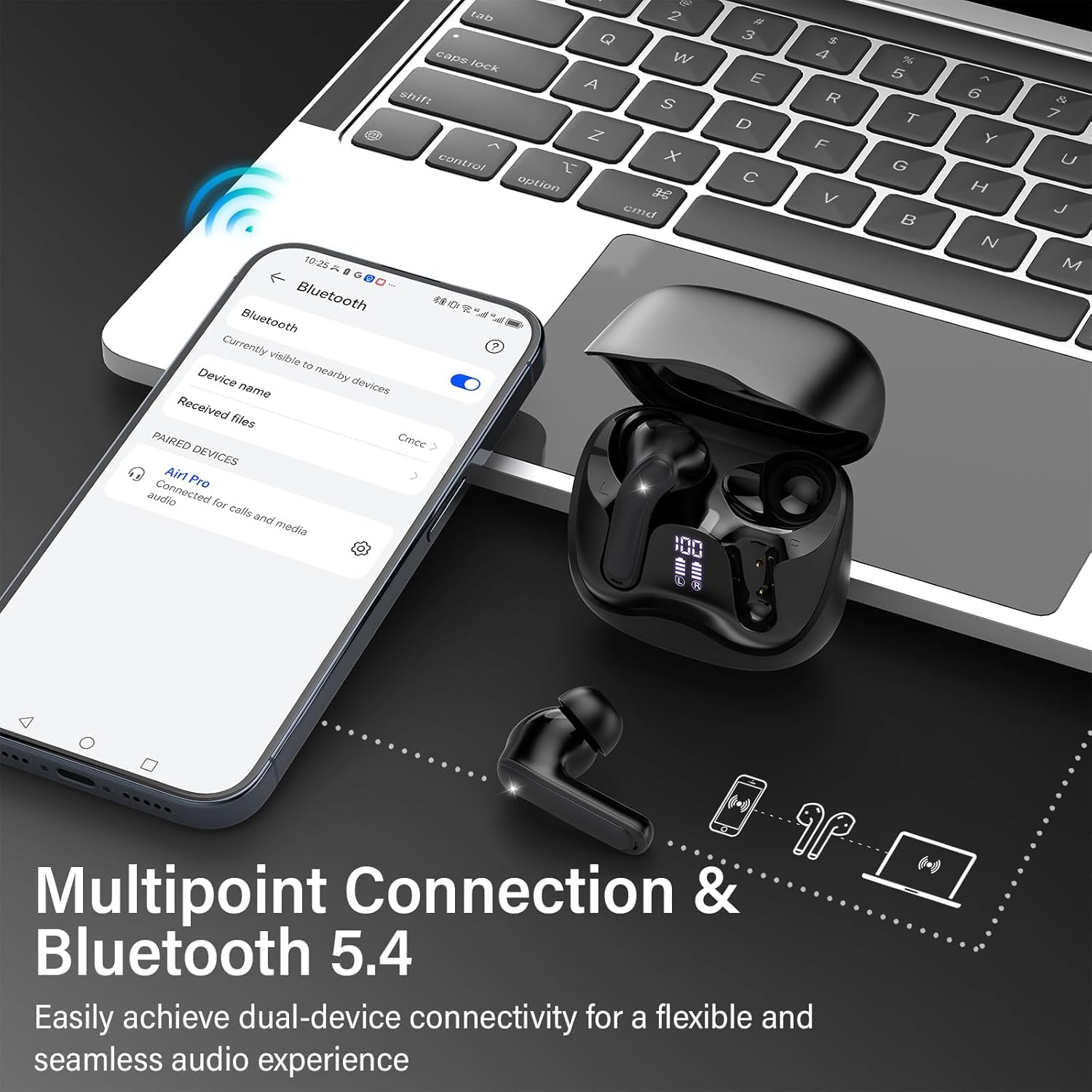
Image: Earbuds connected to multiple devices, illustrating multipoint connectivity.
-
Comfortable Fit & IP7 Waterproof: Lightweight (3.7g each) with ergonomic design and soft silicone ear tips (XS/S/M/L) for secure, pressure-free all-day comfort. IP7-rated waterproofing provides resistance against sweat and rain.
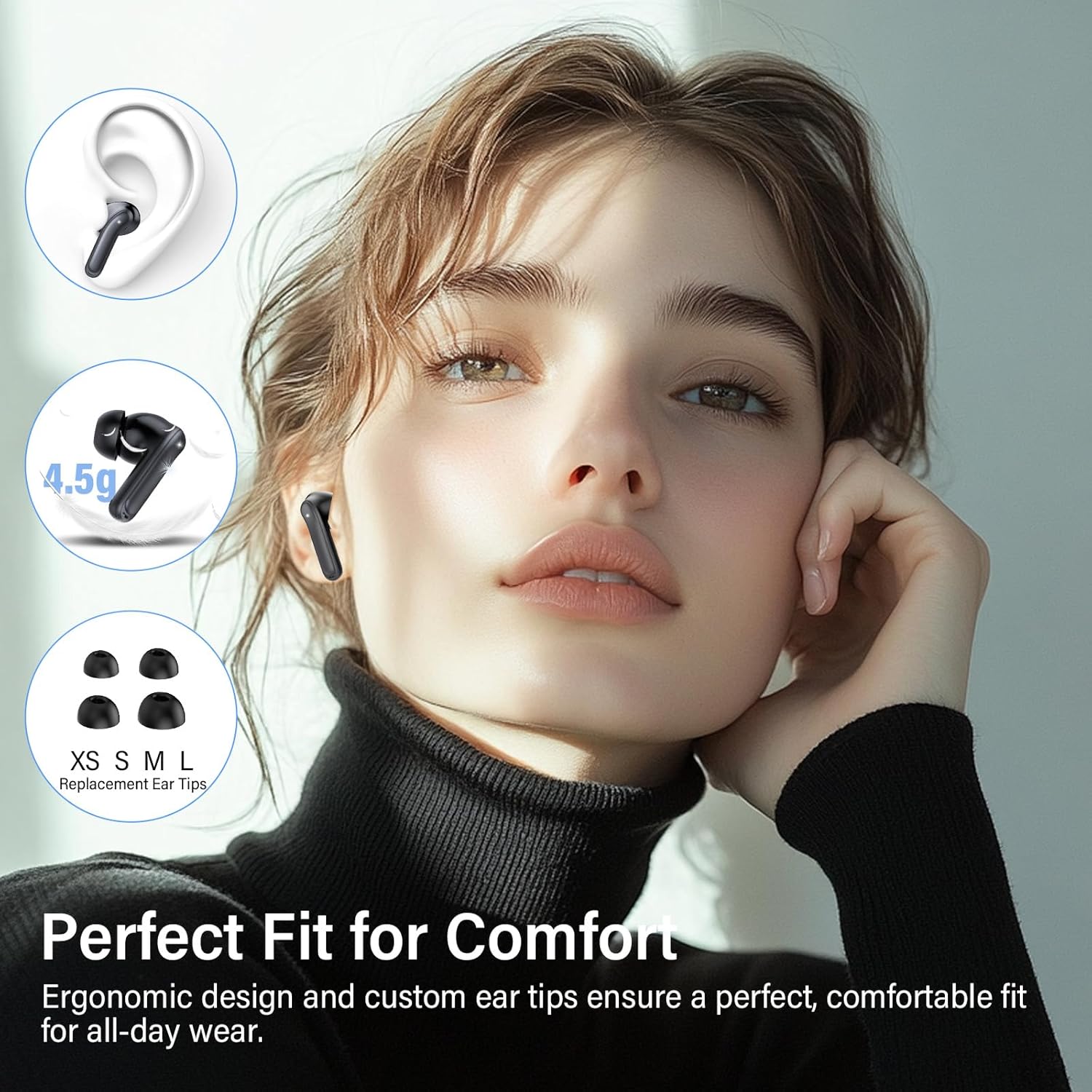
Image: Various ear tip sizes for a customized and comfortable fit.
4. Setup Guide
4.1 Initial Charging
- Before first use, place both earbuds into the charging case.
- Connect the provided USB-C cable to the charging port on the case and the other end to a USB power source.
- The dual LED display on the case will show the charging status. Ensure both earbuds and the case are fully charged.
- For wireless charging, place the case on a compatible wireless charging pad.
4.2 Bluetooth Pairing
- Open the charging case. The earbuds will automatically enter pairing mode.
- On your device (smartphone, tablet, laptop), enable Bluetooth.
- Search for "Air1 Pro" in the list of available Bluetooth devices and select it to connect.
- Once connected, a voice prompt will confirm successful pairing.
4.3 Smart Life App Installation
For enhanced features and customization, download the "Smart Life" app:
- Scan the QR code provided in the physical user manual or on the product packaging.
- Alternatively, search for "Smart Life" in your device's app store (Google Play Store for Android, Apple App Store for iOS).
- Install the app and follow the on-screen instructions to connect your Air1 Pro earbuds.
5. Operating Instructions
5.1 Touch Controls
The earbuds feature intuitive touch controls. The specific functions can be customized via the Smart Life App.

Image: Touch control guide for various functions.
| Action | Function |
|---|---|
| Single Tap (L/R) | Play/Pause Music, Answer Call |
| Double Tap (L) | Previous Track |
| Double Tap (R) | Next Track |
| Triple Tap (L/R) | Activate Voice Assistant, Gaming Mode/Music Mode (customizable) |
| Long Press (2 seconds) (L/R) | Switch ANC/Transparency Mode, Reject Call, Hang Up Call |
5.2 Noise Control Modes
The DUCOCUB Air1 Pro earbuds and charging case offer flexible charging options:
- Active Noise Cancellation (ANC): Blocks out external noise for an immersive audio experience. Ideal for noisy environments.
- Transparency Mode: Allows ambient sounds to pass through, keeping you aware of your surroundings while still enjoying your audio. Useful for public spaces or when interacting with others.
- Normal Mode: Standard audio experience without active noise cancellation or transparency features.
Switch between these modes by long-pressing the touch sensor on either earbud for 2 seconds (default setting).

Image: Transparency Mode in use, allowing awareness of surroundings.
6. Charging
The DUCOCUB Air1 Pro earbuds and charging case offer flexible charging options:
- USB-C Charging: Connect the provided Type-C cable to the charging port on the case and a power adapter. The LED display will indicate the charging progress.
- Wireless Charging: Place the charging case on any Qi-certified wireless charging pad. The LED display will show the charging status.
- Fast Charging: A quick 10-minute charge can provide up to 2 hours of listening time.
- Battery Status: The dual LED display on the charging case shows the battery percentage of the case and the individual charge levels of the left and right earbuds.
7. Maintenance
- Cleaning: Regularly clean the earbuds and charging case with a soft, dry, lint-free cloth. Avoid using harsh chemicals or abrasive materials.
- Ear Tips: Remove and clean the silicone ear tips periodically with mild soap and water. Ensure they are completely dry before reattaching.
- Water Resistance: The earbuds are IP7 waterproof, meaning they are protected against immersion in water up to 1 meter for up to 30 minutes. However, the charging case is not waterproof. Avoid exposing the charging case to liquids. Always ensure earbuds are dry before placing them back into the charging case.
- Storage: Store the earbuds in their charging case when not in use to protect them and keep them charged. Store in a cool, dry place away from extreme temperatures.
8. Troubleshooting
| Problem | Solution |
|---|---|
| Earbuds not pairing | Ensure earbuds are charged. Place them back in the case, close, then open again to re-enter pairing mode. Forget "Air1 Pro" from your device's Bluetooth list and try pairing again. |
| Only one earbud working | Ensure both earbuds are charged. Place both earbuds back in the case, close the lid, wait a few seconds, then open. This often re-syncs them. If the issue persists, reset the earbuds (refer to the app or full manual for specific reset instructions). |
| Poor sound quality | Check ear tip fit; try different sizes for a better seal. Ensure earbuds are clean. Move closer to your connected device to avoid interference. |
| Charging issues | Ensure the charging cable is securely connected. Try a different USB-C cable or power adapter. For wireless charging, ensure the case is correctly positioned on the charging pad. Clean charging contacts on earbuds and case. |
| Touch controls unresponsive | Ensure earbuds are clean and dry. Restart the earbuds by placing them in the case and taking them out. Check the Smart Life App for customized settings that might alter default controls. |
9. Specifications
| Feature | Detail |
|---|---|
| Model Name | Air1 Pro |
| Brand | DUCOCUB |
| Connectivity Technology | Wireless (Bluetooth 5.4) |
| Noise Control | Adaptive Hybrid Active Noise Cancellation |
| Microphones | 6 Mics (ENC Clear Call System) |
| Audio Driver Type | 11mm Dynamic Driver |
| Playtime | Up to 49 hours (with charging case) |
| Charging | Wireless Charging, USB-C Fast Charging |
| Water Resistance Level | IP7 Waterproof (earbuds only) |
| Special Features | Multipoint Pairing, Smart Touch Controls, App Integration |
| Ear Placement | In Ear |
| Item Weight | 4.6 ounces |
10. Official Product Videos
DUCOCUB Air1 Pro Hybrid Active Noise Canceling Wireless Earbuds
Video: An official product video from DUCOCUB showcasing the Air1 Pro Hybrid Active Noise Canceling Wireless Earbuds, highlighting their features and design.
11. Warranty and Support
DUCOCUB offers customer support to assist with any product-related inquiries or issues. If you encounter any problems or have questions regarding your Air1 Pro earbuds, please contact our after-sale team for assistance.
- Return Policy: The product is covered by a return policy of 2026 days.
- Customer Service: For support, please refer to the contact information provided in your product packaging or visit the official DUCOCUB store on Amazon.


