
Introduction
Thank you for purchasing the BALMUDA The Range S microwave oven. This manual provides essential information for the safe and efficient use of your appliance. Please read it thoroughly before use and keep it for future reference. The BALMUDA The Range S is designed to make your cooking experience more enjoyable with its intuitive operation, pleasant sounds, and elegant design.

Image: The BALMUDA The Range S microwave oven (White) in a kitchen.
Important Safety Instructions
To reduce the risk of fire, electric shock, injury to persons, or exposure to excessive microwave energy when using your appliance, follow basic precautions, including the following:
- Read all instructions before using the appliance.
- Do not operate the oven when empty.
- Do not heat liquids or other foods in sealed containers as they are liable to explode.
- Only allow children to use the oven without supervision when adequate instructions have been given so that the child is able to use the oven in a safe way and understands the hazards of improper use.
- Always use microwave-safe cookware.
- Regularly clean the oven and remove any food deposits.
- Do not attempt to service or repair the appliance yourself. Contact qualified service personnel.
Setup and Installation
Unpacking
Carefully remove the microwave oven from its packaging. Retain all packaging materials for future transport or storage. Check for any damage during transit. If any damage is found, do not operate the appliance and contact your retailer.
Placement
Place the microwave oven on a stable, level surface that can support its weight. Ensure there is adequate ventilation around the appliance. Do not block ventilation openings. Keep a minimum distance of 10 cm (4 inches) from the rear and sides, and 20 cm (8 inches) from the top. Avoid placing the oven near heat sources or in direct sunlight.

Image: Proper placement of the BALMUDA The Range S microwave oven on a kitchen counter.
Power Connection
Connect the power cord to a grounded 100V AC outlet. Ensure the outlet meets the electrical requirements of the appliance (1350W power consumption). Do not use extension cords or adapters.
Operating Your BALMUDA The Range S
The BALMUDA The Range S features an intuitive dial and button interface, complemented by unique operation sounds and a clear display.
Control Panel Overview
The control panel consists of a central dial for selecting modes and confirming settings, along with dedicated buttons for 'Setting' and 'Cancel'. The display shows the selected mode, wattage, and remaining time.
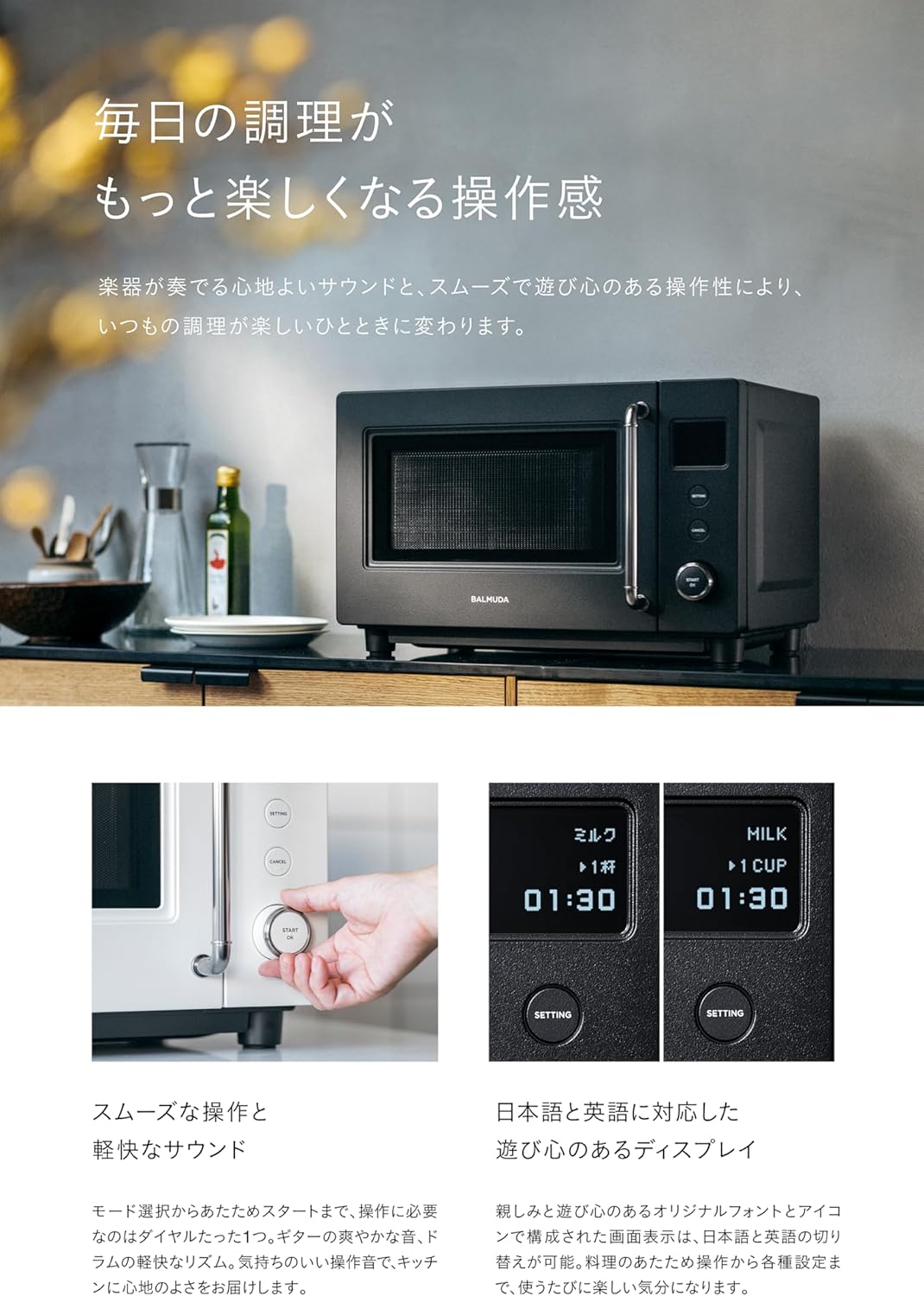
Image: Close-up of the control panel, showing the dial and buttons.
Heating Modes
The appliance offers five essential heating modes for various food types:
- Auto Mode: Ideal for reheating meals and side dishes. Allows for fine-tuning of output.
- Manual Mode: Set wattage (100W, 500W, 600W, 800W, 900W) and time manually for precise heating.
- Drink Mode: Optimized for heating beverages like milk, coffee, and sake to their ideal temperatures.
- Frozen Rice Mode: Specifically designed for reheating frozen rice, ensuring even heating.
- Defrost Mode: For thawing frozen ingredients. Choose between full thaw or half-thaw options.

Image: The display screen showing various heating modes and settings.
Starting Operation
- Place food in a microwave-safe container inside the oven.
- Close the door gently.
- Turn the dial to select your desired heating mode.
- Press the dial (START/OK) to begin heating.
Unique Features
The BALMUDA The Range S enhances your kitchen experience with:
- Operation Sounds: Enjoy pleasant guitar and drum sounds during operation, replacing typical beeps.
- Screen Display: A clear display with original fonts and icons, offering language options (Japanese/English).
- Countdown Display: An engaging countdown makes waiting for your food more enjoyable.
Video: Demonstration of the BALMUDA The Range S operation, highlighting the intuitive dial, display, and unique sounds.
Maintenance and Cleaning
Proper maintenance ensures the longevity and optimal performance of your microwave oven.
Soft-Close Door
The appliance features a soft-close door mechanism, designed to close gently and quietly, absorbing impact. This mechanism also contributes to the durability of the door.
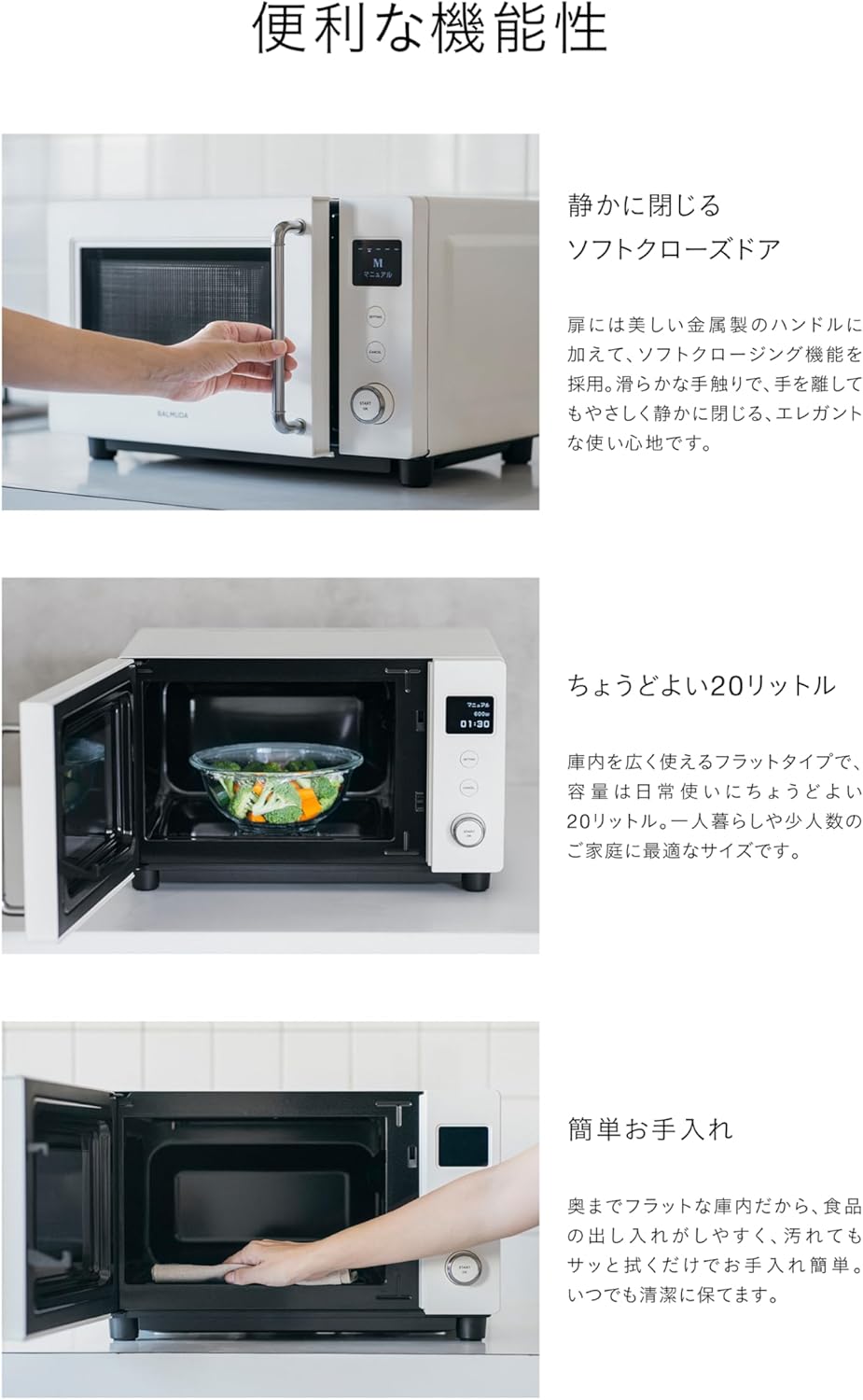
Image: A hand demonstrating the soft-close door feature of the microwave.
Interior Cleaning
The oven's interior is designed with a flat surface, making it easy to clean. After each use, wipe the interior with a damp cloth to remove food splatters. For stubborn stains, use a mild detergent and a soft sponge, then wipe clean with a damp cloth and dry thoroughly.

Image: The spacious and flat interior of the microwave oven, designed for easy cleaning.
Exterior Cleaning
Wipe the exterior surfaces with a soft, damp cloth. Do not use abrasive cleaners or harsh chemicals, as they may damage the finish.
Troubleshooting Guide
If you encounter any issues with your BALMUDA The Range S, please refer to the following common problems and solutions before contacting customer support.
- Appliance does not turn on:
Ensure the power cord is securely plugged into a working electrical outlet. Check your household fuse or circuit breaker. - Food is not heating or heating unevenly:
Verify that the correct heating mode and time are selected. Ensure the food is placed centrally in the oven. Use microwave-safe dishes and cover food to retain moisture and promote even heating. - Unusual noises during operation:
Minor operational sounds are normal. If the noise is excessively loud or unusual, ensure no foreign objects are inside the oven cavity. If the issue persists, discontinue use and contact support. - Display not working:
Unplug the appliance for a few minutes, then plug it back in. If the display remains blank, contact customer support.
Product Specifications
| Feature | Specification |
|---|---|
| Brand | BALMUDA |
| Product Dimensions (D x W x H) | 39.3 cm x 46.6 cm x 29.5 cm |
| Color | White |
| Capacity | 20 Liters |
| Recommended Use | Household |
| Wattage | 900 W |
| Controller Type | Button |
| Power Consumption | 1350 W |
| Voltage | 100 Volts |
| Human Interface Input | Dial, Button |
| Item Weight | 9.5 Kilograms |
| Included Accessories | Instruction Manual (with warranty card) |
| Model Number | KRN01JP-WH |
| Manufacturer Model Number | KRN01JP-WH |
| Country of Origin | China |
Warranty and Customer Support
Warranty Information
The BALMUDA The Range S comes with a 1-year warranty from the date of purchase. The magnetron component is covered by a 2-year warranty. Please refer to the included warranty card for detailed terms and conditions.
Contact Support
For any questions, technical assistance, or warranty claims, please contact BALMUDA customer support through their official website or the contact information provided in your warranty documentation. Please have your model number (KRN01JP-WH) and purchase date ready when contacting support.

