
Introduction
Thank you for choosing the ALLJOY Cordless Heated Back Massager. This device is designed to provide targeted heat and vibration therapy for relief from back pain, menstrual cramps, muscle tension, and joint stiffness. Please read this manual thoroughly before use to ensure safe and effective operation.
Important Safety Information
WARNING: Failure to follow these safety instructions may result in fire, electric shock, injury, or damage to the product or property.
- Do not leave the heating pad unattended during use.
- Do not use the heating pad while sleeping.
- Keep the heating pad away from flammable materials.
- Do not use the heating pad if you have a fever, infection, or impaired sensation.
- Consult a physician before use if you are pregnant, have diabetes, or any other health concerns.
- Keep out of reach of children and pets.
- Do not immerse the heating pad in water.
- In case of fire, unplug the heating pad and extinguish flames with a blanket or fire extinguisher.
- If the heating pad becomes hot to the touch, turn it off immediately and allow it to cool before further use.
Always ensure the device is used in a well-ventilated area and on a stable surface.
Package Contents
Verify that all items listed below are included in your package:
- Heated Massage Pad
- 10000mAh Power Bank
- Type-C Charging Cable
- Extension Belt
- User Manual (this document)

Image: Contents of the ALLJOY Cordless Heated Back Massager package, including the heated massage pad, 10000mAh power bank, Type-C charging cable, extension belt, and user manual.
Setup
1. Charging the Power Bank
Before first use, fully charge the 10000mAh power bank using the provided Type-C charging cable. Connect the cable to the power bank and a suitable USB power adapter (not included). The charging indicator lights on the power bank will show its charging status.

Image: Close-up of the 10000mAh power bank, highlighting its large capacity and Type-C charging port. This power bank provides extended usage time for the massager.
2. Attaching the Power Bank
Once charged, insert the power bank into the designated pocket on the heated massage pad. Connect the power bank to the pad's internal USB cable.
3. Wearing the Massager
Position the heated massage pad on the desired area of your back or abdomen. Secure it comfortably using the adjustable straps. If needed, attach the extension belt to achieve a secure and comfortable fit for waist lengths up to 170 cm (67 inches).

Image: A person wearing the ALLJOY heated back massager, demonstrating its adjustable size and comfortable fit. The image also shows the dimensions of the main belt (43.31 inches) and the extension belt (23.62 inches).
Operating Instructions
1. Power On/Off
Press and hold the power button on the control panel for 2-3 seconds to turn the device on or off.
2. Adjusting Heat Settings
Once powered on, press the heat button to cycle through the three available heat levels. The indicator lights will change to reflect the selected setting:
- Low (45°C / 113°F): Gentle warmth for mild discomfort.
- Mid (55°C / 131°F): Moderate heat for general pain relief.
- High (65°C / 149°F): Intense heat for deeper muscle relaxation.
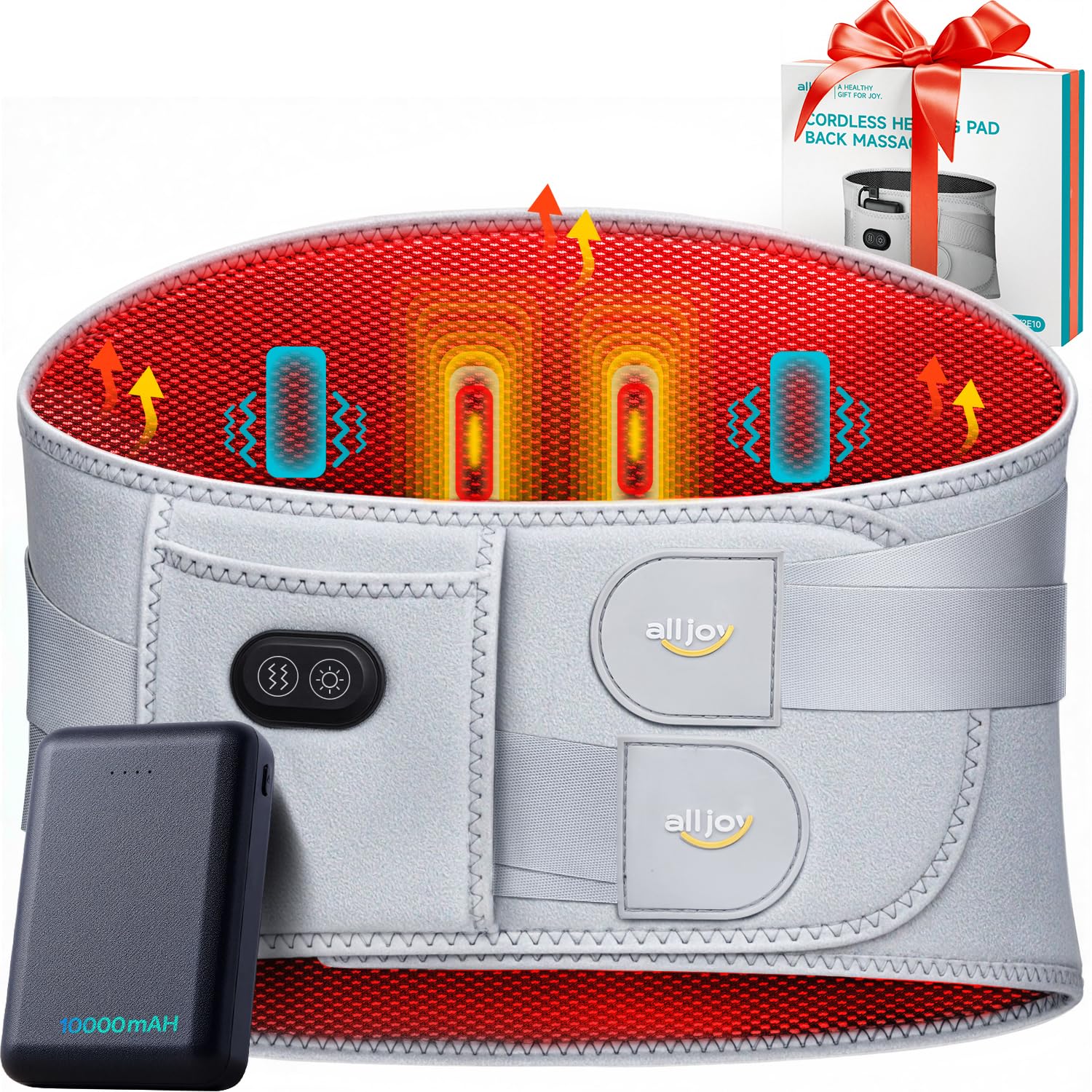
Image: A person wearing the ALLJOY heated back massager, illustrating the three heat modes: Low (45°C/113°F), Mid (55°C/131°F), and High (65°C/149°F).
3. Adjusting Vibration Settings
Press the vibration button to cycle through the three available vibration modes. The indicator lights will show the selected setting:
- Soft: Gentle, continuous vibration.
- Moderate: Rhythmic, pulsing vibration.
- Strong: Intense, deep tissue vibration.

Image: A person wearing the ALLJOY heated back massager from the back, illustrating the three vibration modes: Strong, Moderate, and Soft, with corresponding waveform patterns.
4. Combined Use
For optimal results, you can use heat and massage functions together or separately, depending on your comfort and needs. The device is designed for use up to 30 minutes at a time. Avoid prolonged use or falling asleep with the pad on.
Maintenance
Cleaning
Clean the pad after each use. Disconnect the power bank before cleaning. Wipe the surface of the pad with a soft, damp cloth. Do not immerse the pad in water or use harsh chemical cleaners. Allow it to air dry completely before storing or reusing.
Storage
When not in use, store the device in a cool, dry place, away from direct sunlight and extreme temperatures. Ensure the power bank is disconnected and stored separately if not in regular use.
Troubleshooting
| Problem | Possible Cause | Solution |
|---|---|---|
| Device does not turn on. | Power bank is not charged or not connected properly. | Ensure the power bank is fully charged and securely connected to the massage pad. Press and hold the power button for 2-3 seconds. |
| Heat function is not working. | Heat setting is too low or not activated. | Press the heat button to cycle through the heat levels (Low, Mid, High). Allow a few minutes for the pad to warm up. |
| Vibration is weak or not working. | Vibration setting is too low or not activated. | Press the vibration button to cycle through the vibration modes (Soft, Moderate, Strong). |
| Device gets too hot. | High heat setting selected or prolonged use. | Turn off the device immediately and allow it to cool. Reduce the heat setting or limit usage time. Refer to safety warnings. |
Specifications
- Model Number: CF-CBL-AJHV2E10-WG-UK
- Brand: ALLJOY
- Power Source: 10000mAh Portable Power Bank
- Heat Settings: 3 levels (45°C/113°F, 55°C/131°F, 65°C/149°F)
- Vibration Modes: 3 levels (Soft, Moderate, Strong)
- Maximum Waist Length: 170 cm (67 inches) with extension belt
- Product Dimensions (Package): 26.2 x 24.3 x 8.3 cm
- Product Weight (Package): 890 grams
Warranty and Support
For warranty information or technical support, please refer to the warranty card included in your package or contact ALLJOY customer service directly. Contact details can typically be found on the product packaging or the official ALLJOY website.
Please retain your proof of purchase for any warranty claims.