
1. Product Overview
The BALMUDA The Range S (KRN01JP-BK) is a single-function microwave oven designed for intuitive use and efficient heating. It features a minimalist design, a soft-close door, and unique operational sounds that enhance the user experience. This appliance is ideal for daily reheating tasks with its selection of five distinct heating modes.
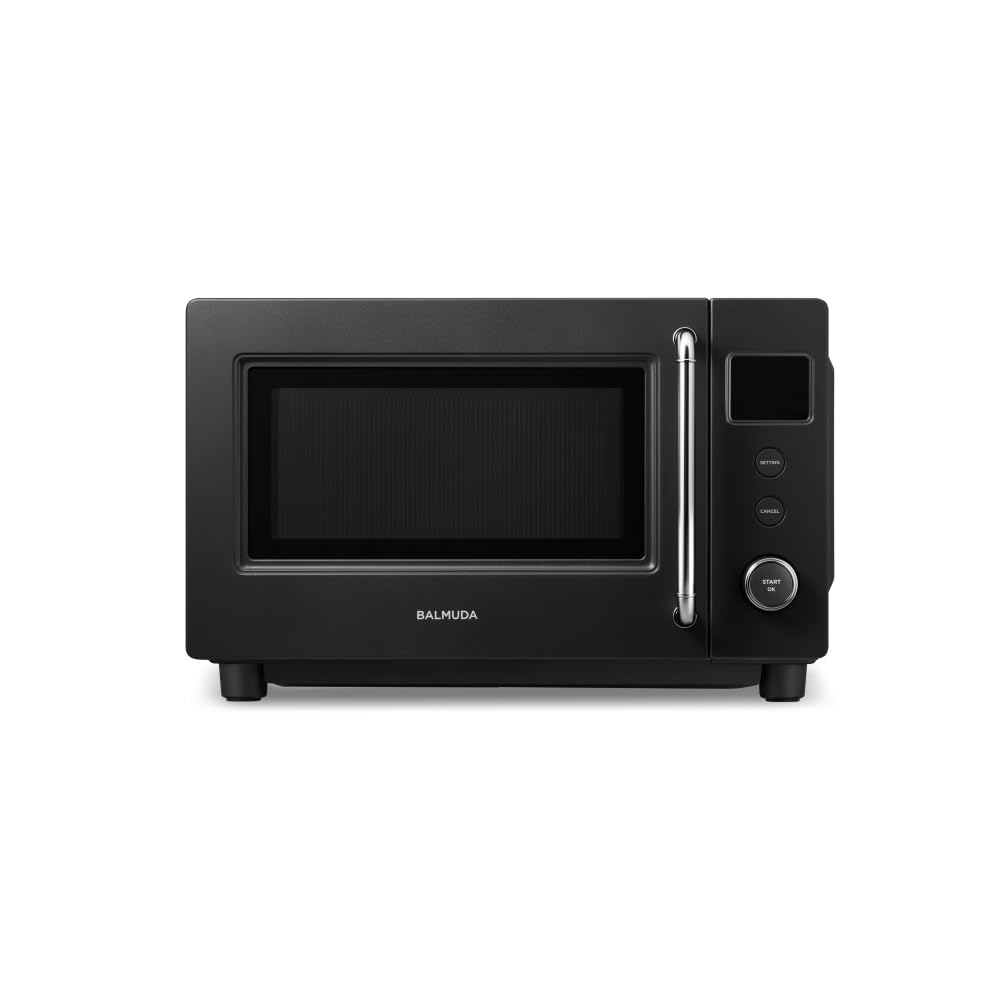
Figure 1: Front view of the BALMUDA The Range S (KRN01JP-BK) in Black.

Figure 2: The BALMUDA The Range S in a kitchen environment, showcasing its compact design.
2. Setup
2.1 Unpacking
Carefully remove the microwave oven from its packaging. Retain all packaging materials for future transport or storage. Inspect the appliance for any signs of damage. If damage is found, do not operate the unit and contact customer support.
2.2 Placement
- Place the microwave oven on a stable, level surface capable of supporting its weight.
- Ensure adequate ventilation by leaving at least 10 cm (4 inches) of space around the top, back, and sides of the unit. Do not block any ventilation openings.
- Keep the appliance away from heat sources, water, and direct sunlight.
2.3 Power Connection
Plug the power cord into a grounded 100V AC electrical outlet. Ensure the outlet meets the power requirements of the appliance.
2.4 Initial Cleaning
Before first use, wipe the interior and exterior surfaces of the microwave oven with a soft, damp cloth. Ensure the interior is dry before operation.
3. Operating Instructions
The BALMUDA The Range S features an intuitive dial and minimal buttons for straightforward operation.

Figure 3: Operating the microwave using the central dial.
3.1 Basic Operation
- Place the food or beverage in a microwave-safe container inside the oven.
- Close the door gently. The soft-close mechanism will engage.
- Turn the central dial to select the desired heating mode. The display will show the selected mode.
- Press the central dial (START/ON button) to begin heating.
- To cancel an operation, press the 'CANCEL' button.
3.2 Heating Modes
The appliance offers five distinct heating modes:
- Auto Mode: Ideal for general reheating of meals and side dishes. The oven automatically adjusts heating time based on food type and quantity.
- Manual Mode: Allows you to set the wattage and heating time manually. Available wattages include 100W, 500W, 600W, 800W, and 900W. This mode is suitable for precise heating requirements.
- Drink Mode: Optimized for heating beverages such as milk, coffee, or sake to an appropriate temperature.
- Frozen Rice Mode: Specifically designed to reheat frozen rice, ensuring even and thorough warming.
- Defrost Mode: Used for defrosting frozen food items. Options for half-defrost or full-defrost are available, typically in 50g increments.

Figure 4: Visual representation of food items suitable for various heating modes.
3.3 Display and Sounds
The digital display utilizes an original font and icons for clear readability. The appliance features unique operation sounds, including guitar and drum tones, providing auditory feedback during use.
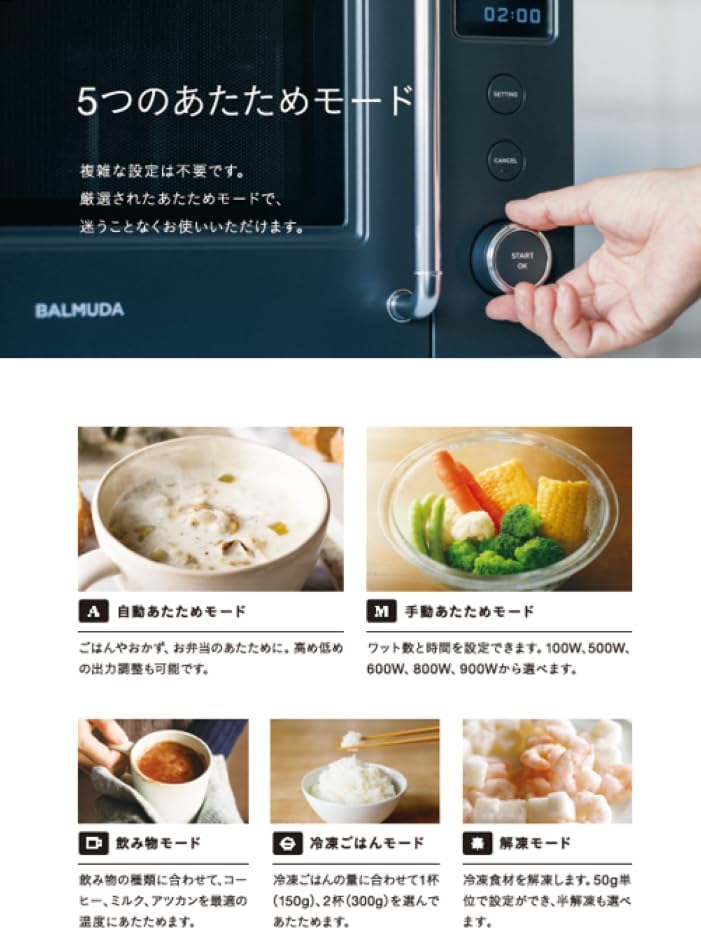
Figure 5: The clear digital display showing manual mode settings.
4. Maintenance
4.1 Cleaning the Interior
- Always unplug the microwave oven before cleaning.
- Wipe the interior cavity with a soft cloth dampened with mild detergent and water.
- For stubborn food splatters, place a bowl of water with lemon slices inside and heat for a few minutes. The steam will loosen the residue, making it easier to wipe clean.
- Ensure the interior is completely dry before plugging the unit back in and operating.
4.2 Cleaning the Exterior
- Wipe the exterior surfaces with a soft, damp cloth. Avoid abrasive cleaners or solvents that could damage the finish.
- Clean the control panel gently with a soft, dry cloth. Do not allow water to seep into the control panel area.
4.3 Door Care
- Regularly clean the door seals and adjacent parts to ensure proper closure and prevent microwave leakage.
- The soft-close door mechanism is designed for gentle operation. Avoid forcing the door open or closed.
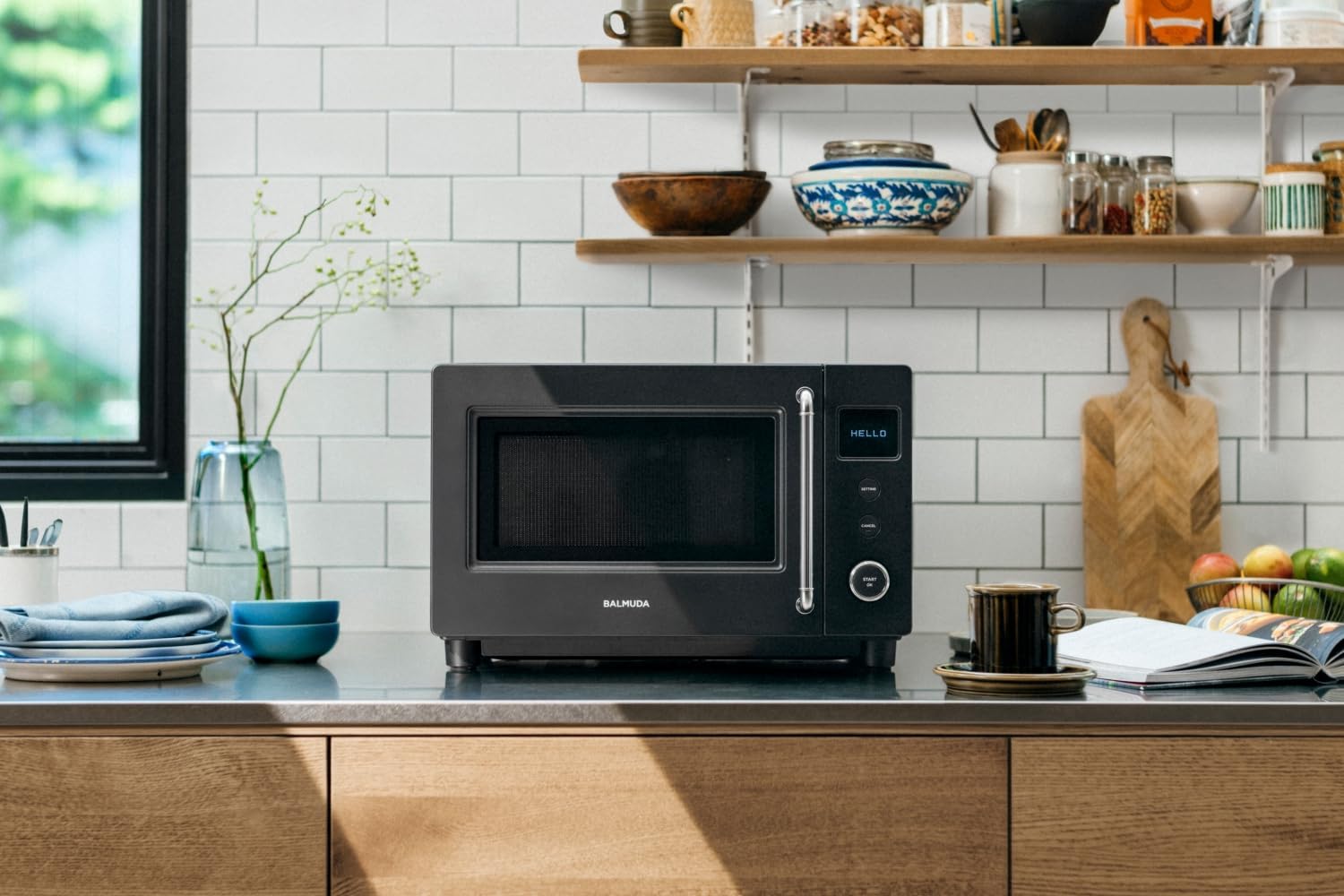
Figure 6: The soft-close door mechanism ensures quiet and gentle operation.
5. Troubleshooting
If you encounter issues with your BALMUDA The Range S, refer to the following common problems and solutions:
| Problem | Possible Cause | Solution |
|---|---|---|
| Microwave does not start. | Power cord unplugged, door not closed properly, circuit breaker tripped. | Ensure power cord is securely plugged in. Close the door firmly. Check your household circuit breaker. |
| Food is not heating. | Incorrect mode/time selected, microwave-safe container not used. | Verify heating mode and time settings. Use only microwave-safe cookware. |
| Unusual noises during operation. | Loose internal components, foreign object inside. | Ensure no foreign objects are inside. If noise persists, discontinue use and contact customer support. |
| Display shows an error code. | Internal malfunction. | Unplug the unit for 5 minutes, then plug it back in. If the error persists, contact customer support. |
If the problem persists after attempting these solutions, please contact BALMUDA customer support for assistance. Do not attempt to repair the appliance yourself.
6. Specifications
| Feature | Specification |
|---|---|
| Brand Name | BALMUDA |
| Model Number | KRN01JP-BK |
| Capacity | 20 Liters |
| Product Dimensions (D x W x H) | 39.3 x 46.6 x 29.5 cm |
| Internal Dimensions (W x D x H) | 300mm x 310mm x 195mm |
| Item Weight | 9.5 Kilograms |
| Voltage | 100 Volts |
| Wattage | 900 W |
| Color | Black |
| Included Accessories | Instruction Manual (with Warranty) |
7. Warranty and Support
Your BALMUDA The Range S (KRN01JP-BK) comes with a manufacturer's warranty. Please refer to the warranty card included with your product for specific terms, conditions, and duration of coverage.
For technical support, service, or warranty claims, please contact BALMUDA customer service through their official website or the contact information provided in your warranty documentation.
Always keep your proof of purchase for warranty validation.

