1. Safety Information
Please read and understand all instructions before assembly and use. Keep this manual for future reference.
- Anti-Tipping Straps: Secure the desk firmly against the wall using the provided anti-tipping straps to prevent accidental tipping. This is crucial for safety, especially in households with children or pets.
- Stability: Adjust the foot pads on the steel legs to ensure the desk remains stable and level on uneven surfaces.
- Weight Capacity: Do not exceed the maximum weight capacity of 132 lbs (60 kg) for the tabletop and 17.6 lbs (8 kg) for each drawer. Overloading can compromise stability and cause damage.
- Assembly: Assemble the desk on a soft, clean surface to prevent scratches. Ensure all screws and fasteners are tightened securely before use.
- Placement: Place the desk on a flat, stable floor. Avoid placing it near heat sources or in direct sunlight to prevent material degradation.
2. Package Contents
Verify that all components are present and undamaged before beginning assembly. If any parts are missing or damaged, please contact customer support.

Image: The product packaging for the HOMCOM desk, indicating one package.
The package typically includes:
- All necessary engineered wood panels (tabletop, drawer fronts, side panels).
- Steel leg frames and support bars.
- Drawer slides and handles.
- Adjustable foot pads.
- Anti-tipping straps and hardware.
- Assembly hardware (screws, dowels, cam locks, etc.).
- Instruction manual.
3. Assembly Instructions
Follow these steps carefully for proper assembly. It is recommended to have two people for certain steps to ensure stability and ease of construction.
Step 1: Prepare Components
Unpack all components and lay them out on a clean, soft surface. Identify each part using the labels provided in the packaging and the instruction manual.

Image: A diagram illustrating the dimensions of the desk: 39.4 inches (100 cm) wide, 19.7 inches (50 cm) deep, and 29.5 inches (75 cm) high. It also shows the drawer height and leg clearance.
Step 2: Assemble the Steel Frame
Connect the steel leg frames using the provided hardware. Ensure all connections are tight and secure. Attach the adjustable foot pads to the bottom of the legs.

Image: Close-up views of the desk's stability features, including anti-tipping straps for wall attachment, robust steel legs for support, and adjustable foot pads for leveling on uneven floors.
Step 3: Attach the Tabletop
Carefully place the high-gloss tabletop onto the assembled steel frame. Align the pre-drilled holes and secure the tabletop with the designated screws. Do not overtighten.
Step 4: Install Drawers
Assemble the two drawers according to the detailed instructions in your manual. Install the drawer slides onto the desk frame and the sides of the drawers. Insert the assembled drawers into the desk. Ensure they slide smoothly.
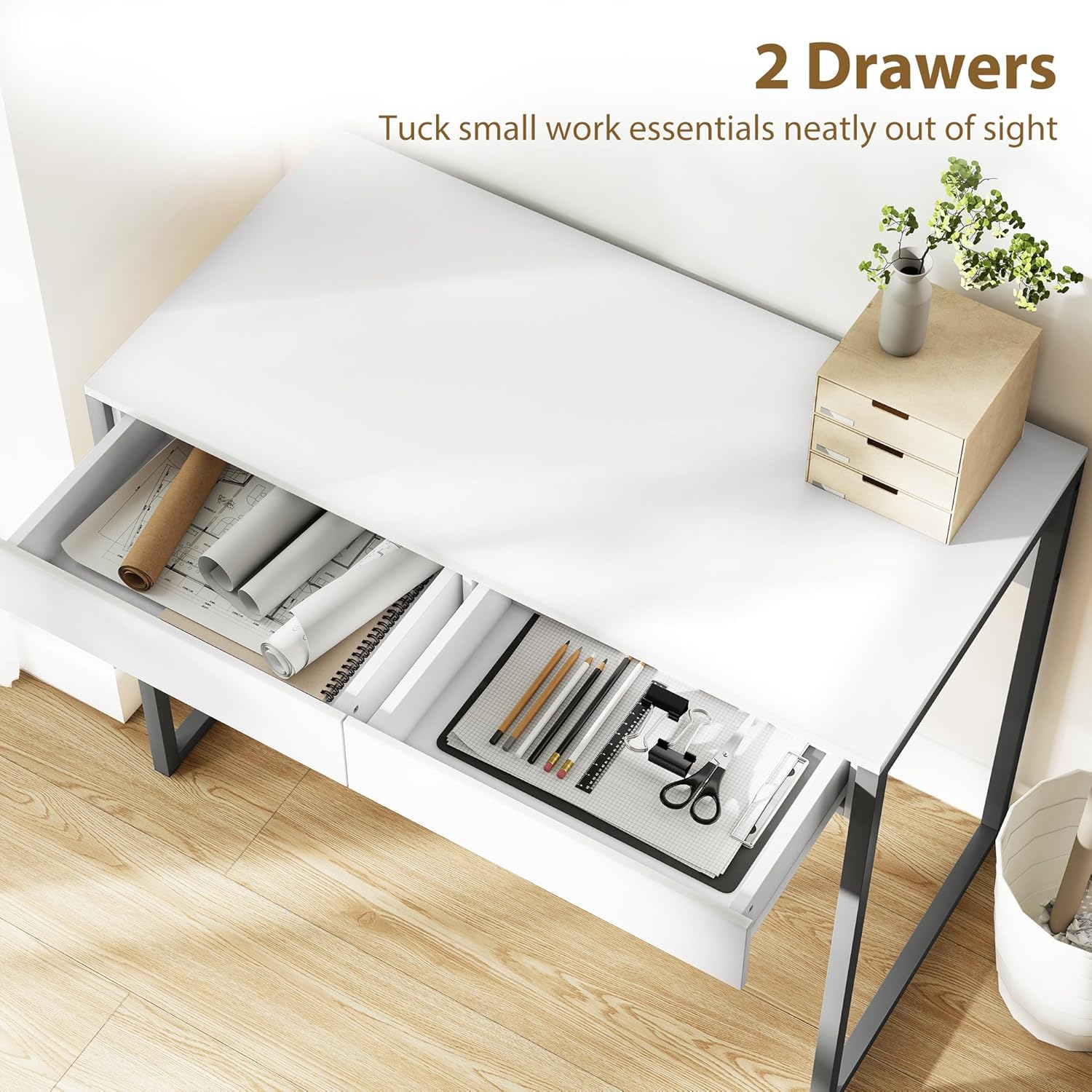
Image: An overhead shot of the desk with both drawers open, showcasing their capacity to store small work essentials such as paper rolls, notebooks, pens, and scissors, keeping the tabletop tidy.
Step 5: Final Checks
Once fully assembled, double-check all connections to ensure they are tight and secure. Attach the anti-tipping straps to the desk and then to a wall stud using appropriate wall anchors (not always included, depending on wall type).
4. Operating Instructions
The HOMCOM High Gloss Computer Desk is designed for versatile use in various settings.
- Workstation: Use the spacious tabletop for your laptop, monitor, and other work essentials. The high-gloss finish provides a modern aesthetic.
- Storage: Utilize the two handle-less drawers to keep your workspace organized and clutter-free. They are ideal for storing documents, stationery, and small electronic accessories.
- Adjustable Feet: The adjustable foot pads allow you to customize the desk's height slightly and ensure stability on uneven flooring.

Image: The HOMCOM High Gloss Computer Desk in a home office setting, showcasing its compact design and functionality with a laptop, lamp, and headphones on its surface.
5. Maintenance
Proper care will extend the life and appearance of your desk.
- Cleaning: Wipe the high-gloss surfaces with a soft, damp cloth. Avoid abrasive cleaners or harsh chemicals that can damage the finish.
- Spills: Clean up spills immediately to prevent staining or damage to the engineered wood.
- Hardware: Periodically check all screws and fasteners to ensure they remain tight. Retighten if necessary.
- Protection: Use coasters for drinks and desk pads for heavy items or writing to protect the tabletop from scratches and heat.
6. Troubleshooting
If you encounter any issues with your desk, refer to the following common solutions:
- Desk is Wobbly: Check if all screws are tightened. Adjust the foot pads on the bottom of the steel legs to level the desk on uneven floors. Ensure anti-tipping straps are securely installed.
- Drawers Not Sliding Smoothly: Verify that the drawer slides are correctly installed and aligned. Ensure no obstructions are present in the drawer tracks.
- Scratches on Surface: The high-gloss finish is scratch-resistant but not scratch-proof. For minor scratches, specialized repair kits for high-gloss furniture may be used. For deeper scratches, contact customer support.
7. Specifications
| Feature | Detail |
|---|---|
| Brand | HOMCOM |
| Model | B0FQ523ZQB |
| Color | White and Grey |
| Overall Dimensions | 39.4" W x 19.7" D x 29.5" H (100 x 50 x 75 cm) |
| Tabletop Weight Capacity | 132 lbs (60 kg) |
| Each Drawer Weight Capacity | 17.6 lbs (8 kg) |
| Materials | Alloy Steel, Engineered Wood |
| Special Features | Anti-Tipping, Compact, High Gloss, Scratch Resistant |
8. Warranty and Support
HOMCOM products are designed for quality and durability. For specific warranty information, please refer to the documentation included with your purchase or visit the official HOMCOM website. If you require assistance with assembly, missing parts, or have any questions regarding your product, please contact HOMCOM customer support.
Contact information can typically be found on the product packaging or the HOMCOM official website: Aosom Canada


