
Introduction
This manual provides essential information for the safe and efficient use of your HOMCOM Kitchen Island with Drop Leaf and Power Outlet. Please read these instructions carefully before assembly and operation, and retain them for future reference.

Image: The HOMCOM Kitchen Island in Dark Blue, featuring open cabinets and drawers, positioned in a kitchen environment.
Safety Information
To ensure safe operation and prevent damage, please observe the following:
- Do not exceed the overall weight capacity of 170 lbs.
- The countertop has a maximum weight capacity of 44 lbs.
- Exercise caution when moving the cart, especially on uneven surfaces or when fully loaded.
- Be aware of potential pinch points during assembly and when operating moving parts like drawers and drop leaves.
- Do not allow children to play on, with, or around the kitchen island.
Setup and Assembly
Assembly of the HOMCOM Kitchen Island is required. Detailed instructions are included with the product packaging. Please follow these instructions step-by-step to ensure correct and secure assembly. It is recommended to have two people for assembly to facilitate handling and ensure stability.
Features and Operation
1. Drop-Leaf Design
The kitchen island features a versatile drop-leaf design. This allows you to extend the countertop for additional food preparation space or a dining area, and then fold it down to save space in smaller kitchens. The expanded countertop measures 44.1" x 29.1", while the folded countertop measures 44.1" x 17.3".

Image: Visual representation of the drop-leaf design, illustrating the countertop in its compact and extended configurations.
2. Integrated Power Outlet
For added convenience, the island includes an integrated power outlet. This charging station provides 2 AC outlets (125 V, 12 A) and USB & USB-C ports (5 V, 2 A), with a 4.9' power cord. This allows you to power small kitchen appliances or charge electronic devices directly on the island.

Image: Detail of the integrated power outlet, showing a toaster and a smartphone connected for use.
3. Storage Solutions
The kitchen island offers extensive storage options to keep your kitchen organized:
- 3 Drawers: Convenient for storing utensils, cutlery, or smaller kitchen gadgets.
- 2 Cabinets: Provide ample space for larger items like pots, pans, or dishes. Each cabinet includes an adjustable shelf to customize storage height.
- Spice Rack: Located on the side, ideal for keeping frequently used spices within easy reach.
- Towel Bars: Positioned on both sides of the island, perfect for hanging kitchen towels or oven mitts.

Image: The kitchen island's storage features, including open cabinets, drawers, a spice rack, and a towel bar.

Image: Close-up of the adjustable shelf mechanism within the cabinet, highlighting its flexibility.
4. Enhanced Mobility
Equipped with four wheels, this kitchen island can be easily moved to different locations in your kitchen or dining area. Two of the wheels are lockable, providing stability when the island needs to remain stationary for food preparation or dining.
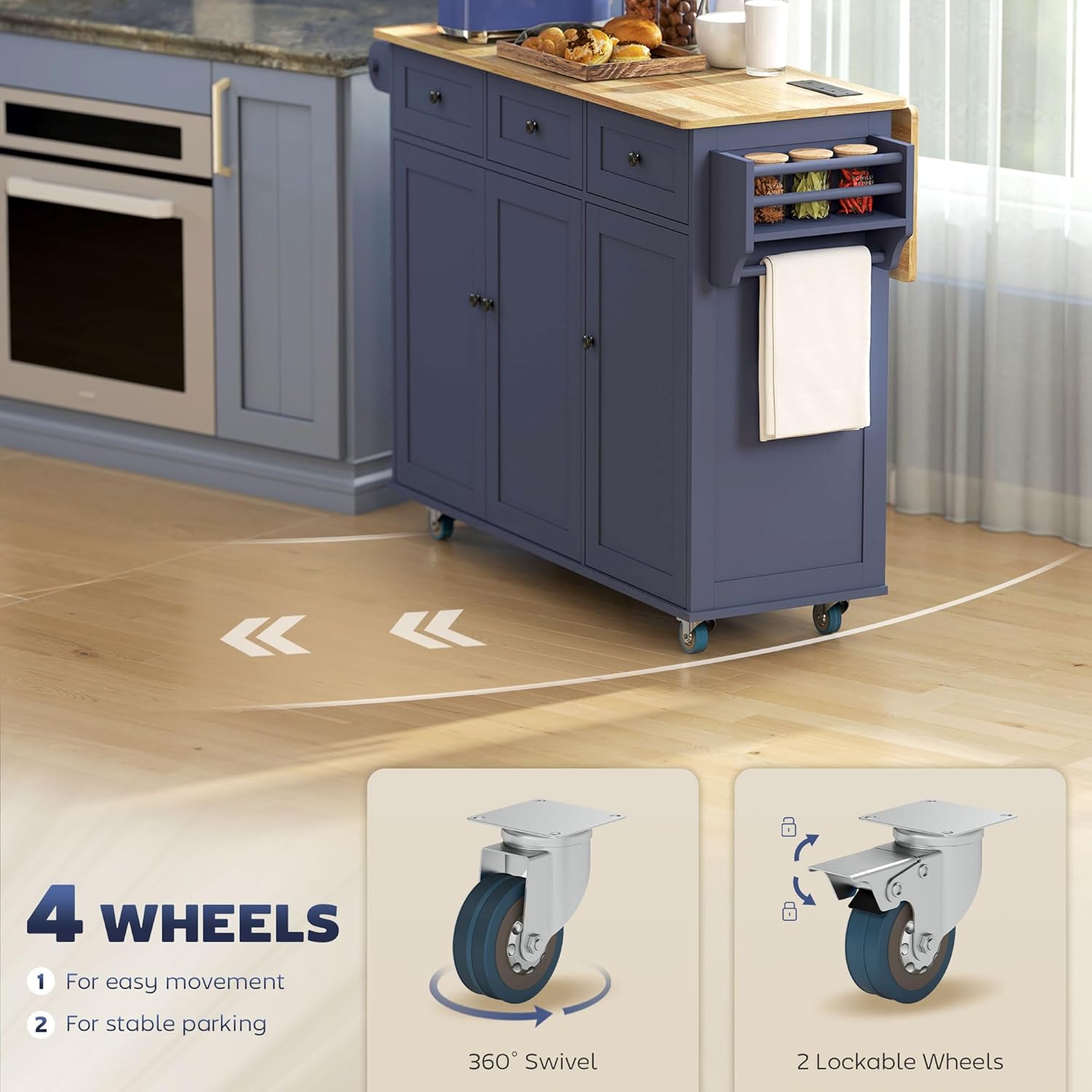
Image: The mobile kitchen island on wheels, demonstrating its ease of movement and the lockable wheel feature.
Maintenance
To maintain the appearance and longevity of your kitchen island, wipe surfaces with a dry cloth. For spills, promptly wipe with a dry cloth to prevent staining or damage.

Image: Demonstrating the easy-to-clean surface of the kitchen island countertop.
Troubleshooting
If you encounter any issues with your kitchen island, please review the assembly instructions to ensure all components are correctly installed. For persistent problems, contact customer support.
- Stability Issues: Ensure all screws and fasteners are tightened. Verify that the lockable wheels are engaged when the island needs to be stationary.
- Drawer/Door Malfunction: Check for obstructions in the tracks or hinges. Ensure components are aligned correctly as per assembly instructions.
- Power Outlet Not Working: Confirm the power cord is securely plugged into a functional wall outlet. Check for any tripped circuit breakers.
Specifications
| Feature | Detail |
|---|---|
| Overall Dimensions | 53.1" W x 29.5" D x 37.2" H |
| Countertop Dimensions (Folded) | 44.1" W x 17.3" D |
| Countertop Dimensions (Extended) | 44.1" W x 29.1" D |
| Overall Weight Capacity | 170 lbs |
| Countertop Weight Capacity | 44 lbs |
| Material | Engineered Wood, Rubberwood |
| Color | Dark Blue |
| Number of Drawers | 3 |
| Number of Cabinets | 2 (with adjustable shelves) |
| Mobility | 4 Wheels (2 lockable) |
| Power Outlet | 2 AC Outlets (125 V, 12 A), USB & USB-C Ports (5 V, 2 A) |
| Power Cord Length | 4.9' |
| Item Weight | 101 Pounds |
| Model Number | 801-391V80DB |
| UPC | 196393120668 |

Image: Dimensional drawing of the HOMCOM Kitchen Island, showing key measurements.
Warranty and Support
For warranty information or customer support, please refer to the documentation included with your purchase or contact HOMCOM customer service directly. Keep your purchase receipt for any warranty claims.


