
Introduction
Thank you for choosing the HUANUO Ergonomic Office Chair. This manual provides essential information for the safe assembly, operation, and maintenance of your chair. Please read these instructions carefully before use and retain them for future reference.
Safety Information
- Do not exceed the maximum recommended weight capacity of 136 kg (300 lbs).
- Read and follow all assembly instructions carefully to prevent injuries.
- Ensure all screws and bolts are securely tightened before using the chair. Periodically check and re-tighten as necessary.
- Keep children and pets away during assembly.
- Use the chair on a level surface to prevent tipping.
- Avoid standing on the chair or using it as a step stool.
- Do not use the chair if any parts are damaged or missing. Contact customer support for replacement parts.
Package Contents
Before assembly, verify that all components are present and undamaged. Refer to the included assembly guide for a detailed list of parts and hardware.
- Backrest with mesh
- Seat cushion
- Headrest
- Armrests (2)
- Gas lift cylinder
- Base with wheels
- Mechanism plate
- Assembly hardware and tools
Setup and Assembly
Assembly is required for this chair. For detailed, step-by-step instructions, please refer to the separate assembly manual included in your package. Ensure you have adequate space and follow the instructions carefully to ensure proper and safe assembly.
General Assembly Steps:
- Attach the wheels to the chair base.
- Insert the gas lift cylinder into the center of the base.
- Attach the mechanism plate to the underside of the seat cushion.
- Connect the backrest to the seat cushion.
- Attach the armrests to the seat and backrest.
- Mount the assembled seat and backrest onto the gas lift cylinder.
- Install the headrest onto the backrest.
Operating and Adjustments
The HUANUO Ergonomic Office Chair offers multiple adjustment options to customize your seating experience for optimal comfort and support.

Image: Overview of the chair's adjustable components, highlighting the 2D headrest, 2D lumbar support, and 3D armrests.
1. Headrest Adjustment
The 2D adjustable headrest allows you to position it for optimal neck and head support.
- Height Adjustment: Grasp the headrest and slide it up or down to your desired height. It offers approximately 10.1 inches of vertical adjustment.
- Angle Adjustment: Tilt the headrest forward or backward to find the most comfortable angle for your head and neck.

Image: Visual guide for adjusting the 2D headrest, demonstrating its range of motion.
2. Backrest Recline and Tilt
The backrest can recline and tilt to suit various working or resting postures.
- Recline Angle: The backrest can be reclined between 90° and 120°. Use the lever located on the right side under the seat to adjust and lock the recline angle.
- Tilt Tension: Adjust the round knob under the seat to increase or decrease the tension required to recline the backrest. Turn clockwise to increase tension, counter-clockwise to decrease.

Image: Instructions for adjusting backrest recline and tilt, including the tilt tension knob and lock lever.
3. Lumbar Support Adjustment
The flexible lumbar support system adapts to your body shape, promoting optimal posture.
- Depth Adjustment: The lumbar support can move 3 cm (1.2 inches) forward and backward. Use the knob on the side of the lumbar support to adjust its depth.
- Height Adjustment: The lumbar support can move 5.5 cm (2.2 inches) up and down. Grasp the lumbar support and slide it vertically to align with the natural curve of your lower back.

Image: Detailed view of the flexible 2D lumbar support, illustrating how to adjust its depth and height.
4. Armrest Adjustments
The 3D armrests provide versatile support for your arms and can be folded away for convenience.
- Height Adjustment: Press the button on the side of the armrest and slide it up or down. It offers approximately 10.1 inches of vertical adjustment.
- Depth Adjustment: Slide the armrest pad forward or backward by up to 5 cm (1.96 inches).
- Swivel Adjustment: Rotate the armrest pad left or right by up to 15°.
- Flip-Up Function: The armrests can be folded up 90° to allow the chair to slide closer to a desk or for more freedom of movement.

Image: Visual guide for adjusting the 3D armrests, demonstrating flip-up, depth, and swivel functions.

Image: The armrests folded up 90 degrees, illustrating how they can be moved out of the way.
5. Seat Height Adjustment
Adjust the seat height to ensure your feet are flat on the floor and your knees are at a 90-degree angle.
- Raise Seat: While seated, pull the lever on the left side of the seat upwards. The seat will rise. Release the lever at the desired height.
- Lower Seat: While seated, pull the lever on the left side of the seat upwards and apply weight to the seat. The seat will lower. Release the lever at the desired height.

Image: Detail of the seat cushion, showing its 3.14-inch thickness for comfort and support.
Maintenance
Regular maintenance will help prolong the life and appearance of your HUANUO office chair.
- Cleaning: Wipe the chair with a soft, damp cloth. For mesh areas, use a mild soap solution if necessary, and allow to air dry. Avoid harsh chemicals or abrasive cleaners.
- Inspection: Periodically check all bolts and screws to ensure they are tight. Re-tighten as needed to maintain stability and safety.
- Casters: Clean casters regularly to remove dust and debris that may hinder smooth movement.
Troubleshooting
If you encounter any issues with your chair, refer to the following common solutions:
- Chair is wobbly: Check all assembly bolts and screws. Ensure they are fully tightened. Verify the chair is on a flat, even surface.
- Gas lift not working: Ensure the height adjustment lever is fully engaged or disengaged. If the issue persists, the gas lift cylinder may need replacement. Contact customer support.
- Casters not rolling smoothly: Clean any hair or debris from the caster wheels. Lubricate with a silicone-based spray if necessary.
- Backrest does not recline/lock: Check the recline lock lever and tilt tension knob. Ensure they are correctly positioned.
Specifications
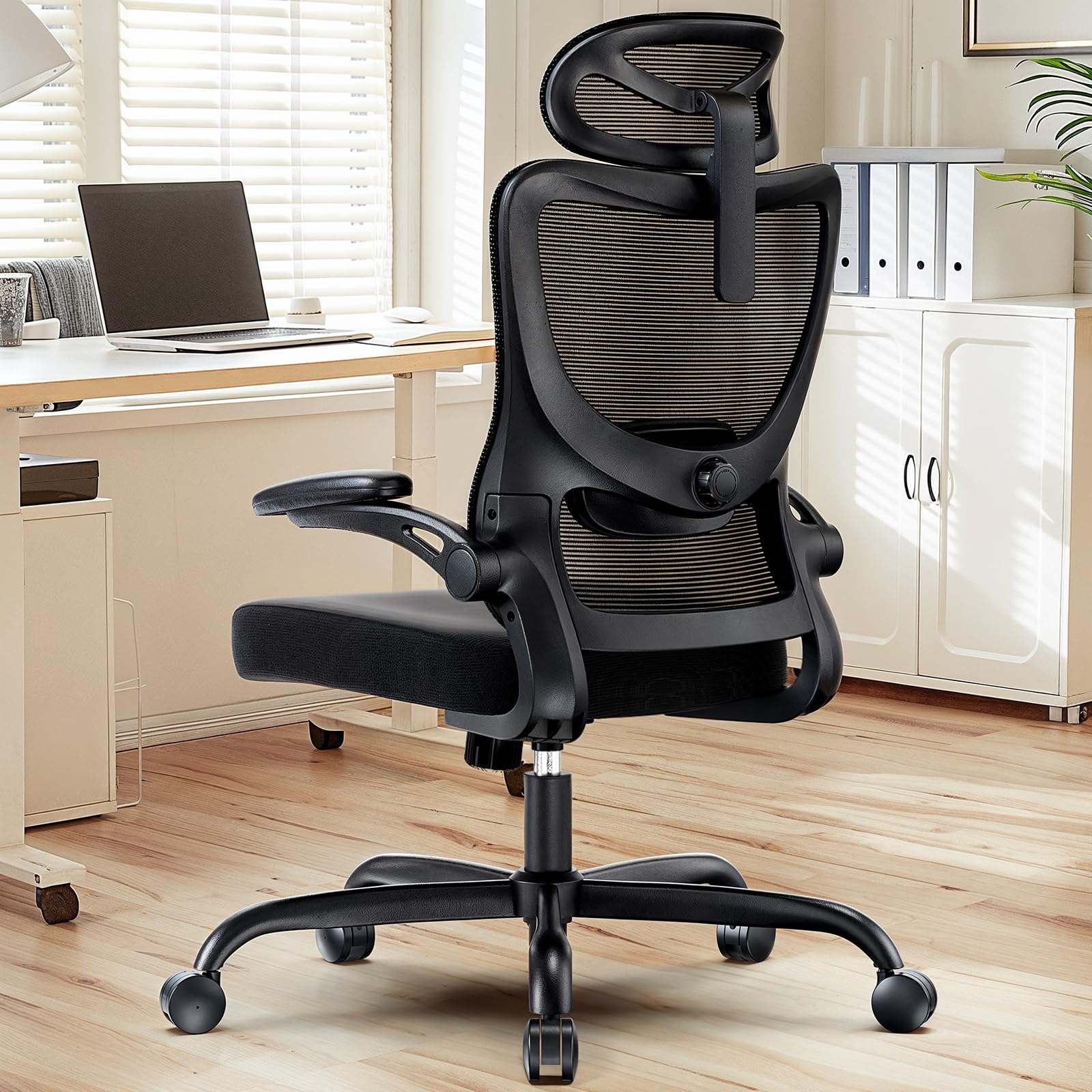
Image: Detailed product dimensions and maximum load capacity.
| Feature | Detail |
|---|---|
| Model Number | MSOC10B-US |
| Brand | HUANUO |
| Color | Black |
| Material | Metal and Plastic (Frame), Foam (Seat), Mesh (Backrest) |
| Max Load Capacity | 136 kg (300 lbs) |
| Headrest Width | 13.2 inches |
| Headrest Height Adjustment | 10.1 inches |
| Backrest Height | 24.1 inches |
| Seat Width | 20.1 inches |
| Seat Depth | 20.1 inches |
| Seat Thickness | 3.14 inches |
| Seat Height Adjustment Range | 14.5 inches to 18.5 inches |
| Armrest Adjustment | 3D (Height, Depth, Swivel), 90° Flip-up |
| Lumbar Support Adjustment | 2D (Height, Depth) |
| Backrest Recline | 90° to 120° |
| Assembly Required | Yes |
| UPC | 840478843729 |
Warranty and Support
For warranty information, technical support, or to order replacement parts, please refer to the warranty card included with your product or visit the official HUANUO website. Please have your model number (MSOC10B-US) and purchase date available when contacting support.


