
1. Product Overview
The Vehipa Smart Fish Aquarium Kit (Model YYG380) is an all-in-one aquatic ecosystem designed for both beginners and experienced enthusiasts. It features a 6.7-gallon capacity, ultra-clear glass for panoramic viewing, a 4-in-1 silent pump for filtration and oxygenation, an automated feeding system, adjustable LED lighting, a real-time temperature display, and an independent aromatherapy humidifier.
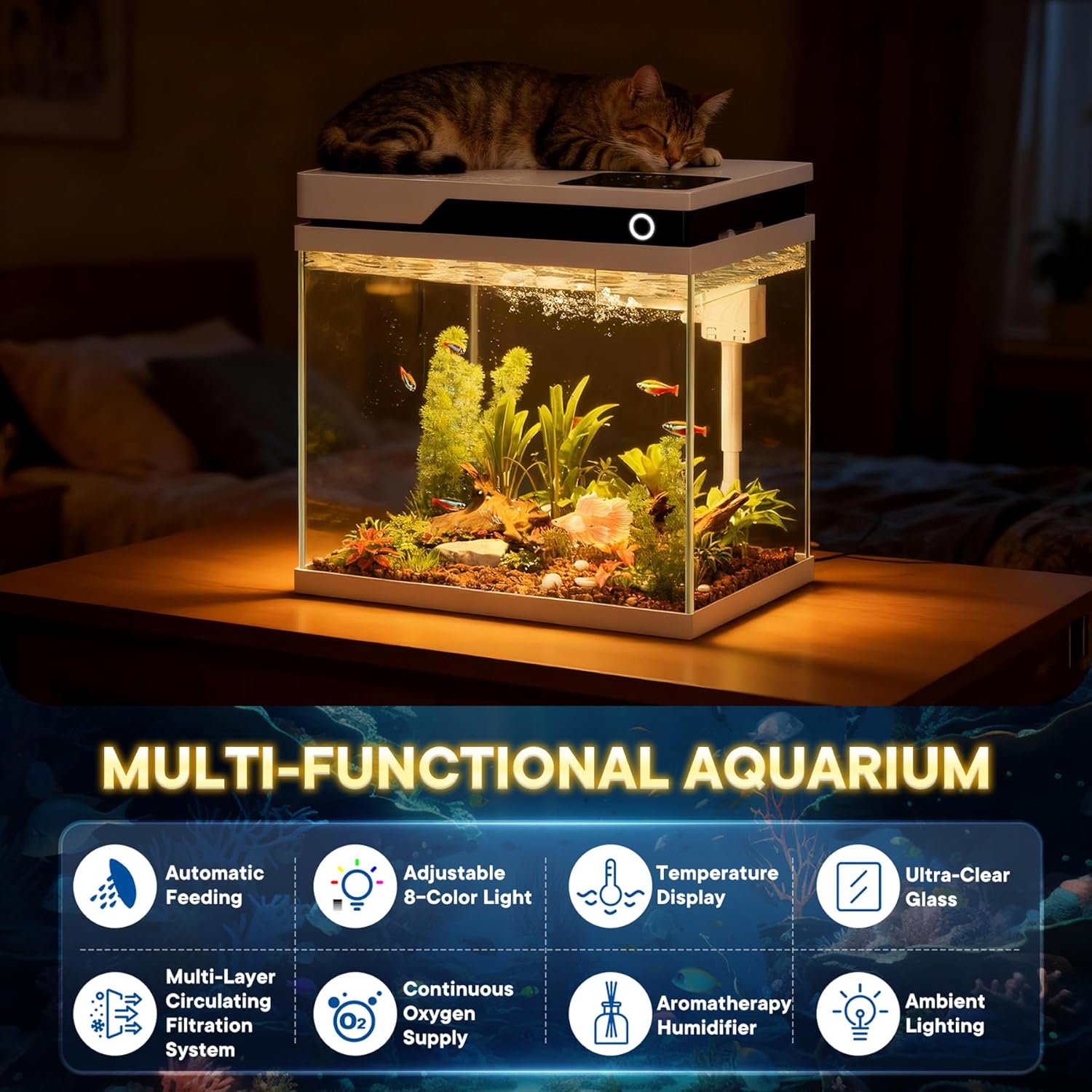
Figure 1: Overview of the Vehipa Smart Fish Aquarium Kit's key features.
2. Setup and Installation
Follow these steps to properly set up your Vehipa Smart Fish Aquarium Kit:
- Unpack Components: Carefully remove all components from the packaging. Verify that all parts listed in the packing list are present.
- Install Filter Media: Place the provided filter media (e.g., ceramic rings, filter floss) into the designated filter compartments located under the lid.
- Assemble Water Pump: Attach the rain pipe and any necessary connectors to the 4-in-1 silent water pump. Ensure all connections are secure.
- Position Water Pump: Place the assembled water pump into its designated slot within the aquarium's top section. Route the power cord through the provided channel.
- Connect Air Tube: Connect the air tube from the pump to the air stone or oxygenation outlet.
- Close Lid: Carefully close the aquarium lid, ensuring all components are properly seated and the lid is securely in place.
- Connect Power: Plug the power adapter into a suitable electrical outlet. Important Note: Always ensure the water pump is fully submerged in water before connecting to power to prevent pump burnout.
Video 1: Detailed installation guide for the Vehipa Smart Fish Aquarium Kit, demonstrating component assembly and placement.
3. Operating Instructions
3.1 Automated Feeding System
The 80ml large-capacity automatic feeder supports multiple feeding schedules:
- Setting Intervals: Customize feeding intervals to 12h, 24h, or 48h based on your fish species and population.
- Manual Feeding: Double-click the designated button for immediate feeding.
- Prevent Overfeeding: The adjustable opening helps control portion sizes.

Figure 2: Control panel and features of the intelligent timed feeding system.
3.2 Adjustable LED Lighting
The aquarium features 8 customizable LED colors to enhance your aquatic environment:
- Color Selection: Tap the "Lighting" button to cycle through white, gradient, green, blue, red, cyan, yellow, and purple.
- Brightness Adjustment: Use the "-/+" buttons to adjust light brightness.
- Timed Lighting: Long press "Timed Lighting" to set specific lighting durations (e.g., 8h, 12h, 16h).

Figure 3: Demonstrates the 8-color smart touch light and its control options.
3.3 Real-Time Water Temperature Display
Monitor your aquarium's temperature with the integrated high-precision temperature sensor and clear LCD display. This allows for easier fishkeeping and ensures optimal conditions for your aquatic inhabitants.
3.4 Aromatherapy Humidification Box
The independent aromatherapy humidification box allows you to maintain ambient humidity or add essential oils for relaxation without contaminating the aquarium water. Simply add pure water for humidification or a few drops of essential oil to the designated compartment.

Figure 4: Illustrates the humidifier and temperature display features of the aquarium.
3.5 Water Flow Control
The built-in airflow control valve allows you to adjust the water flow rate. This feature is particularly useful for creating a gentle current environment suitable for delicate fish species, such as bettas.
4. Maintenance
Regular maintenance is crucial for a healthy aquatic environment:
- Water Changes: Perform partial water changes (25-30%) weekly or bi-weekly, depending on your tank's inhabitants and bioload. Always use dechlorinated water.
- Filter Media: Rinse or replace filter floss and other mechanical filter media regularly to prevent clogging and maintain water clarity. Biological media (e.g., ceramic rings) should be rinsed in old tank water to preserve beneficial bacteria.
- Pump Cleaning: Periodically clean the water pump impeller and housing to ensure optimal performance and prevent blockages.
- Aquarium Glass: Clean the interior and exterior glass surfaces to remove algae and water spots for clear viewing.
- Humidifier Cleaning: Clean the humidifier compartment regularly to prevent mineral buildup and ensure efficient operation.
5. Troubleshooting
- Pump Not Working:
- Ensure the pump is fully submerged in water before connecting to power.
- Check power connection and ensure the outlet is functional.
- Inspect the impeller for any blockages or debris.
- Poor Water Clarity:
- Check and clean or replace filter media.
- Ensure adequate water circulation from the pump.
- Perform a partial water change.
- Automated Feeder Not Dispensing:
- Check if the feeder is properly filled and not jammed.
- Verify feeding schedule settings.
- Lighting Issues:
- Ensure power connection to the light.
- Check light mode and brightness settings.
6. Specifications
| Feature | Specification |
|---|---|
| Product Dimensions (L x W x H) | 38 x 24 x 36.5 cm |
| Weight | 8.1 kg |
| Capacity | 6.7 gallons |
| Aquarium Thickness | 0.2 inches |
| Material | Glass |
| Pump Voltage | 220V |
| Pump Power | 5W |
| Pump Flow Rate | 450 L/H |
| Light Power | 7W |
| Light Input Power | DC5V |
| Feeder Capacity | 80ml |