
1. Introduction
Welcome to the ASKGO Electric Scooter S5 user manual. This document provides essential information for the safe and efficient operation, maintenance, and troubleshooting of your new electric scooter. Please read this manual thoroughly before your first ride to ensure optimal performance and safety.
The ASKGO S5 Electric Scooter is designed for adult commuting, featuring a 650W peak motor, a top speed of 19 MPH, and a range of up to 21 miles. It includes 8.5-inch solid tires, a dual braking system, and smart app connectivity for an enhanced riding experience.
2. Safety Information
Your safety is paramount. Always adhere to local traffic laws and regulations. Failure to follow safety guidelines may result in serious injury or property damage.
- Wear a Helmet: Always wear a certified helmet and other protective gear (knee pads, elbow pads) when riding.
- Age and Weight Limit: This scooter is intended for adults. The maximum weight limit is 265 lbs (120 kg). Do not exceed this limit.
- Environmental Conditions: Avoid riding in heavy rain, snow, or on icy surfaces. The scooter is not waterproof.
- Pre-Ride Check: Before each ride, ensure the brakes are functioning correctly, tires are in good condition, and all quick-release mechanisms are securely fastened.
- Awareness: Be aware of your surroundings, pedestrians, and other vehicles. Avoid distractions while riding.
- Speed Control: Ride at a speed appropriate for conditions and your skill level.
3. Package Contents
Upon opening the box, please verify that all items are present and in good condition:
- ASKGO Electric Scooter S5
- Power Adapter/Charger
- User Manual
- Assembly Tools (if required)
4. Setup
4.1 Unpacking and Assembly
Carefully remove the scooter and all components from the packaging. The scooter typically comes partially folded. Follow these steps for initial setup:
- Unfold the Scooter: Locate the folding mechanism near the base of the handlebar stem. Release the latch and carefully lift the handlebar stem until it locks into place. Ensure it is securely locked before proceeding.
- Attach Handlebars: If the handlebars are detached, align them with the stem and secure them using the provided screws and tools. Ensure all connections are tight.
- Check Connections: Verify that all cables and wires are properly connected and not pinched.

Image: The ASKGO S5 Electric Scooter demonstrating its three-step folding mechanism, being placed into a car trunk for convenient transport and storage.
4.2 Initial Battery Charge
Before your first ride, fully charge the scooter's battery. This typically takes 4-5 hours.
- Locate the charging port on the scooter.
- Connect the charger to the scooter, then plug the charger into a standard wall outlet.
- The indicator light on the charger will typically turn red during charging and green when fully charged.
- Disconnect the charger once charging is complete. Do not overcharge.
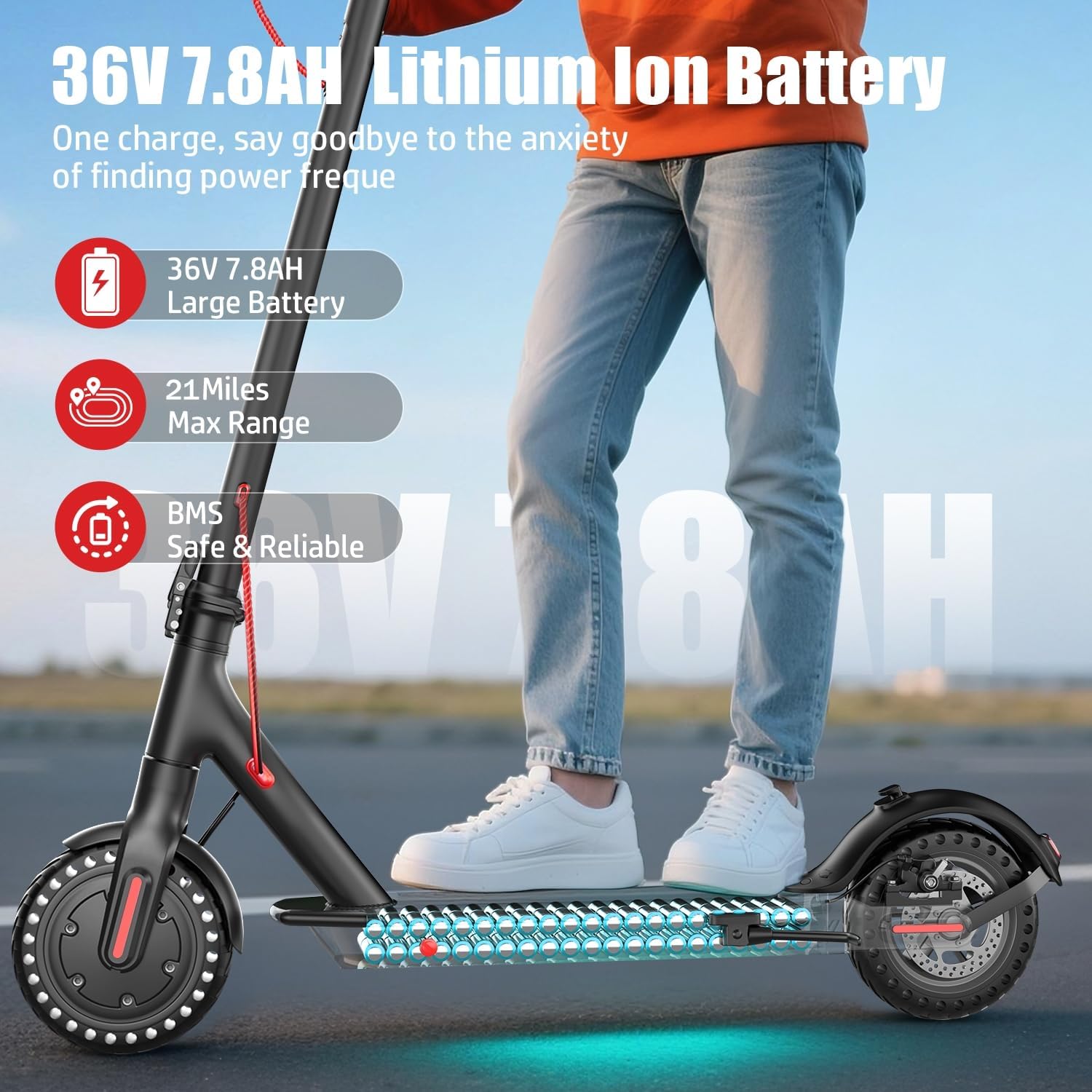
Image: The ASKGO S5 Electric Scooter highlighting its 36V 7.8AH Lithium Ion Battery, offering up to 21 miles max range and safe, reliable performance.
5. Operating Instructions
5.1 Controls Overview
Familiarize yourself with the scooter's controls:
- Power Switch: Located on the display, used to turn the scooter on/off.
- Gas Pedal (Throttle): Controls acceleration.
- Brake Lever: Activates the dual braking system.
- Liquid Crystal Display (LCD): Shows speed, battery level, riding mode, and other status indicators.

Image: Close-up of the ASKGO S5 Electric Scooter's Liquid Crystal Display Meter, showing indicators for speed, battery level, power switch, and gas pedal, along with three distinct riding modes: Energy Saving, Standard, and Sport.
5.2 Powering On and Off
- To Power On: Press and hold the power button on the display until the screen illuminates.
- To Power Off: Press and hold the power button until the display turns off.
5.3 Riding Modes
The ASKGO S5 offers three riding modes to suit different preferences and conditions:
- Model 1 (Energy Saving Gear): Lower speed for extended range.
- Model 2 (Standard Gear): Balanced speed and range for everyday use.
- Model 3 (Sport Gear): Maximum speed and power for dynamic riding.
Switch between modes using the designated button on the display or via the smartphone app.
5.4 App Control and Connectivity
Enhance your riding experience by connecting your ASKGO S5 to the dedicated smartphone app via Bluetooth.
- Download the App: Search for the official ASKGO scooter app on your smartphone's app store.
- Pairing: Follow the in-app instructions to pair your scooter.
- App Features: The app allows you to view real-time speed, current riding mode, battery status, remotely lock/unlock the scooter, set custom speed limits, and engage cruise control.

Image: The ASKGO S5 Electric Scooter shown alongside a smartphone displaying the control application, highlighting features such as automatic switch, smart unlock, riding tracks, three model switching, lighting control, and Bluetooth connection.
5.5 Braking System
The scooter is equipped with a dual braking system for responsive and reliable stopping power:
- Mechanical Disc Brake: Provides strong physical braking force.
- EABS Regenerative Anti-lock Braking: Electronic braking that also helps recharge the battery.
Always apply brakes smoothly and gradually to maintain control, especially at higher speeds or on slippery surfaces.

Image: A detailed view of the ASKGO S5 Electric Scooter's rear wheel, showcasing the 8.5-inch solid tire and the disc braking system, emphasizing its puncture-proof, shock-absorbent, and maintenance-free design.
5.6 Lighting
Integrated front and rear lights ensure visibility during day and night riding. Ensure lights are functional before riding in low-light conditions.
6. Maintenance
Regular maintenance helps prolong the life of your ASKGO S5 Electric Scooter.
6.1 Cleaning
- Wipe the scooter with a damp cloth. Do not use high-pressure water jets or immerse the scooter in water.
- Avoid using abrasive cleaners that could damage the finish.
6.2 Battery Care
- Charge the battery regularly, even if the scooter is not in use for extended periods (at least once every 30 days).
- Store the scooter in a cool, dry place away from direct sunlight and extreme temperatures.
- Use only the original charger provided with the scooter.
6.3 Tire Care
The ASKGO S5 features 8.5-inch solid tires, which are puncture-proof, shock-absorbent, and maintenance-free. Regular inspection for wear and tear is still recommended.
6.4 Brake Inspection
- Regularly check the brake levers and cables for proper tension and function.
- Ensure the disc brake pads are not excessively worn. Consult a professional for brake adjustments or replacements if needed.
7. Troubleshooting
This section addresses common issues you might encounter with your ASKGO S5 Electric Scooter.
| Problem | Possible Cause | Solution |
|---|---|---|
| Scooter does not turn on | Low battery; Loose power connection; Faulty power button | Charge the battery; Check all connections; Contact support if issue persists. |
| Reduced range or speed | Low battery; Riding uphill frequently; Heavy load; Cold weather | Ensure full charge; Adjust riding style; Check tire condition. |
| Brakes feel weak | Brake pads worn; Cable tension incorrect | Inspect brake pads; Adjust brake cable tension; Consult a technician. |
| App not connecting | Bluetooth off; Scooter not powered on; App issue | Ensure Bluetooth is enabled; Power on scooter; Restart app/phone. |
For issues not listed here or if troubleshooting steps do not resolve the problem, please contact ASKGO customer support.
8. Specifications
Detailed technical specifications for the ASKGO Electric Scooter S5:
| Feature | Specification |
|---|---|
| Model Name | S5 |
| Motor Power | 650W Peak (350W Continuous) |
| Max Speed | Up to 19 MPH |
| Max Range | 19-21 Miles |
| Battery | 36V 7.8AH (270WH) Lithium Ion |
| Charging Time | 4-5 Hours |
| Tire Type | 8.5-inch Solid (Puncture-proof) |
| Braking System | Dual (Mechanical Disc + EABS Regenerative) |
| Weight Limit | 265 lbs (120 kg) |
| Scooter Weight | 27.78 lbs (12.6 kg) |
| Material | Aluminum |
| Special Features | Digital Display, Smart Connectivity (App Control), Foldable Design |

Image: A diagram illustrating the key dimensions and specifications of the ASKGO S5 Electric Scooter, including recommended height (4.9 ft - 6 ft), maximum load (265 lbs), scooter weight (23.5 lbs), and various measurements like length, height, tire size, and handlebar width.
9. Warranty and Support
9.1 Warranty Information
The ASKGO Electric Scooter S5 comes with a 1-Year Limited Warranty from the date of purchase. This warranty covers manufacturing defects under normal use. It does not cover damage caused by misuse, accidents, unauthorized modifications, or normal wear and tear.
Please retain your proof of purchase for warranty claims.
9.2 Customer Support
If you have any questions, require technical assistance, or need to make a warranty claim, please contact ASKGO customer support through the retailer where you purchased the product or visit the official ASKGO website for contact details.


