
A'GOLD MCF-38D
A'GOLD MCF-38D Wireless Lavalier Microphone User Manual
Model: MCF-38D
1. Introduction
The A'GOLD MCF-38D Wireless Lavalier Microphone system is designed for high-quality audio capture with convenience and versatility. This compact and lightweight system provides clear and stable sound, featuring omnidirectional pickup and intelligent noise reduction technology. It offers dual connectivity with both USB-C and Lightning ports, ensuring compatibility with a wide range of iOS and Android smartphones and tablets. This manual will guide you through the setup, operation, and maintenance of your MCF-38D microphone.
2. Package Contents
Please verify that all items are present in your package:
- 2 x A'GOLD MCF-38D Wireless Microphones
- 1 x 2-in-1 Receiver (Lightning and USB-C)
- 1 x Portable Charging Case
3. Product Overview
Familiarize yourself with the components of your A'GOLD MCF-38D Wireless Lavalier Microphone system.

Figure 3.1: This image displays the A'GOLD MCF-38D Wireless Lavalier Microphone system, including two black circular microphones with yellow accents and a dual-connector receiver featuring both USB-C and Lightning ports. The receiver is designed to plug directly into a smartphone or tablet.
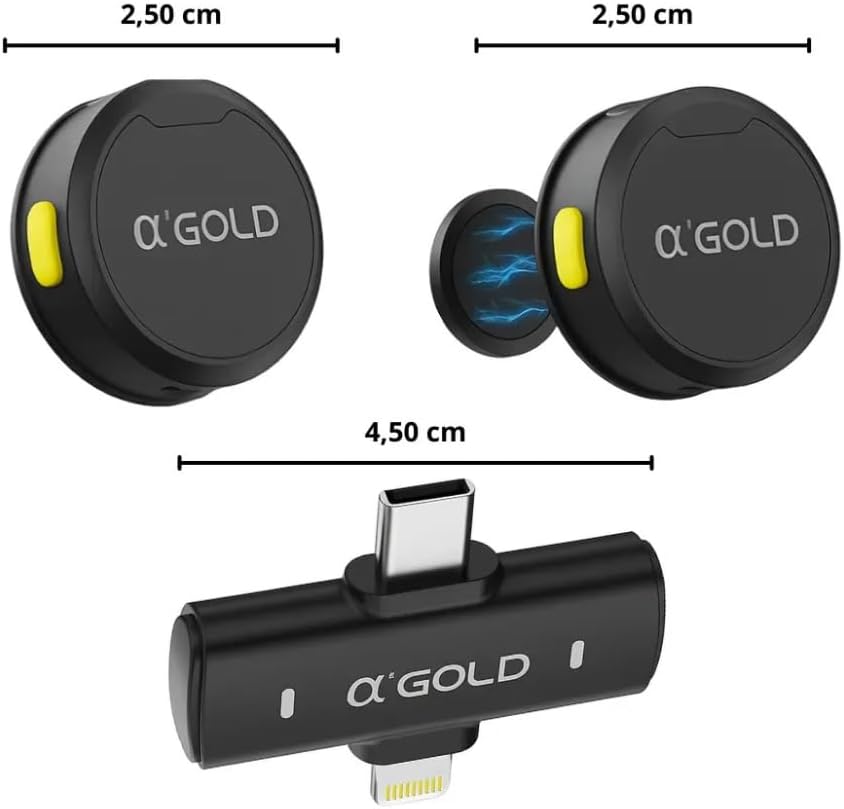
Figure 3.2: This image illustrates the dimensions of the A'GOLD MCF-38D microphone and receiver. Each microphone measures 2.50 cm in diameter. The receiver measures 4.50 cm in length, highlighting the compact size of the devices.
4. Setup
The A'GOLD MCF-38D system features a Plug & Play design, requiring no complex applications or configurations.
- Charge the Microphones: Ensure both microphones are fully charged using the portable charging case. The case itself should also be charged if needed.
- Connect the Receiver: Identify the correct connector (USB-C or Lightning) on the 2-in-1 receiver. Plug the receiver directly into the charging port of your smartphone or tablet.
- Power On Microphones: Take the microphones out of the charging case. They should automatically power on and attempt to pair with the receiver. A successful connection is usually indicated by a solid blue light on the microphone.
- Verify Connection: Open your device's camera app, voice recorder, or live streaming application. The microphone should now be recognized as the audio input source.

Figure 4.1: A woman is demonstrating the use of the A'GOLD MCF-38D wireless microphone system. She holds a microphone while the receiver is plugged into a smartphone mounted on a tripod, illustrating a typical recording setup.
5. Operating Instructions
5.1 Using the Microphone
- Placement: Clip the microphone to your collar or clothing, approximately 6-8 inches (15-20 cm) from your mouth, for optimal sound capture.
- Omnidirectional Pickup: The microphone features an omnidirectional pickup pattern, meaning it captures sound equally from all directions. This is ideal for interviews or situations where sound may come from various angles.
- Noise Reduction: The MCF-38D includes intelligent AI noise reduction. This feature automatically filters out unwanted background noise, ensuring your voice remains clear and prominent.

Figure 5.1: A close-up image of a woman wearing the A'GOLD MCF-38D wireless microphone clipped to her shirt collar, showcasing its discreet placement and readiness for use.
5.2 Charging
- Microphone Charging: Place the microphones back into the portable charging case. They will automatically begin charging.
- Case Charging: Connect the charging case to a USB power source using a compatible cable (not explicitly listed but implied).
- Battery Life: The microphones provide up to 12 hours of continuous use on a full charge.
- Charging Time: A full charge for the microphones typically takes 1 to 1.5 hours.
6. Troubleshooting
If you encounter issues with your A'GOLD MCF-38D microphone, please refer to the following common solutions:
- No Audio Output:
- Ensure the receiver is securely plugged into your device's charging port.
- Verify that the microphones are powered on and successfully paired (indicated by a solid blue light).
- Check your device's audio input settings to confirm the external microphone is selected.
- Ensure your recording or streaming application is configured to use the external microphone.
- Poor Audio Quality / Excessive Noise:
- Confirm the microphone is positioned correctly, approximately 6-8 inches from the sound source.
- Ensure there are no obstructions between the microphone and the receiver.
- Move closer to the receiver if you are at the edge of the transmission range (20-25 meters).
- Minimize external noise sources in your environment.
- Microphone Not Connecting:
- Reinsert the receiver into your device.
- Power off and then power on the microphones again.
- Ensure the microphones are charged.
- Try connecting the system to a different compatible device to rule out device-specific issues.
7. Specifications
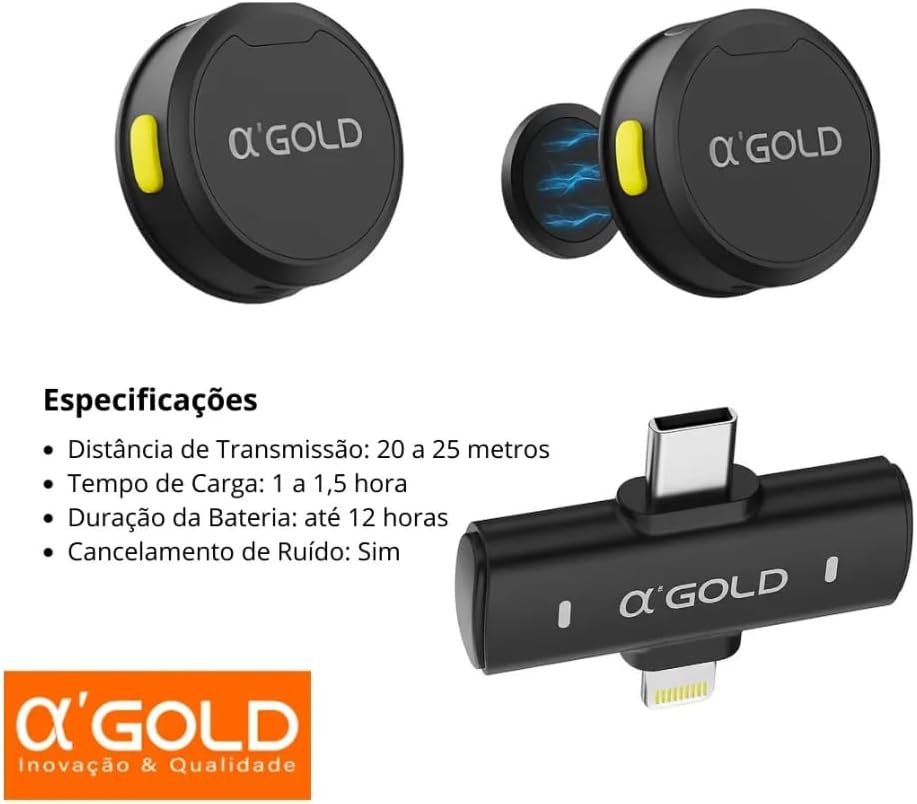
Figure 7.1: This image presents key specifications for the A'GOLD MCF-38D system. It lists a transmission distance of 20-25 meters, a charging time of 1-1.5 hours, a battery duration of up to 12 hours, and confirms noise cancellation functionality. The receiver and microphones are also shown.
| Model | MCF-38D |
| Color | Black |
| Material | Plastic |
| Connectivity | Wireless (Plug & Play) |
| Connector Type | Lightning, USB Type-C (2-in-1 Receiver) |
| Special Features | Intelligent AI Noise Reduction, Omnidirectional Pickup |
| Power Source | Battery Powered |
| Battery Duration | Up to 12 hours (Microphone) |
| Charging Time | 1 to 1.5 hours |
| Transmission Distance | 20 to 25 meters |
| Product Weight | Approximately 120 g (total package) |
8. Maintenance
Proper care and maintenance will extend the lifespan of your A'GOLD MCF-38D microphone system.
- Cleaning: Use a soft, dry cloth to wipe the microphones and receiver. Do not use liquid cleaners or abrasive materials.
- Storage: When not in use, store the microphones in their portable charging case to protect them and keep them charged. Store the entire system in a cool, dry place, away from direct sunlight and extreme temperatures.
- Avoid Water: The devices are not waterproof. Avoid exposure to water or high humidity.
9. Warranty and Support
9.1 Manufacturer Warranty
The A'GOLD MCF-38D Wireless Lavalier Microphone is covered by a 90-day manufacturer warranty against defects in materials and workmanship from the date of purchase. This warranty does not cover damage caused by misuse, accident, unauthorized modification, or normal wear and tear.
9.2 Customer Support
For technical assistance, warranty claims, or further inquiries, please contact your retailer or the A'GOLD customer support channel provided at the point of purchase. Please have your product model (MCF-38D) and proof of purchase ready when contacting support.
Related Documents - MCF-38D
 |
Wireless Lavalier Microphone User Manual - Shenzhen Unite Creation Comprehensive user manual for the Shenzhen Unite Creation Wireless Lavalier Microphone (Models E80, E80-A). Learn about setup, features, specifications, and FCC compliance for professional audio recording. |
 |
HUUSMOT WM-300 Wireless Lavalier Microphone System User Manual & Guide Comprehensive guide for the HUUSMOT WM-300 Wireless Lavalier Microphone System. Learn about setup, operation, technical specifications, and troubleshooting for clear audio recording. |
 |
Midea Flooded Type Water Cooled Screw Chiller Technical Service Manual Comprehensive technical service manual for Midea LSBLG series flooded type water-cooled screw chillers, covering installation, maintenance, and troubleshooting. |
 |
视频采集卡故障排除与常见问题解答 本指南提供视频采集卡常见问题解答和故障排除方法,帮助用户解决连接、视频、音频、软件兼容性等问题,确保流畅的直播和录制体验。 |
 |
Douxe T03 USB Stick 32GB: 4-in-1 Flash Drive Instruction Manual Instruction manual for the Douxe T03 USB Stick 32GB, a 4-in-1 flash drive featuring Lightning, Micro USB, USB-A, and USB-C connectors. Includes product features, technical specifications, safety warnings, operating instructions, and warranty information. |
 |
Douxe T03 USB Stick 128GB 4-in-1 Flash Drive - Instruction Manual This instruction manual provides detailed information on the Douxe T03 USB Stick 128GB, a versatile 4-in-1 flash drive. It covers product features, technical specifications, operating instructions, safety warnings, and warranty information for seamless data transfer across iPhone, iOS, Android, and PC devices. |
Ask a question about this manual
Ask about setup, troubleshooting, compatibility, parts, safety, or missing instructions. Manuals+ will review the question and use this page’s manual context to help answer it.