
1. Introduction
Thank you for choosing the AZHAR S5 Electric Scooter. This manual provides essential information for the safe operation, assembly, maintenance, and troubleshooting of your scooter. Please read it thoroughly before your first ride to ensure optimal performance and safety.
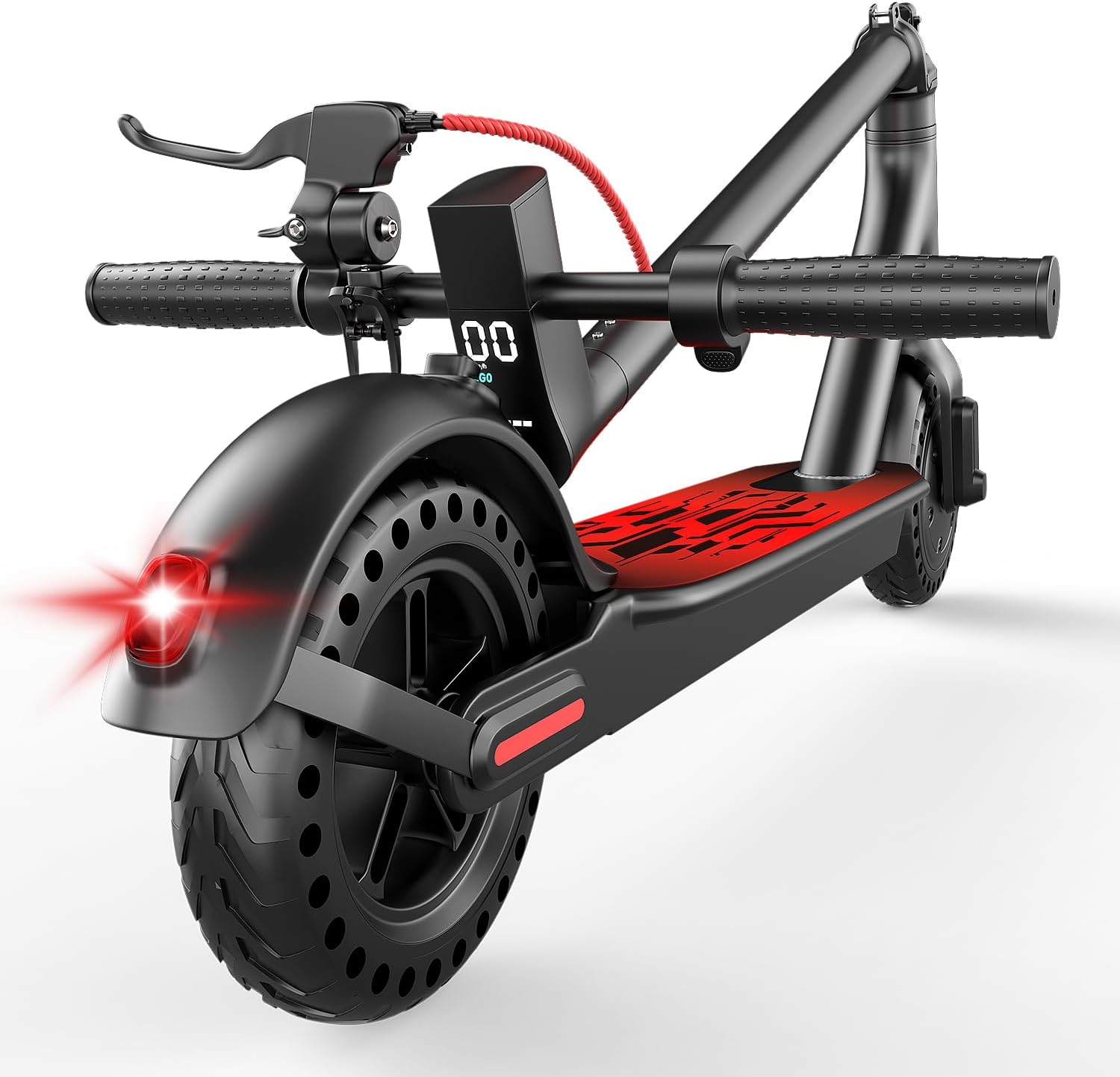
Figure 1: The AZHAR S5 Electric Scooter, showcasing its sleek design and rear brake light.
2. Safety Guidelines
Your safety is paramount. Always adhere to local laws and regulations regarding electric scooter usage. This scooter is UL2272 certified, indicating compliance with electrical safety standards.
- Always wear a helmet and appropriate safety gear (knee pads, elbow pads) when riding.
- Do not ride in heavy rain, on slippery surfaces, or through puddles deeper than 1 inch.
- Avoid riding on uneven terrain, steep inclines, or over obstacles that could cause loss of control.
- Ensure both brakes are functioning correctly before each ride.
- Maintain a safe distance from pedestrians, vehicles, and other obstacles.
- Do not allow children under the recommended age to operate the scooter.
- The maximum weight limit for this scooter is 300 pounds.
3. Package Contents
Upon unpacking, please verify that all items are present:
- 1x AZHAR S5 Electric Scooter
- 1x Charger
- 1x User Manual (this document)
4. Assembly and Folding
The AZHAR S5 Electric Scooter features a one-step folding design for easy portability and storage.
4.1 Unfolding the Scooter
- Place the scooter on a flat surface.
- Release the folding latch located near the base of the handlebar stem.
- Carefully lift the handlebar stem until it locks into the upright position. Ensure the latch is securely engaged.
- Adjust the handlebar to your desired height if applicable (refer to specific model features).
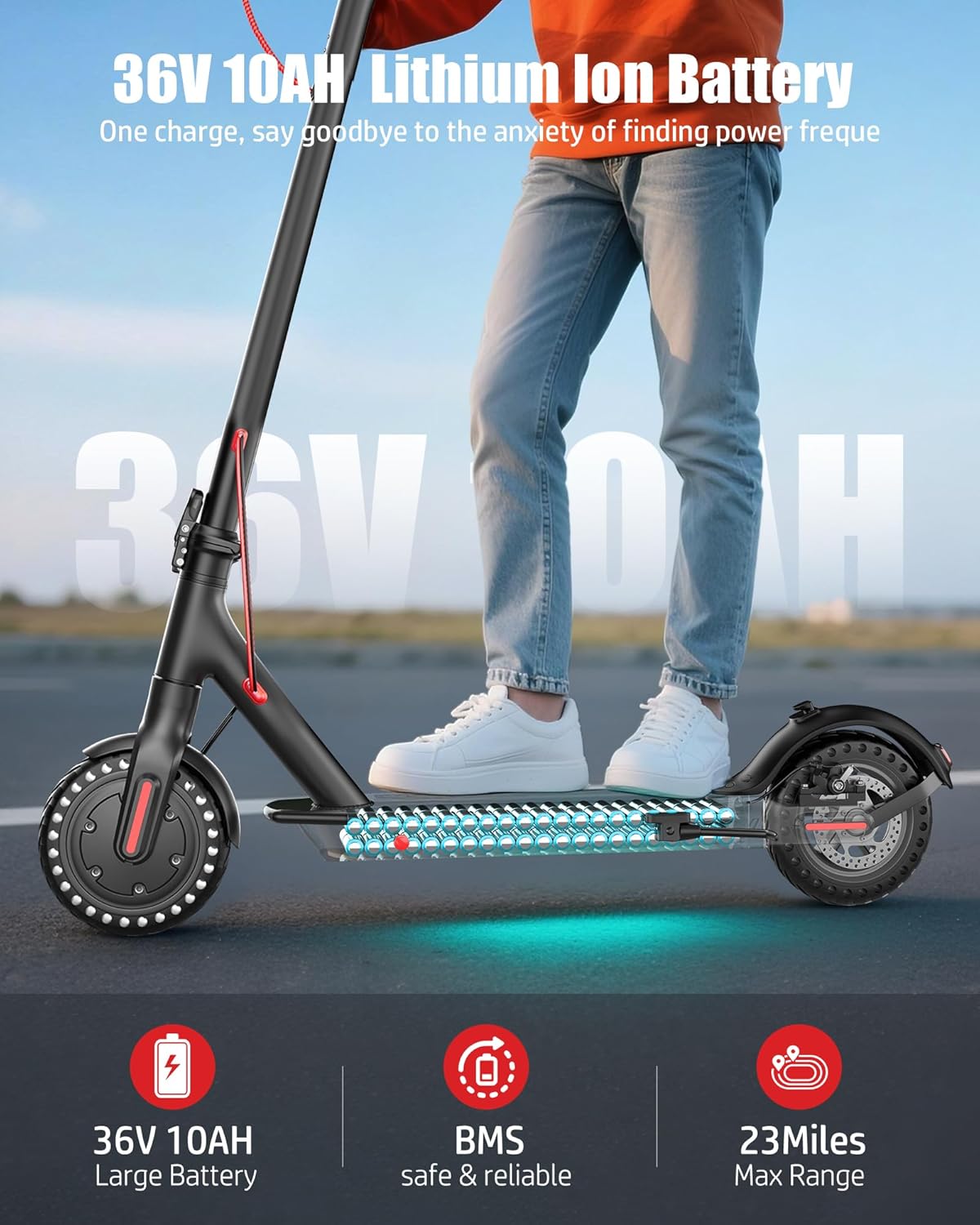
Figure 2: Unfolding the scooter by lifting the handlebar stem until it locks.
4.2 Folding the Scooter
- Ensure the scooter is powered off.
- Locate the folding latch on the handlebar stem.
- Press the release mechanism and fold the handlebar stem downwards until it clicks into place, securing it to the rear fender.

Figure 3: The scooter in its folded state, ready for transport or storage.

Figure 4: The lightweight design allows for easy carrying of the folded scooter.
5. Operating Instructions
5.1 Power On/Off
Press and hold the power button on the display for a few seconds to turn the scooter on or off.
5.2 Speed Modes and Gear Shift
The scooter offers multiple speed modes. To switch between gears, quickly press the power button twice. The current speed mode will be indicated on the LED display.
Video 1: Demonstration on how to adjust the speed limit settings using the scooter's controls and the mobile application.
5.3 Acceleration
To accelerate, push off with one foot and then press the gas pedal (throttle) located on the right handlebar.
5.4 Braking System
The AZHAR S5 is equipped with a dual braking system: a disc brake and an EABS (Electronic Anti-lock Braking System) for reliable stopping power. Apply the brake lever on the left handlebar to engage both braking systems simultaneously.
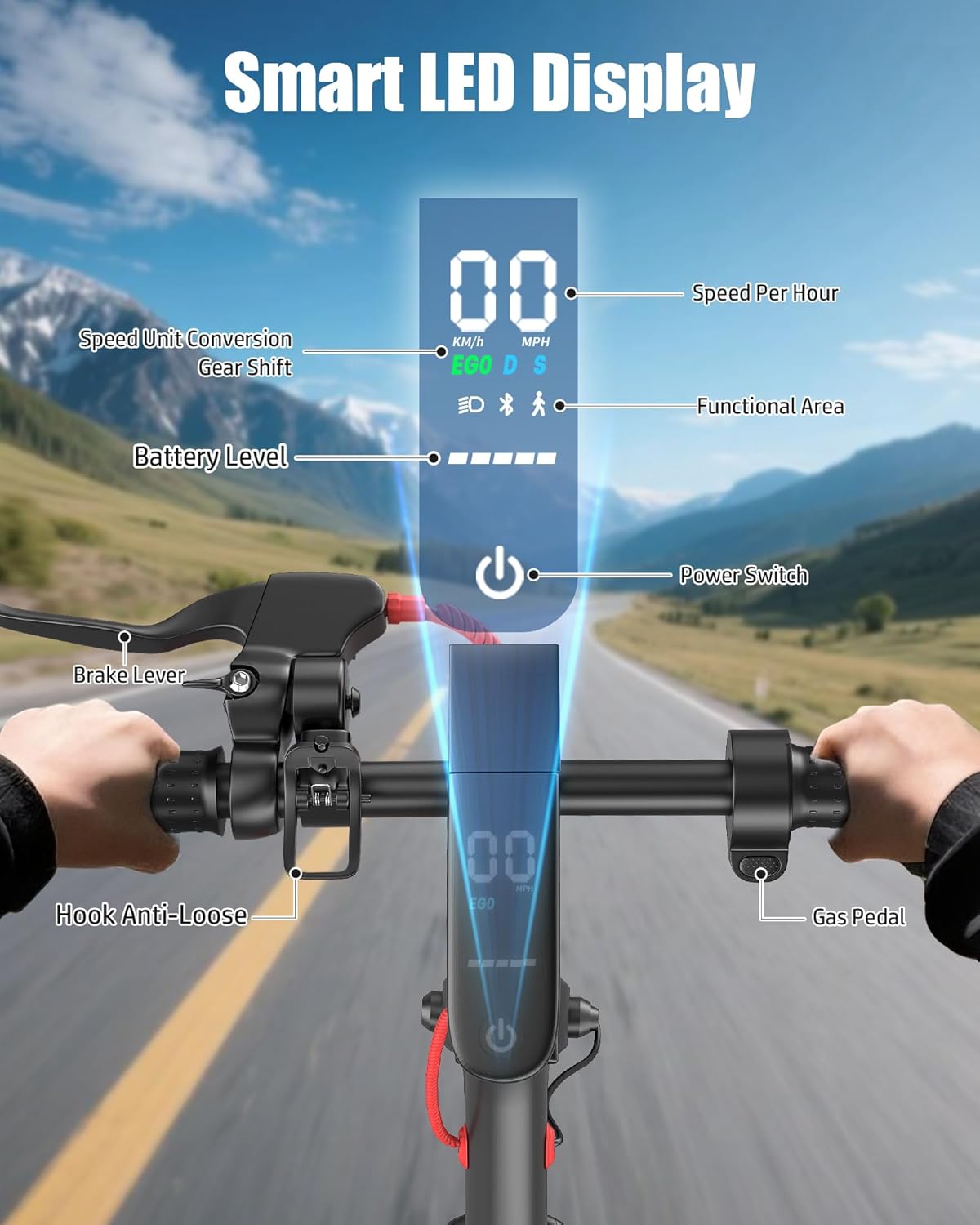
Figure 5: The dual braking system, featuring both a disc brake on the rear wheel and an electronic brake controlled by the handlebar lever.
5.5 Lights
The scooter features front and rear LED lights for improved visibility and safety, especially during low-light conditions. These can typically be controlled via the display or the mobile app.
5.6 Smart LED Display
The integrated LED display provides real-time information including speed, battery level, and current riding mode. It also allows for basic control of scooter functions.

Figure 6: The Smart LED Display showing speed, battery level, gear shift, and functional area indicators.
5.7 Smart App Control
Enhance your riding experience by connecting your scooter to the dedicated mobile application. The app allows you to control various features such as speed settings, lights, locking the scooter, and activating cruise mode.

Figure 7: The multifunctional app interface for controlling scooter settings and monitoring status.
6. Maintenance
Regular maintenance ensures the longevity and safe operation of your scooter.
- Tires: The 8.5-inch solid honeycomb tires are puncture-proof and require no inflation or specific maintenance. Regularly inspect them for wear and tear.
- Brakes: Periodically check the disc brake and EABS for proper function. Ensure the brake lever provides firm and responsive stopping power.
- Battery: Charge the battery fully after each use. Avoid completely draining the battery to prolong its lifespan. Store the scooter in a cool, dry place when not in use.
- Cleaning: Wipe the scooter with a damp cloth to remove dirt and dust. Do not use high-pressure water jets or corrosive cleaning agents.
- Fasteners: Regularly check all screws and bolts to ensure they are tight. Loose fasteners can affect stability and safety.
7. Troubleshooting
If you encounter issues with your AZHAR S5 Electric Scooter, refer to the following common problems and solutions:
| Problem | Possible Cause | Solution |
|---|---|---|
| Scooter does not power on | Low battery; loose connections | Charge the battery; check all cable connections. |
| Reduced speed or range | Low battery; heavy load; steep incline; cold weather | Ensure full charge; reduce load; avoid steep inclines; battery performance may decrease in cold. |
| Brakes not responsive | Brake cable adjustment needed; worn brake pads | Adjust brake cable tension; inspect and replace brake pads if worn. |
| App connectivity issues | Bluetooth off; app not updated | Ensure Bluetooth is enabled on your device; update the app to the latest version. |
If the problem persists, please contact customer support for assistance.
8. Specifications
Key technical specifications for the AZHAR S5 Electric Scooter:
| Feature | Detail |
|---|---|
| Brand | AZHAR |
| Model Name | S5 |
| Motor Power | 500W (Peak 650W) |
| Max Speed | Up to 21 MPH |
| Max Range | Up to 23 Miles |
| Battery | 36V Lithium-Ion |
| Tire Size | 8.5 Inches |
| Tire Type | Solid (Honeycomb, Puncture-Proof) |
| Braking System | Dual (Disc + EABS) |
| Weight Limit | 300 Pounds |
| Scooter Weight | Approximately 25.3 lbs |
| Special Features | App Control, Foldable, Digital Display, Cruise Control, Front & Rear LED Lights |
| Certification | UL2272 |
Note: Actual speed and range may vary based on rider weight, terrain, and environmental conditions.

Figure 8: Detailed size information and recommended rider height for the AZHAR S5 Electric Scooter.
9. Warranty and Support
AZHAR provides a 12-month warranty on select parts of the S5 Electric Scooter. For any issues or inquiries, please contact our customer service team. We aim to provide a satisfactory solution within 24 hours.
- Warranty Period: 12 months on select parts.
- After-sales Policy: 30 Days Exchange or Refund.
- Email Contact: ebikeservice25@outlook.com

Figure 9: Dedicated customer support is available to assist with any product-related queries.