
Fajocru B0FXTMK5SQ
Fajocru Smart Health Watch for Seniors: User Manual
Brand: Fajocru | Model: B0FXTMK5SQ
1. Introduction
This manual provides comprehensive instructions for setting up and operating your Fajocru Smart Health Watch. Designed for seniors and individuals requiring additional care, this device integrates essential communication, safety, and health monitoring features. Please read this manual thoroughly to ensure proper use and to maximize the benefits of your smart watch.
2. Safety Information
Important SIM Card Installation Note: Do not insert the SIM card while the watch is powered on. If the watch is accidentally powered on, navigate to Settings and power it off completely before inserting the SIM card. Failure to do so may result in unsuccessful SIM card recognition and network issues. The watch is compatible with 2G, 3G, 4G, and 5G SIM cards.
Ensure the watch is worn securely but comfortably on the wrist. Avoid prolonged exposure to extreme temperatures or direct sunlight. Keep the device away from strong magnetic fields.
3. Package Contents
Verify that all items are present in your product package:
- Fajocru Smart Health Watch
- USB Charging Cable
- User Manual (this document)

Image: The Fajocru Smart Health Watch, its charging cable, and an additional watch strap included in the package.
4. Setup Guide
4.1. SIM Card Installation and Initial Setup
Follow these steps carefully to install the SIM card and prepare your watch for use:
- Step 1: Insert SIM Card (Power Off)
Ensure the watch is completely powered off. Carefully open the SIM card slot cover and insert a compatible 2G/3G/4G/5G SIM card (0.43 x 0.31 inches) into the designated slot. Close the cover securely. - Step 2: Power On the Watch
Press and hold the power button to turn on the watch. - Step 3: Access 'APP code'
On the watch screen, tap to find and select the 'APP code' option. - Step 4: Scan QR Code
A QR code will be displayed on the watch screen. Use your smartphone to scan this QR code. - Step 5: Download 'Se Tracker' App
The scanned QR code will direct you to download the 'Se Tracker' companion application. Choose the appropriate version for your smartphone (iOS or Android). - Step 6: Add Device in App
Open the 'Se Tracker' app on your smartphone. Follow the in-app instructions to 'Add Device'. - Step 7: Register Device
Within the app, you may be prompted to 'Register code'. This refers to the registration code found on the watch. - Step 8: Complete Scanning/Binding
Follow the final prompts in the app to complete the device binding process.

Image: A visual guide illustrating the eight steps for SIM card installation and connecting the watch to the 'Se Tracker' application.
4.2. Charging the Watch
Before first use, fully charge the watch using the provided USB charging cable. Connect the magnetic end of the cable to the charging contacts on the back of the watch and the USB-A end to a standard USB power adapter (not included) or computer USB port. A full charge typically takes a few hours.
5. Operating Instructions
5.1. Basic Navigation
The watch features a high-definition touch screen. Swipe left, right, up, or down to navigate through menus and functions. Tap to select an option.
5.2. Two-Way Calling and Voice Chat
Once a SIM card with call and network functions is installed and the watch is paired with the 'Se Tracker' app, you can make and receive calls directly from the watch. You can preset up to 30 contacts in the app's phone book. The built-in voice chat feature allows for quick voice message exchanges with contacts.
5.3. SOS Emergency Button
In an emergency, press and hold the power button on the watch for 3 seconds. The watch will automatically dial pre-set emergency contacts until one answers. This feature provides immediate assistance when needed.
5.4. GPS Tracking and Safety Zones
The watch features built-in GPS for real-time location tracking. Through the 'Se Tracker' app, caregivers can view the watch's current location and historical routes (stored for up to one month). You can also set 'Safety Zones' (geofences) in the app. If the watch wearer leaves a designated safety zone, a notification will be sent to the caregiver's smartphone, enhancing security for vulnerable individuals.

Image: The Fajocru Smart Health Watch illustrating the concept of an 'Invisible Boundary' or safety zone, where the wearer's location is monitored within a defined area.
5.5. Fall Detection
The watch is equipped with intelligent fall detection. In the event of an accidental fall, the watch is designed to automatically send an alert to pre-configured contacts, providing timely notification to family members or caregivers.

Image: The Fajocru Smart Health Watch detecting a fall, with a visual representation of an elderly person who has fallen, highlighting the 'Falling reminder' feature.
5.6. Health Monitoring
The watch offers various health monitoring functions:
- Pedometer: Tracks daily steps and activity levels.
- Heart Rate & SpO2: Measures heart rate and blood oxygen levels in real-time.
- Temperature: Provides body temperature readings.
- Sleep Monitoring: Tracks sleep patterns, offering insights into deep sleep, light sleep, and awake times to help enhance sleep quality.
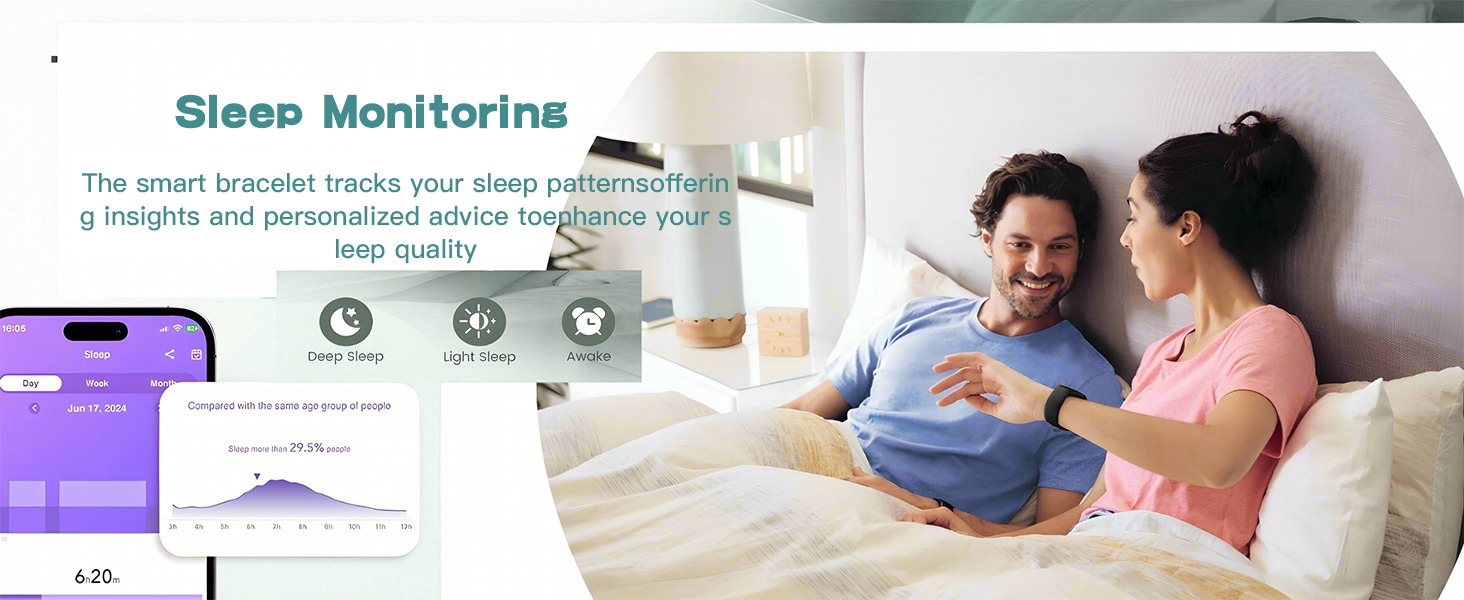
Image: The Fajocru Smart Health Watch highlighting its health monitoring capabilities, including heart rate, temperature, and blood oxygen tracking.
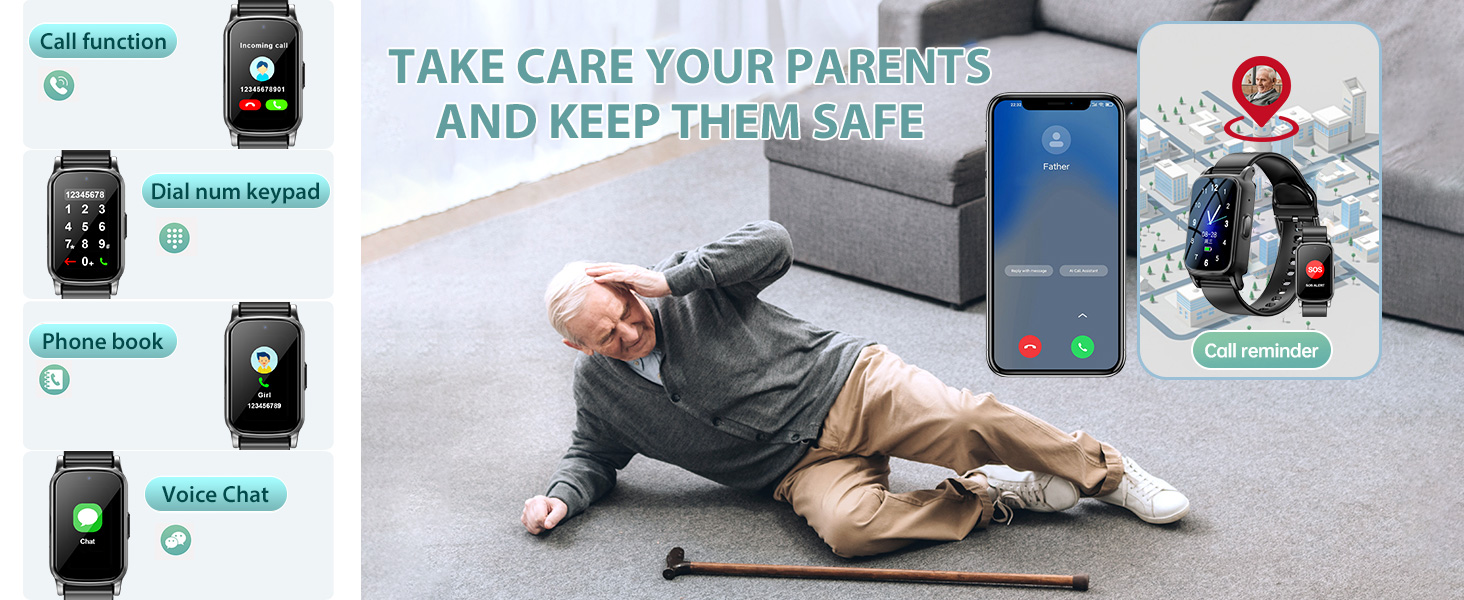
Image: The Fajocru Smart Health Watch's sleep monitoring feature, showing detailed sleep patterns (deep sleep, light sleep, awake) as displayed on the companion smartphone application.
5.7. Other Features
The Fajocru Smart Health Watch includes additional functionalities for daily convenience and safety:
- Camera: Built-in camera for capturing photos.
- Photo Album: Stores captured images.
- Phone Book: Stores up to 30 contacts.
- Alarm Clock: Set reminders for various activities.
- Medicine Reminder: Helps manage medication schedules.
- Sedentary Reminder: Prompts movement after periods of inactivity.
- Stopwatch: Basic timekeeping function.
- Calculator: Simple arithmetic tool.
- Notifications: Receives alerts and messages.

Image: A visual overview of the special functions available on the Fajocru Smart Health Watch, including SOS, Pedometer, Fall Alert, Health Monitoring, Location Tracking, and more.
6. Maintenance
6.1. Water Resistance
The Fajocru Smart Health Watch has an IP67 water resistance rating, meaning it can withstand water splashes, rain, and brief immersion. It is suitable for daily use and activities like hand washing or light rain. However, it is not recommended for swimming, showering with hot water, or diving.

Image: The Fajocru Smart Health Watch demonstrating its IP67 water resistance, capable of withstanding water splashes.
6.2. Cleaning
To clean your watch, gently wipe the screen and strap with a soft, damp cloth. Avoid using harsh chemicals or abrasive materials, as these can damage the device.
6.3. Battery Life
The watch is equipped with a 600 mAh Lithium Polymer battery. Battery life can vary depending on usage patterns and network conditions. Regular charging is recommended to ensure continuous functionality. A full charge typically provides approximately 12 hours of active use.
7. Troubleshooting
- SIM Card Not Detected/No Network: Ensure the SIM card was inserted while the watch was powered off. Verify the SIM card is active and has both call and network functions. Restart the watch after inserting the SIM card.
- App Connection Issues: Confirm the 'Se Tracker' app is correctly installed and the device is properly bound using the QR code and registration process. Check your smartphone's internet connection.
- Pedometer Not Tracking: Ensure the watch is worn correctly on the wrist. If issues persist, check for any specific settings within the watch or the 'Se Tracker' app related to activity tracking.
- Short Battery Life: Reduce the frequency of GPS updates or screen brightness to conserve battery. Ensure the watch is fully charged using the provided cable.
For further assistance, please contact Fajocru customer support via the email provided with your order number.
8. Specifications
| Feature | Detail |
|---|---|
| Brand | Fajocru |
| Model | B0FXTMK5SQ |
| Screen Size | 2.64 Inches |
| Operating System | Android and iOS compatible (via 'Se Tracker' app) |
| Connectivity Technology | Cellular (2G/3G/4G/5G SIM card required) |
| GPS | Built-in GPS |
| Battery Capacity | 600 mAh Lithium Polymer |
| Memory Storage Capacity | 1 GB |
| Water Resistance | IP67 |
| Item Weight | 5.1 ounces |
| Dimensions | 6.5 x 2.76 x 1.77 inches (Package) |
9. Warranty and Support
Fajocru offers customer support to guide you through the activation process and address any questions you may have. While specific warranty details are not provided, please retain your purchase receipt for any potential claims. For support, please send an email to our shop via your order number.
Related documentsB0FXTMK5SQ


Ask a question about this manual
Ask about setup, troubleshooting, compatibility, parts, safety, or missing instructions. Manuals+ will review the question and use this page’s manual context to help answer it.