
Introduction
Thank you for choosing the Basike WXC290 15W Wireless Charger. This 3-in-1 device is designed to provide efficient and safe wireless charging for compatible iPhone models (12-16 series), AirPods, and Apple Watch. Featuring magnetic alignment and a compact design, it offers a convenient charging experience for your home, office, or travel needs. Please read this manual carefully before using the product to ensure proper operation and to maximize its lifespan.
Safety Information
To ensure safe operation and prevent damage to the device or injury, please observe the following safety guidelines:
- Do not disassemble, modify, or repair the device yourself. Unauthorized modifications may void the warranty and pose safety risks.
- Keep the charger away from water, moisture, and other liquids.
- Avoid exposing the charger to extreme temperatures (below -10°C or above 60°C) or direct sunlight for prolonged periods.
- Do not place metal objects, credit cards, or other foreign objects between the charging surface and your device, as this may interfere with charging or cause overheating. The charger includes Foreign Object Detection (FOD) for safety.
- Ensure the power adapter used with the charger meets the specified input requirements (9V/2A). Using an incompatible adapter may cause damage or safety hazards.
- This charger is equipped with advanced protection systems against overheating, overvoltage, undervoltage, and short circuits.
- Keep out of reach of children.
Package Contents
Please check the package for the following items:
- 1x Basike WXC290 Wireless Charger
- 1x USB-A to Type-C Cable
- 1x User Manual
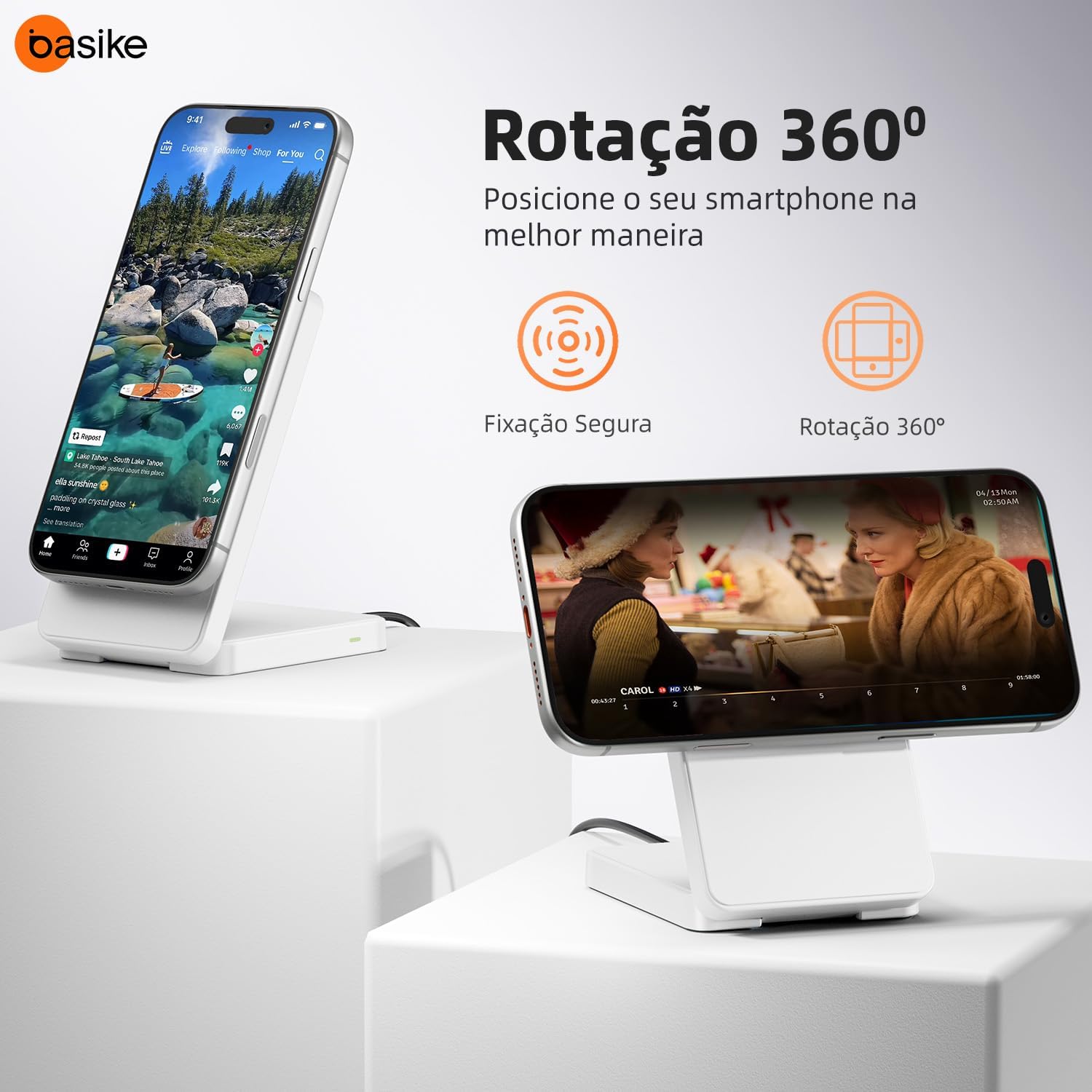
Image: The Basike WXC290 Wireless Charger with its USB-A to Type-C charging cable.
Product Overview
The Basike WXC290 is a versatile 3-in-1 wireless charger designed for convenience and efficiency.
- 15W Fast Charging: Delivers up to 15W of power for compatible devices, ensuring quick charging times.
- Magnetic Alignment: Features strong magnets for secure and precise alignment with compatible devices, preventing accidental disconnections.
- Wide Compatibility: Supports iPhone 12, 13, 14, 15, 16 series (including Pro/Max models), AirPods Pro, 3rd, and 4th generations, and Apple Watch Series 2-9, Ultra 1, Ultra 2, and SE. It also supports other Qi-enabled devices.
- Smart LED Indication: A blue LED light indicates charging status, standby mode, and error alerts.
- Foldable and Portable Design: Its slim and modern structure makes it easy to transport and use anywhere.
- Integrated Stand Functionality: Can be used as a smartphone stand, allowing hands-free viewing while charging.
- Multi-Device Charging: Designed to charge multiple compatible devices simultaneously, such as an iPhone, AirPods, and Apple Watch.
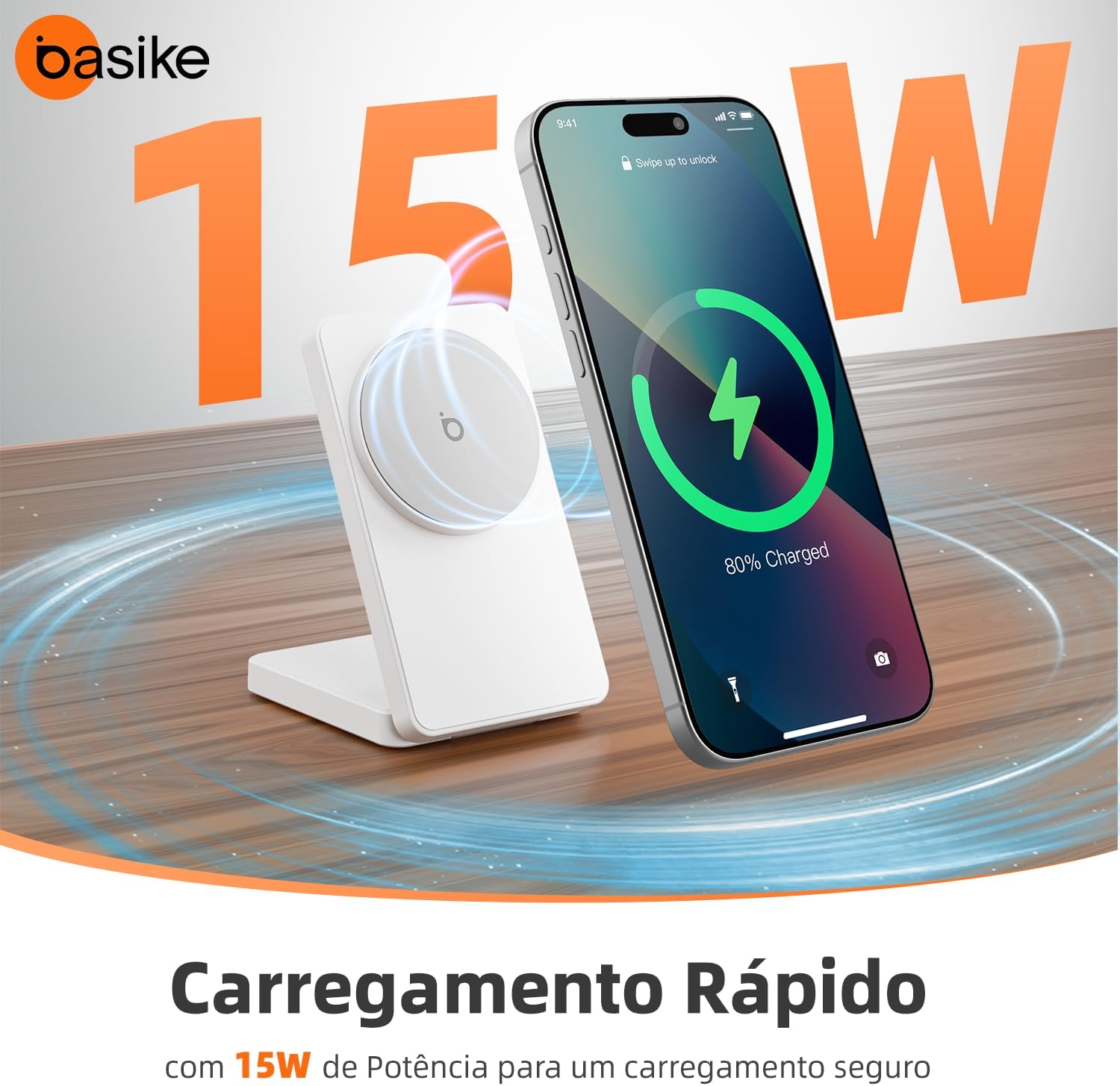
Image: The charger illustrating 15W fast charging capability with a smartphone displaying 80% charge.
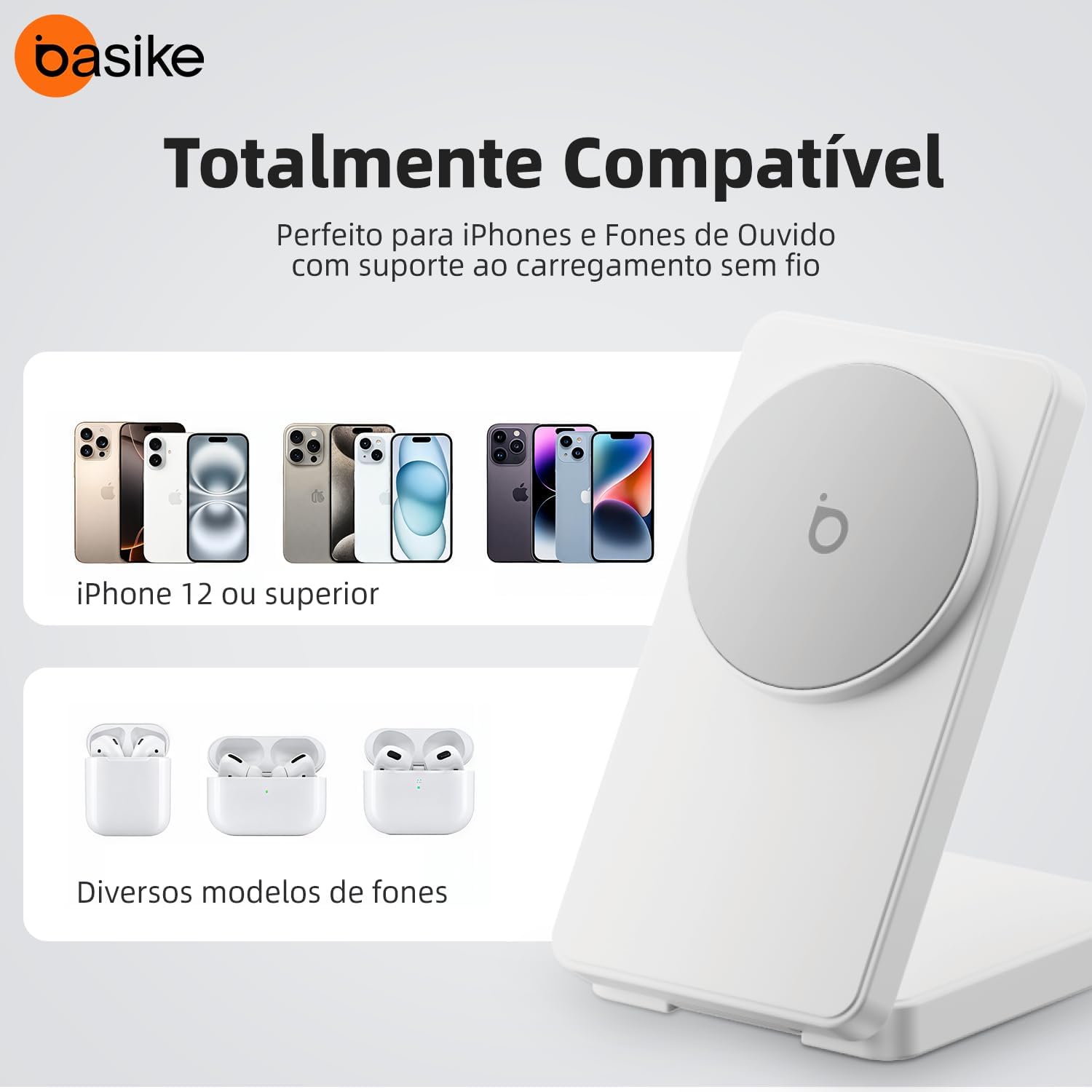
Image: Visual representation of the charger's compatibility with iPhone 12 and newer models, and various AirPods models.
Setup
Follow these steps to set up your Basike WXC290 Wireless Charger:
- Connect the Cable: Insert the USB-A end of the provided cable into a compatible power adapter (not included). The power adapter should support 9V/2A output for optimal performance.
- Connect to Charger: Insert the Type-C end of the cable into the charging port on the Basike WXC290 Wireless Charger.
- Power On: Plug the power adapter into a wall outlet. The charger is now in standby mode.
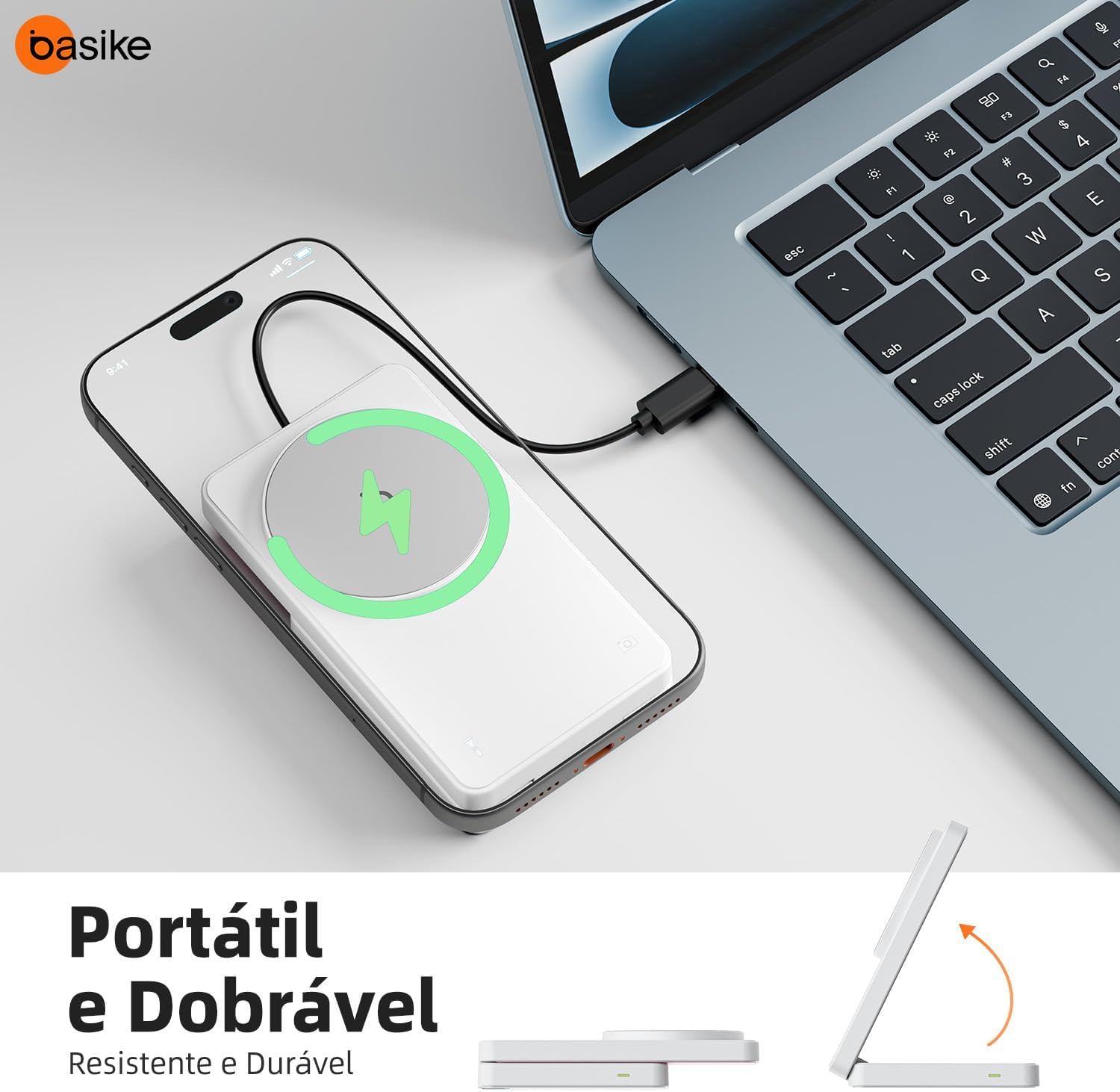
Image: The Basike WXC290 charger connected to a power source via its USB-C cable, ready for use.
Operating Instructions
Using your Basike WXC290 Wireless Charger is straightforward:
- Place Your Device:
- For iPhones: Position your compatible iPhone (12-16 series) directly onto the magnetic charging surface. The magnetic feature will ensure correct alignment.
- For AirPods: Place your AirPods case on the designated Qi charging spot (typically on the base).
- For Apple Watch: Place your Apple Watch on its dedicated charging area.
- Confirm Charging: The blue LED indicator on the charger will illuminate to confirm that charging has begun for the primary device. Your devices' screens will also show their respective charging statuses.
- Using as a Stand: The charger can be folded to act as a stand, allowing you to view your phone in portrait or landscape mode while it charges.
- LED Indicator Status:
- Solid Blue: Device is charging.
- Flashing Blue: Foreign object detected or an error has occurred. Remove the object or check connections.
- Off: Standby mode or no device detected.
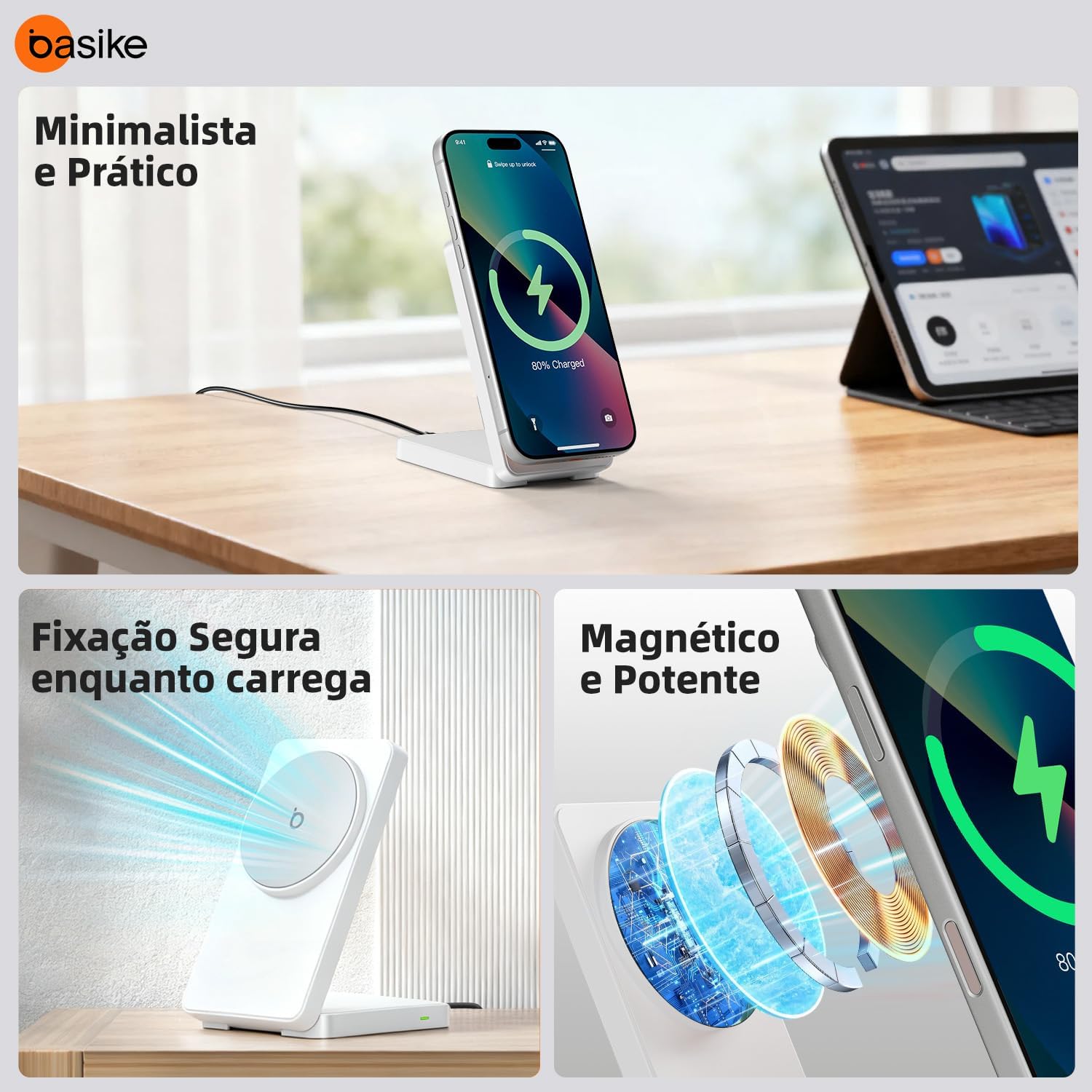
Image: An iPhone securely attached to the magnetic charging pad, demonstrating stable charging and the stand function.

Image: The Basike WXC290 charger shown in its compact, folded state and unfolded as a stand, highlighting its portability.
Maintenance
Proper care will ensure the longevity of your Basike WXC290 Wireless Charger:
- Cleaning: Disconnect the charger from the power source before cleaning. Use a soft, dry cloth to wipe the surface. Do not use abrasive cleaners, solvents, or harsh chemicals.
- Storage: When not in use, store the charger in a cool, dry place, away from direct sunlight and extreme temperatures.
- Handling: Avoid dropping the charger or subjecting it to strong impacts.
Troubleshooting
If you encounter issues with your Basike WXC290 Wireless Charger, refer to the following common problems and solutions:
| Problem | Possible Cause | Solution |
|---|---|---|
| Device not charging. |
|
|
| Slow charging. |
|
|
| Charger or device gets hot. |
|
|
| LED indicator flashing blue. |
|
|
Specifications
| Feature | Detail |
|---|---|
| Model Number | WXC290 |
| Input | 9V/2A |
| Output Current | 3 Amps |
| Output Voltage | 9 Volts |
| Conversion Efficiency | ≥77% |
| Input Port | USB-A to Type-C |
| Operating Temperature | -10℃ to 60℃ |
| Product Dimensions | 5.5 x 1.7 x 10.3 cm |
| Item Weight | 150 Grams |
| Material | Acrylonitrile Butadiene Styrene Plastic |
| Certifications | Qi Compatible, ANATEL: 10382-23-12086 |
| Compatible Devices | iPhone 12/13/14/15/16 Series (including mini/Plus/Pro/Pro Max), AirPods 3/4/Pro/Pro 2, Apple Watch Series 2-9/Ultra 1/Ultra 2/SE |
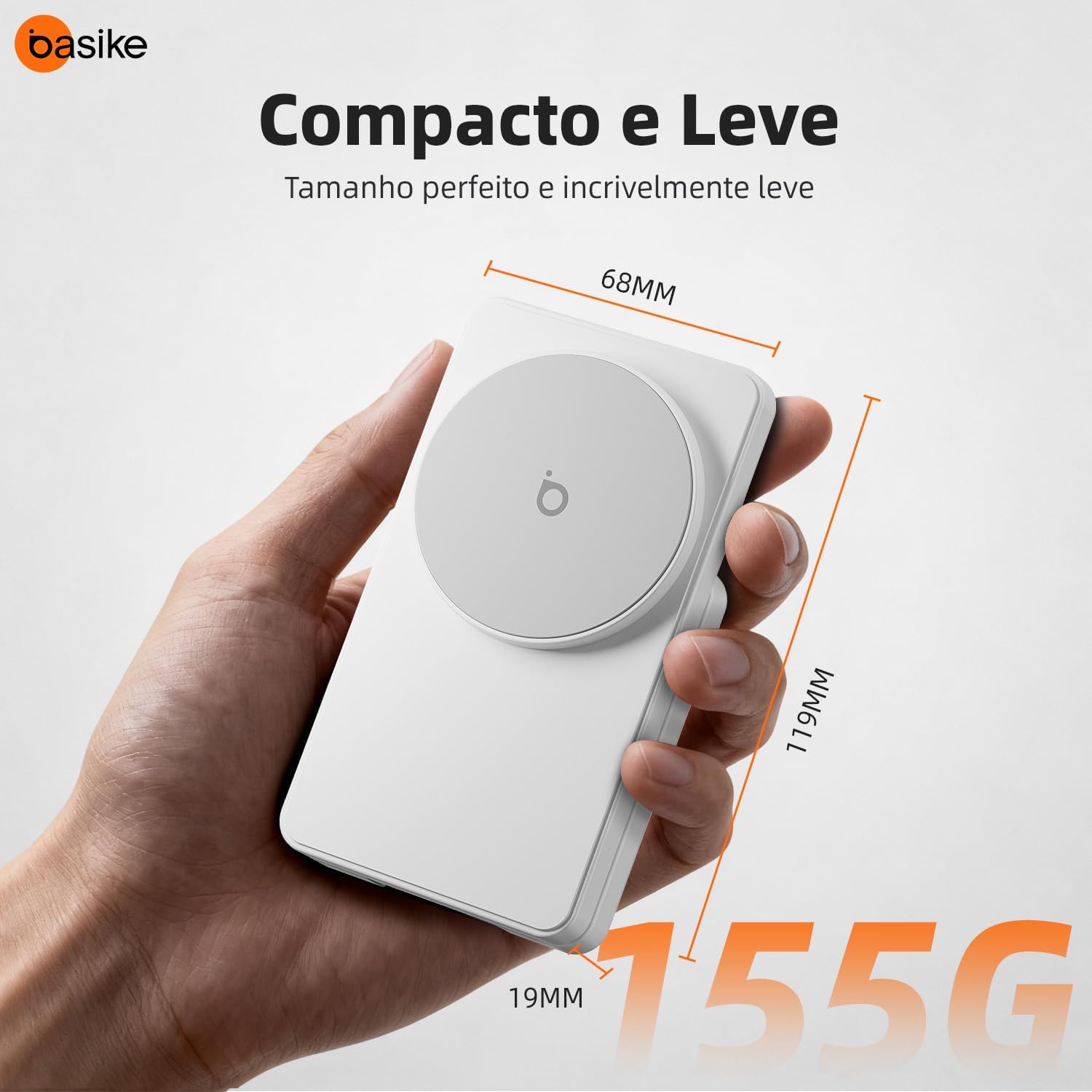
Image: Dimensions (68mm x 119mm x 19mm) and weight (155g) of the Basike WXC290 Wireless Charger.
Warranty Information
Basike products are manufactured to high-quality standards. This product comes with a limited warranty. For detailed warranty terms and conditions, please refer to the warranty card included in your product packaging or visit the official Basike website. Please retain your proof of purchase for warranty claims.
Customer Support
If you have any questions, concerns, or require technical assistance, please contact Basike customer support. Contact information can typically be found on the product packaging, the official Basike website, or through your retailer's support channels.