
Introduction
This manual provides essential information for the safe and efficient operation of your VersLife L6 Robot Vacuum Mop. The VersLife L6 is a 2-in-1 cleaning device designed to vacuum and mop various floor types, offering intelligent control options and powerful suction for a thorough clean.
Please read this manual thoroughly before using the product and retain it for future reference.
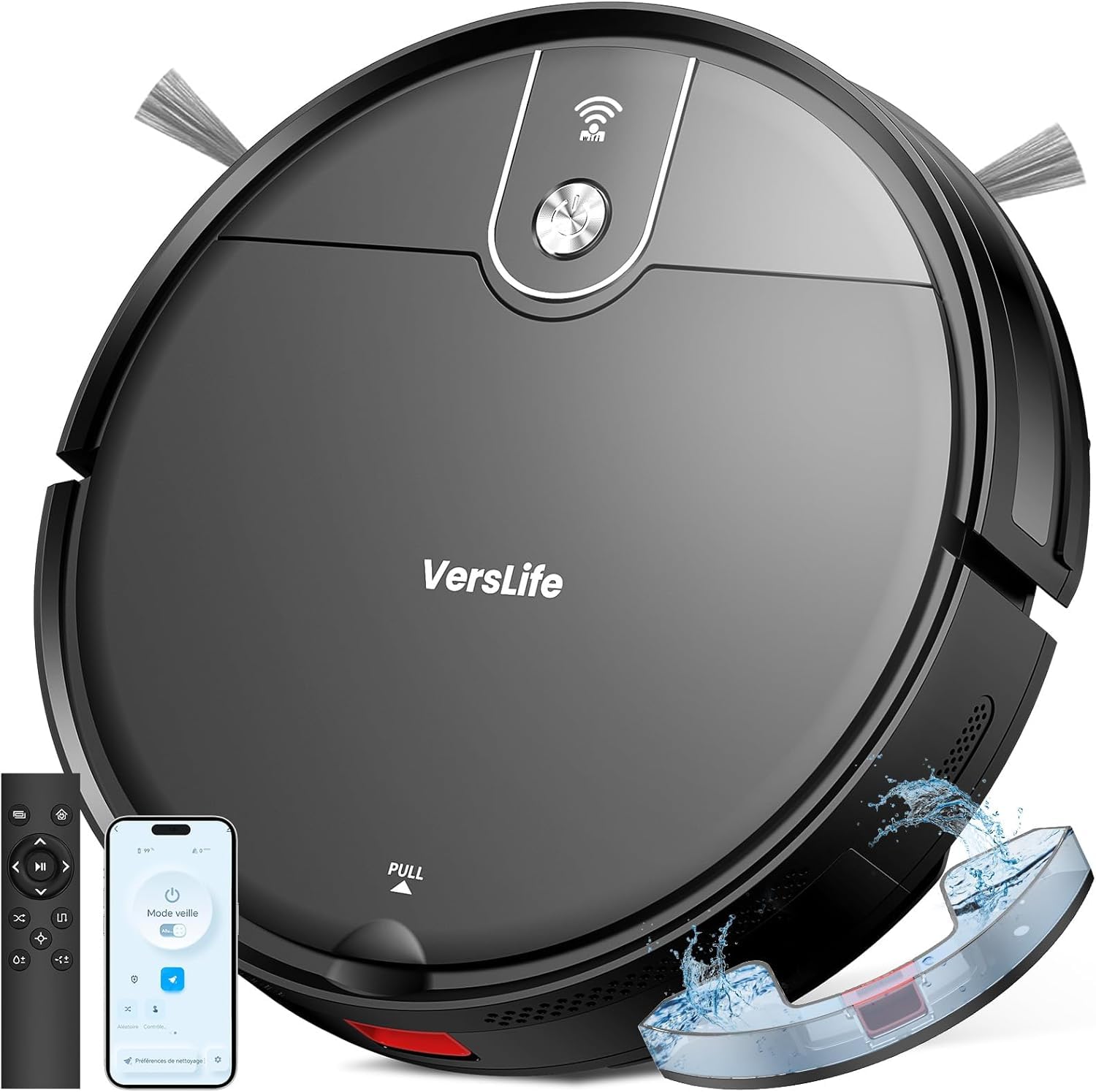
Image: The VersLife L6 Robot Vacuum Mop, a sleek black circular device.
Package Contents
Verify that all components are present and in good condition upon unpacking. If any items are missing or damaged, contact customer support.
- Robot Vacuum Mop x 1
- Remote Control x 1
- Cleaning Brush x 1
- Charging Base x 1
- HEPA Filter x 2
- Instruction Manual x 1
- Water Tank x 1
- Side Brush x 4
- Mop Pad x 2
- Adapter x 1
- Mop Holder x 1

Image: All components included with the VersLife L6 Robot Vacuum Mop, laid out for inspection. This includes the robot, remote control, cleaning brush, charging base, HEPA filters, instruction manual, water tank, side brushes, mop pads, adapter, and mop holder.
Setup
1. Charging Base Placement
Place the charging base against a wall in an open area, ensuring there are no obstacles within 1 meter (3 feet) to the front and 0.5 meters (1.5 feet) to the sides. Connect the power adapter to the charging base and plug it into a wall outlet.
2. Initial Charging
Place the robot onto the charging base. Ensure the charging contacts on the robot align with those on the base. For optimal battery life, fully charge the robot before its first use. The indicator light will show charging status.
3. Install Side Brushes
Press the side brushes onto the posts at the bottom of the robot until they click into place.
4. Install Dustbin or Water Tank
Depending on your cleaning needs, insert either the dustbin for vacuuming or the water tank with a mop pad for mopping. The robot supports both functions.
5. App Connection (Optional)
Download the *Smart Life* application from your mobile app store. Follow the in-app instructions to connect your robot. Note: The robot is compatible only with 2.4GHz Wi-Fi networks.
Operating Instructions
Power On/Off
Press and hold the power button on the robot or use the remote control/app to turn the robot on or off.
Cleaning Modes
The VersLife L6 offers multiple cleaning modes to suit different needs:
- Auto Cleaning: The robot intelligently navigates to clean the entire area.
- Spot Cleaning: Focuses on a specific dirty area, cleaning in a spiral pattern.
- Edge Cleaning: Cleans along walls and furniture edges.
- Zigzag Cleaning: Cleans in a systematic back-and-forth pattern.
- Random Cleaning: Cleans randomly, suitable for open spaces.

Image: Diagram illustrating the robot performing different cleaning patterns: Auto, Spot, and Edge cleaning.
Suction Power Adjustment
Adjust the suction power based on the floor type and dirt level. The L6 features three suction levels:
- Silent Mode: 900 Pa for quiet cleaning.
- Standard Mode: 2100 Pa for daily cleaning.
- Powerful Mode: 4000 Pa for deep cleaning on carpets or heavily soiled areas.

Image: The VersLife L6 Robot Vacuum Mop demonstrating its 4000Pa powerful suction, with icons indicating 900Pa (Silent), 2100Pa (Standard), and 4000Pa (Powerful) modes.
Water Flow Adjustment (Mopping)
When using the mopping function, you can adjust the water flow to three different levels via the app to suit various floor types and cleaning needs.

Image: The VersLife L6 Robot Vacuum Mop illustrating its 2-in-1 vacuum and mop capabilities, highlighting the 3 water volume levels, 450ml dustbin, and 250ml water tank.
Control Methods
The robot can be controlled using:
- Remote Control: Use the included remote for basic functions like starting, stopping, and changing modes.
- Smart Life App: Access advanced features such as scheduling, suction/water flow adjustment, and remote control.
- Voice Control: Compatible with Alexa and Google Assistant for simple voice commands.

Image: A user interacting with the VersLife L6 Robot Vacuum Mop via the Smart Life app on a smartphone, demonstrating remote, app, and voice control options.
Automatic Recharge
When the battery level is low, the robot will automatically return to its charging base to recharge. Once fully charged, it can resume cleaning if a task was interrupted.

Image: The VersLife L6 Robot Vacuum Mop automatically returning to its charging base when the battery is low, illustrating its 2600mAh battery and 120-minute runtime.
Low Profile Design
With a height of only 7.4 cm, the robot can easily clean under furniture, sofas, and other hard-to-reach areas.
Image: The VersLife L6 Robot Vacuum Mop cleaning under a sofa, highlighting its slim 7.4 cm height.
Maintenance
Regular maintenance ensures optimal performance and extends the lifespan of your robot vacuum mop.
1. Emptying the Dustbin
Open the robot's top cover, remove the dustbin, and empty its contents into a trash bin. Clean the dustbin with water if necessary and ensure it is completely dry before reinstallation.
2. Cleaning the Water Tank and Mop Pad
Remove the water tank, discard any remaining water, and rinse it. Detach the mop pad, clean it, and allow it to air dry. Replace the mop pad when worn.
3. Cleaning the HEPA Filter
Remove the HEPA filter from the dustbin. Tap it gently to remove dust. Do not wash the HEPA filter with water unless specified by the manufacturer, as it may damage the filter. Replace the filter every 3-6 months, or as needed.
4. Cleaning Side Brushes
Regularly check the side brushes for tangled hair or debris. Use the included cleaning tool or scissors to remove any obstructions. Replace worn or damaged side brushes.
5. Anti-Tangle Suction Port
The L6 features an anti-tangle suction port designed to minimize hair entanglement. Periodically check the suction port for any blockages and clear them to maintain optimal suction performance.

Image: A comparison showing the VersLife L6's anti-tangle suction port versus a traditional roller brush, highlighting the L6's design for worry-free cleaning without hair entanglement.
6. Cleaning Sensors
Wipe the cliff sensors, wall sensors, and charging contacts on the robot and charging base with a clean, dry cloth to ensure proper function.
Troubleshooting
| Problem | Possible Cause | Solution |
|---|---|---|
| Robot does not start or respond. | Low battery; Power switch off; Robot stuck. | Charge the robot; Ensure power switch is ON; Clear any obstructions. |
| Poor suction performance. | Full dustbin; Clogged filter; Blocked suction port. | Empty dustbin; Clean/replace filter; Clear suction port. |
| Robot cannot find charging base. | Charging base obstructed; Base not powered; Robot too far. | Ensure clear area around base; Check power connection; Manually place robot near base. |
| App connection issues. | Incorrect Wi-Fi (not 2.4GHz); Incorrect password; Router too far. | Ensure 2.4GHz Wi-Fi; Re-enter password; Move robot closer to router. |
| Robot gets stuck frequently. | Obstacles (cables, rugs); Low clearance areas. | Clear floor of small items; Use boundary strips (if applicable) or block off problematic areas. |
Specifications
| Feature | Detail |
|---|---|
| Model Name | L6 |
| Suction Power | Up to 4000 Pa (3 levels: 900Pa, 2100Pa, 4000Pa) |
| Battery Type | 2600mAh Lithium-ion |
| Runtime | Up to 120 minutes |
| Dustbin Capacity | 450 ml |
| Water Tank Capacity | 250 ml (3 water flow levels) |
| Product Dimensions (L x W x H) | 31.4 x 41.4 x 11.5 cm (12.36 x 16.3 x 4.53 inches) |
| Robot Height | 7.4 cm (2.9 inches) |
| Weight | 2.7 kg (5.95 lbs) |
| Control Methods | App Control, Remote Control, Voice Control (Alexa/Google Assistant) |
| Filter Type | HEPA |
| Surface Recommendation | Hard floors, low-pile carpets |
Warranty Information
VersLife products are manufactured to high-quality standards. This product comes with:
- 12-Month Standard Warranty: Covers manufacturing defects and malfunctions under normal use.
- 30-Day Money-Back Guarantee: Allows for returns and refunds within 30 days of purchase.
Please retain your proof of purchase for warranty claims.

Image: An infographic detailing VersLife's customer commitments, including a 12-month normal warranty, 30-day refund guarantee, 24/7 customer assistance, and 100% customer satisfaction.
Customer Support
For any questions, technical assistance, or warranty claims, please contact VersLife customer support. We offer 24/7 customer assistance to ensure your satisfaction.
Contact details can typically be found on the VersLife official website or through your purchase platform. Please have your model number (L6) and purchase information ready when contacting support.


