
Introduction
This manual provides detailed instructions for the Ordtop T8 Wireless Bluetooth Earbuds. Please read this guide thoroughly before using your earbuds to ensure proper operation and to maximize your listening experience.
Package Contents
- Ordtop T8 Wireless Bluetooth Earbuds (Left and Right)
- Charging Case
- USB-C Charging Cable
- Ear Tips (S, M, L sizes)
- User Manual
Product Overview

This image illustrates the advanced Bluetooth 5.4 technology integrated into the Ordtop T8 earbuds, providing a stable connection up to 15 meters (50 feet). Benefits include reduced power consumption, quicker pairing, and an extended connection range for uninterrupted audio.

The Ordtop T8 earbuds feature 14.2mm audio drivers designed to deliver premium sound quality. This technology also contributes to blocking 75% of ambient noise and ensuring 70% clearer voice calls, enhancing both listening and communication experiences.
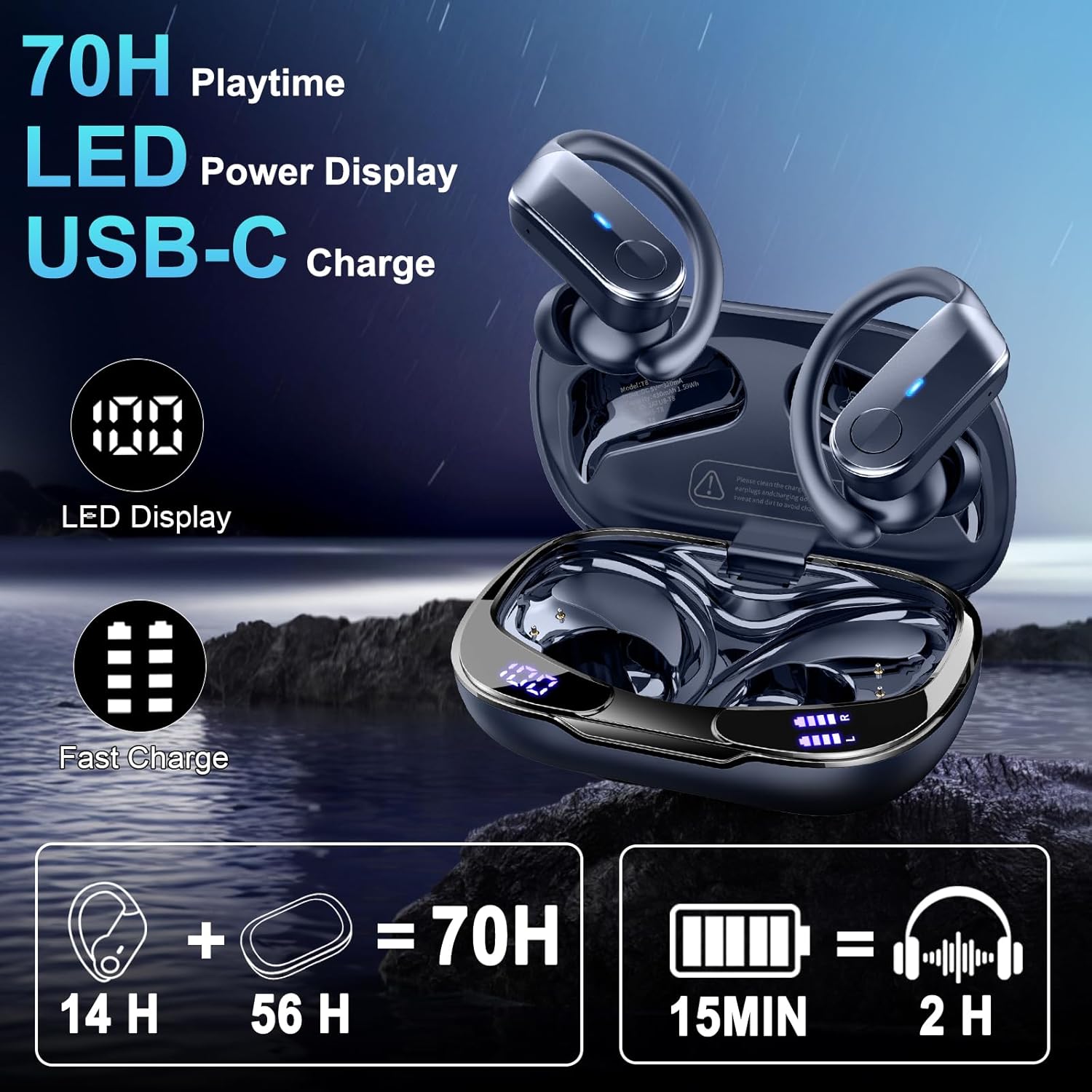
This image highlights the impressive battery life of the Ordtop T8 earbuds, offering up to 14 hours of playtime on a single charge and an additional 56 hours with the charging case, totaling 70 hours. The case features an LED power display and supports USB-C fast charging, providing 2 hours of listening time from just a 15-minute charge.

The Ordtop T8 earbuds offer a convenient one-step pairing process. Once initially paired with your device as 'Ordtop T8', they will automatically connect for future use, allowing for quick and easy access to your audio.

Designed for active lifestyles, the Ordtop T8 earbuds feature an ergonomic design with flexible ear hooks to ensure a secure and comfortable fit during sports and other physical activities. They come with small, medium, and large ear tips to accommodate various ear sizes.

The Ordtop T8 earbuds are rated IPX8 waterproof, providing robust protection against water ingress. This makes them suitable for use in various conditions, including rain, during intense workouts with sweat, and against accidental splashes, ensuring durability and reliability.
Setup
Charging the Earbuds and Case
- Before first use, fully charge the charging case and earbuds.
- Connect the USB-C charging cable to the charging port on the case and to a power source.
- The LED power display on the case will indicate the charging status. Once fully charged, the display will show 100%.
- Place the earbuds into the charging case. They will automatically begin charging. The earbuds' indicator lights will show their charging status.
- A 15-minute fast charge provides approximately 2 hours of playtime.
Pairing with Your Device
- Ensure the earbuds are charged and placed inside the charging case.
- Open the charging case. The earbuds will automatically enter pairing mode.
- On your device (smartphone, tablet, etc.), enable Bluetooth.
- Search for Bluetooth devices and select 'Ordtop T8' from the list.
- Once connected, a voice prompt will confirm successful pairing. The earbuds will automatically reconnect to the last paired device when removed from the case and Bluetooth is enabled on the device.
Operating Instructions
Wearing the Earbuds
- Select the ear tips (S, M, L) that provide the most comfortable and secure fit for your ears.
- Insert the earbuds into your ear canal and adjust the flexible ear hooks over your ears until they feel stable and comfortable. The ergonomic design is optimized for sports and active use.
Basic Functions
Once paired, you can control audio playback and calls directly from your connected device. For specific touch control functions (e.g., play/pause, skip track, answer/end call, activate voice assistant), please refer to the quick start guide included in your package or experiment with the touch-sensitive areas on the earbuds.
Maintenance
- Cleaning: Regularly clean the earbuds and charging case with a soft, dry, lint-free cloth. Do not use harsh chemicals or abrasive materials.
- Ear Tips: Remove and clean ear tips periodically with water and mild soap, then dry thoroughly before reattaching.
- Storage: When not in use, store the earbuds in their charging case to protect them and keep them charged.
- Battery Care: To prolong battery life, avoid fully discharging the earbuds and charging case frequently. Charge them regularly, even if not in constant use.
Troubleshooting
- Earbuds not pairing:
- Ensure earbuds are charged.
- Place earbuds back in the case, close, then open again to re-enter pairing mode.
- Turn off and on Bluetooth on your device.
- Forget 'Ordtop T8' from your device's Bluetooth list and try pairing again.
- Try pairing with a different device to rule out device-specific issues.
- No sound from one earbud:
- Ensure both earbuds are charged.
- Place both earbuds back in the charging case, close the lid, then open it again. This often resets the connection between them.
- Check your device's audio balance settings.
- Charging case not charging:
- Verify the USB-C cable is securely connected to both the case and the power source.
- Try a different USB-C cable or power adapter.
- Ensure the charging port is clean and free of debris.
- Poor sound quality:
- Ensure earbuds are properly seated in your ears with the correct size ear tips.
- Clean any debris from the earbud speakers.
- Move closer to your connected device to avoid interference.
Specifications
| Model | T8 |
| Brand | Ordtop |
| Connectivity | Bluetooth 5.4 |
| Wireless Range | Up to 15 meters (50 feet) |
| Driver Size | 14.2mm |
| Total Playtime | Up to 70 hours (14 hours earbuds + 56 hours charging case) |
| Fast Charge | 15 minutes charge for 2 hours playtime |
| Charging Port | USB-C |
| Waterproof Rating | IPX8 |
| Battery Composition | Lithium Polymer |
| Weight (Earbuds) | Approximately 3g (per earbud) |
| Dimensions (Package) | 10.9 x 8.8 x 3.9 cm |
| Included Components | Wireless charging case |
Warranty Information
Ordtop products are covered by a standard manufacturer's warranty. For specific warranty terms and conditions, please refer to the warranty card included in your product packaging or contact Ordtop customer support.
Support
For further assistance, technical support, or inquiries regarding your Ordtop T8 Wireless Bluetooth Earbuds, please visit the official Ordtop website or contact their customer service department. Contact details can typically be found on the product packaging or the brand's official online presence.

