
Veken ODH3V131
Veken 47.2 Inch Electric Standing Desk User Manual
Model: ODH3V131
Introduction
This manual provides comprehensive instructions for the assembly, operation, maintenance, and troubleshooting of your Veken 47.2 Inch Electric Standing Desk. Please read this manual carefully before use to ensure proper function and safety.
Safety Information
Important Safety Warnings:
- Prolonged exposure to the motor noise may affect hearing.
- Always use the height adjustment feature with caution to avoid injury.
- Keep children and pets away from the desk during operation.
- Ensure no obstacles are in the desk's path during height adjustment.
- Do not overload the desk. Refer to specifications for maximum weight capacity.
Setup and Assembly
The Veken Electric Standing Desk is designed for straightforward assembly. It typically takes 10-30 minutes to set up. Ensure you have a Phillips-head screwdriver ready.
Package Contents:
- Desktop (composed of two boards)
- Desk Frame components
- Motor and Control Panel
- Feet Pads (4)
- Headphone Hooks (2)
- Cable Clip
- User Manual
- Instruction for Using the Control Panel
- Assembly Hardware (screws, dowels, etc.)
Assembly Steps:
- Unpack and Identify Parts: Carefully remove all components from the packaging. Verify all parts are present against the included parts list.
- Assemble Tabletop and Desk Frame: Follow the detailed diagrams in the included user manual to attach the desktop sections and secure them to the desk frame. Ensure the control rod is properly aligned and the set screw is tightened securely to prevent future wobbling.
- Install Drawer (if applicable) and Accessories: Attach any optional drawers or accessories like headphone hooks as per the instructions.
- Connect Power Cords: Connect the motor and control panel to the power supply. Ensure all connections are firm.
- Initial Power-On and Test: Plug the desk into a power outlet and perform an initial test of the height adjustment.


Operating Instructions
Your Veken Electric Standing Desk features an intuitive control panel for easy height adjustment and memory presets.
Control Panel Functions:
- Up/Down Arrows: Press and hold to manually adjust the desk height.
- Memory Presets (1, 2, 3):
- Adjust the desk to your desired height.
- Press the "M" or "Set" button (if available, otherwise refer to specific control panel instructions).
- Press the desired number button (1, 2, or 3) until you hear a beep or see a confirmation on the display. The height is now saved.
- To recall a saved height, simply press the corresponding number button once. The desk will automatically move to the preset height.
- Child Lock: Some models may include a child lock feature. Refer to your specific control panel instructions for activation and deactivation.
- Sedentary Reminder: Some models may include a sedentary reminder. Refer to your specific control panel instructions for setup.
Maintenance
Regular maintenance ensures the longevity and optimal performance of your Veken Electric Standing Desk.
- Cleaning: Wipe the desktop surface with a soft, damp cloth. Avoid harsh chemicals or abrasive cleaners to protect the laminated finish. The desktop is designed to be scratch-resistant and heat-resistant.
- Frame Care: The carbon steel frame features an anti-corrosion baked varnish. Clean with a dry or slightly damp cloth.
- Cable Management: Periodically check and organize cables using the provided cable clip to prevent tangles and damage.
- Tighten Connections: Over time, bolts and screws may loosen. Periodically check and tighten all connections, especially those connecting the legs to the feet and the control rod, to maintain stability.

Troubleshooting
If you encounter issues with your Veken Electric Standing Desk, refer to the following common troubleshooting steps:
| Problem | Possible Cause | Solution |
|---|---|---|
| Desk does not move or stops unexpectedly. |
|
|
| Desk wobbles at higher heights. |
|
|
| Motor noise is louder than expected. |
|
|
Specifications
| Feature | Detail |
|---|---|
| Brand | Veken |
| Model Number | ODH3V131 |
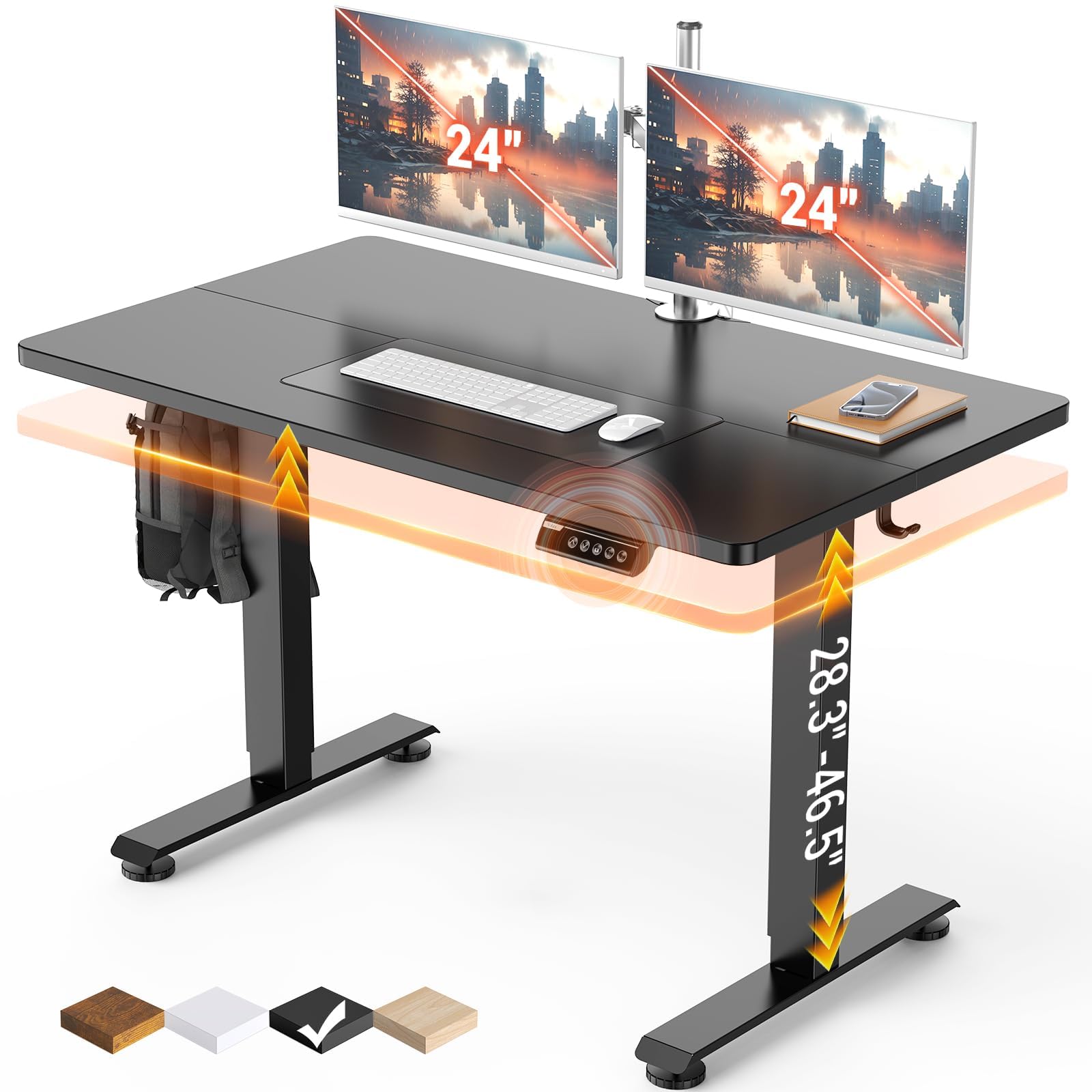
| Product Dimensions (D x W x H) | 23.64"D x 47.24"W x 28.3"H |
| Minimum Height | 28.3 inches |
| Maximum Height | 46.5 inches |
| Color | Cyber Black |
| Top Material Type | Engineered Wood (Laminated) |
| Base Material | Carbon Steel |
| Lifting Mechanism | Electric |
| Maximum Weight Recommendation | 176 pounds |
| Noise Level | Under 52 dB |
| Item Weight | 42.1 pounds |
| Included Components | Cable Clip, Feet Pad *4, Headphone Hook, Instruction for Using the Control Panel *1, User Manual *1 |


Warranty Information
Your Veken Electric Standing Desk comes with a Limited Warranty. For specific details regarding coverage and duration, please refer to the warranty card included with your product or contact Veken customer support.

Customer Support
For further assistance, technical support, or warranty claims, please contact Veken customer service. Refer to the contact information provided in your product packaging or visit the official Veken website.
Online Resources:
- Veken Official Website: Visit the Veken Store on Amazon
Related documentsODH3V131


Ask a question about this manual
Ask about setup, troubleshooting, compatibility, parts, safety, or missing instructions. Manuals+ will review the question and use this page’s manual context to help answer it.