
Product Overview
The Spigen Cryomax MagFit Qi2.2 25W MagSafe Car Mount is a state-of-the-art wireless charger designed for in-vehicle use. It combines ultra-fast 25W wireless charging with active Peltier cooling technology to prevent device overheating during charging. Its strong N52 magnetic attachment ensures enhanced stability, making it compatible with iPhone 17, 16, 15, 14, and 13 Series, as well as other MagSafe-compatible devices.
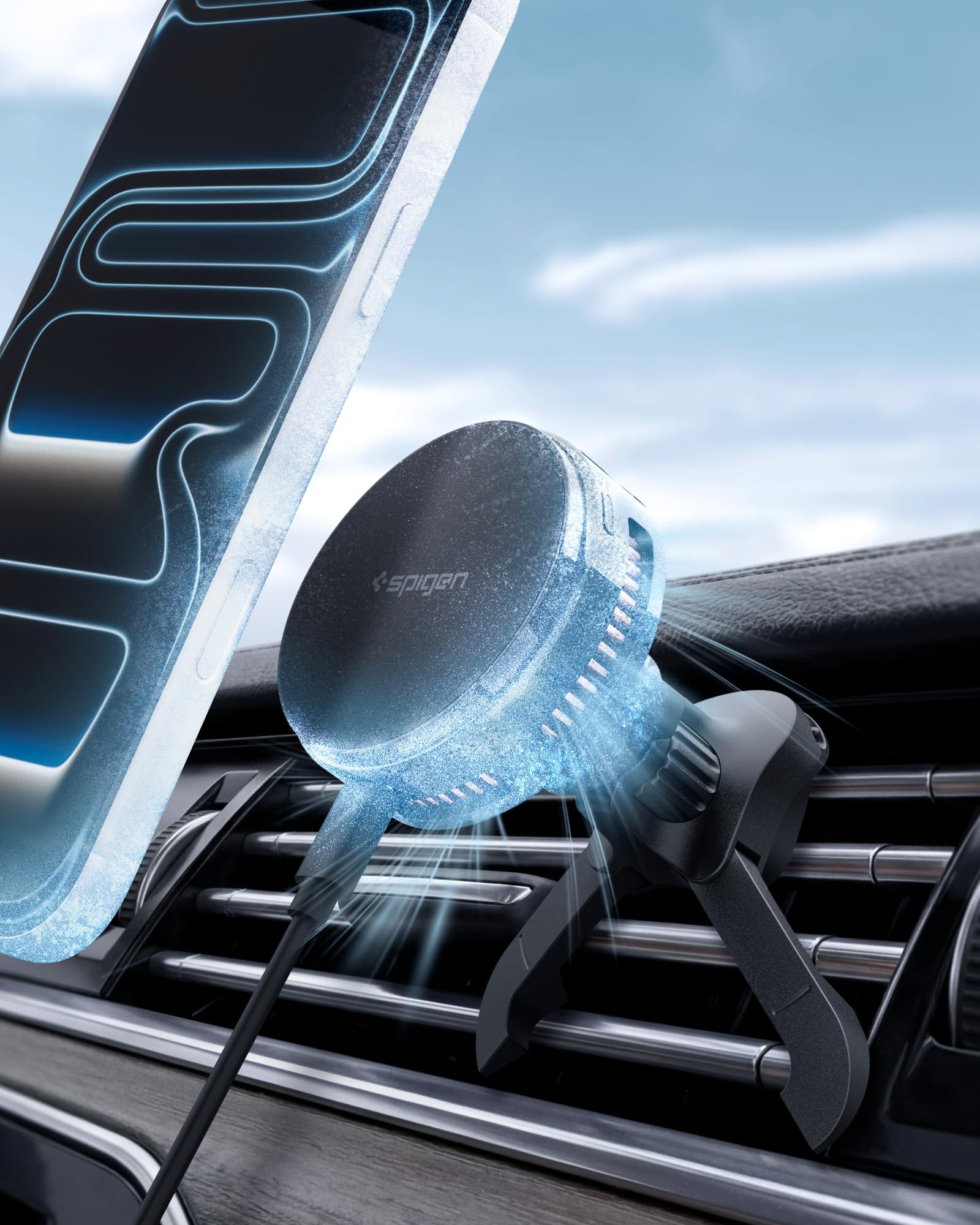
Image: The Spigen Cryomax MagFit Qi2.2 25W MagSafe Car Mount, highlighting its 25W fast charging capability and active cooling system.
Package Contents
- Spigen Cryomax MagFit Qi2.2 25W MagSafe Car Mount Unit
- Air Vent Mount Clip
- 3.3FT USB-C to USB-C Cable
- Instruction Manual
Setup and Installation
1. Attaching the Mount
Securely attach the air vent mount clip to your vehicle's air vent. Ensure the hook is fully engaged with a vent blade and the adjustable legs are spaced appropriately for a stable fit. This mount is designed for vent blades with a minimum 6.5mm gap and 2.5-4mm thickness. It is not compatible with vents that have uneven shapes or deep curves.

Image: Detailed view of the air vent mount system, illustrating the hook and adjustable leg spacing for enhanced stability on compatible car vents.
2. Connecting Power
Connect the provided 3.3FT USB-C to USB-C cable to the charging port on the MagSafe car mount. Plug the other end of the USB-C cable into a compatible car charger. For optimal 25W fast charging and effective Peltier cooling, use at least a 40W car charger (sold separately).
Video: An overview of the Spigen Qi 2.2 Cryomax Peltier Mount, demonstrating its features and installation process in a car environment.
Operating Instructions
1. Attaching Your Device
Place your MagSafe-compatible iPhone (17, 16, 15, 14, or 13 Series) or other MagSafe-compatible device onto the charging surface of the mount. The strong N52 magnets will securely hold your device in place, even on uneven roads.

Image: A close-up of an iPhone magnetically attached to the car mount, illustrating the strong N52 magnetic attachment for secure placement.
2. Wireless Charging
Once your device is securely attached and the mount is powered, wireless charging will begin automatically. The Qi 2.2 standard delivers up to 25W of ultra-fast charging, significantly reducing charging times.

Image: A visual representation of the Qi2.2 25W cooling charger, showing an iPhone 17 reaching 50% charge in 29 minutes, indicating 5x faster charging.
3. Active Cooling (Cryomax Peltier)
The integrated 4W Peltier cooling chip and ultra-quiet fan actively regulate heat generated during fast wireless charging. This Cryomax Peltier Cooling System ensures your device remains at an optimal temperature, preventing performance throttling and extending battery life.

Image: An exploded view of the Cryomax Peltier cooling system within the charger, demonstrating how it actively cools the device during charging, with a temperature comparison showing lower temperatures with Peltier cooling.
Safety Features
The Spigen Cryomax MagFit charger is designed with multiple safety mechanisms to protect your device and ensure reliable operation:
- Overheat Protection: Continuously monitors temperature to maintain optimal levels for safe 25W fast wireless charging.
- Overcharge Prevention: Protects your device from overcharging.
- Foreign Object Detection (FOD): Prevents charging when foreign metallic objects are detected on the charging surface.
- Airboost: Enhances cooling efficiency.

Image: A visual representation of the Integrated Multi-Layer Battery Defense, highlighting intelligent safety features like Overcharge Prevention, Temperature Control, FOD (Foreign Object Detection), and Airboost.
Compatibility
This charger is universally compatible with MagSafe-enabled devices and cases. For optimal performance, ensure your device supports Qi2.2 and MagSafe charging.
- iPhone 17 / 16 / 15 / 14 / 13 / 12 series
- MagSafe Cases
- Samsung Galaxy S25 Ultra, S25+, S25 with an official magnetic case (Note: MagSafe case is not included and not compatible with non-MagSafe phone cases.)

Image: A graphic illustrating the universal compatibility of the charger with various smartphone models, including iPhone 17-12 Series, Pixel 10 Series, and MagSafe cases.
Specifications
| Feature | Detail |
|---|---|
| Product Dimensions | 3.37 x 2.44 x 3.77 inches |
| Item Weight | 4.8 ounces |
| Item Model Number | ACP10511 |
| Brand | Spigen |
| Connector Type | USB Type C |
| Special Feature | Fast Charging, Magsafe Compatible, Wireless Charging |
| Input Voltage | 15 Volts |
| Amperage | 2.78 Amps |
| Total USB Ports | 1 |
| Wattage | 25 watts |
Maintenance
- Cleaning: Use a soft, dry cloth to clean the charging surface and the exterior of the mount. Avoid using harsh chemicals or abrasive materials.
- Storage: Store the charger in a cool, dry place away from direct sunlight when not in use.
- Cable Care: Avoid bending or twisting the USB-C cable excessively to prevent damage.
Troubleshooting
- Device not charging: Ensure the USB-C cable is securely connected to both the mount and a powered car charger. Verify that your car charger provides at least 40W output. Check if your device is MagSafe compatible and properly aligned on the charging surface.
- Slow charging: Confirm your car charger meets the recommended 40W output for optimal 25W charging. Ensure no foreign objects are between the phone and the charger.
- Mount feels unstable: Re-tighten the air vent clip's hook and adjust the leg spacing for a firmer grip on the vent blades.
- Overheating device: The Cryomax Peltier cooling system is designed to prevent overheating. If your device still feels excessively hot, ensure the fan vents are not obstructed and the car's AC is running if ambient temperatures are very high.
Warranty and Support
For warranty information, technical support, or any product-related inquiries, please refer to the contact details provided in the product packaging or visit the official Spigen website. Keep your purchase receipt for warranty claims.
