
Introduction
This instruction manual provides detailed guidance for installing and operating your BrickSoul LED lighting kit, designed specifically for the Lego 10375 How to Train Your Dragon: Toothless building set. This kit enhances your model with vibrant, dimmable lighting, transforming it into a dynamic display piece. Please note that the Lego model itself is not included with this lighting kit.
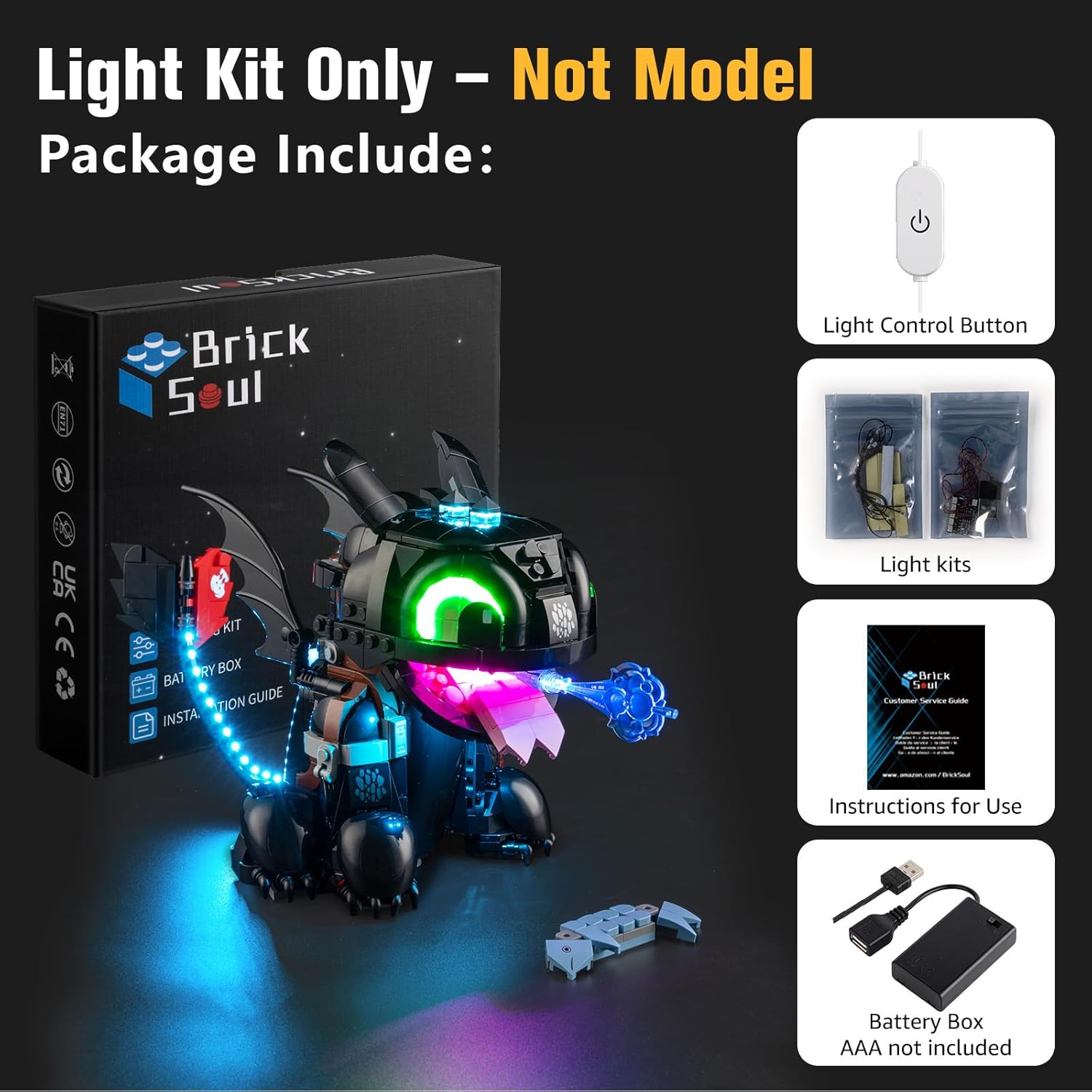
The BrickSoul lighting kit features an upgraded wired dimmable control system and cable-hiding technology for a clean, integrated look. It is intended for users aged 14 and older.
What's in the Box
Your BrickSoul Light Up Kit package includes the following components:
- LED Light Kit components (various lights and connecting wires)
- USB Cable with Integrated Control Button
- Battery Box (AAA batteries not included)
- Instruction Manual (digital video/PDF guides available)
Setup Instructions
The BrickSoul Light Up Kit is designed for easy installation. Follow the numbered step-by-step instructions provided in the digital guides (video or PDF) for the best results. A stable 3-5V USB power source is required.
General Installation Steps:
- Prepare Your Model: Carefully disassemble specific sections of your Lego 10375 Toothless model as indicated in the detailed digital instructions. This typically involves removing a few bricks to allow for wire placement.
- Install LED Components: Place the individual LED lights and light strips into the designated areas of your model. The kit utilizes cable-hiding technology to ensure wires are neatly integrated and not visible once assembled.
- Connect Wires: Connect the LED components to the main control unit and then to the USB cable. Ensure all connections are secure.
- Reassemble Model: Carefully reassemble the Lego bricks, ensuring no wires are pinched or damaged. The design allows for a smooth reassembly without loosening the model's structure.
- Power Connection: Connect the USB cable to a 3-5V USB power source (e.g., a USB wall adapter, power bank, or computer USB port). If using the battery box, insert AAA batteries (not included) and connect it to the USB cable.

Installation Video Guide:
For a visual walkthrough of the installation process, please refer to the official video guide below:
Operating Instructions
The BrickSoul Light Up Kit features an upgraded USB cable with a built-in control button for convenient operation.
Power On/Off:
- To turn the lights ON or OFF, simply tap the control button located on the USB cable.
Adjusting Brightness:
- To adjust the brightness level, press and hold the control button. The lights will cycle through different brightness settings (e.g., 0%, 25%, 70%, 100%). Release the button when the desired brightness is achieved.

Dimmable Feature Video Guide:
See the dimmable functionality in action with this video:
Maintenance
To ensure the longevity and optimal performance of your BrickSoul Light Up Kit, follow these simple maintenance guidelines:
- Cleaning: Gently wipe the LED components and wires with a dry, soft cloth to remove dust. Avoid using liquids or abrasive cleaners.
- Handling: Always handle the wires and LED components with care to prevent bending or breaking.
- Storage: When not in use for extended periods, disconnect the power source and store the model in a clean, dry environment away from direct sunlight and extreme temperatures.
Troubleshooting
If you encounter any issues with your BrickSoul Light Up Kit, please refer to the following common solutions:
| Problem | Possible Solution |
|---|---|
| Lights do not turn on. |
|
| Lights are dim or flickering. |
|
| Some lights are not working. |
|
Specifications
- Brand: BrickSoul
- Model Number: 10375-TV
- Item Weight: 4.8 ounces
- Product Dimensions: 6.36 x 4.32 x 1.33 inches
- Material: ABS Plastic, Copper Wire
- Included Components: LED Light Kit
- Special Features: Non-Toxic, Wired Dimmable Control, Cable-Hiding Tech
- Power Source: USB (3-5V input)
- Batteries Required: No (for USB power), Yes (for optional battery box, AAA not included)
- Manufacturer Recommended Age: 14 years and up
Warranty and Support
BrickSoul offers a worry-free warranty and dedicated support to ensure your satisfaction. If you experience any accidental damage, such as a bent connector or broken wire, we provide quick and hassle-free replacements.
For any questions, concerns, or to request a replacement, please contact the BrickSoul support team. We are committed to providing a smooth and stress-free lighting experience.
Contact Information: Please refer to the contact details provided on the BrickSoul official website or the packaging for the most up-to-date support information.