
1. Introduction
The Redragon S157-RGB is a high-performance wired gaming keyboard and mouse set designed for an immersive gaming experience. This set features a 60% compact, tenkeyless keyboard with silent membrane switches, RGB backlighting, and macro keys, paired with an 8000 DPI optical gaming mouse with programmable buttons and RGB lighting. This manual provides detailed instructions for setting up, operating, customizing, and maintaining your S157-RGB set.
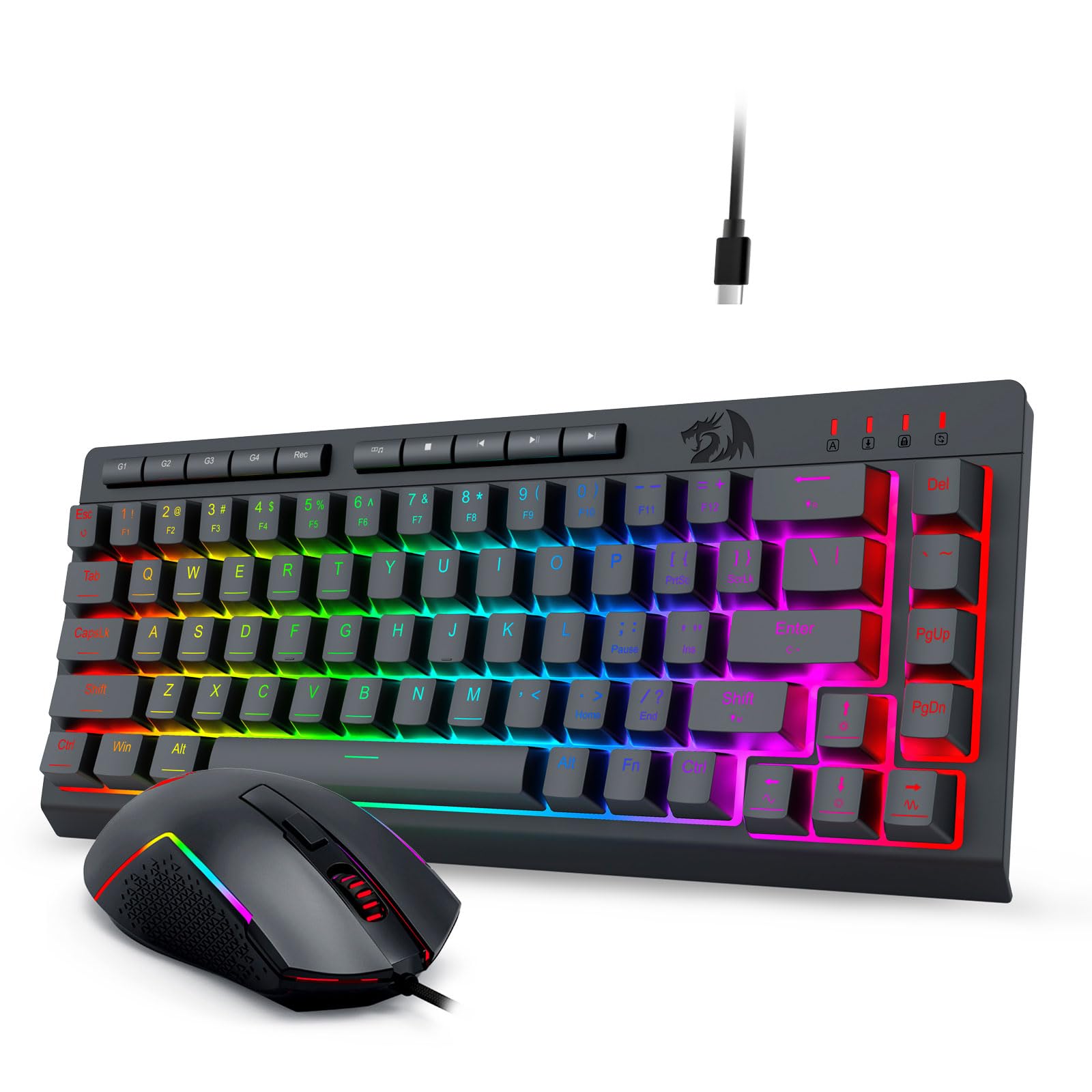
Image 1.1: Redragon S157-RGB Wired Gaming Keyboard and Mouse Set.
2. Package Contents
Please check the package contents to ensure all items are present:
- 1x Redragon S157-RGB Wired Gaming Keyboard
- 1x Redragon S157-RGB Wired Gaming Mouse
- 1x User Manual
3. Setup Instructions
Follow these steps to set up your Redragon S157-RGB keyboard and mouse set:
- Connect the Keyboard: Plug the USB-C cable from the keyboard into an available USB port on your computer or gaming console.
- Connect the Mouse: Plug the USB cable from the mouse into an available USB port on your computer or gaming console.
- System Recognition: Your operating system (Windows 10/11, Mac OS) or gaming console (PS5) should automatically detect and install the necessary drivers. The devices are plug-and-play.
- Initial Test: Verify that both the keyboard and mouse are functioning correctly by typing and moving the mouse.

Image 3.1: Connecting the Redragon S157-RGB Keyboard and Mouse Set.
4. Operating Instructions
4.1 Keyboard Features
- RGB Backlighting: The keyboard features 8 dynamic RGB backlight modes and 7 single-color options. Adjust speed and brightness in 4 levels using the dedicated keys or software.
- 26-Key Anti-Ghosting: Ensures that multiple key presses are registered accurately, preventing signal conflicts during intense gaming sessions.
- Dedicated Macro Keys (G1-G4): Four dedicated macro keys allow you to record and execute complex commands instantly.
- Multimedia Keys: Access media controls (play/pause, stop, previous, next) directly from the keyboard.
- FN + WIN Key Lock: Use the FN key combination to lock the Windows key, preventing accidental presses during gameplay.
- Membrane Linear Switches: Designed for quiet operation and a tactile typing feel, suitable for both gaming and office environments.
- Foldable Stand: The keyboard includes a built-in foldable stand to adjust the typing angle for improved comfort.

Image 4.1: RGB Backlight Keyboard with various lighting modes.

Image 4.2: 26-Key Anti-Ghosting feature on the keyboard.

Image 4.3: Dedicated Macro Keys (G1-G4) for custom commands.

Image 4.4: Multimedia Keys for easy control of audio and video playback.

Image 4.5: Linear Membrane Switches for quiet and tactile feedback.

Image 4.6: Built-in Foldable Stand for ergonomic adjustment.
4.2 Mouse Features
- Adjustable DPI: The mouse features an 8000 DPI optical sensor with on-the-fly sensitivity adjustment (1200-8000 DPI). Fine-tune DPI from 100-8000 DPI using the dedicated software.
- 1000Hz Polling Rate: Ensures precise and responsive tracking for accurate in-game movements.
- 6 Programmable Buttons: Customize button functions and assign complex game actions to the 6 programmable buttons using the software.
- RGB Lighting: The mouse also features dynamic RGB lighting, customizable via software.

Image 4.7: High-performance gaming mouse with 8000 DPI sensor.

Image 4.8: Mouse with 6 programmable buttons for custom actions.
Video 4.1: Demonstration of Redragon S157-RGB keyboard and mouse features, including RGB lighting and typing action.
5. Customization (Software)
Unlock the full potential of your Redragon S157-RGB set with the dedicated customization software:
- Keyboard Software: Customize macro key settings, RGB backlight effects (colors, speed, brightness), and create custom lighting profiles. Download the keyboard software from: bit.ly/S157-RGBKeyboard
- Mouse Software: Adjust DPI settings (100-8000 DPI), change RGB lighting effects (e.g., breathing, wave, steady), set polling rate (125Hz, 250Hz, 500Hz, 1000Hz), and remap the 6 programmable buttons. Download the mouse software from: bit.ly/S157-RGBmouse

Image 5.1: Dedicated software interface for keyboard and mouse customization.
6. Maintenance
To ensure the longevity and optimal performance of your Redragon S157-RGB set, follow these maintenance guidelines:
- Cleaning: Use a soft, dry cloth to wipe down the keyboard and mouse. For stubborn dirt, a slightly damp cloth can be used, ensuring no liquid enters the device. Avoid harsh chemicals.
- Water Resistance: The keyboard features a life waterproof design, offering protection against minor spills. However, it is not fully submersible. Avoid exposing the devices to excessive moisture.
- Storage: Store the keyboard and mouse in a cool, dry place away from direct sunlight and extreme temperatures.

Image 6.1: Life waterproof design for enhanced durability.
7. Troubleshooting
If you encounter any issues with your Redragon S157-RGB set, refer to the following common problems and solutions:
- Keyboard/Mouse Not Responding:
- Ensure the USB cables are securely connected to your computer or console.
- Try connecting to a different USB port.
- Restart your computer or console.
- RGB Lighting Not Working/Incorrect:
- Check the lighting settings using the keyboard's dedicated keys or the customization software.
- Ensure the software is up-to-date.
- Mouse Tracking Issues:
- Adjust the DPI settings using the buttons behind the scroll wheel or through the software.
- Ensure the mouse sensor is clean and free from obstructions.
- Use on a suitable mouse pad or surface.
- Specific Key Combinations Not Working (e.g., Ctrl + Shift + K):
- Some key combinations, particularly with the left Ctrl key, might have limitations due to the keyboard's design. Try using the right Ctrl key for such combinations.
- Verify if the issue persists across different applications and operating systems.
8. Specifications
| Feature | Specification |
|---|---|
| Brand | Redragon |
| Model Number | S157-RGB |
| Color | Black |
| Connectivity | USB-C Wired |
| Keyboard Layout | 60% Tenkeyless, English Layout |
| Keyboard Switches | Membrane Linear |
| Keyboard Anti-Ghosting | 26-Key Roll Over |
| Keyboard Backlight | RGB (8 dynamic modes, 7 single colors) |
| Mouse DPI | 1200-8000 DPI (adjustable, software fine-tuning 100-8000 DPI) |
| Mouse Polling Rate | 1000Hz |
| Mouse Buttons | 6 Programmable Buttons |
| Product Dimensions | 4.5 x 16 x 40 cm (Keyboard & Mouse combined packaging) |
| Product Weight | 730 g (Keyboard & Mouse combined packaging) |
| Compatibility | Windows 10/11, Mac OS, PS5 |
9. Warranty and Support
Redragon products are designed for durability and performance. For warranty information, technical support, or any inquiries regarding your S157-RGB set, please contact Redragon customer service or refer to the official Redragon website.
If you purchased through Amazon, you can contact the seller directly for support:
- Go to your Amazon order history.
- Select the order for this product.
- Click on "Ask a question" or "Contact Seller" to send a message.

Image 9.1: General guidance for contacting support.


