
1. Introduction
Thank you for choosing the KSIPZE 50ft Outdoor LED Strip Lights. This product is designed to provide versatile and dynamic lighting for both indoor and outdoor environments. Featuring IP68 waterproof construction, these RGB LED strip lights offer dual control options via a physical button controller and a smart Bluetooth application. Enjoy features such as music synchronization, customizable colors, adjustable brightness, and a built-in timer function to enhance your space.
2. What's in the Box
Please verify that all components are present in your package:
- Waterproof LED Strip Lights (50ft)
- Button Controller
- Power Adapter
- User Manual

Image: The package contents, showing the coiled LED strip, power adapter, and button controller.
3. Safety Information
Read all safety instructions before installation and use. Failure to follow these instructions may result in electric shock, fire, or other hazards.
- Power Supply: Use only the provided power adapter. Do not connect the LED strip directly to mains voltage without the adapter.
- Installation: Ensure the installation surface is clean, dry, and smooth. Avoid installing near heat sources or in areas with excessive vibration.
- Waterproof Rating: The LED strip is IP68 waterproof, suitable for outdoor use. However, the power adapter and controller are not waterproof and must be protected from moisture.
- Cutting: Do not cut the LED strip at any point other than the designated cutting marks. Cutting elsewhere will damage the strip and void the warranty.
- Handling: Do not bend the LED strip sharply or apply excessive force, as this may damage the internal circuitry.
- Children: Keep the product out of reach of children.

Image: Close-up of the IP68 waterproof LED strip, showing its resistance to water.

Image: Illustration of connecting the LED strip and a warning against water exposure for the power adapter.
4. Setup
4.1 Installation Steps
- Prepare the Surface: Clean the desired installation surface thoroughly. Ensure it is dry and free of dust, oil, or debris.
- Plan the Layout: Before peeling the adhesive, unroll the LED strip and plan its placement. Consider where the power adapter will connect and how the strip will run along corners or curves.
- Attach the Strip: Peel off the protective backing from the strong waterproof adhesive on the back of the LED strip. Carefully press the strip onto the prepared surface, applying firm pressure along its length to ensure good adhesion.
- Connect Power: Connect the LED strip to the button controller, and then connect the controller to the power adapter. Plug the power adapter into a suitable electrical outlet. Ensure all connections are secure.
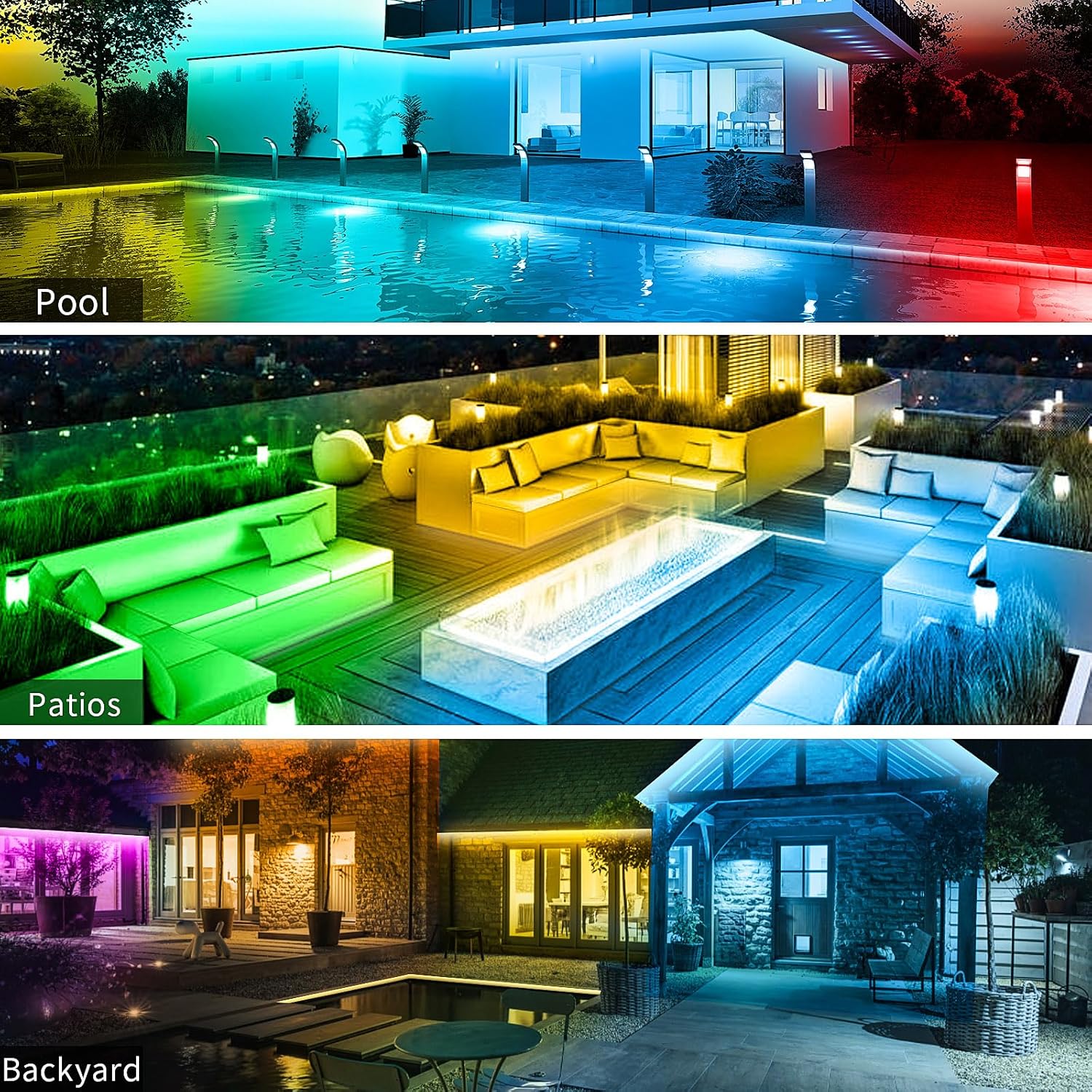
Image: Examples of LED strip light installation around a pool, patio, and backyard.

Image: A house and pool area lit by the outdoor LED strip lights.
5. Operating Instructions
5.1 Dual Control Options
The KSIPZE LED Strip Lights can be controlled using either the included button controller or the smart Bluetooth application.
5.1.1 Button Controller
The button controller provides basic functions for quick adjustments.
- ON/OFF: Press the power button to turn the lights on or off.
- Mode: Cycle through different lighting modes (e.g., static colors, dynamic effects).
- Static Color: Select specific colors (Red, Green, Blue, White).
- Brightness: Adjust the brightness level.
- Music Mode: Activate music synchronization.
- Timer: Set a basic timer for 1 or 3 hours.
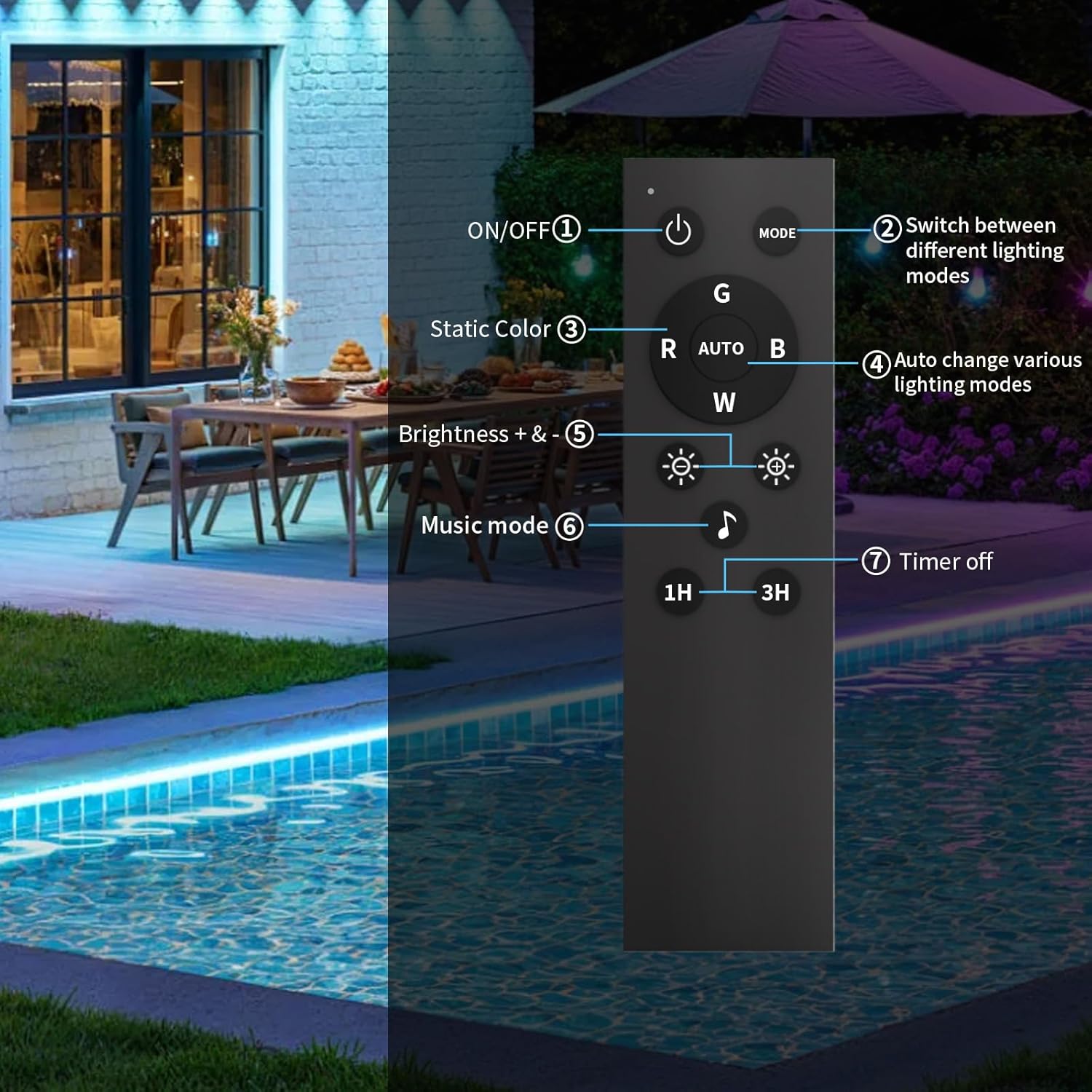
Image: The button controller with its various functions labeled.
5.1.2 Smart Bluetooth App Control
For advanced control and customization, download the dedicated smart app. The app allows for precise color selection, dynamic effects, and scheduling.
- Download App: Scan the QR code in the user manual or search for the app name (usually provided in the manual) on your smartphone's app store.
- Connect via Bluetooth: Enable Bluetooth on your smartphone. Open the app, and it should automatically detect the LED strip lights. Follow the in-app instructions to pair.
- Customize Colors: Use the color wheel or preset options to select from 16 million colors. Adjust brightness and saturation.
- Dynamic Modes: Choose from various pre-programmed dynamic lighting effects or create your own DIY modes.
- Music Sync: Activate the music sync mode. The lights will change color and brightness in response to audio rhythms detected by your phone's microphone.
- Timer Function: Set detailed schedules for the lights to turn on/off automatically at specific times, saving energy and adding convenience.
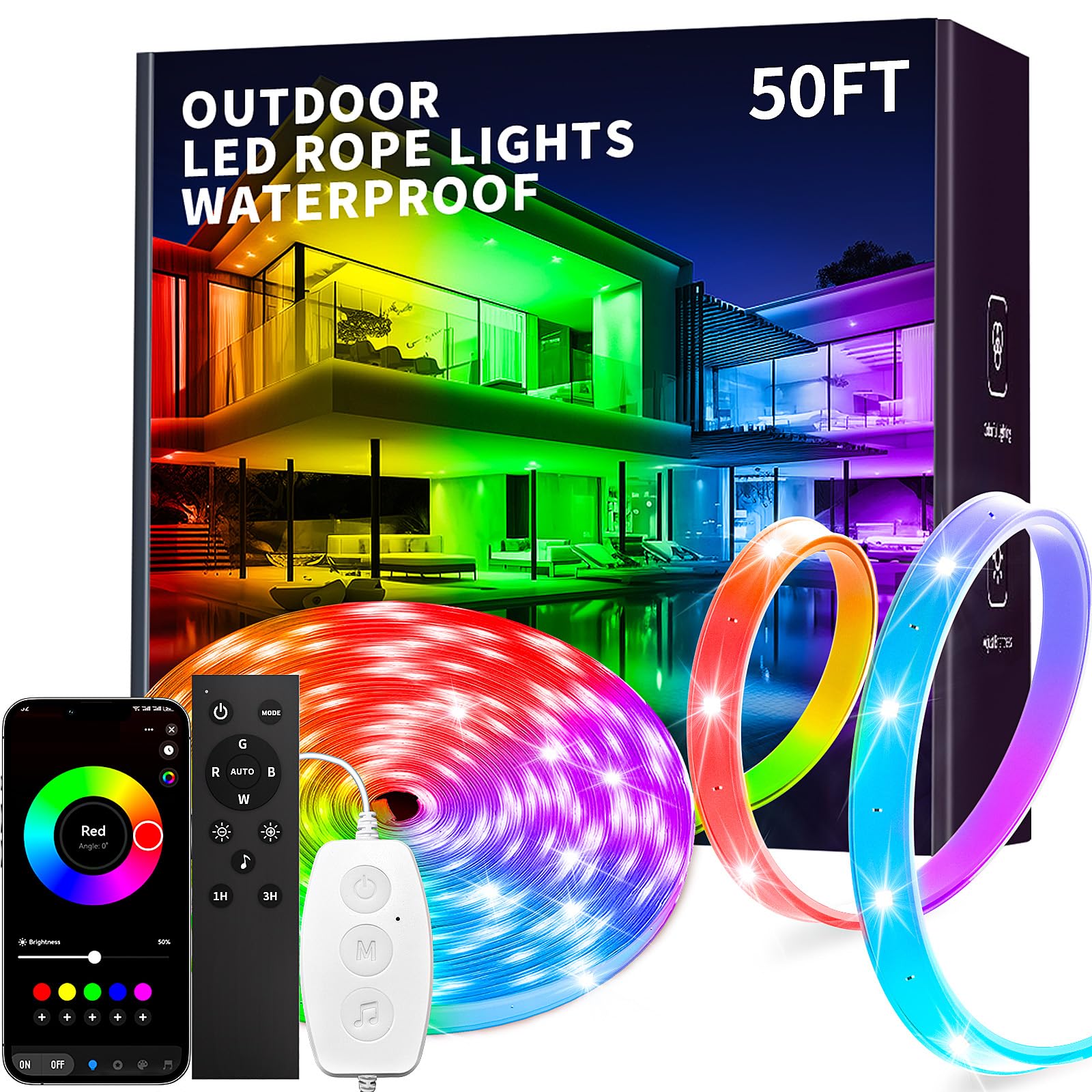
Image: The smart app interface for color control, alongside the physical remote and button controller.

Image: A collage of smartphone screens demonstrating the app's features: Adjust, Style, DIY, Music, and Timing.
5.2 Music Sync Mode
The built-in microphone in the controller (or your smartphone when using the app) detects sound and syncs the light colors and brightness to the rhythm of your music, creating an immersive atmosphere.

Image: An outdoor scene with people and LED lights reacting to music, illustrating the music sync feature.
5.3 Timer Function
Set schedules for the lights to turn on or off automatically. This feature is useful for energy saving, security lighting, or creating routines.

Image: The timer function in action, showing lights turning on and off at scheduled times via the app.
Official Product Video
Video: An official product video demonstrating the KSIPZE Outdoor LED Strip Lights, highlighting their waterproof design and various features.
6. Maintenance
Proper maintenance ensures the longevity and optimal performance of your LED strip lights.
- Cleaning: Gently wipe the LED strip with a soft, damp cloth to remove dust or dirt. Do not use harsh chemicals or abrasive cleaners.
- Connections: Periodically check all connections (strip to controller, controller to adapter, adapter to outlet) to ensure they are secure and free from corrosion or damage.
- Environmental Protection: While the strip is IP68 waterproof, ensure the power adapter and controller are always protected from direct exposure to rain, snow, or excessive moisture.
- Storage: If storing the lights for an extended period, disconnect them from power, clean them, and store them in a cool, dry place.
7. Troubleshooting
If you encounter issues with your KSIPZE LED Strip Lights, refer to the following common problems and solutions:
| Problem | Possible Cause | Solution |
|---|---|---|
| Lights do not turn on. | No power, loose connection, faulty adapter. | Check if the power adapter is securely plugged in. Ensure all connections between the strip, controller, and adapter are firm. Test the outlet with another device. |
| Remote control not working. | Obstruction, remote battery low, remote out of range. | Ensure there is no obstruction between the remote and the controller. Replace the remote battery if applicable. Operate the remote within close range of the controller. |
| App cannot connect to lights. | Bluetooth off, app not updated, lights not in pairing mode. | Ensure Bluetooth is enabled on your smartphone. Restart the app and the LED strip (unplug and replug). Make sure the app is updated to the latest version. |
| Lights not syncing with music. | Microphone blocked, low volume, incorrect mode. | Ensure the microphone on the controller (or your phone) is not covered. Increase music volume. Verify that the music sync mode is activated in the app or via the button controller. |
| Adhesive not sticking. | Surface not clean/dry, improper application. | Ensure the surface is thoroughly cleaned and dried before application. Apply firm, even pressure along the strip during installation. For rough surfaces, consider using additional mounting clips (not included). |
If the problem persists after trying these solutions, please contact customer support.
8. Specifications
| Feature | Detail |
|---|---|
| Brand | KSIPZE |
| Model Number | ST52_N12415US_LY |
| Length | 50ft |
| Waterproof Rating | IP68 |
| Light Color | Multicolor (RGB) |
| Light Source Type | LED |
| Power Source | Corded Electric |
| Voltage | 24 Volts |
| Material | Brass, Silicone |
| Special Features | Adjustable, Color Changing, Dimmable, Timer, Waterproof |
| Indoor/Outdoor Usage | Indoor, Outdoor |
| Item Weight | 1.85 pounds |
| Package Dimensions | 13.74 x 10.43 x 1.1 inches |
9. Warranty and Support
KSIPZE products are manufactured to high-quality standards. For specific warranty details, please refer to the warranty card included with your product or visit the official KSIPZE website. If you require technical assistance, troubleshooting, or have questions about your product, please contact KSIPZE customer support through the contact information provided on the product packaging or the official website.