
1. Introduction
Thank you for choosing the Lacuffy CT03 Walking Pad Treadmill. This 3-in-1 folding treadmill is designed for home and office use, offering walking, jogging, and running modes with an adjustable 9% manual incline. It features a quiet 3.0 HP motor, a wide 5-layer running belt for joint protection, and smart app connectivity. Please read this manual thoroughly before use to ensure proper setup, operation, and maintenance.
2. Important Safety Instructions
To reduce the risk of electric shock, fire, and serious injury, read all instructions before using this appliance. It is the responsibility of the owner to ensure that all users of this product are adequately informed of all warnings and precautions.
- Always place the treadmill on a solid, level surface with at least 2 feet (0.6 meters) of clear space on each side and 6 feet (1.8 meters) behind it.
- Keep children and pets away from the treadmill during operation.
- Wear appropriate exercise clothing and athletic shoes. Do not wear loose clothing that could get caught in the treadmill.
- Use the safety key clip at all times. Attach the clip to your clothing before starting the treadmill. If the safety key is removed, the treadmill will stop immediately.
- Do not operate the treadmill if it has a damaged cord or plug, if it is not working properly, or if it has been dropped or damaged.
- Consult a physician before starting any exercise program.
- Maximum user weight capacity is 300 lbs (136 kg).
3. Package Contents
Verify that all components are present and undamaged. If any parts are missing or damaged, contact customer support.
- Lacuffy CT03 Walking Pad Treadmill (main unit)
- Handlebar assembly
- Power cord
- Remote control
- Safety key
- User Manual (this document)
- Lubricant (silicone oil)
- Tools for assembly/adjustment (if required)
4. Setup
4.1 Unpacking and Placement
Carefully remove the treadmill from its packaging. Place it on a flat, stable surface. Ensure there is adequate space around the treadmill for safe operation.
4.2 Unfolding the Treadmill
The treadmill arrives in a folded state for compact storage. To unfold:
- Gently lift the main body of the treadmill from its flat storage position.
- Lower it onto the floor until it is fully extended. The treadmill is designed to be easily moved on its integrated wheels.

4.3 Handlebar Assembly
The handlebar provides stability and allows for higher speed modes. To set up the handlebar:
- Lift the handlebar frame into the upright position.
- Secure the handlebar by inserting the locking pins into the designated holes on both sides of the frame. Ensure the pins are fully engaged.

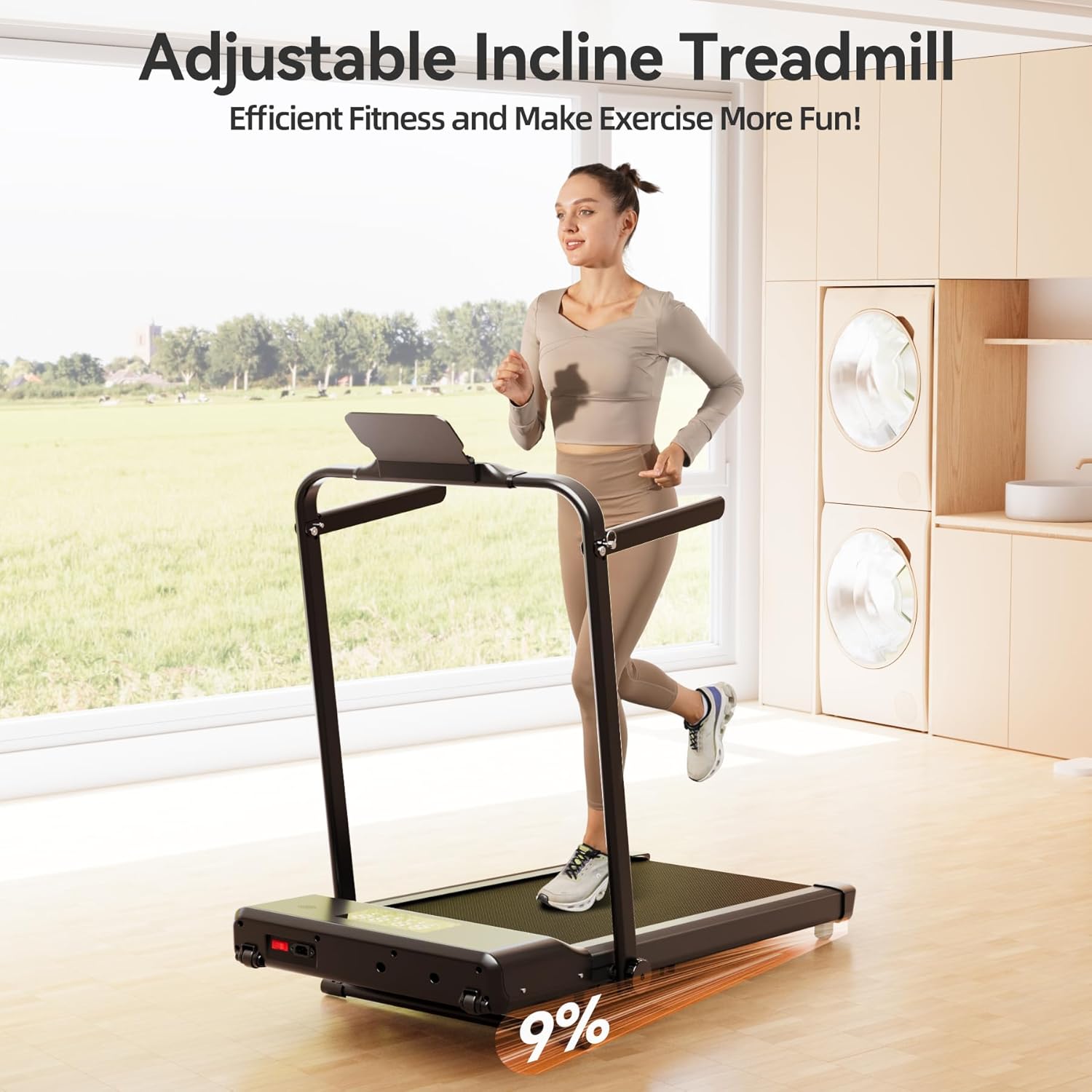
4.4 Manual Incline Adjustment
The treadmill features a 9% manual incline for varied workout intensity. To adjust the incline:
- Ensure the treadmill is powered off and unplugged.
- Locate the incline adjustment mechanism at the rear of the treadmill.
- Manually adjust the support legs to achieve the desired incline level. Ensure both sides are adjusted evenly and securely.

4.5 Power Connection
Plug the power cord into a grounded electrical outlet. Ensure the power switch on the treadmill is in the 'OFF' position before plugging it in.
4.6 Initial Activation (PitPat App Required)
For the first use, the treadmill requires activation via the PitPat app. Download the PitPat app from your smartphone's app store, connect to the treadmill via Bluetooth, and follow the in-app instructions to activate the device.

4.7 Product Video: Setup and Features
5. Operating Instructions
5.1 Powering On/Off
Flip the main power switch located at the front of the treadmill to 'ON'. The LED display will illuminate. To power off, flip the switch to 'OFF'.
5.2 Safety Key
Attach the safety key clip to your clothing. Insert the magnetic end of the safety key into the designated slot on the console. The treadmill will not operate without the safety key in place.
5.3 Control Methods
The Lacuffy CT03 offers multiple ways to control your workout:
- Console Control: Use the touch buttons on the treadmill's console to start/stop, adjust speed, and view workout data on the LED display.
- Remote Control: The included remote control allows for convenient adjustment of speed and start/stop functions from a distance.
- PitPat App Control: Connect your smartphone via Bluetooth to the PitPat app for advanced control, workout tracking, and access to various training programs and virtual scenes.
5.4 Workout Modes
The treadmill supports various modes to suit your fitness needs:
- Walking Mode (0.6-3.8 MPH): Ideal for casual walking or under-desk use when the handlebar is folded down.
- Working Mode (1.6 MPH): A specific low-speed setting suitable for light activity while working.
- Slope Mode (9% Incline): Engages the manual incline for a more challenging walk or jog.
- Running Mode (up to 7.5 MPH): For jogging and running, typically used with the handlebar in the upright position.
5.5 PitPat App Features
The PitPat app enhances your workout experience by providing:
- Guided runs and training programs.
- Real-time tracking of speed, distance, calories, and steps.
- Global competition and community features.
- Access to various outdoor scenes for an immersive experience.
6. Maintenance
Regular maintenance ensures the longevity and optimal performance of your treadmill.
6.1 Cleaning
Wipe down the treadmill after each use with a damp cloth to remove sweat and dust. Do not use abrasive cleaners or solvents. Keep the area around the treadmill clean and free of obstructions.
6.2 Lubrication
The running belt requires periodic lubrication to reduce friction and extend its lifespan. Use the provided silicone oil or a treadmill-specific lubricant. Apply lubricant under the running belt every 3-6 months, depending on usage.
- Turn off and unplug the treadmill.
- Loosen the rear roller bolts slightly to lift the belt.
- Apply a thin line of lubricant evenly across the center of the deck, under the belt.
- Tighten the rear roller bolts.
- Run the treadmill at a low speed (e.g., 1 MPH) for 5 minutes to distribute the lubricant.
6.3 Running Belt Adjustment
If the running belt shifts to one side or slips, it may need adjustment. Use the hex wrench provided to turn the adjustment bolts at the rear of the treadmill. Turn clockwise to move the belt to the right, counter-clockwise to move it to the left. Adjust in small increments (1/4 turn) and test the belt after each adjustment.
7. Troubleshooting
Refer to this section for common issues and their solutions. If the problem persists, contact customer support.
| Problem | Possible Cause | Solution |
|---|---|---|
| Treadmill does not power on. | Power cord not connected, power switch off, safety key not in place. | Ensure power cord is securely plugged in, power switch is ON, and safety key is correctly inserted. |
| Running belt slips or hesitates. | Belt too loose, insufficient lubrication. | Adjust belt tension (see 6.3), apply lubricant (see 6.2). |
| Running belt tracks to one side. | Belt alignment issue. | Adjust belt alignment (see 6.3). |
| Treadmill makes unusual noise. | Loose parts, motor issue, belt friction. | Check for loose bolts, lubricate belt, contact support if noise persists. |
| Cannot connect to PitPat app. | Bluetooth off, app not updated, treadmill not in pairing mode. | Ensure Bluetooth is enabled on your device, update the app, restart treadmill and app, try pairing again. |
8. Specifications
| Feature | Detail |
|---|---|
| Brand | Lacuffy |
| Model Name | CT03 |
| Model Number | CT03-B |
| Product Dimensions (D x W x H) | 47.83" x 24.41" x 38.35" |
| Item Weight | 58.86 Pounds |
| Material | Alloy Steel |
| Motor Horsepower | 3.0 HP |
| Speed Range | 0.6 - 7.5 Miles per Hour |
| Incline | 9% Manual Incline |
| Maximum Weight Recommendation | 300 Pounds |
| Running Belt Dimensions | 37.40" x 15.35" |
| Noise Level | Under 55 dB |
| Assembly Required | No (minimal setup) |
9. Storage
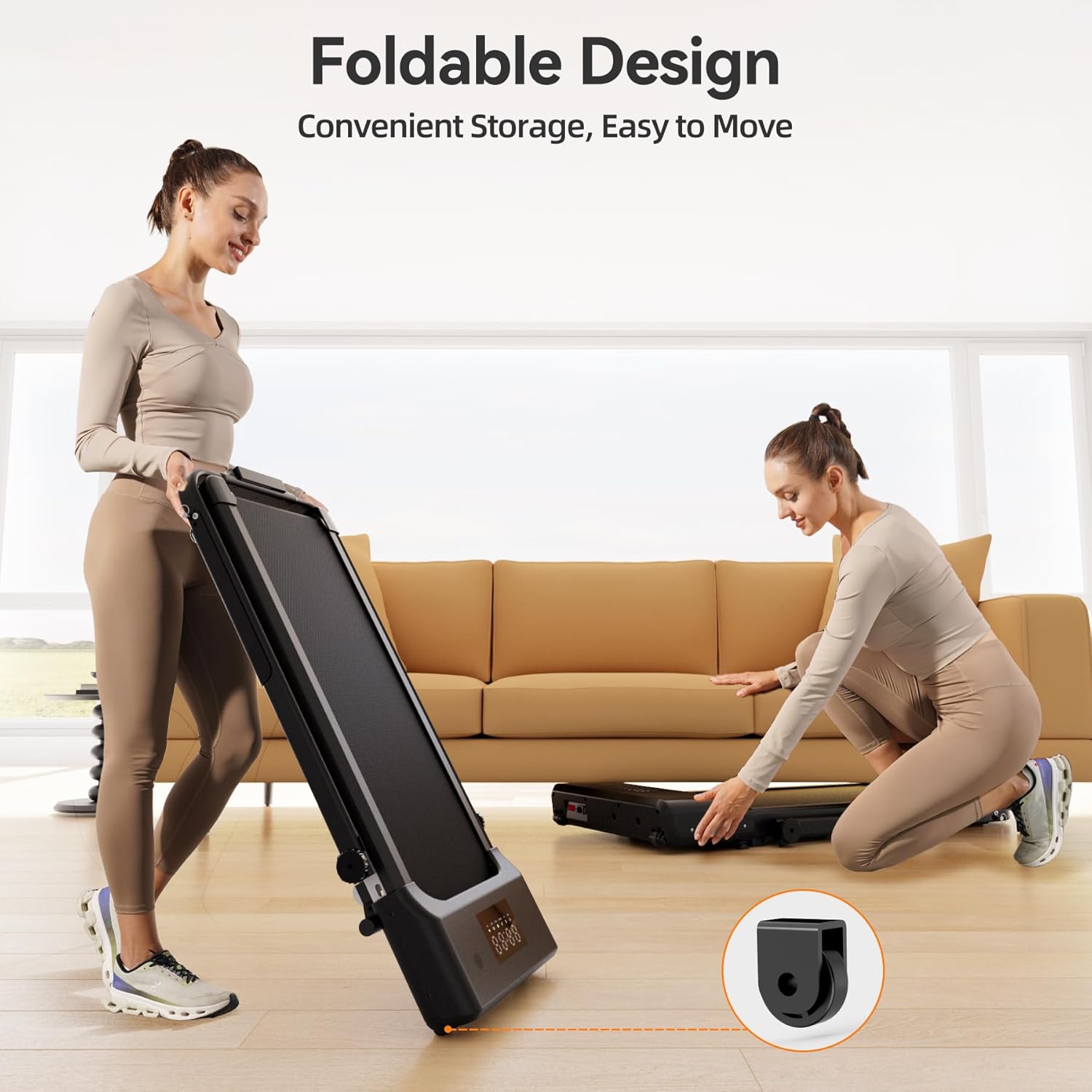
The Lacuffy CT03 treadmill features a foldable design for convenient storage in small spaces.
9.1 Folding the Treadmill
To fold the treadmill for storage:
- Ensure the treadmill is powered off and unplugged.
- If the handlebar is upright, release the locking pins and gently lower the handlebar until it rests flat against the treadmill deck.
- Lift the rear of the treadmill to fold it into a compact, vertical position.
9.2 Moving and Storing
The treadmill is equipped with transport wheels for easy movement. Once folded, you can roll it to a desired storage location, such as under a bed or sofa, or against a wall.
10. Warranty & Support
10.1 Warranty Information
The Lacuffy CT03 Walking Pad Treadmill comes with a 1-Year Warranty from the date of purchase. This warranty covers manufacturing defects and malfunctions under normal use. It does not cover damage caused by misuse, accidents, unauthorized modifications, or improper maintenance.
10.2 Customer Support
For technical assistance, warranty claims, or any questions regarding your Lacuffy CT03 Walking Pad Treadmill, please contact our customer support team. Refer to the contact information provided with your purchase or visit the official Lacuffy website for support details.
When contacting support, please have your model number (CT03-B) and proof of purchase readily available.