
1. Product Overview
The JOCCA Portable Rechargeable Dental Water Flosser is designed to provide thorough dental cleaning, effectively removing food debris and plaque from between teeth and along the gumline. Its compact, cordless design makes it ideal for home use, office, or travel, ensuring comprehensive oral hygiene wherever you are. This device features three cleaning modes, four interchangeable nozzles, a 180ml water tank, and an IPX7 waterproof rating for convenient and safe use.
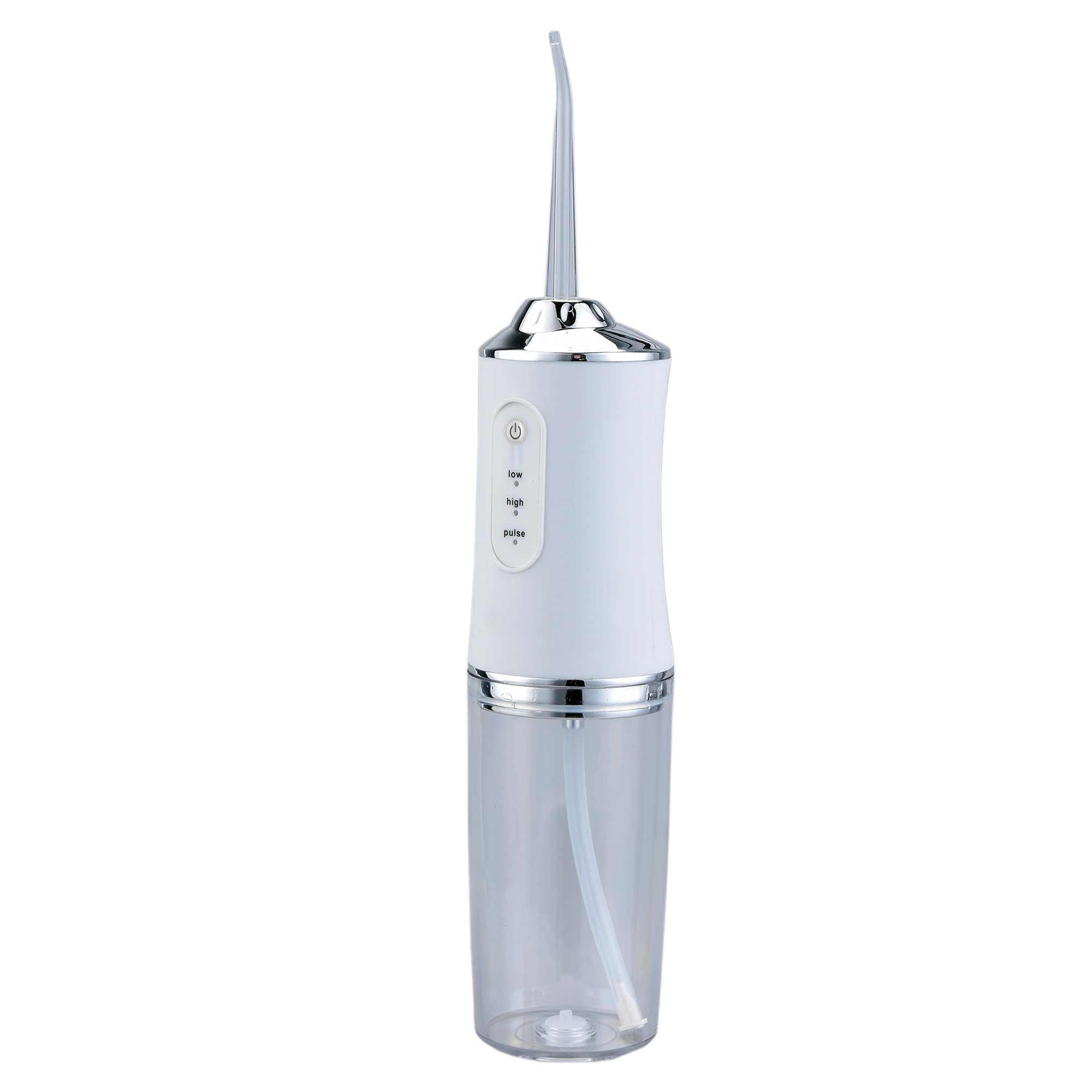
Image 1.1: The JOCCA Portable Rechargeable Dental Water Flosser in white, showcasing its sleek and ergonomic design.
2. Safety Information
- Read all instructions before using this appliance.
- Do not immerse the charging base or adapter in water or other liquids.
- Keep the device away from children. This is not a toy.
- Do not use if the power cord or plug is damaged.
- Only use water or dentist-recommended solutions in the water tank.
- Avoid directing the water jet directly into the eyes, nose, or other sensitive areas.
- Unplug the device before cleaning.
- This appliance contains a rechargeable battery. Do not expose to extreme temperatures.
3. Package Contents
Please check that all items are present in the package:
- 1 x JOCCA Portable Rechargeable Dental Water Flosser unit
- 2 x Standard Nozzles
- 1 x Tongue Cleaning Nozzle
- 1 x Orthodontic Nozzle
- 1 x USB Charging Cable
- 1 x User Manual (this document)
4. Product Features
- 3 Adjustable Cleaning Modes: Choose between Soft, Normal, and Pulse modes to suit your needs. Ideal for sensitive gums, daily cleaning, or gum massage and stimulation.
- 4 Interchangeable Nozzles: Includes 2 standard nozzles for daily use, 1 tongue cleaning nozzle, and 1 special orthodontic nozzle for comprehensive care.
- 180ml Water Tank: Sufficient capacity for a complete cleaning session without frequent refills.
- IPX7 Waterproof Design: Fully waterproof, allowing for safe use even in the shower.
- Long-Lasting Rechargeable Battery: Provides up to 45 minutes of continuous use on a single charge. Recharges fully in approximately 4 hours via the included USB cable.
- Portable and Cordless: Compact design for easy handling and travel.
5. Setup
5.1 Initial Charging
- Before first use, fully charge the device. Connect the USB charging cable to the charging port on the device and to a compatible USB power source (e.g., wall adapter, power bank, computer USB port).
- The charging indicator light will illuminate during charging and typically change color or turn off when fully charged.
- A full charge takes approximately 4 hours.
5.2 Attaching a Nozzle
- Select the appropriate nozzle for your needs (standard, tongue cleaning, or orthodontic).
- Insert the nozzle into the opening at the top of the device until it clicks securely into place.
- To remove, press the nozzle release button (if present) and pull the nozzle out.
5.3 Filling the Water Tank
- Open the water tank cover located on the back or side of the device.
- Fill the 180ml tank with lukewarm water. You may also use a dentist-recommended mouthwash solution.
- Close the water tank cover firmly to prevent leakage.
6. Operating Instructions
- Power On: Press the power button to turn on the device.
- Select Mode: Press the mode button (if separate) or cycle through modes using the power button (depending on model) to choose between Soft, Normal, or Pulse. The indicator light will show the selected mode.
- Positioning: Lean over a sink and place the nozzle tip into your mouth, aiming it at your gumline at a 90-degree angle. Close your lips slightly to prevent splashing, but allow water to flow into the sink.
- Flossing: Guide the water jet along your gumline and between your teeth. Pause briefly between teeth to allow the water to clean the interdental spaces. Work from your back teeth towards the front, covering all surfaces.
- Tongue Cleaning (if applicable): If using the tongue cleaning nozzle, gently glide it across the surface of your tongue from back to front.
- Power Off: Press the power button again to turn off the device when finished.
7. Cleaning and Maintenance
7.1 After Each Use
- Empty any remaining water from the tank.
- Rinse the water tank thoroughly with clean water.
- Remove the nozzle and rinse it under running water.
- Wipe the exterior of the device with a soft, damp cloth.
- Allow all parts to air dry completely before storing.
7.2 Deep Cleaning (Weekly/Bi-weekly)
- To prevent mineral buildup, fill the water tank with a mixture of 1 part white vinegar and 2 parts water.
- Run the device until half of the solution is used, then turn it off and let it sit for 20-30 minutes.
- Run the remaining solution through the device.
- Rinse the tank and run a full tank of clean water through the device to flush out any vinegar residue.
7.3 Storage
Store the device in a cool, dry place, away from direct sunlight and out of reach of children. Ensure the water tank is empty and dry before storage.
8. Troubleshooting
| Problem | Possible Cause | Solution |
|---|---|---|
| Device does not turn on. | Low battery. | Charge the device fully. |
| Power button not pressed correctly. | Ensure the power button is pressed firmly. | |
| Weak water pressure. | Water tank is empty or low. | Refill the water tank. |
| Nozzle is clogged. | Remove and clean the nozzle. Perform deep cleaning if necessary. | |
| Selected mode is 'Soft'. | Switch to 'Normal' or 'Pulse' mode for stronger pressure. | |
| Water leakage. | Water tank cover not closed properly. | Ensure the water tank cover is securely closed. |
| Nozzle not properly attached. | Re-attach the nozzle until it clicks into place. | |
| Battery not charging. | USB cable or power source issue. | Try a different USB cable or power adapter. Ensure connections are secure. |
9. Specifications
- Model Number: 2181
- Brand: JOCCA
- Water Tank Volume: 180 Milliliters
- Power Source: Battery Powered (Rechargeable via USB)
- Special Feature: Lightweight, IPX7 Waterproof
- Recommended Uses: Plaque removal, Orthodontic cleaning, Deep cleaning
- Number of Units: 1 Total
- Color: White
10. Warranty and Support
For warranty information and customer support, please refer to the documentation provided with your purchase or contact JOCCA customer service directly. Keep your proof of purchase for any warranty claims.