
1. Getting Started
1.1 Box Contents
- Fastrack VOX Neo Smart Watch
- Magnetic Charging Cable
- Quick Start Guide
- Warranty Card
1.2 Initial Charging
Before first use, fully charge your Fastrack VOX Neo Smart Watch. Connect the magnetic charging cable to the charging points on the back of the watch and to a standard USB power adapter (not included). A full charge typically takes approximately 1.5 hours.
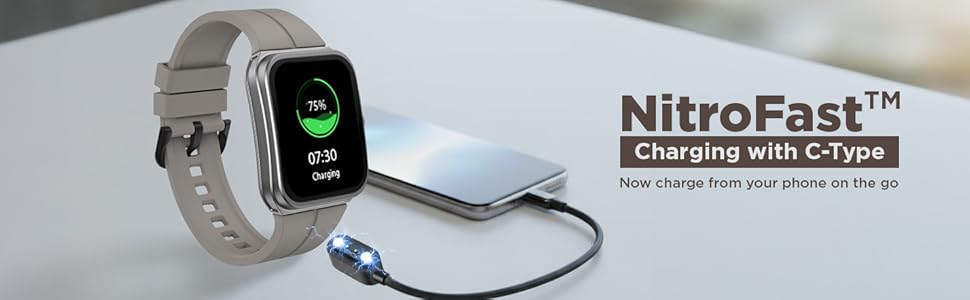
Image: The Fastrack VOX Neo Smart Watch connected to its magnetic charging cable, indicating 75% charge. This image illustrates the NitroFast™ Charging feature.
1.3 App Installation and Pairing
To unlock the full functionality of your Fastrack VOX Neo, download the Fastrack Smart World App on your smartphone. The watch is compatible with both Android and iOS devices.
- Search for "Fastrack Smart World App" in your device's app store.
- Install the application.
- Open the app and follow the on-screen instructions to create an account or log in.
- Enable Bluetooth on your smartphone.
- Within the app, select "Add Device" and choose your Fastrack VOX Neo from the list of available devices.
- Confirm the pairing request on both your watch and smartphone.
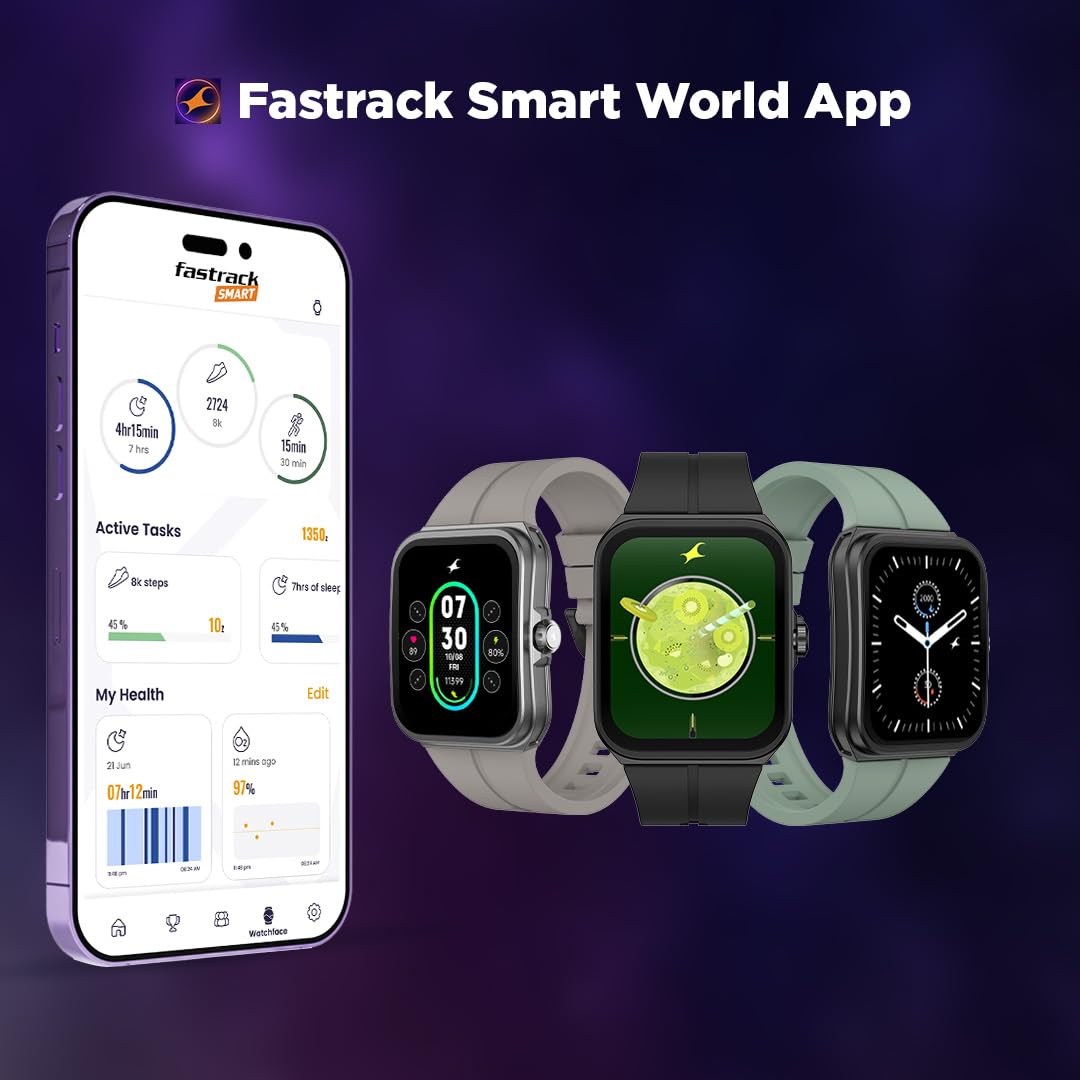
Image: A smartphone displaying the Fastrack Smart World App interface, alongside three Fastrack smartwatches. This illustrates the companion app for the device.
2. Operating Your Smart Watch
2.1 Display and Navigation
The Fastrack VOX Neo features a 1.91-inch curved TFT display with 2.5D graphics, offering a clear and responsive touch interface. Navigation is primarily done through the touchscreen and the functional rotary crown.
- Touchscreen: Swipe up, down, left, or right to access different menus, notifications, and quick settings. Tap to select items.
- Rotary Crown: Rotate the crown to scroll through lists and menus. Press the crown to return to the home screen or confirm selections.
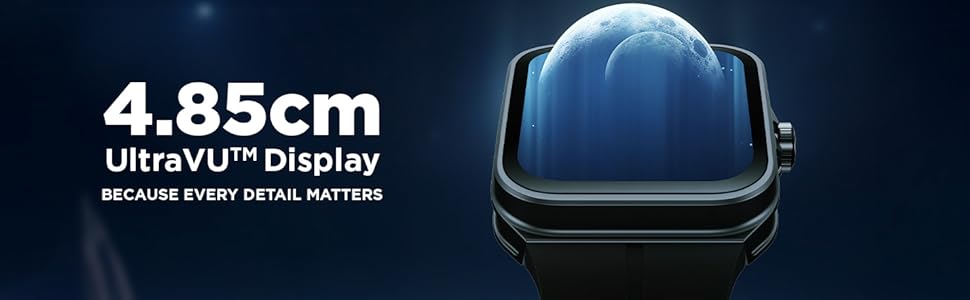
Image: A close-up view of the Fastrack VOX Neo Smart Watch display, highlighting its 1.91-inch UltraVU™ Display with a moon graphic. This demonstrates the display clarity and size.
2.2 Voice Commands
The Fastrack VOX Neo supports offline voice commands for hands-free control. Simply say "Hey Fastrack" to activate the voice assistant, then issue one of the 35+ ready-to-use commands.
- Example commands: "Open To-Do List", "Open AI Chat", "Find My Phone", "Open Settings".

Image: A person interacting with the Fastrack VOX Neo Smart Watch using voice commands, with text bubbles showing example commands like "Open To-Do-List" and "Find My Phone". This illustrates the offline voice command feature.
2.3 Bluetooth Calling (SingleSync™)
With SingleSync™ BT Calling, you can make and receive calls directly from your watch when connected to your smartphone via Bluetooth.
- Ensure your watch is paired and connected to your phone.
- Access the call function from the watch menu to dial or answer incoming calls.
2.4 Health Monitoring
The watch includes a 24/7 Health Suite to track various health metrics:
- Heart Rate Monitor (HRM): Continuously monitors your heart rate.
- SpO2: Measures blood oxygen saturation levels.
- Sleep Tracking: Analyzes your sleep patterns, including deep sleep, light sleep, and awake times.
- Stress Tracking: Monitors stress levels throughout the day.
- Activity Tracker: Records steps, distance, and calories burned.
2.5 Productivity and Sports Modes
The Fastrack VOX Neo offers several features to enhance productivity and support an active lifestyle:
- To-Do List: Manage your tasks and reminders directly from your wrist.
- Calendar: View your schedule.
- Calculator: Perform basic calculations.
- Games: Enjoy built-in games like Dice, Tic Tac Toe, and Jigsaw Puzzle.
- Alarm, Stopwatch, Timer: Essential time management tools.
- Multi Sports Mode: Track specific activities such as Cycling, Running, and Walking with dedicated modes.

Image: A close-up of the Fastrack VOX Neo Smart Watch display showing a 'To-Do-List Checker' with entries for 'Client Meeting', 'Internal Catch-Up', and 'Gym'. This highlights the productivity feature.
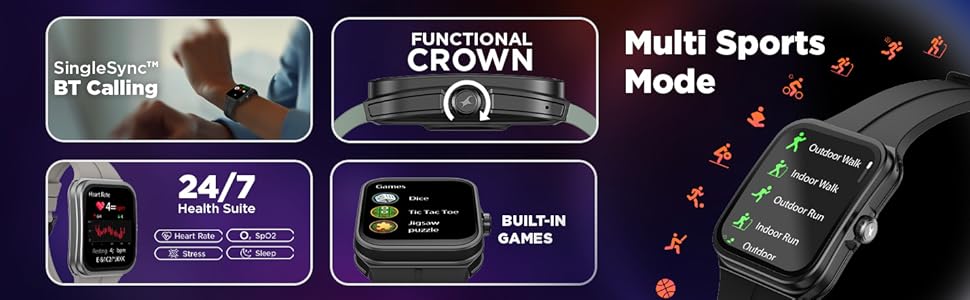
Image: A composite image showing various features of the Fastrack VOX Neo Smart Watch, including Multi Sports Mode, 24/7 Health Suite (Heart Rate, SpO2, Stress, Sleep), Functional Crown, Built-in Games, and SingleSync™ BT Calling. This provides an overview of key functionalities.
3. Maintenance and Care
3.1 Water Resistance
The Fastrack VOX Neo Smart Watch is IP68 water resistant, meaning it can withstand immersion in water up to 1.5 meters deep. It is suitable for daily use and activities like swimming, but not recommended for diving or high-pressure water activities.
- Avoid exposing the watch to hot water, steam, or detergents.
- Dry the watch thoroughly after exposure to water.
3.2 Cleaning
To maintain the watch's appearance and functionality:
- Wipe the watch and strap regularly with a soft, damp cloth.
- Avoid using harsh chemicals or abrasive materials.
- Ensure the charging contacts are clean and dry before charging.
3.3 Battery Care
To prolong battery life:
- Charge the watch using the provided magnetic charging cable.
- Avoid extreme temperatures during charging and storage.
- The average battery life is 5 days, depending on usage.
4. Troubleshooting
If you encounter issues with your Fastrack VOX Neo Smart Watch, try the following steps:
- Watch not turning on: Ensure the watch is fully charged. Connect it to the charger for at least 30 minutes.
- Cannot pair with phone: Make sure Bluetooth is enabled on your phone and the watch. Restart both devices and try pairing again through the Fastrack Smart World App.
- Inaccurate health data: Ensure the watch is worn snugly on your wrist, not too tight or too loose. Clean the sensor area on the back of the watch.
- Display unresponsive: Try restarting the watch. If the issue persists, ensure the screen is clean and dry.
- Short battery life: Reduce screen brightness, disable unnecessary notifications, and limit continuous heart rate monitoring if not needed.
For further assistance, refer to the support section or contact customer service.
5. Specifications
| Feature | Detail |
|---|---|
| Model Name | Fastrack VOX Neo |
| Model Number | 38180PP03K |
| Display Type | LCD |
| Screen Size | 1.91 Inches |
| Maximum Display Brightness | 500 Nit |
| Operating System | Smartwatch OS |
| Memory Storage Capacity | 128 MB |
| Connectivity Technology | Bluetooth |
| Wireless Communication Standard | Bluetooth |
| Compatible Devices | Smartphone (Android, iOS) |
| Special Features | Activity Tracker, Heart Rate Monitor, Multisport Tracker, Phone Call, Stress Tracking, Offline Voice Commands, To-Do list, Rotary Crown |
| Metrics Measured | Accelerometer, Optical Heart Rate Sensor, Galvanic Skin Response Sensor |
| Water Resistance Level | IP68 Water Resistant |
| Water Resistance Depth | 1.5 Metres |
| Band Material Type | Silicone |
| Case Material Type | Silicone |
| Battery Cell Type | Lithium Polymer |
| Battery Average Life | 5 Days |
| Battery Charge Time | 1.5 Hours |
| Item Weight | 42 Grams |
| Country of Origin | India |
6. Warranty and Support
6.1 Warranty Information
The Fastrack VOX Neo Smart Watch comes with a 1 Year Manufacturer Warranty from the date of purchase. Please retain your purchase receipt and the warranty card for any warranty claims.
6.2 Customer Support
For technical support, service, or warranty inquiries, please contact the manufacturer:
- Manufacturer: Titan Company Limited
- Address: 3 Sipcot Industries complex, Hosur- 635126, India
You may also visit the official Fastrack website or the Fastrack Smart World App for FAQs and additional resources.
