
1. Introduction
This manual provides comprehensive instructions for the safe and effective operation, maintenance, and troubleshooting of your Protmex C06302 1/2" Cordless Impact Wrench. Please read this manual thoroughly before using the tool to ensure proper function and to prevent injury or damage.
General Safety Warnings
- Always wear appropriate personal protective equipment, including safety glasses, gloves, and hearing protection.
- Ensure the work area is well-lit and clear of obstructions.
- Keep children and bystanders away while operating the tool.
- Do not operate power tools in explosive atmospheres, such as in the presence of flammable liquids, gases, or dust.
- Store the tool and batteries in a dry, secure location away from extreme temperatures.
2. Package Contents
Your Protmex C06302 Cordless Impact Wrench package includes the following items:
- 1 x Protmex C06302 1/2" Cordless Impact Wrench
- 2 x 21V 4.0Ah Lithium-Ion Battery Packs
- 1 x Fast Charger
- 4 x Impact Sockets (17mm, 19mm, 21mm, 24mm)
- 1 x Extension Rod
- 1 x Carrying Case
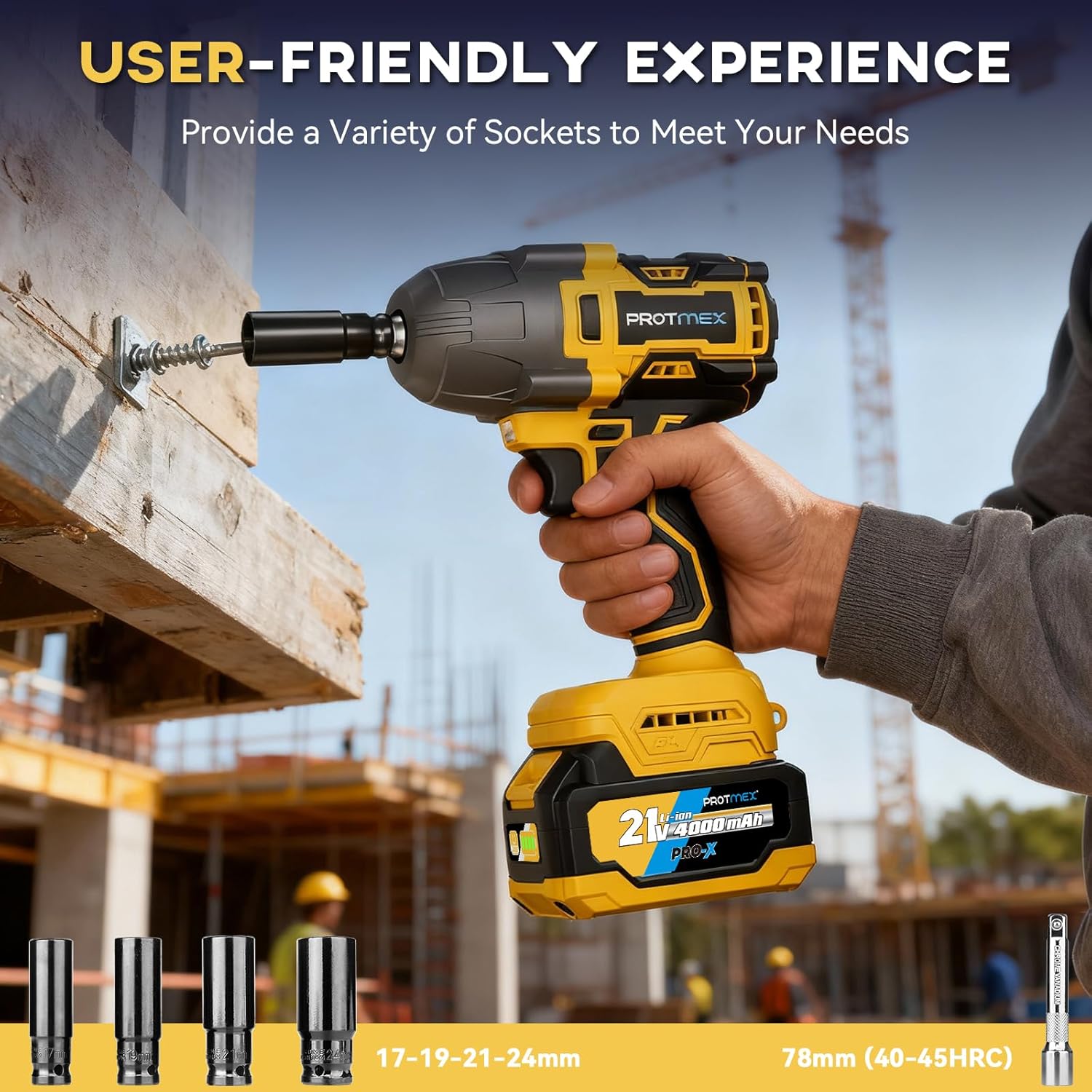
Figure 2.1: Included accessories with the Protmex C06302 Impact Wrench.
3. Product Features
The Protmex C06302 Impact Wrench is designed for high performance and user convenience, featuring:
- Efficient Brushless Motor: Delivers up to 900 Ft-lbs (1200 N.m) of torque with three adjustable speed modes (0-2500 RPM, 0-2900 RPM, 0-3500 RPM). Brushless technology ensures longer tool life, quieter operation, and no sparks.
- Long-Lasting 4.0Ah Batteries: Equipped with two 21V 4.0Ah lithium-ion battery packs for extended operation and a fast charger for quick recharging (1-2 hours).
- Two-way Brake Stop: In reverse mode, the brake stop device activates once a nut or bolt is loose, reducing speed and torque to prevent fasteners from flying off.
- Built-in LED Light: Illuminates dim work areas, improving visibility for precise operation in tight or dark spaces.
- 1/2" Square Drive: Compatible with standard 1/2-inch impact sockets.
- Variable Speed Switch: Allows for precise control over the tool's speed.
- Soft Rubberized Handle: Provides a comfortable and secure grip, reducing user fatigue.

Figure 3.1: Brushless motor and speed settings display.

Figure 3.2: 4.0Ah battery pack design.

Figure 3.3: Two-way brake stop mechanism.

Figure 3.4: Integrated LED work light.
4. Setup
4.1 Charging the Battery
- Connect the fast charger to a standard power outlet.
- Slide the 21V 4.0Ah battery pack onto the charger. The indicator light on the charger will show the charging status.
- A full charge typically takes 1 to 2 hours. Remove the battery once fully charged.
- To check battery status, press the button on the battery pack.
4.2 Attaching/Detaching Sockets
- Ensure the impact wrench is turned off and the battery is securely attached.
- Align the desired 1/2" impact socket with the square drive on the tool.
- Push the socket firmly onto the drive until it clicks into place.
- To detach, pull the socket firmly away from the drive while holding the tool.
5. Operating Instructions
5.1 Powering On/Off
The tool is activated by pressing the variable speed trigger. Release the trigger to turn off the tool.
5.2 Selecting Speed Modes
The Protmex C06302 features three speed modes (Low, Medium, High) to match different application requirements. Use the mode switch button, typically located near the handle, to cycle through the speeds. The current speed setting will be indicated on the tool's display.
5.3 Forward and Reverse Operation
A forward/reverse switch is located above the trigger. Push the switch to the left for forward rotation (tightening) and to the right for reverse rotation (loosening). Ensure the switch is in the center position for locking the trigger and preventing accidental startup.

Figure 5.1: Forward and Reverse Switch.
5.4 Using the Two-way Brake Stop
When operating in reverse mode, the tool is equipped with a two-way brake stop function. Once a nut or bolt begins to loosen, the tool will automatically reduce its speed and torque. This feature helps prevent the fastener from completely detaching and falling, making it easier to retrieve.
5.5 Activating the LED Work Light
The built-in LED light automatically activates when the trigger is pressed, providing illumination for your work area. It remains on as long as the trigger is partially or fully depressed.
6. Maintenance
6.1 Cleaning
- Regularly clean the tool's ventilation openings to prevent overheating.
- Use a soft, damp cloth to wipe down the tool. Do not use harsh chemicals or abrasive cleaners.
- Keep the handle clean and free of oil or grease for a secure grip.
6.2 Battery Care
- Do not store batteries in direct sunlight or in areas with high temperatures.
- Charge batteries fully before long-term storage.
- If storing for extended periods, recharge batteries every 3-6 months to maintain optimal performance.
- Dispose of old or damaged batteries according to local regulations.
7. Troubleshooting
| Problem | Possible Cause | Solution |
|---|---|---|
| Tool does not start | Battery not charged or improperly inserted. | Ensure battery is fully charged and correctly inserted. |
| Tool lacks power/torque | Battery charge is low. Incorrect speed mode selected. | Recharge battery. Select a higher speed mode. |
| Socket does not attach/detach easily | Debris in square drive. Incorrect socket size. | Clean the square drive. Use only 1/2" impact-rated sockets. |
| Tool overheats | Blocked ventilation. Prolonged heavy use. | Clear ventilation openings. Allow tool to cool down. |
8. Specifications
| Feature | Specification |
|---|---|
| Model Number | C06302 |
| Brand | Protmex |
| Drive Size | 1/2 Inch Square Drive |
| Max Torque | 900 Foot Pounds (1200 N.m) |
| Voltage | 21 Volts |
| Battery Capacity | 2 x 4.0Ah Lithium-Ion |
| Speed Modes | 3 (0-2500 RPM, 0-2900 RPM, 0-3500 RPM) |
| Motor Type | Brushless |
| Item Weight | 4.07 Pounds |
| Item Length | 8.66 Inches |
| Material | Acrylonitrile Butadiene Styrene, Alloy Steel, Carbon Steel, Metal |
9. Warranty and Support
For warranty information or technical support, please refer to the documentation included with your product or contact Protmex customer service. Keep your purchase receipt as proof of purchase for warranty claims.
For further assistance, please visit the official Protmex website or contact their customer support channels.