
Introduction
Welcome to the Fastrack VOX CirQ Smart Watch user manual. This guide provides detailed instructions on how to set up, operate, maintain, and troubleshoot your new smartwatch. The Fastrack VOX CirQ is designed to enhance your daily life with features like AI chat, AI watchfaces, Bluetooth calling, and comprehensive health monitoring.
1. Setup
1.1 Unboxing and Package Contents
Carefully unbox your Fastrack VOX CirQ Smart Watch. Verify that all components are present.
- Fastrack VOX CirQ Smart Watch
- Magnetic Charging Cable
- Quick Start Guide
- Warranty Card
1.2 Charging the Smart Watch
Before initial use, fully charge your smartwatch.
- Connect the magnetic charging cable to a USB power adapter (not included) or a computer's USB port.
- Attach the magnetic end of the cable to the charging points on the back of your smartwatch. Ensure a secure connection.
- The watch display will indicate charging status. A full charge typically takes approximately 1 hour.
Note: The watch features NitroFast™ Charging for quick power-ups. A fully charged battery provides an average life of 5 days, depending on usage.

Image: Fastrack VOX CirQ Smart Watch connected to its magnetic charging cable.
1.3 Powering On/Off
- To Power On: Press and hold the power button (usually one of the dual push buttons) until the Fastrack logo appears.
- To Power Off: Navigate to the settings menu on your watch, select "Power Off," and confirm. Alternatively, press and hold the power button and select the power off option.
1.4 Pairing with Your Smartphone
To unlock the full functionality of your Fastrack VOX CirQ, pair it with the Fastrack Smart World App on your smartphone. The watch is compatible with both Android and iOS devices.
- Download the Fastrack Smart World App from your smartphone's app store (Google Play Store for Android or Apple App Store for iOS).
- Ensure Bluetooth is enabled on your smartphone.
- Open the Fastrack Smart World App and follow the on-screen instructions to create an account or log in.
- In the app, select "Add Device" or a similar option to search for your Fastrack VOX CirQ.
- Select your watch from the list of available devices. A pairing request may appear on both your phone and watch. Confirm the pairing.
- Once paired, the watch will synchronize data with the app, and you can customize settings.

Image: The Fastrack Smart World App displayed on a smartphone, showing health data and watch synchronization.
2. Operating the Smart Watch
2.1 Display and Navigation
Your Fastrack VOX CirQ features a 1.38-inch 2.5D TFT display with a maximum brightness of 450 Nits for clear visibility.
- Touchscreen: Swipe left, right, up, or down to navigate through menus and notifications. Tap to select options.
- Dual Push Buttons: Use these buttons for quick access to functions, returning to the home screen, or powering the device. Specific functions can often be customized via the app.
- Style Dial Control: Rotate the dial for scrolling through lists or adjusting settings.
- Multiple Menu Styles: Choose your preferred menu layout from the watch settings.

Image: Close-up of the Fastrack VOX CirQ Smart Watch display, highlighting its clarity.
2.2 Bluetooth Calling (SingleSync™)
With Bluetooth calling, you can make and receive calls directly from your watch when connected to your smartphone.
- Ensure your watch is successfully paired with your phone via Bluetooth.
- To make a call, access the dialer or contacts list on your watch.
- To answer a call, tap the green answer icon on your watch when a call comes in.
- The watch features a built-in microphone and speaker for communication.
2.3 AI Features: Chat and Watchfaces
- AI Chat: Engage with the built-in AI chat feature for quick information or assistance. Access it from the main menu. The AI is designed to listen, learn, and respond to your queries.
- AI Watchfaces: Customize your watch's appearance with infinite AI-powered watchfaces. These adaptive watchfaces can change based on your preferences or environmental factors. Select and apply new watchfaces through the Fastrack Smart World App or directly on the watch.
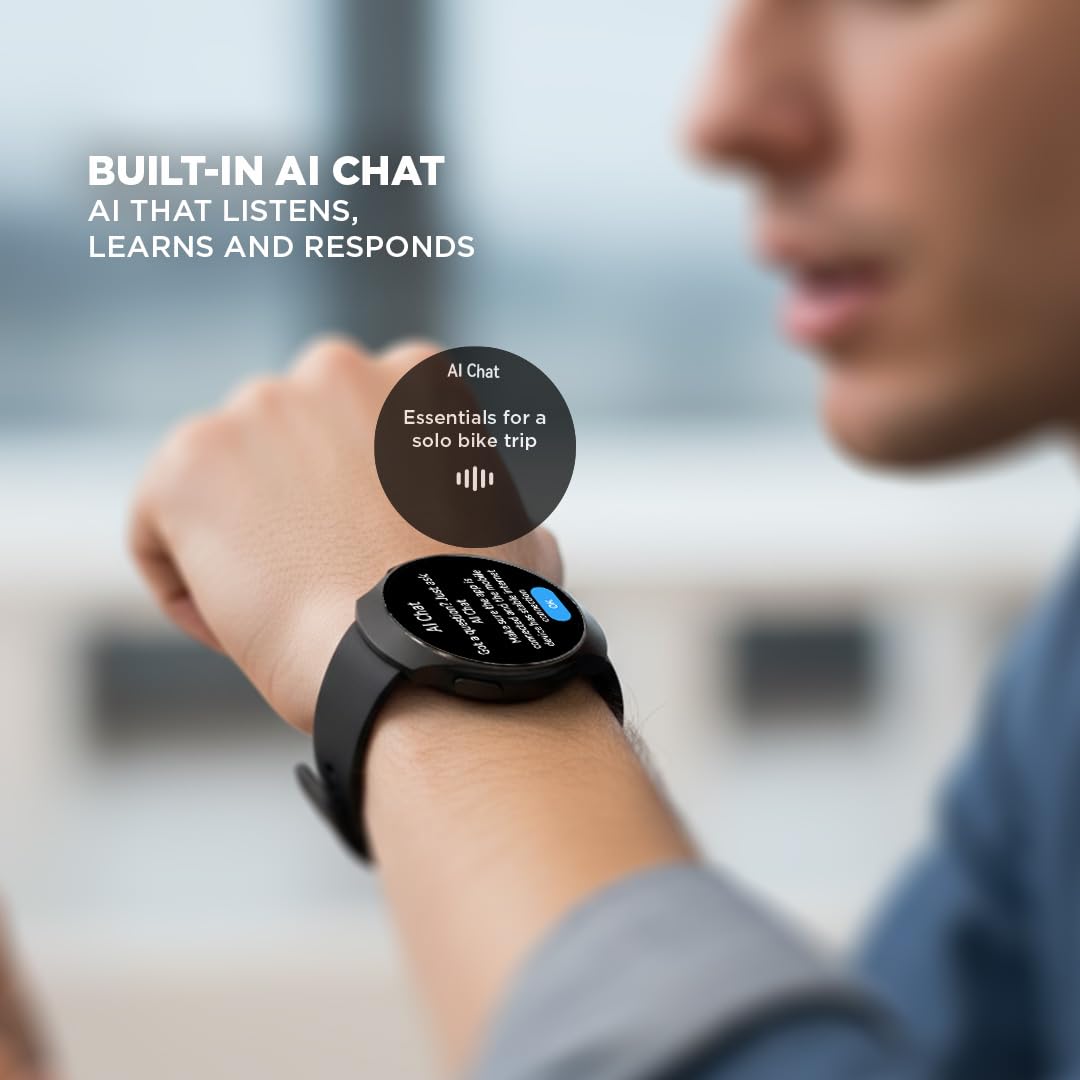
Image: A user interacting with the built-in AI Chat feature on the Fastrack VOX CirQ Smart Watch.
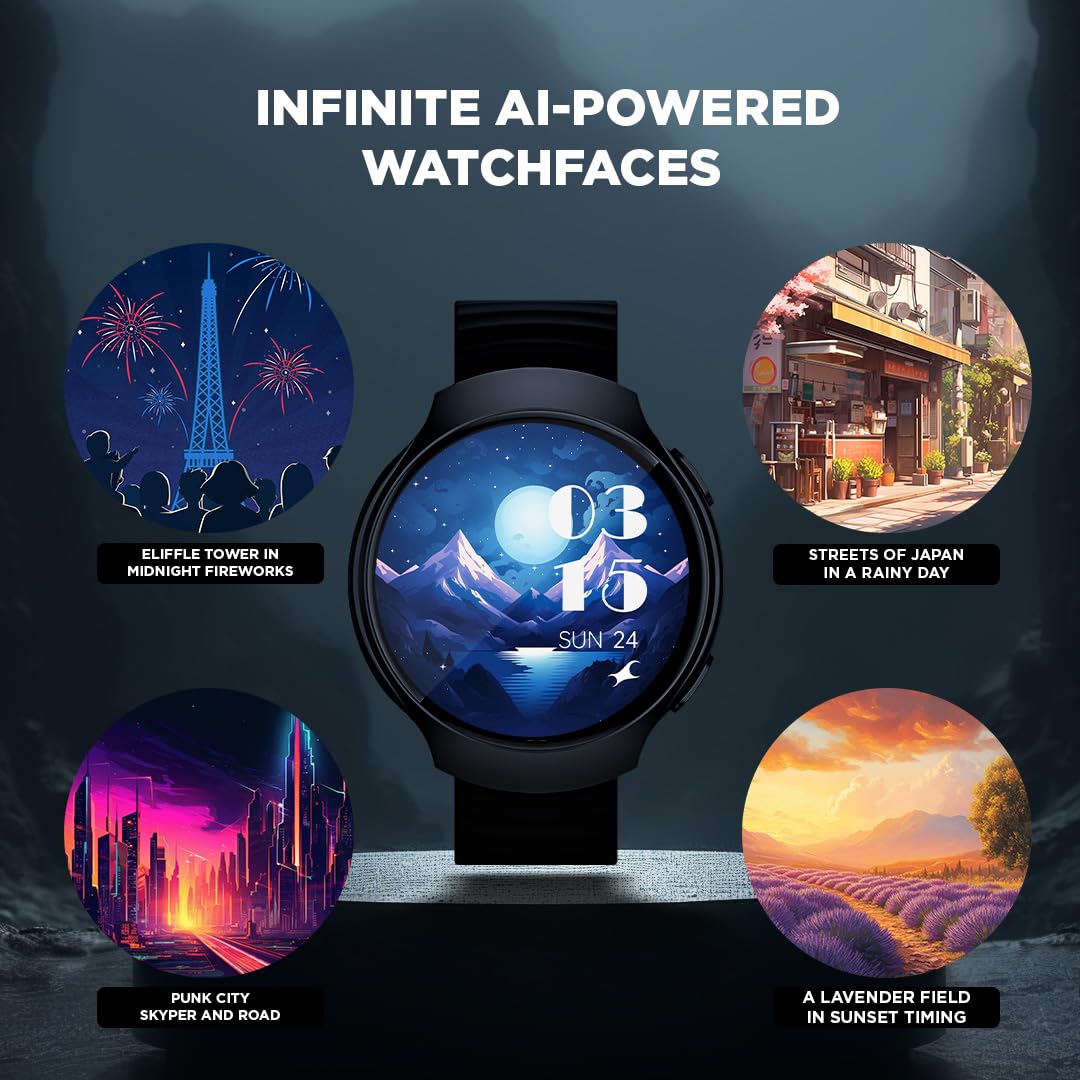
Image: Examples of infinite AI-powered watchfaces available for the Fastrack VOX CirQ Smart Watch.
2.4 Health Monitoring (24/7 Health Suite)
The Fastrack VOX CirQ provides continuous health tracking features.
- Heart Rate Monitor (HRM): Tracks your heart rate throughout the day. View real-time data on the watch or detailed trends in the app.
- SpO2 Monitoring: Measures your blood oxygen saturation levels.
- Sleep Tracking: Monitors your sleep patterns, including deep sleep, light sleep, and awake times.
- Stress Tracking: Helps you understand your stress levels based on physiological data.
Important: Health monitoring features are for general fitness and wellness purposes only and are not intended for medical diagnosis or treatment. Consult a medical professional for health concerns.
2.5 Activity Tracking (Multisport Mode)
Track your workouts and daily activity with the multisport mode.
- The watch supports various sports modes, including Cycling, Running, and Walking.
- It tracks metrics such as steps, distance, calories burned, and duration.
- Access activity data on the watch or view comprehensive reports in the Fastrack Smart World App.

Image: Overview of Fastrack VOX CirQ features including Bluetooth Calling, 24/7 Health Suite, Multi Sports Mode, and Built-in Games.
2.6 Smart Tools and Voice Control
The Fastrack VOX CirQ includes several convenient tools and supports voice commands.
- Tools: Access a calculator, calendar, alarm, stopwatch, and timer directly from your watch.
- Games: Enjoy built-in games for entertainment.
- Voice Control: Use voice commands to interact with your watch for various functions.
3. Maintenance
3.1 Cleaning Your Smart Watch
To maintain the appearance and functionality of your watch:
- Wipe the watch and strap regularly with a soft, damp, lint-free cloth.
- Avoid using harsh chemicals, abrasive cleaners, or solvents.
- Ensure the charging contacts are clean and dry before charging.
3.2 Water Resistance
The Fastrack VOX CirQ is IP68 water resistant, meaning it can withstand immersion in water up to 1.5 meters for a limited time.
- It is suitable for daily use, such as hand washing, rain, or accidental splashes.
- Avoid using the watch in hot water, saunas, or steam rooms.
- Do not press buttons underwater.
- Dry the watch thoroughly after exposure to water, especially before charging.
3.3 Battery Care
- Avoid fully discharging the battery frequently.
- Store the watch in a cool, dry place when not in use for extended periods.
- Use only the provided magnetic charging cable.
4. Troubleshooting
If you encounter issues with your Fastrack VOX CirQ Smart Watch, refer to the following common solutions.
| Problem | Possible Solution |
|---|---|
| Watch not turning on | Ensure the watch is fully charged. Press and hold the power button for at least 10-15 seconds. |
| Cannot pair with smartphone |
|
| Inaccurate health data |
|
| Battery drains quickly |
|
| Display unresponsive | Restart the watch. If the issue persists, ensure the screen is clean and dry. |
5. Specifications
| Feature | Detail |
|---|---|
| Model Name | Fastrack VOX CirQ |
| Model Number | 38183PP03K |
| Display | 1.38-inch 2.5D TFT LCD, 450 Nit Brightness |
| Connectivity | Bluetooth |
| Operating System | Smartwatch OS |
| Memory Storage Capacity | 128 MB |
| Battery Type | Lithium Polymer |
| Battery Life (Average) | 5 Days |
| Charge Time | 1 Hour |
| Water Resistance | IP68 (up to 1.5 meters) |
| Band Material | Silicone |
| Case Material | Silicone |
| Weight | 42 Grams |
| Sensors | Accelerometer, Optical Heart Rate Sensor, Galvanic Skin Response Sensor |
| Compatible Devices | Android Devices, iOS Devices |
6. Warranty and Support
6.1 Warranty Information
Your Fastrack VOX CirQ Smart Watch comes with a 1 Year Manufacturer Warranty from the date of purchase. This warranty covers manufacturing defects. Please retain your purchase receipt for warranty claims. The warranty does not cover damage caused by misuse, accidents, unauthorized repairs, or normal wear and tear.
Refer to the included Warranty Card for complete terms and conditions.
6.2 Customer Support
For technical assistance, warranty claims, or any other inquiries regarding your Fastrack VOX CirQ Smart Watch, please contact Fastrack customer support.
Manufacturer Contact Information:
Titan Company Limited
3 Sipcot Industries complex,
Hosur- 635126, India
You may also visit the official Fastrack website for support resources and FAQs.