
ELIKIDSTO Y15-Y13
ELIKIDSTO Y15-Y13 Motorcycle Helmet Bluetooth Headset Speakers User Manual
Model: Y15-Y13
1. Introduction
This manual provides detailed instructions for the installation, operation, and maintenance of your ELIKIDSTO Y15-Y13 Motorcycle Helmet Bluetooth Headset Speakers. Please read this manual thoroughly before use to ensure proper functionality and to maximize your riding experience.

Image 1.1: ELIKIDSTO Y15-Y13 Motorcycle Helmet Bluetooth Headset Speakers main unit.
2. Package Contents
Verify that all items listed below are included in your package:
- Motorcycle helmet Bluetooth headset (main unit)
- Boom microphone
- Clamp-on base
- Adhesive base
- Stickers (for mounting)
- Type-C Charging Cable
- User Manual

Image 2.1: Diagram illustrating the components included in the ELIKIDSTO Y15-Y13 package.
3. Product Overview
The ELIKIDSTO Y15-Y13 headset features a compact design with intuitive button controls and vibrant RGB lighting. It integrates high-fidelity audio, noise cancellation, and voice assistant capabilities for an enhanced riding experience.
Key Features:
- High-Fidelity Audio: Equipped with a professional sound decoding chip and 40mm speakers for clear stereo sound.
- Dual Noise Cancellation: CVC and DSP technologies reduce ambient noise for clearer communication.
- Long Battery Life: 1000mAh battery provides over 20 hours of music/talk time with a 2-hour charge.
- IPX6 Waterproof: Designed to withstand various weather conditions.
- Voice Assistant Support: Easily activate your phone's voice assistant (e.g., Siri) for hands-free control.
- Automatic Call Answering: Incoming calls are answered automatically after 10 seconds.
- Large Buttons: Designed for easy operation even with riding gloves.
- RGB Lighting: Features 7 customizable lighting effects.

Image 3.1: Illustration of the high-definition audio speaker components.

Image 3.2: Visual representation of the CVC+DSP dual intelligent noise reduction feature.
4. Installation
The ELIKIDSTO Y15-Y13 headset is designed for easy installation on various helmet types using either a clamp-on or adhesive base.
Installation Steps:
- Choose Mounting Base: Select either the clamp-on base for helmets with an edge or the adhesive base for smooth surfaces. Securely attach the chosen base to the side of your helmet.
- Install Speakers: Place the speakers into the designated speaker pockets inside your helmet. Ensure they are positioned directly over your ears for optimal sound quality.
- Install Microphone: Attach the boom microphone inside the helmet, positioning it close to your mouth for clear voice pickup.
- Mount Main Unit: Slide the main Bluetooth headset unit onto the installed base on the outside of your helmet.
- Connect Speaker/Mic Cable: Connect the speaker/microphone cable to the Type-C port on the main headset unit. Ensure the connector is fully inserted until you hear a distinct "PA" sound. Improper connection can lead to no sound or low volume.

Image 4.1: Headset main unit installed on the side of a helmet.

Image 4.2: Proper insertion of the Type-C speaker/microphone cable into the main unit.
5. Operation
5.1 Power On/Off
- Power On: Press and hold the power button (usually the central function button) for approximately 3 seconds until the indicator light illuminates.
- Power Off: Press and hold the power button for approximately 5 seconds until the indicator light turns off.
5.2 Bluetooth Pairing
- Ensure the headset is powered off.
- Press and hold the main function button for approximately 5-7 seconds until the red and blue indicator lights flash alternately. This indicates pairing mode.
- On your mobile phone, enable Bluetooth and search for available devices.
- Select "ELIKIDSTO Y15-Y13" (or similar model name) from the list of devices.
- Once connected, the indicator light will typically show a solid blue or flash slowly. The headset can connect to two phones simultaneously.
5.3 Music Playback
- Play/Pause: Short press the main function button.
- Next Track: Short press the "+" button.
- Previous Track: Short press the "-" button.
5.4 Call Management
- Answer Call: Incoming calls will be automatically answered after 10 seconds. You can also short press the main function button to answer immediately.
- End Call: Short press the main function button.
- Reject Call: Press and hold the main function button for 2 seconds.

Image 5.1: The headset's automatic call answering feature in action.
5.5 Voice Assistant
To activate your phone's voice assistant (e.g., Siri, Google Assistant), simply press the dedicated voice control button on the headset. This allows for hands-free navigation, music control, and other commands.

Image 5.2: A rider utilizing the AI Voice Assistant feature for hands-free control.
5.6 Volume Adjustment
- Increase Volume: Press and hold the "+" button.
- Decrease Volume: Press and hold the "-" button.
- For optimal volume, adjust the volume on your mobile phone prior to riding.
- Ensure speakers are positioned close to your ears within the helmet and not obstructed by the helmet lining.
5.7 RGB Lights
The headset features 7 cool RGB lighting effects. Specific controls for changing light modes are typically integrated with one of the main buttons (refer to quick start guide for exact button combination if not specified here).
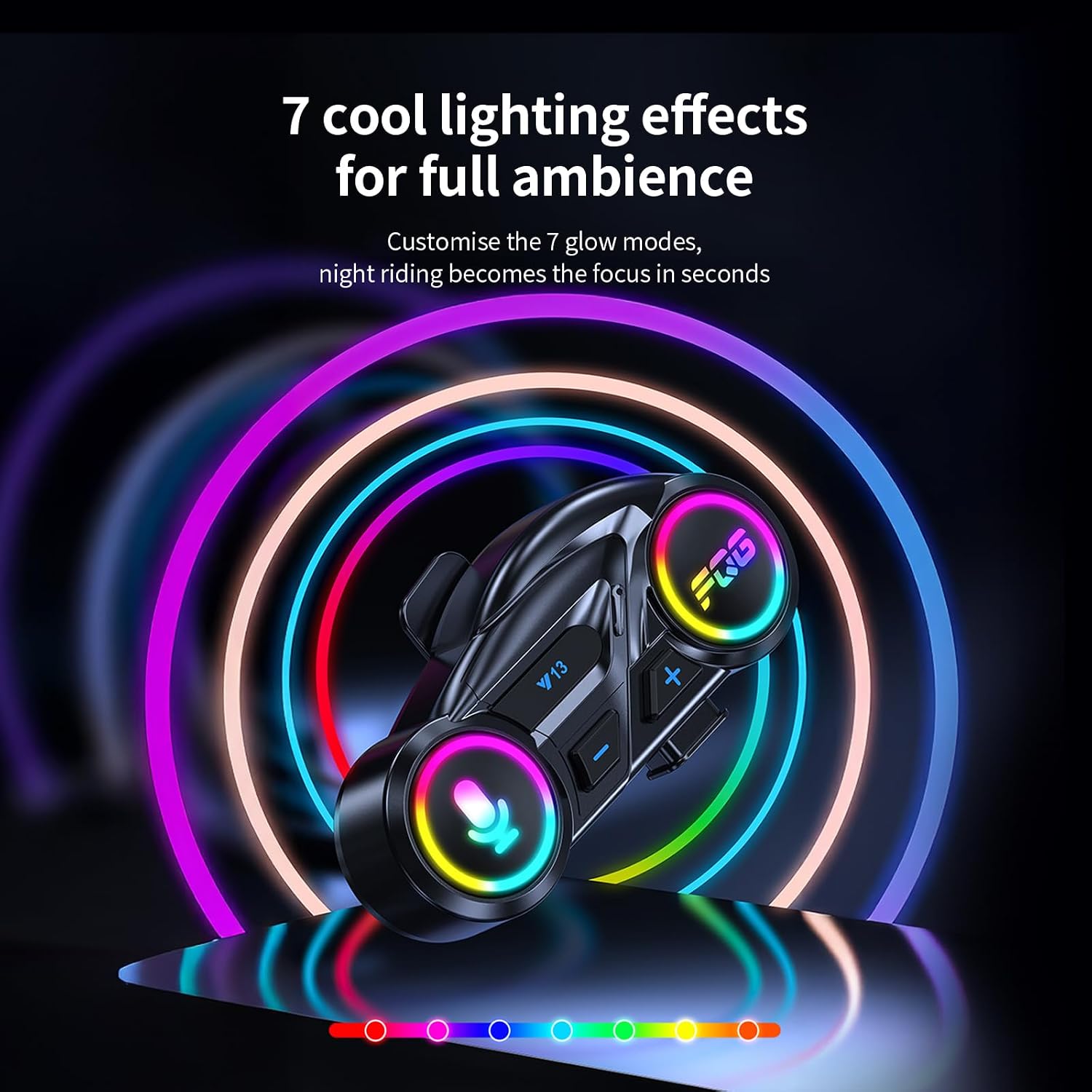
Image 5.3: The headset displaying its customizable RGB lighting effects.
6. Charging
The ELIKIDSTO Y15-Y13 is equipped with a 1000mAh battery, providing over 20 hours of usage. Charging takes approximately 1-2 hours.
- Connect the provided Type-C charging cable to the charging port on the headset and to a standard USB power adapter (not included).
- The indicator light will typically show red during charging and turn blue or off when fully charged.
- The headset features a low power warning and a power-saving mode to extend battery life.

Image 6.1: Battery specifications including capacity, usage time, and charging duration.
7. Maintenance
- Cleaning: Use a soft, dry cloth to clean the headset. Avoid using harsh chemicals or abrasive materials.
- Water Resistance: The headset is IPX6 waterproof, meaning it is protected against high-pressure water jets from any direction. While it can withstand rain, avoid submerging it in water.
- Storage: Store the headset in a cool, dry place when not in use. Avoid extreme temperatures.

Image 7.1: The headset demonstrating its IPX6 waterproof capability.
8. Troubleshooting
| Problem | Possible Cause | Solution |
|---|---|---|
| No sound or low volume from speakers | Speaker/microphone cable not fully inserted; volume too low on headset or phone; speakers obstructed or misplaced. | Ensure the Type-C speaker/microphone cable is fully plugged into the main unit until it clicks. Increase volume on both the headset and your phone. Reposition speakers closer to your ears and ensure no helmet lining obstruction. |
| Headset does not power on | Low battery; power button not pressed correctly. | Charge the headset for at least 1 hour. Press and hold the power button for the specified duration (approx. 3 seconds). |
| Unable to pair with phone | Headset not in pairing mode; phone's Bluetooth off; too many devices connected. | Ensure headset is in pairing mode (red and blue lights flashing). Turn on Bluetooth on your phone. Forget previous Bluetooth connections on your phone and try again. |
| Poor call quality | Microphone not positioned correctly; high ambient noise. | Adjust the boom microphone closer to your mouth. The headset features CVC+DSP noise cancellation, but extreme noise may still affect clarity. |
9. Specifications
| Feature | Detail |
|---|---|
| Model Name | Y15-Y13 |
| Connectivity Technology | Bluetooth |
| Wireless Communication | Bluetooth |
| Noise Control | Active Noise Cancellation (CVC+DSP) |
| Audio Driver Size | 40 Millimeters |
| Frequency Response | 18000 Hz |
| Sensitivity | 85 dB |
| Impedance | 32 Ohm |
| Battery Capacity | 1000mAh |
| Charging Time | 1-2 Hours |
| Music/Talk Time | Over 20 Hours |
| Water Resistance Level | IPX6 Waterproof |
| Control Type | Button Control |
| Compatible Devices | Cellphones |
| Item Weight | 14 Grams (0.494 ounces) |
| Material | Plastic |
| Special Features | Built-In Voice Assistant, Fast Charging, Lightweight, Microphone Included, Noise Cancellation, RGB Lights |
10. Warranty and Support
For warranty information or technical support, please refer to the contact details provided with your purchase or visit the official ELIKIDSTO website. Keep your proof of purchase for any warranty claims.
Ask a question about this manual
Ask about setup, troubleshooting, compatibility, parts, safety, or missing instructions. Manuals+ will review the question and use this page’s manual context to help answer it.