
1. Introduction
This manual provides instructions for the safe and efficient use of your new Generic AC Adapter, designed specifically for the Remington VPG6530 Trimmer. Please read this manual thoroughly before use and retain it for future reference. This adapter is a high-quality replacement power supply, ensuring compatibility and reliable performance for your device.

Figure 1: Overview of the AC Adapter with its power cord and DC connector.
2. Setup
- Unpack the Adapter: Carefully remove the AC adapter from its packaging. Inspect it for any visible damage.
- Connect to Power Outlet: Plug the AC adapter's two-prong plug into a standard 100-240V AC wall outlet. Ensure the outlet is easily accessible.
- Connect to Device: Insert the DC connector end of the adapter cable firmly into the charging port of your Remington VPG6530 Trimmer.

Figure 2: The AC adapter showing its input specifications (100-240VAC, 0.3A, 50/60Hz).
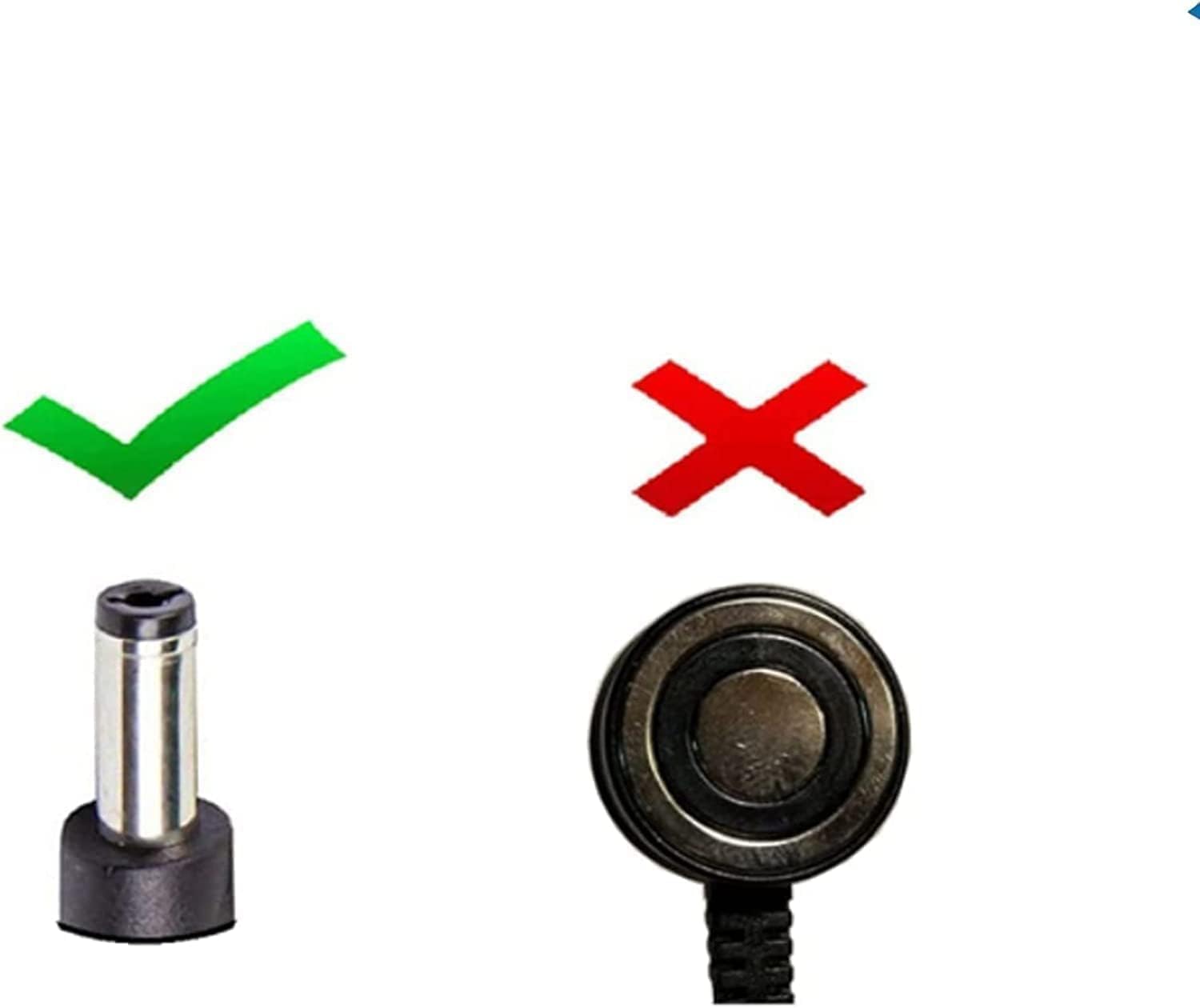
Figure 3: Illustration of the correct DC connector type for compatibility.
3. Operating Instructions
Once the adapter is properly connected to both the power outlet and your Remington VPG6530 Trimmer, the device should begin charging. Refer to your trimmer's user manual for specific charging indicators (e.g., LED lights). The adapter is designed for continuous use during charging.
- Ensure the adapter is securely plugged into both the wall outlet and the trimmer.
- Monitor the trimmer's charging indicator to confirm it is receiving power.
- When charging is complete or if the trimmer is not in use, disconnect the adapter from the wall outlet first, then from the trimmer.
4. Maintenance
Proper maintenance ensures the longevity and safe operation of your AC adapter.
- Cleaning: Disconnect the adapter from all power sources before cleaning. Use a soft, dry cloth to wipe the adapter's surface. Do not use liquid cleaners or abrasive materials.
- Storage: Store the adapter in a cool, dry place away from direct sunlight and moisture when not in use.
- Cable Care: Avoid bending or twisting the cable excessively, especially near the connectors. Do not place heavy objects on the cable.

Figure 4: The adapter cable is designed for durability, withstanding over 10,000 bends.
5. Troubleshooting
If you encounter issues with your AC adapter, refer to the following common solutions:
- Device Not Charging:
- Ensure the adapter is fully plugged into both the wall outlet and the trimmer.
- Try a different wall outlet to rule out a faulty power source.
- Check the trimmer's charging port for any obstructions or damage.
- Adapter Feels Hot:
- It is normal for the adapter to feel warm during operation. If it becomes excessively hot or emits a burning smell, immediately disconnect it from the power source and discontinue use.
- Loose Connection:
- Ensure all connections are firm. A loose connection can prevent proper charging.
6. Specifications
| Feature | Specification |
|---|---|
| Input Voltage | 100-240V AC, 50/60Hz |
| Connector Type | DC Connector |
| Compatible Devices | Remington VPG6530 Trimmer |
| Color | Black |
| Safety Features | Overvoltage Protection, Overcurrent Protection, Overload Protection, Short Circuit Protection, Over Temperature Protection |

Figure 5: The adapter incorporates multiple protection features for safe operation.
7. Safety Information
To ensure safe operation and prevent damage, please observe the following safety guidelines:
- This adapter is designed for indoor use only. Do not expose it to rain, moisture, or extreme temperatures.
- Do not disassemble or modify the adapter. This can lead to electric shock or fire.
- Keep the adapter away from children and pets.
- If the adapter or cable is damaged, discontinue use immediately and replace it with a suitable alternative.
- Ensure the voltage and current ratings of the adapter match the requirements of your device.
- Unplug the adapter during lightning storms or when unused for extended periods.
8. Support
For any questions or concerns regarding this product, please contact the seller directly through the platform where it was purchased. Provide your order details for prompt assistance.