
Introduction
Thank you for choosing the Dowinx Ergonomic Office Chair, Model LS-66W1-02A. This chair is designed to provide optimal comfort and support for extended periods of sitting, whether for work or gaming. Please read this manual thoroughly before assembly and use to ensure proper function and longevity of your chair.
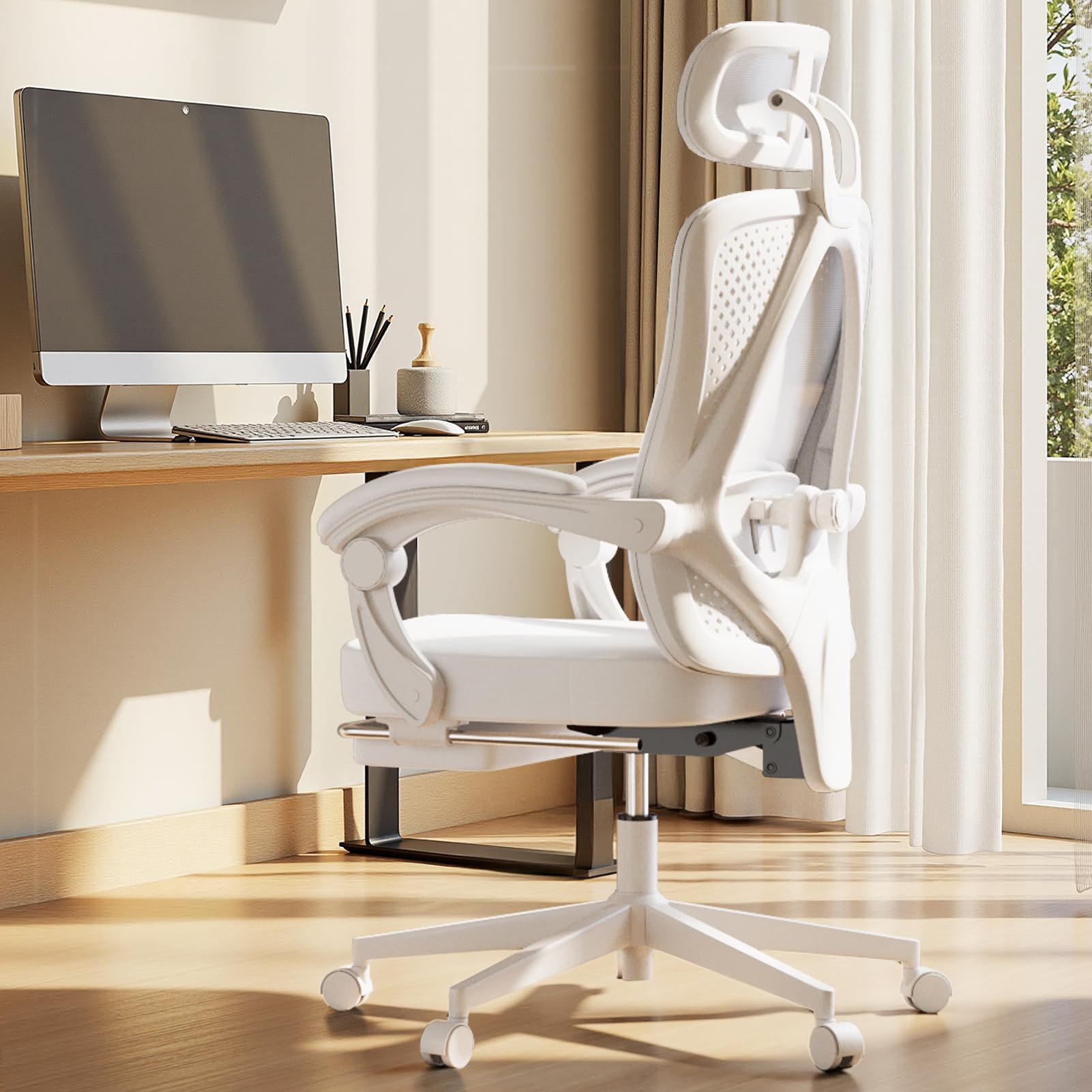
Image: The Dowinx Ergonomic Office Chair, Model LS-66W1-02A, in white, showcasing its design and features in an office environment.
Package Contents
Before assembly, please verify that all components listed below are present in your package. If any parts are missing or damaged, please contact customer support.
- Chair Backrest
- Seat Base with Ottoman
- Armrests (Left and Right)
- Gas Lift Cylinder
- Five-Star Base
- Casters (5 pieces)
- Headrest
- Lumbar Support Mechanism
- Assembly Hardware Kit (screws, washers, etc.)
- Hex Wrench
- Assembly Instructions (Japanese and English)

Image: An exploded diagram illustrating all individual components of the chair and their respective dimensions.
Setup and Assembly
Assembly of the Dowinx office chair is designed to be straightforward and can typically be completed by one person using the included tools and instructions. Follow these general steps:
- Attach Casters to the Five-Star Base: Insert each caster into the holes at the end of each leg of the five-star base until it clicks securely into place.
- Insert Gas Lift Cylinder: Place the gas lift cylinder into the central hole of the five-star base.
- Attach Armrests to Seat Base: Secure the left and right armrests to the underside of the seat base using the provided screws and hex wrench. Ensure they are firmly attached.
- Attach Backrest to Seat Base: Align the backrest with the seat base and secure it using the designated screws.
- Mount Seat Assembly onto Gas Lift: Carefully place the assembled seat and backrest onto the gas lift cylinder, ensuring it is centered and stable.
- Install Headrest: Attach the headrest to the top of the backrest.
- Install Lumbar Support: Position the lumbar support mechanism on the backrest as per the instructions.
Refer to the detailed assembly instructions provided in your package for specific diagrams and screw placements.
Operating Instructions
Your Dowinx office chair offers several adjustable features to customize your seating experience:
Height Adjustment
To adjust the chair's height, locate the lever on the right side beneath the seat. Pull the lever up while sitting to lower the chair, or pull it up while standing to raise the chair. Release the lever at your desired height.
Reclining Function (90° to 140°)
The chair can recline from 90° to 140°. To recline, pull the lever on the left side beneath the seat upwards and lean back. Release the lever to lock the backrest in your preferred angle. The armrests are designed to move in conjunction with the recline, providing continuous arm support.

Image: Visual representation of the chair's reclining capability, showing angles from 90 to 140 degrees.
Adjustable Headrest
The headrest can be adjusted vertically by 6 cm and swivels up to 50° to provide optimal neck and head support. Adjust it to match your height and preferred angle for maximum comfort.

Image: Detailed view of the headrest adjustments, including vertical movement and swivel angles.
Adjustable Lumbar Support
The lumbar support can be adjusted both vertically and horizontally to conform to the natural S-curve of your spine. Adjust it to provide firm yet comfortable support to your lower back.

Image: Visual guide to adjusting the lumbar support for personalized back comfort.
Retractable Ottoman
For enhanced relaxation, pull out the integrated ottoman from beneath the seat. Extend it fully to support your legs when reclining. Push it back in when not in use to save space.

Image: A user demonstrating the retractable ottoman in its extended position, providing leg support.
Maintenance
Regular maintenance will help prolong the life and appearance of your Dowinx office chair:
- Cleaning Mesh Fabric: Use a soft brush or vacuum cleaner to remove dust and debris. For stains, gently wipe with a damp cloth and mild soap, then blot dry. Avoid harsh chemicals.
- Cleaning Base and Casters: Wipe the five-star base and casters with a damp cloth. Periodically check casters for tangled hair or debris and clean as needed to ensure smooth movement.
- Tightening Fasteners: Over time, screws and bolts may loosen. Periodically check all fasteners and tighten them with the hex wrench provided to maintain stability.
- Avoid Direct Sunlight: Prolonged exposure to direct sunlight can cause fading and material degradation. Position your chair away from direct sunlight when possible.
- Weight Capacity: Do not exceed the recommended weight capacity of 135 kg (297 lbs) to prevent damage and ensure safety.
Troubleshooting
If you encounter any issues with your chair, refer to the following common problems and solutions:
| Problem | Possible Cause | Solution |
|---|---|---|
| Chair does not adjust height | Gas lift cylinder malfunction or lever not engaged. | Ensure the height adjustment lever is fully engaged. If the problem persists, the gas lift cylinder may need replacement. Contact customer support. |
| Chair wobbles or feels unstable | Loose screws or uneven floor. | Check and tighten all assembly screws. Ensure the chair is on a flat, even surface. |
| Casters do not roll smoothly | Debris caught in casters or damaged casters. | Remove any hair or debris from the caster wheels. If casters are damaged, they may need replacement. |
| Backrest does not recline or lock | Recline mechanism jammed or lever not engaged. | Ensure the recline lever is fully engaged and not obstructed. Do not force the mechanism. |
If these solutions do not resolve the issue, please contact Dowinx customer support for further assistance.
Specifications
| Feature | Detail |
|---|---|
| Brand | Dowinx |
| Model Number | LS-66W1-02A (also referred to as LS-66WB01-02) |
| Color | White |
| Material | Mesh |
| Product Dimensions (D x W x H) | 51 cm x 53 cm x 130 cm (20.1 in x 20.9 in x 51.2 in) |
| Item Weight | 16.5 kg (36.4 lbs) |
| Seat Depth | 51 cm (20.1 in) |
| Reclining Angle | 90° to 140° |
| Headrest Adjustment | 6 cm vertical, 50° swivel |
| Lumbar Support Adjustment | Vertical and Horizontal |
| Arm Style | Linked Armrests |
| Casters | Silent PU Casters |
| Base | Sturdy Steel Five-Star Base |
| Assembly Required | Yes |
| Country of Origin | China |
Image: Technical drawing with all key dimensions of the chair.
Warranty and Customer Support
Dowinx is committed to providing high-quality products and excellent customer service. Your chair comes with a manufacturer's warranty. For specific warranty details, please refer to the documentation included with your purchase or contact our customer support.
If you have any questions, concerns, or require assistance with assembly, operation, or troubleshooting, please do not hesitate to contact our dedicated customer support team. We are ready to provide prompt assistance to ensure your satisfaction.
Contact Information: Please refer to your purchase receipt or the Dowinx official website for the most up-to-date customer support contact details.