
Introduction
Thank you for choosing the Auxmir BM-2435 Dual-Sided Lighted Magnifying Mirror. This manual provides essential information for the safe and effective use of your new mirror. Please read it thoroughly before operation and retain it for future reference.
Safety Information
Attention: Use the mirror with caution, especially at 30x magnification, to avoid injury. When using the 30X magnification side, maintain a viewing distance of approximately 10 cm (4 inches) from the mirror to ensure a clear and focused image. This is normal for high magnification mirrors.
- Do not expose the mirror to direct sunlight or strong light sources, as this may cause fire or damage.
- Keep out of reach of children.
- Do not disassemble or modify the mirror.
- Use only the provided charging cable or a certified Type-C cable for charging.
- Avoid dropping the mirror or subjecting it to strong impacts.
- Clean the mirror surfaces with a soft, dry cloth. Do not use abrasive cleaners.
Package Contents
Verify that all items are present in your package:
- 1 x Auxmir Dual-Sided Lighted Magnifying Mirror
- 1 x USB Type-C Charging Cable
- 1 x User Manual
- (Optional: 1 x Tweezer, if included in your specific package)

Image: The Auxmir mirror, USB-C charging cable, and a tweezer (if included).
Product Overview
The Auxmir BM-2435 mirror features a dual-sided design with 1X and 30X magnification, integrated LED lighting, and a smart display for battery and time information. Its versatile design allows for handheld, tabletop, or hanging use.

Image: Illustration of the 1X and 30X magnification sides, highlighting the 10cm viewing distance for 30X.
Key Components:
- 1X Mirror Side: Provides a true-to-life reflection for general makeup application and skincare.
- 30X Magnifying Side: Ideal for detailed tasks such as eyebrow plucking, eyeliner application, or contact lens insertion.
- LED Light Ring: Surrounds the mirror for even illumination.
- Smart LED Display: Shows current time and battery level.
- Power Button: Controls power and light modes.
- Brightness Adjustment: Long press the power button to adjust brightness.
- Foldable Stand/Handle: Allows for tabletop, handheld, or hanging use.
- Type-C Charging Port: For recharging the internal battery.
Setup
Initial Charging:
- Before first use, fully charge the mirror.
- Connect the provided USB Type-C cable to the charging port on the mirror.
- Connect the other end of the cable to a USB power adapter (not included) or a computer USB port.
- The LED display will indicate charging status. A full charge typically takes about 3 hours.

Image: The mirror displaying battery information and indicating 3 hours charging time for 18 hours working time.
Positioning the Mirror:
- Tabletop Use: Unfold the integrated stand to position the mirror upright on a flat surface.
- Handheld Use: Fold the stand to use the mirror as a comfortable handheld device.
- Hanging Use: The stand can be adjusted to form a hook for hanging the mirror on a wall or hook.

Image: The mirror being used handheld and hanging on a wall hook.
Operating Instructions
Power On/Off:
- Press the power button once to turn on the LED lights.
- Press and hold the power button for 2 seconds to turn off the LED lights.
- The mirror features a 30-minute auto-off function to conserve battery.
Changing Magnification:
The mirror is dual-sided. Simply rotate the mirror to switch between the 1X (normal view) and 30X (magnified view) sides.
Adjusting Lighting Modes:
The mirror offers 3 color lighting modes:
- With the mirror lights on, short press the power button to cycle through the modes:
- Cool Light (6000K-6500K): Suitable for office or formal settings.
- Natural Light (4500K-5000K): Ideal for daily life and skincare routines.
- Warm Light (3000K-3500K): Best for evening makeup or party settings.
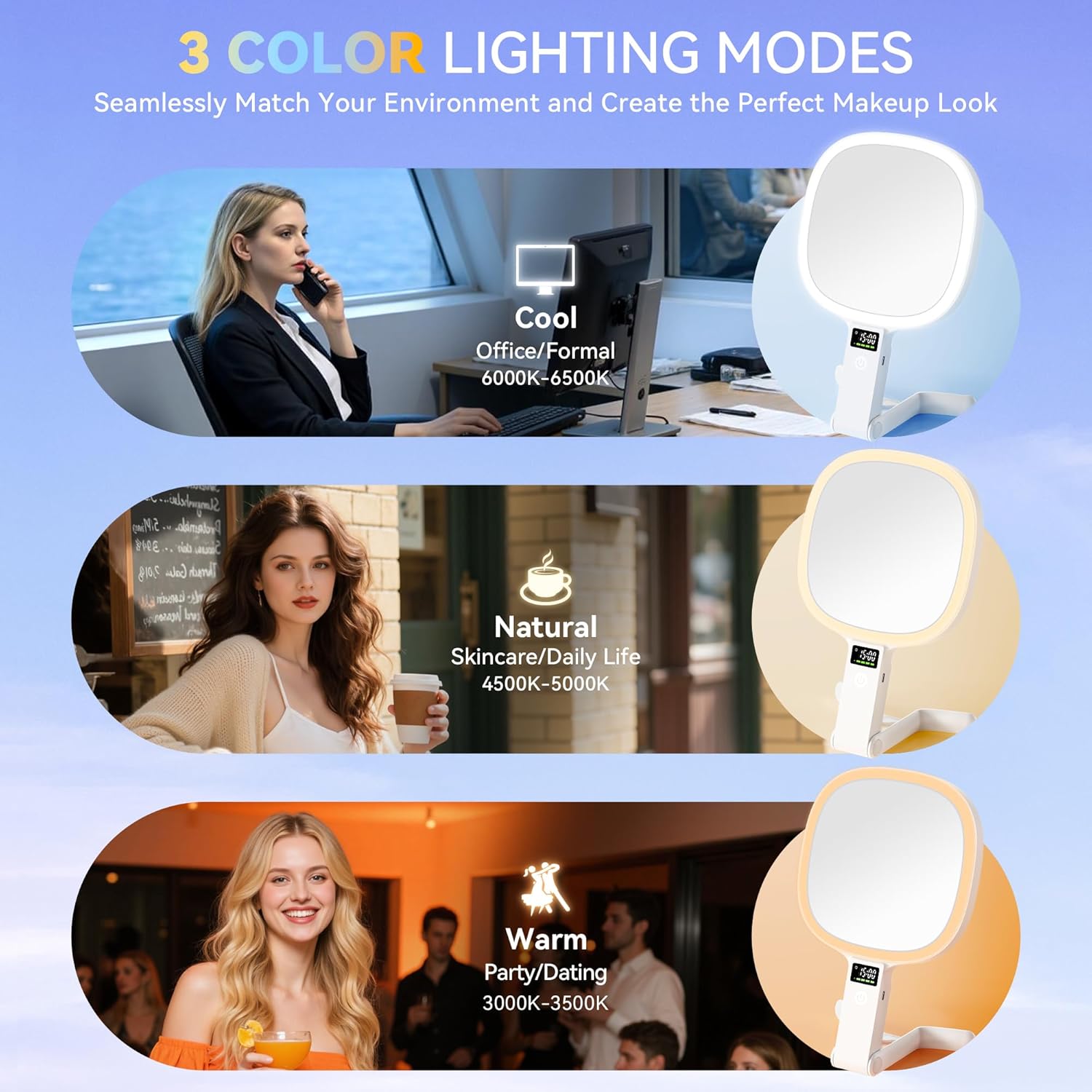
Image: Visual representation of the mirror's three color lighting modes and their recommended uses.
Adjusting Brightness:
To adjust the brightness of the LED lights:
- With the mirror lights on, long press the power button. The brightness will gradually increase or decrease.
- Release the button when the desired brightness level is reached.
- The mirror offers stepless dimmable brightness from 10% to 100%.
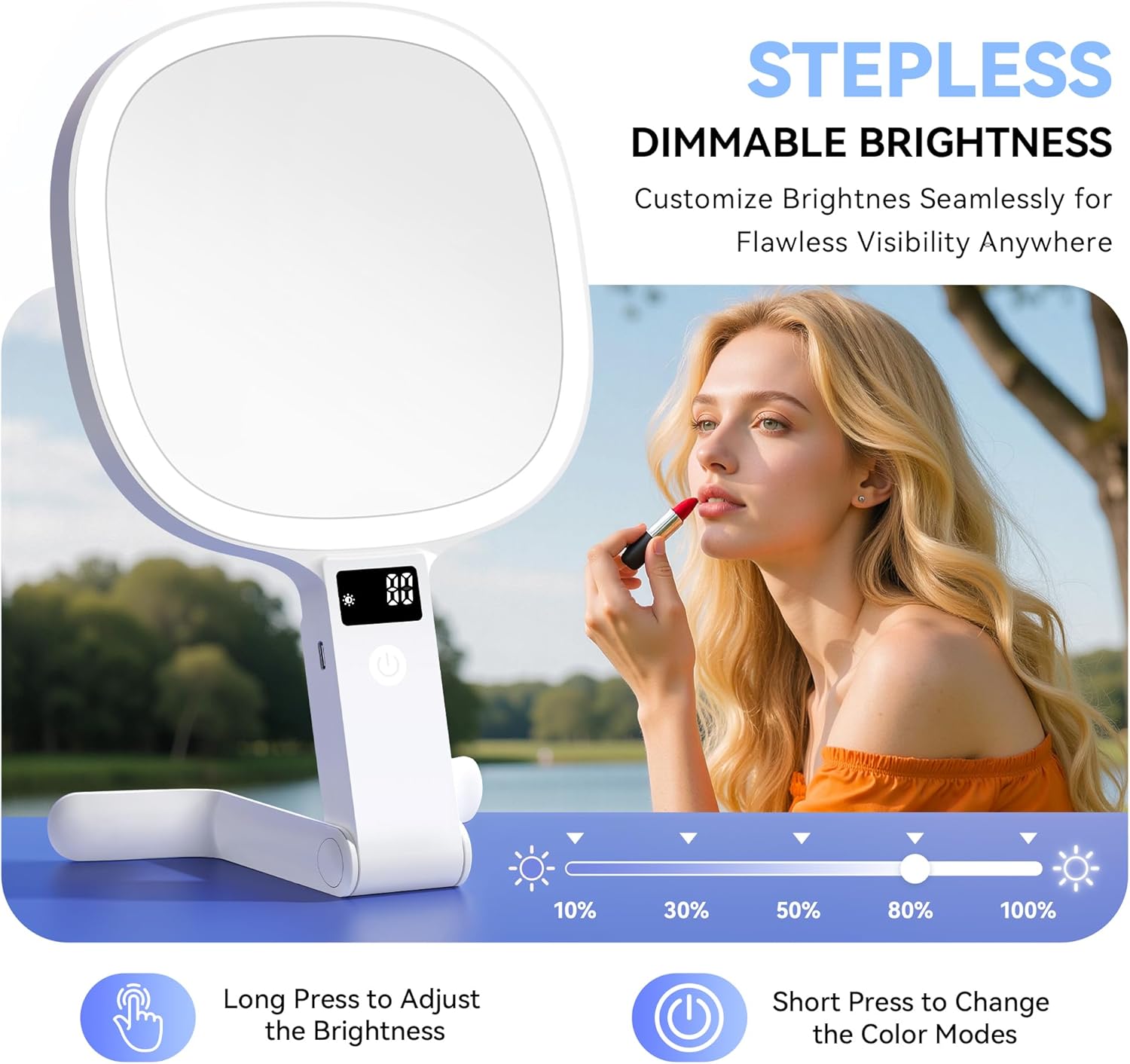
Image: Diagram showing how to long press the power button to adjust brightness and short press to change color modes.
Smart LED Display:
The integrated LED display shows the current time and the real-time battery level. This allows you to monitor the mirror's power status at a glance.

Image: Close-up of the mirror's smart display indicating time and battery charge.
Maintenance
Cleaning:
- Ensure the mirror is turned off before cleaning.
- Wipe the mirror surfaces with a soft, lint-free, dry cloth.
- For stubborn smudges, lightly dampen the cloth with water or a mild, non-abrasive glass cleaner. Avoid spraying cleaner directly onto the mirror.
- Do not use abrasive materials, alcohol, or harsh chemicals, as these can damage the mirror's finish or LED components.
- Wipe the body of the mirror with a soft, dry cloth.
Storage:
- Store the mirror in a cool, dry place away from direct sunlight and extreme temperatures.
- When traveling, fold the mirror to protect the mirror surfaces and conserve space.
Troubleshooting
| Problem | Possible Cause | Solution |
|---|---|---|
| Lights do not turn on. | Low battery. | Charge the mirror using the provided Type-C cable. |
| Lights are dim or flickering. | Low battery. | Recharge the mirror. |
| Cannot get a clear view on 30X magnification. | Incorrect viewing distance. | Ensure your face is within 10 cm (4 inches) of the 30X mirror surface. |
| Mirror does not hold a charge. | Faulty charging cable or adapter; battery degradation. | Try a different Type-C cable and USB adapter. If the issue persists, contact customer support. |
| Display not working. | Low battery; internal malfunction. | Charge the mirror. If the display remains unresponsive, contact customer support. |
Specifications
| Model Number | BM-2435 30X |
| Brand | Auxmir |
| Magnification | 1X / 30X |
| LED Quantity | 56 LEDs |
| Light Color Modes | 3 (Cool, Natural, Warm) |
| Brightness Adjustment | Stepless Dimmable (10%-100%) |
| Battery Capacity | 2500 mAh |
| Charging Time | Approx. 3 hours |
| Working Time | Up to 18 hours (depending on brightness) |
| Auto-Off Timer | 30 minutes |
| Material | Acrylonitrile Butadiene Styrene (ABS) |
| Product Dimensions | 26.5 cm (Length) x 15.7 cm (Width) |
| Color | White |
| UPC | 810213635414 |
| Assembly Required | No |
| Included Components | 1 x Mirror, 1 x USB Type-C Cable, 1 x User Manual |
| Country of Origin | China |

Image: The mirror displaying its dimensions (26.5cm x 15.7cm) and weight (392.5g).
Warranty and Support
This Auxmir product is backed by a 36-month warranty. If you encounter any issues or have questions regarding your mirror, please contact Auxmir customer service for assistance. Our dedicated support team is available to help you.
For customer service, please visit the Auxmir Store on Amazon or refer to the contact information provided with your purchase.
