
Introduction
This manual provides detailed instructions for the installation, operation, and maintenance of your J-TREK JX01 Motorcycle Bluetooth Headset. Please read this manual thoroughly before using the device to ensure proper function and safety. The JX01 headset features Bluetooth 5.4, 8-way intercom communication, aptX HD audio, app control, and triple noise cancellation for an enhanced riding experience.
Package Contents
The JX01 package typically includes the following items:
- J-TREK JX01 Bluetooth Headset Unit
- Helmet Speakers (40mm titanium diaphragm)
- Microphone (directional)
- Mounting Brackets (clip-on and adhesive options)
- USB Charging Cable
- User Manual (this document)
- Additional accessories for installation (e.g., Velcro pads, foam covers)
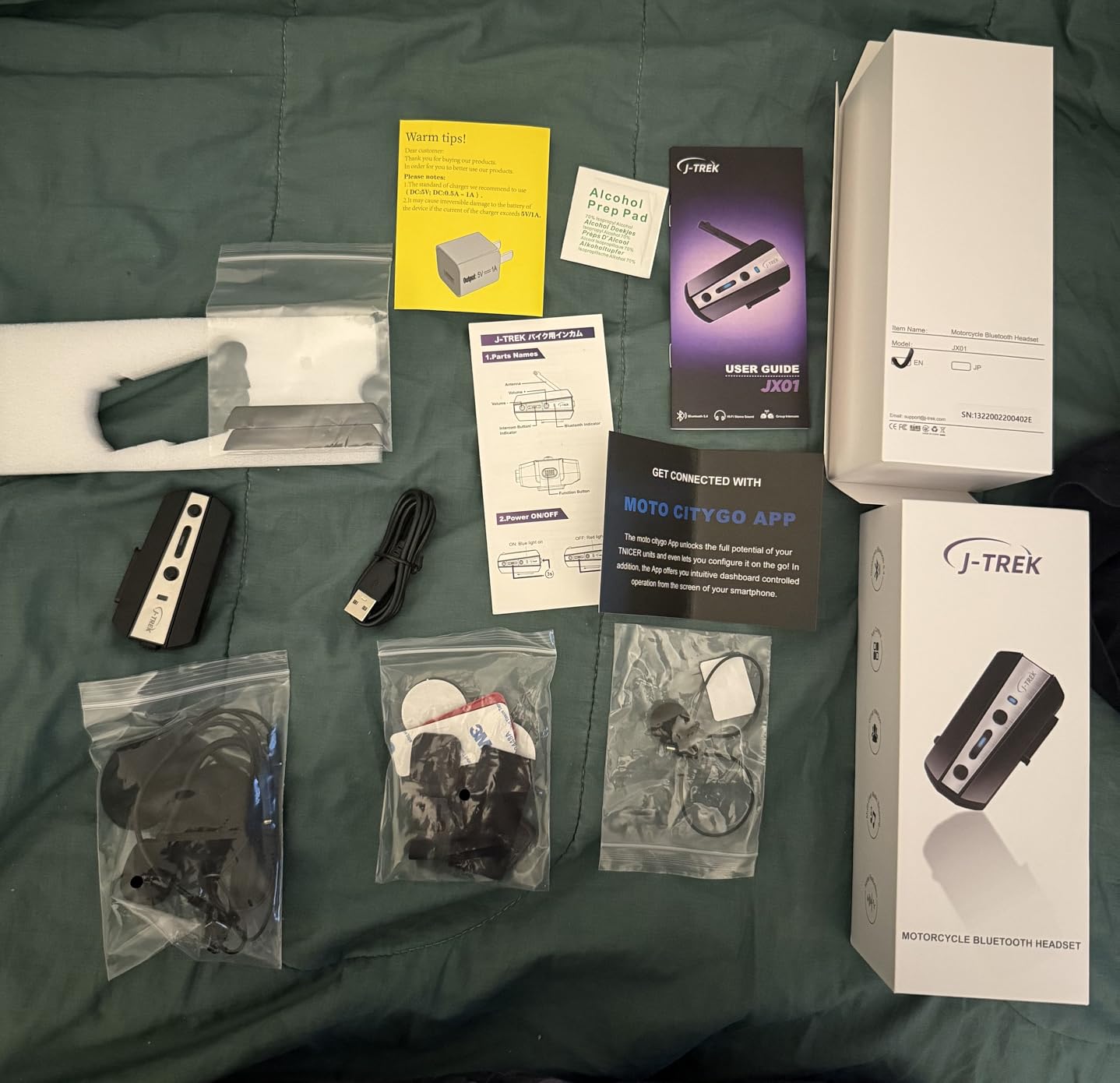
Figure 1: Contents of the JX01 package, including the headset unit, speakers, microphone, and mounting accessories.
Product Overview
The J-TREK JX01 is a high-performance motorcycle Bluetooth headset designed for clear communication and audio quality during rides. Key features include:
- Bluetooth 5.4 Chip: Provides stable connections, improved interference resistance, and ultra-low latency (60ms).
- 8-Way Intercom System: Supports communication for up to 8 riders with a range of up to 1500m.
- aptX HD Audio: Delivers CD-quality sound with low latency (Note: aptX does not support iPhone devices).
- Triple Noise Cancellation: Integrates DSP digital signal processing and CVC 8.0 dual noise-canceling technology for clear voice at speeds up to 130 km/h.
- App Control: Seamless pairing, volume adjustment, track skipping, and firmware updates via a dedicated mobile application.
- IP67 Waterproof and Dustproof: Durable design with custom rubber seals for harsh riding conditions.
- Voice Assistants: Compatible with Siri and Google Assistant.
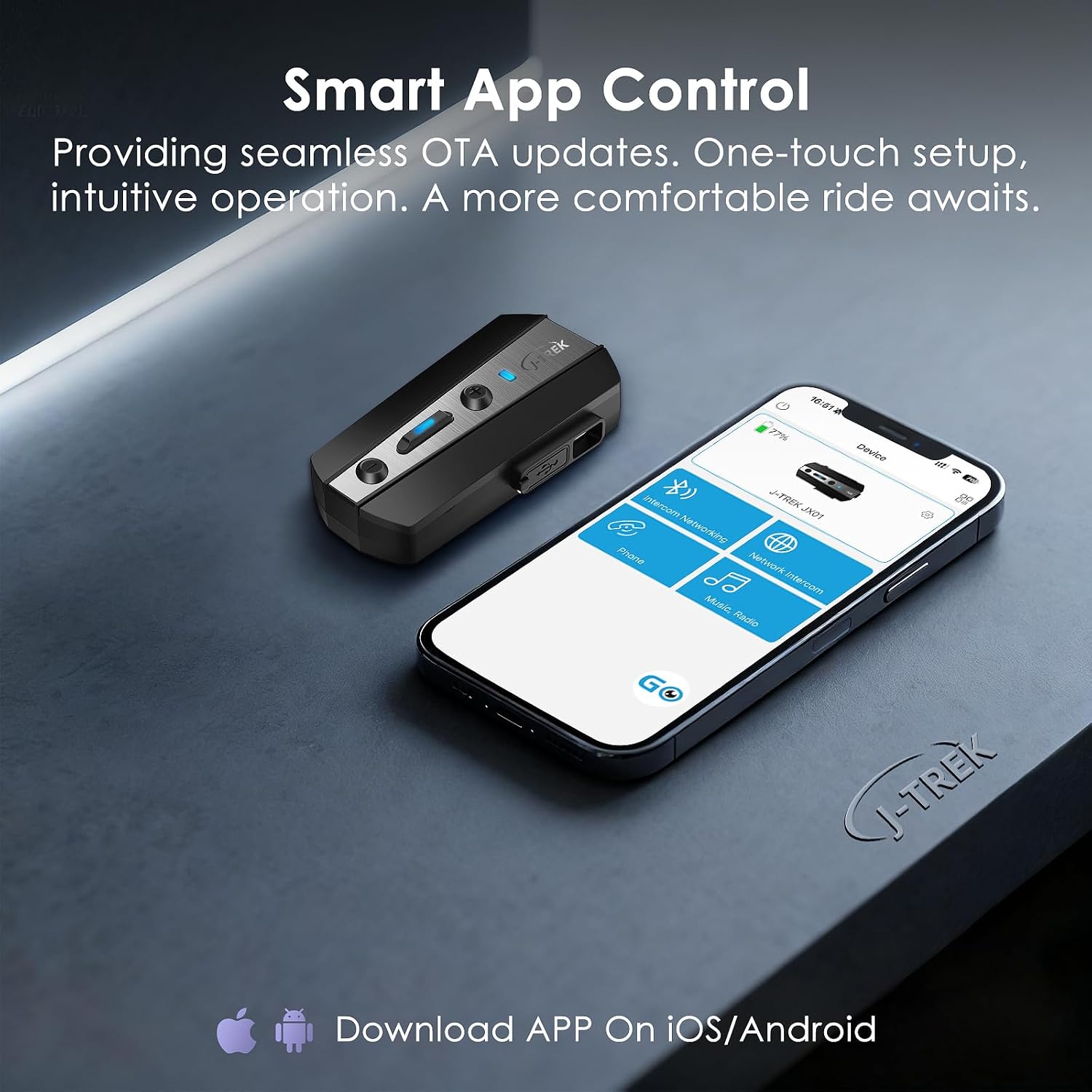
Figure 2: Front view of the JX01 Bluetooth headset unit, highlighting its compact design.
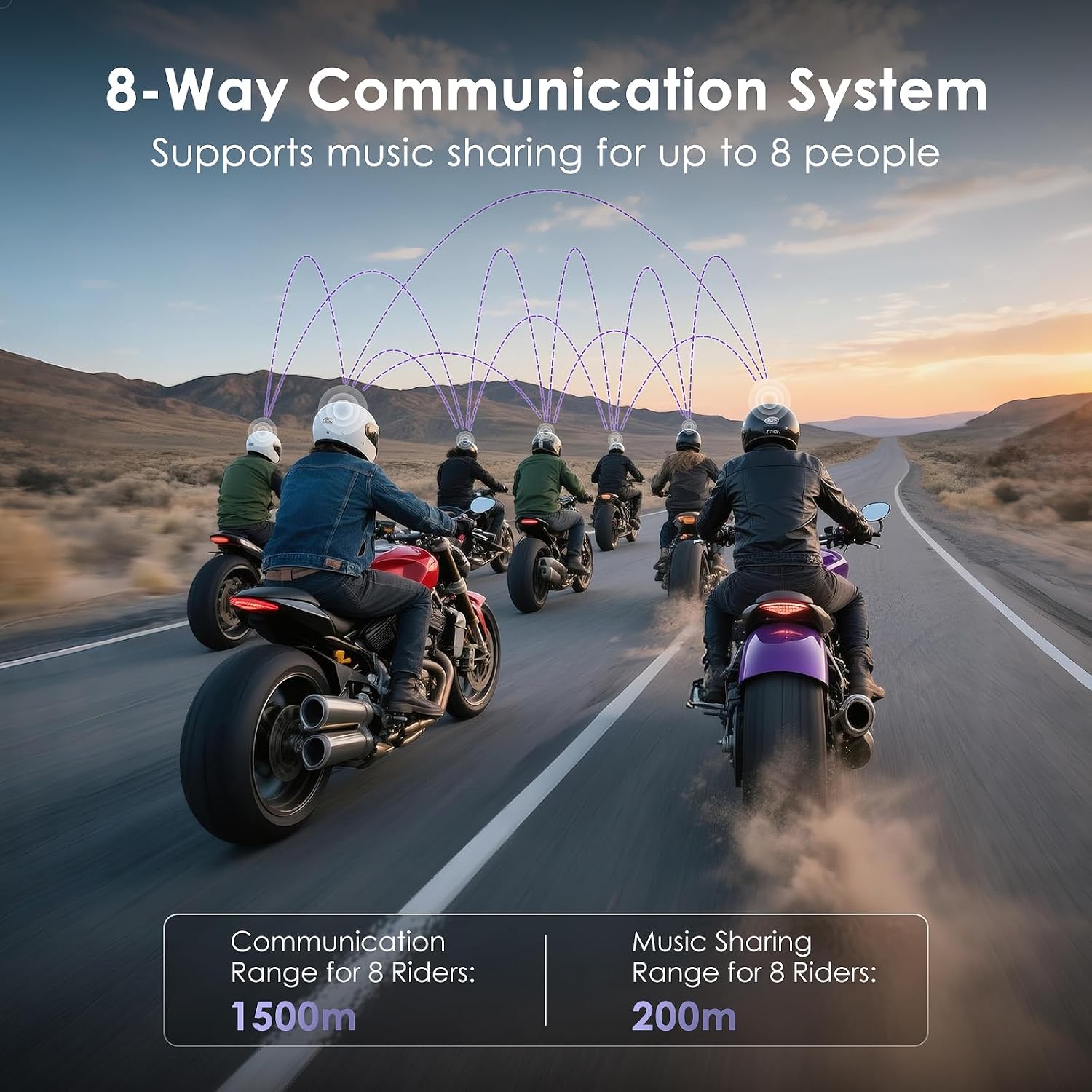
Figure 3: Side view of the JX01 headset, illustrating button layout for control and LED indicator.
Setup and Installation
1. Mounting the Headset
The JX01 offers two mounting options: a clip-on bracket and an adhesive bracket. Choose the option best suited for your helmet.
- Clip-on Mount: Slide the clip between the helmet shell and the inner padding. Ensure it is securely fastened.
- Adhesive Mount: Clean the helmet surface thoroughly. Peel the backing from the adhesive pad and firmly press the bracket onto the desired location on the helmet. Allow sufficient time for the adhesive to cure before use.
Once the bracket is installed, slide the JX01 main unit onto the bracket until it clicks into place.
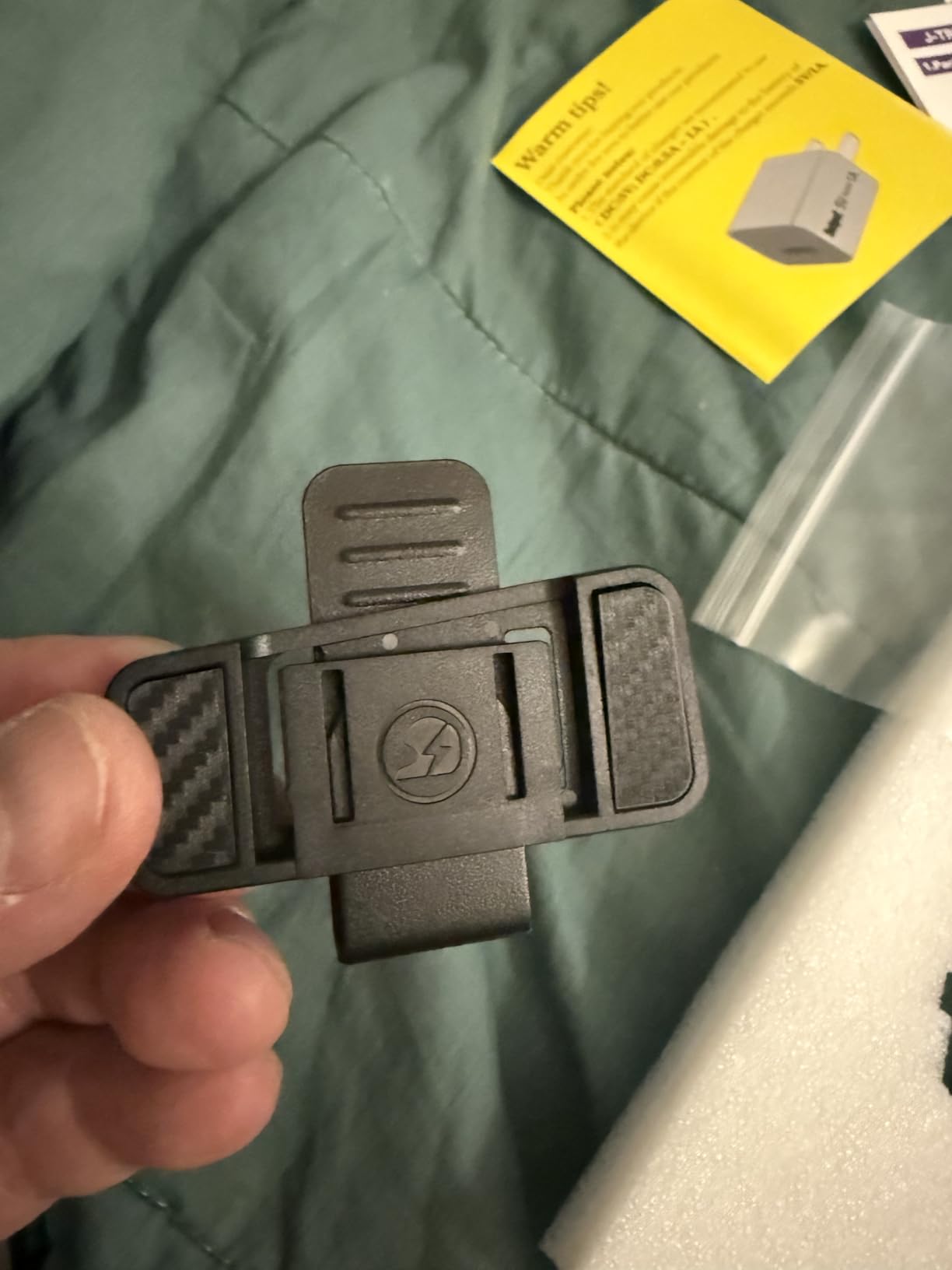
Figure 4: JX01 headset mounted on a helmet, demonstrating proper placement and secure attachment.
2. Speaker and Microphone Installation
Install the speakers into the ear pockets of your helmet. Ensure they are positioned directly over your ears for optimal sound quality. If your helmet has ear space fillers, remove them to prevent the speakers from pressing against your head uncomfortably.
Attach the microphone to the inside of the helmet, positioning it close to your mouth but not directly in front to avoid breath noise. Route all wires neatly under the helmet padding to prevent interference and ensure comfort.
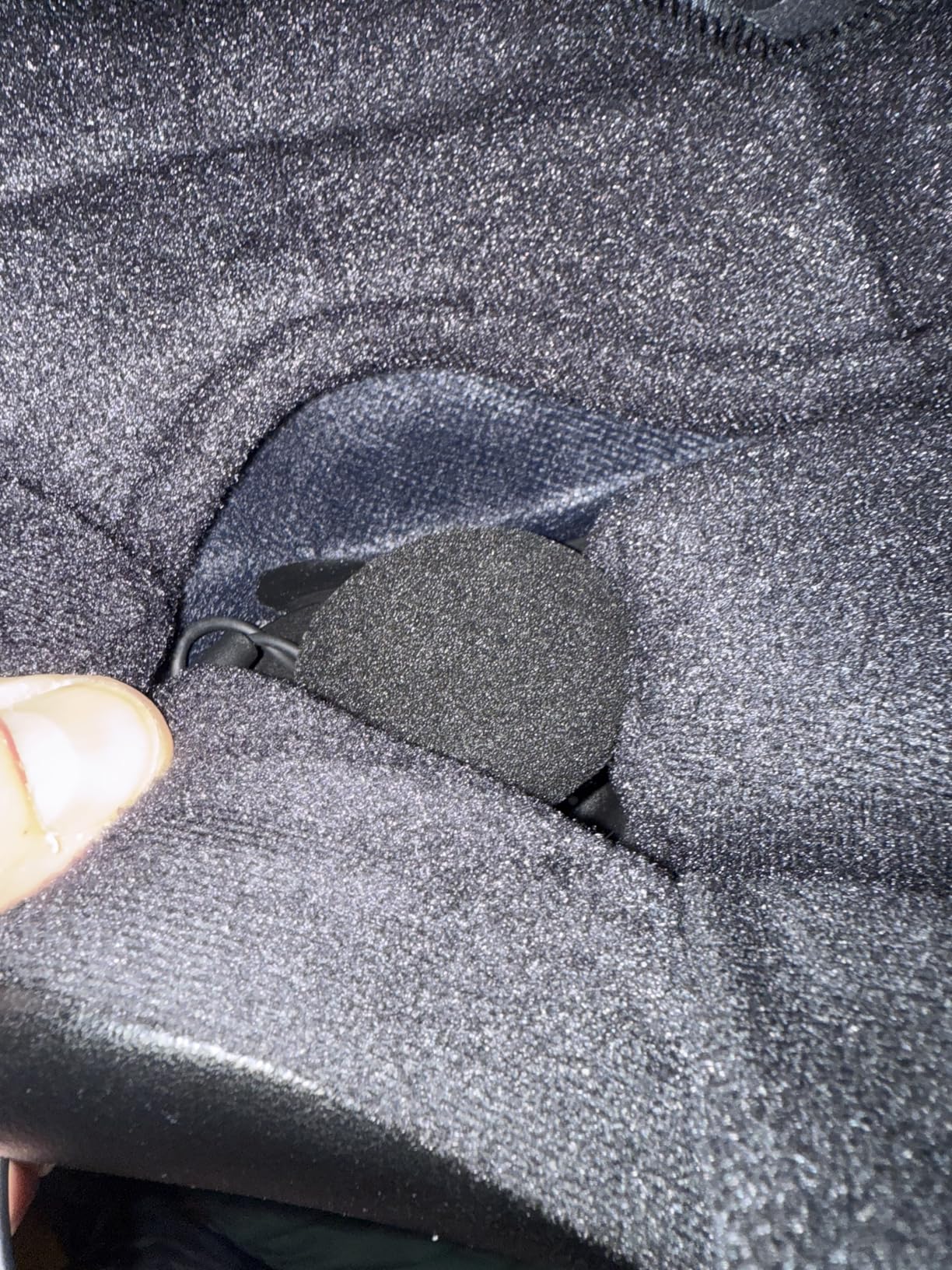
Figure 5: Internal helmet view showing speaker and microphone placement, and proper wire routing for comfort and functionality.
3. Initial Pairing with a Mobile Device
- Ensure the JX01 headset is powered off.
- Press and hold the power button until the LED indicator flashes red and blue, indicating pairing mode.
- On your mobile device, enable Bluetooth and search for "J-TREK JX01".
- Select "J-TREK JX01" to connect. A voice prompt will confirm successful pairing.
Alternatively, use the dedicated J-TREK app for one-touch pairing. Refer to the "App Control" section for more details.
4. Cross-Brand Intercom Pairing
The JX01 supports pairing with other brand intercoms (one device at a time). Refer to the specific instructions for your other intercom device to initiate universal pairing mode, then follow the JX01's pairing instructions for intercom connection.
Operating Instructions
Basic Functions
| Function | Action |
|---|---|
| Power On/Off | Press and hold the Power button for 3 seconds. |
| Volume Up/Down | Press the '+' or '-' button. |
| Play/Pause Music | Press the Multi-function button once. |
| Next/Previous Track | Double-press '+' for next, double-press '-' for previous. |
| Answer/End Call | Press the Multi-function button once. |
| Reject Call | Press and hold the Multi-function button for 2 seconds. |
| Activate Voice Assistant | Press the Voice Assistant button (if available) or specific button combination (refer to quick start guide). |
Intercom Communication
The JX01 supports an 8-way communication system, allowing multiple riders to communicate simultaneously. The system provides a real-time range of up to 1500m and music sync accuracy under 5ms. Teammates who disconnect will automatically reconnect within 0.5 seconds.
- Initiating Intercom: After pairing multiple JX01 units, press the Intercom button on your unit to start a group conversation.
- Music Sharing: Share music with other riders within a 200m range during intercom sessions.

Figure 6: Visual representation of the 8-way communication system in action, showing multiple riders connected for group communication.
App Control and Firmware Updates
The J-TREK app provides enhanced control and management for your JX01 headset.
- Download: Search for "J-TREK" in your device's app store (iOS/Android).
- Features: Use the app for one-touch pairing, adjusting volume, skipping tracks, setting call modes, and checking battery status.
- Firmware Updates (OTA): The app allows for Over-The-Air (OTA) firmware updates, ensuring your device always has the latest features and optimizations.

Figure 7: The J-TREK mobile application interface, showing options for headset control and settings.
Audio Settings and Noise Cancellation
The JX01 features advanced audio technologies for superior sound and communication clarity.
- aptX HD Audio: Provides high-fidelity sound for music and calls. (Note: Not supported on iPhone devices).
- Triple Noise Cancellation: DSP and CVC 8.0 technologies actively reduce wind and road noise, maintaining voice clarity even at high speeds (up to 130 km/h).
- EQ Effects: The headset may offer different EQ modes (e.g., Bass Boost, Mid Boost, Treble Boost) to customize your audio experience. These can typically be adjusted via the app.
- Customizable Volume: Independently adjust notification volumes to avoid high-frequency noise.
Maintenance
Charging the Device
Connect the JX01 headset to a standard USB charger using the provided cable. A full charge takes approximately 1.5 hours. Avoid using fast chargers, as they may damage the device.
- Talking Time: Up to 43 hours
- Music Time: Up to 45 hours
- Standby Time: Up to 700 hours
Battery status can be checked via voice announcement or through the J-TREK mobile app.

Figure 8: Battery specifications and charging time for the JX01 headset.
Waterproof and Dustproof
The JX01 is designed with an IP67 waterproof and dustproof rating, featuring custom rubber seals to withstand harsh riding conditions, including rain and dust. Ensure all ports are securely closed when not in use to maintain water resistance.

Figure 9: The JX01 headset showcasing its durable, weather-resistant design.
Cleaning
Wipe the headset unit with a soft, damp cloth. Do not use harsh chemicals or abrasive cleaners. Ensure the device is completely dry before charging or prolonged storage.
Troubleshooting
- Device not powering on: Ensure the device is fully charged. Connect to a charger and check the charging indicator.
- Cannot pair with phone:
- Ensure the headset is in pairing mode (flashing red and blue LED).
- Turn off and on your phone's Bluetooth.
- Forget the device from your phone's Bluetooth settings and attempt to pair again.
- Ensure no other devices are actively connected to the headset.
- Intercom not connecting:
- Ensure all units are within range (up to 1500m).
- Verify that all units are properly paired for intercom communication.
- Check for firmware updates via the app.
- Poor audio quality/wind noise:
- Ensure speakers are correctly positioned over your ears.
- Verify microphone placement is optimal and not obstructed.
- Check if the helmet's ear space fillers are removed if they cause discomfort or poor sound.
- Adjust volume settings.
- App not connecting to headset:
- Ensure Bluetooth is enabled on your phone and the headset is connected.
- Restart the app and the headset.
- Check for app updates.
Specifications
| Feature | Detail |
|---|---|
| Model Name | JX01 |
| Brand | J-TREK |
| Bluetooth Version | 5.4 (Qualcomm Custom Chip) |
| Intercom Support | Up to 8 riders |
| Intercom Range | Up to 1500m |
| Audio Codec | aptX HD (Note: Not supported on iPhone) |
| Noise Cancellation | DSP Digital Signal Processing, CVC 8.0 Dual Noise Canceling |
| Speakers | 40mm Titanium Diaphragm |
| Waterproof Rating | IP67 |
| Battery Capacity | 1000 mAh |
| Talking Time | Up to 43 hours |
| Music Time | Up to 45 hours |
| Standby Time | Up to 700 hours |
| Charging Time | Approx. 1.5 hours |
| Dimensions | 83 x 43.5 x 20.5 mm |
| Weight | 48g |
Warranty and Support
For warranty information and technical support, please refer to the official J-TREK website or contact their customer service directly. Keep your purchase receipt as proof of purchase for warranty claims.
For the latest firmware updates and additional support resources, download the J-TREK mobile application.

