
Introduction
This manual provides essential instructions for setting up, operating, and maintaining your BLU Flex B300V smartphone. Please read this guide thoroughly to ensure proper use and to maximize the performance of your device.
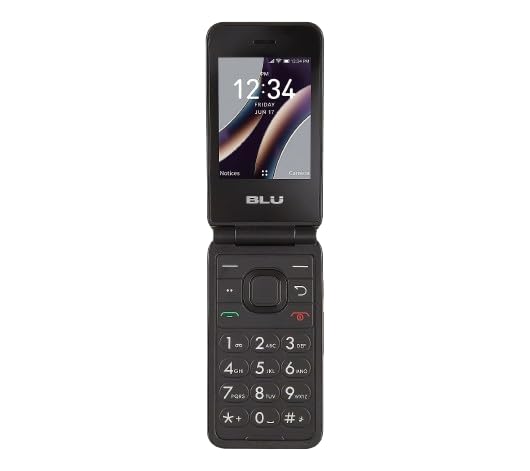
Image: Front view of the BLU Flex B300V smartphone. The device features a black finish and a 5-inch display.
What's in the Box
Verify that all items are present in the package:
- BLU Flex B300V Smartphone
- USB-C Cable
- SIM Ejector Tool
Setup
1. SIM Card Installation
The BLU Flex B300V supports a single SIM card. Ensure your device is powered off before inserting or removing the SIM card.
- Locate the SIM card tray on the side of your phone.
- Insert the SIM ejector tool into the small hole on the SIM tray to open it.
- Place your Nano-SIM card into the tray with the gold contacts facing down.
- Gently push the tray back into the phone until it clicks into place.
2. Initial Power On
To turn on your device for the first time:
- Press and hold the Power button (usually on the right side) until the BLU logo appears.
- Follow the on-screen prompts to complete the initial setup, including language selection, Wi-Fi connection, and Google account setup.
3. Tracfone Activation
As a Tracfone locked smartphone, activation with Tracfone is required for cellular service. Refer to the Tracfone activation guide included with your SIM card or visit the official Tracfone website for detailed instructions.
Operating Your Device
Basic Navigation
- Touchscreen: Tap to select, swipe to scroll, pinch to zoom.
- Home Screen: Access apps, widgets, and notifications.
- Notification Panel: Swipe down from the top of the screen to view notifications and quick settings.
Making Calls
- Tap the Phone icon on the home screen.
- Enter the phone number using the dial pad or select a contact.
- Tap the Call button to initiate the call.
Sending Messages
- Tap the Messages icon.
- Tap the New Message icon (usually a plus sign or a chat bubble).
- Enter the recipient's number or select from contacts, then type your message.
- Tap the Send button.
Connecting to Wi-Fi
- Go to Settings > Network & internet > Wi-Fi.
- Toggle Wi-Fi On.
- Select your desired Wi-Fi network from the list and enter the password if prompted.
Camera Usage
- Tap the Camera icon.
- Frame your shot and tap the Shutter button to take a photo.
- Switch to video mode by tapping the video icon and tap the Record button to start/stop recording.
Maintenance
Charging the Battery
Use the provided USB-C cable and a compatible power adapter to charge your device. The battery indicator on the screen will show charging status. A full charge provides approximately 5 hours of talk time.
Cleaning the Device
To clean your BLU Flex B300V, use a soft, lint-free cloth. Avoid using harsh chemicals or abrasive materials, as these can damage the screen and finish.
Software Updates
Periodically check for software updates to ensure your device has the latest features and security patches. Go to Settings > System > System update.
Troubleshooting
Device Won't Turn On
- Ensure the battery is charged. Connect the phone to a charger for at least 15 minutes before attempting to power it on again.
- Press and hold the Power button for 10-15 seconds to perform a forced restart.
Poor Signal or No Service
- Check if the SIM card is correctly inserted.
- Ensure you are in an area with network coverage.
- Restart the device.
- Verify your Tracfone account is active and has sufficient balance/service days.
Apps Crashing or Freezing
- Close and reopen the app.
- Clear the app's cache and data via Settings > Apps & notifications > [App Name] > Storage & cache.
- Uninstall and reinstall the app.
Specifications
| Feature | Detail |
|---|---|
| Model Name | BLU Flex B300V |
| Operating System | Android |
| Display | 5.0-Inch |
| Internal Storage | 8GB |
| RAM | 1GB |
| Cellular Technology | 3G / 4G LTE |
| Wireless Carrier | Tracfone |
| Battery Capacity | 2000 mAh |
| Phone Talk Time | 5 Hours |
| Color | Black |
| SIM Card Slot | Single SIM |
Warranty and Support
Your BLU Flex B300V smartphone is covered by a limited manufacturer's warranty. For specific warranty terms and conditions, please refer to the warranty card included in your product packaging or visit the official BLU website.
For technical support, troubleshooting assistance, or warranty claims, please contact BLU customer service through their official website or the contact information provided in your product documentation.