1. Introduction
This manual provides essential instructions for the setup, operation, and maintenance of your Onkyo P-80 Network Preamplifier. Please read this manual thoroughly before using the unit to ensure proper and safe operation. Keep this manual for future reference.
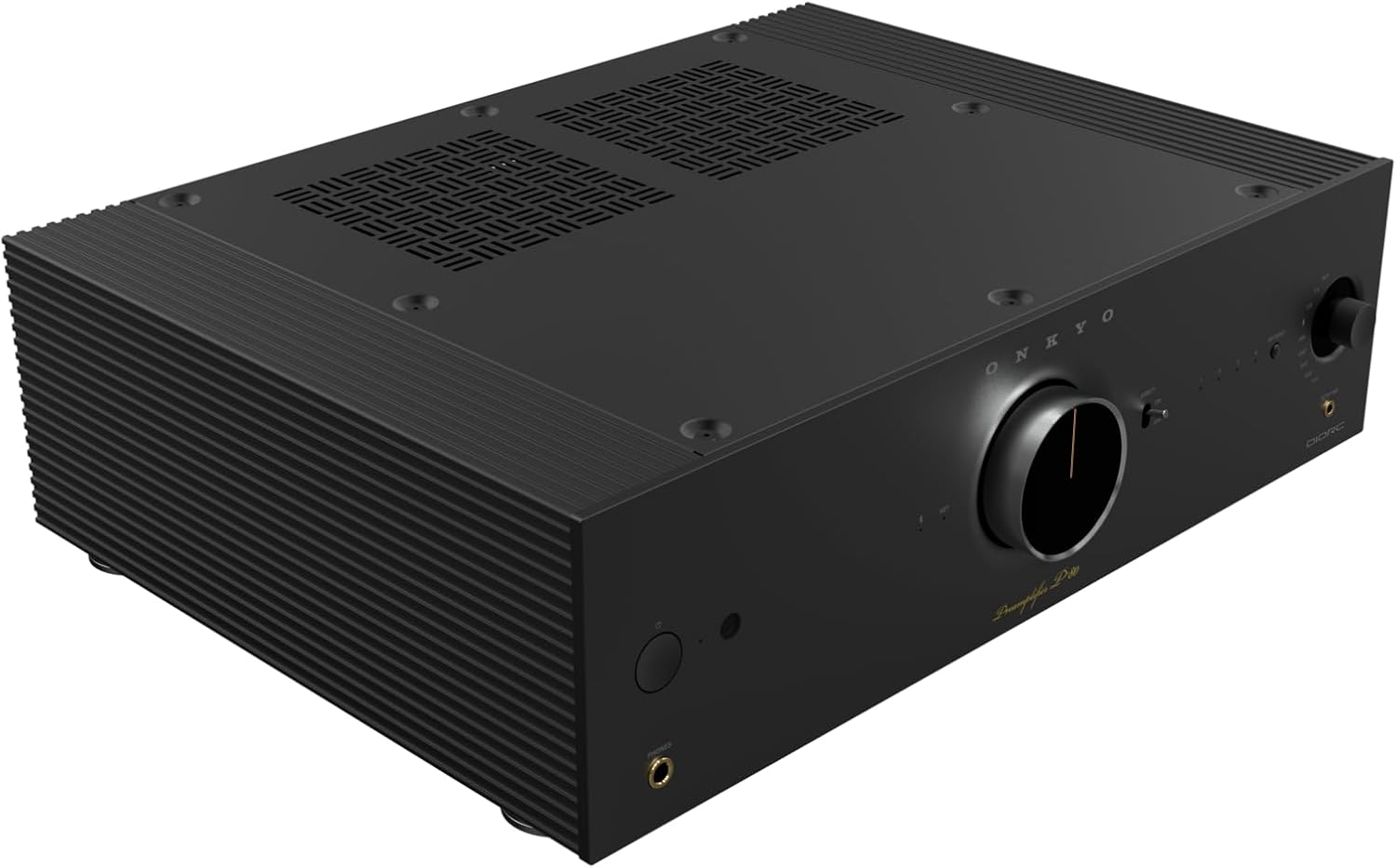
Figure 1.1: Onkyo P-80 Network Preamplifier. This image provides a general overview of the product's design.
Important Safety Information
Always follow basic safety precautions when using electrical products to reduce the risk of fire, electric shock, and injury to persons. Do not expose this appliance to rain or moisture. Do not remove the cover or back of the unit. Refer all servicing to qualified service personnel.
2. What's in the Box
Verify that all items listed below are included in the package:
- Pre-Amplifier
- Power Cord
- Speaker Setup Microphone
- Initial Setup Guide
- Safety Information
- Remote Controller
3. Setup
3.1 Unpacking and Placement
Carefully remove the preamplifier from its packaging. Place the unit on a stable, level surface with adequate ventilation. Avoid placing it near heat sources or in direct sunlight.
3.2 Connecting Your Preamplifier
Refer to the rear panel diagram for connection points. Ensure all connections are secure before powering on the unit.

Figure 3.2.1: Rear panel connections of the Onkyo P-80. This view displays the various audio inputs (Phono, Coaxial, Optical, Analog), network ports (Ethernet, USB), and outputs (Subwoofer, Pre-Out, 12V Trigger).
Audio Inputs:
- PHONO (MM/MC): Connect your turntable here. Select MM or MC based on your cartridge type.
- COAXIAL IN / OPT IN: Digital audio inputs for devices like CD players or media streamers.
- ANALOG IN (CD, ANALOG 1, ANALOG 2): RCA stereo inputs for analog audio sources.
- TV (ARC) / USB / ETHERNET: Digital and network inputs for various sources and network connectivity.
Audio Outputs:
- PRE OUT (L/R): Connect to your power amplifier.
- SUBWOOFER (1/2): Connect up to two subwoofers for enhanced bass.
- 12V TRIGGER OUT: For controlling other compatible components.
Power Connection:
Connect the supplied power cord to the AC INLET on the rear panel and then to a wall outlet.
3.3 Initial Setup and Dirac Live Calibration
After connecting all components, power on the preamplifier. Use the included Speaker Setup Microphone to perform Dirac Live room correction. Follow the on-screen instructions or refer to the Initial Setup Guide for detailed steps. Dirac Live helps to optimize the sound for your specific listening environment.
4. Operating Your Preamplifier
4.1 Front Panel Controls

Figure 4.1.1: Front panel of the Onkyo P-80. This view highlights the power button, headphone jack, large volume knob, input selector, and display.
- Power Button: Turns the unit on or off.
- Headphone Jack: Connect headphones for private listening.
- Volume Knob: Adjusts the overall output volume.
- Input Selector: Rotates to select the desired audio input source (NET, TV, CD, Analog, Optical, USB, Phono).
- DIRECT Button: Engages or disengages direct audio mode for a purer signal path.
- SETUP MIC Jack: For connecting the Dirac Live setup microphone.
4.2 Key Features and Technologies
- DIDRC (Dynamic Intermodulation Distortion Reduction Circuitry): This patented technology minimizes intermodulation distortion, providing a clear and natural sound from both digital and analog sources. It is integrated into the DAC's analog filter and phono amplifier circuits.
- Dirac Live Room Correction: The P-80 includes built-in Dirac Live Room Correction Suite Stereo. This feature analyzes your room's acoustics using the supplied microphone and applies corrections to optimize frequency response (500Hz-20kHz). Optional upgrades like Dirac Live Bass Control are supported for advanced subwoofer integration.
- Dual Subwoofer Outputs: The preamplifier features two independent subwoofer outputs, allowing for flexible bass management and powerful low-frequency reproduction.
- High-Quality Phono Stage: The P-80 includes a dedicated phono circuit compatible with both Moving Magnet (MM) and Moving Coil (MC) cartridges. The MC circuit is designed discretely for accurate reproduction of low-level signals.
- Robust Construction: The unit's fan-less design, premium stereo DAC (32bit / 768kHz), extrusion aluminum heat sink, and three-piece housing (aluminum side panels, steel top panel) contribute to reduced noise, vibration suppression, and overall sound quality.
5. Maintenance
5.1 Cleaning
To clean the unit, use a soft, dry cloth. For stubborn dirt, lightly dampen the cloth with water or a mild, non-abrasive cleaner. Never use strong solvents or abrasive pads, as these can damage the finish. Ensure the unit is unplugged before cleaning.
5.2 Ventilation
Ensure that the ventilation openings on the top and sides of the unit are not blocked. Proper airflow is essential to prevent overheating and maintain optimal performance.

Figure 5.2.1: Top view of the Onkyo P-80. This image shows the ventilation grilles on the top surface, crucial for heat dissipation.
6. Troubleshooting
If you experience issues with your Onkyo P-80, consult the following common troubleshooting steps:
- No Power:
- Ensure the power cord is securely connected to both the preamplifier and a working wall outlet.
- Check if the power outlet is active by plugging in another device.
- No Sound:
- Verify that the correct input source is selected on the preamplifier.
- Check all audio cables between the source, preamplifier, and power amplifier/speakers.
- Ensure the volume is not set to minimum or muted.
- Confirm that your power amplifier is turned on and functioning correctly.
- Distorted Sound:
- Check for loose or damaged audio cables.
- Ensure the input level from your source is not too high, causing clipping.
- If using a turntable, confirm the correct PHONO (MM/MC) setting is selected.
- Network Connectivity Issues:
- Ensure the Ethernet cable is securely connected to both the preamplifier and your router/network switch.
- Restart your router and the preamplifier.
- Check your network settings.
If the problem persists, refer to the full user manual available on the Onkyo support website or contact customer support.
7. Specifications
| Product Dimensions | 14 x 17.1 x 5.3 inches |
| Item Weight | 20.9 pounds |
| Manufacturer | Onkyo |
| ASIN | B0FPHC5QTN |
| Item Model Number | P80BMDC |
| Date First Available | September 3, 2025 |
Note: Specifications are subject to change without notice for product improvement.
8. Warranty and Support
For detailed warranty information, please refer to the warranty card included with your product or visit the official Onkyo website. For technical support, product registration, or service inquiries, please visit the Onkyo support page or contact their customer service department.
Onkyo Official Website: www.onkyo.com


