
1. Introduction
Thank you for choosing the ALIENPRO Ultra 18 Professional Active Subwoofer. This 18-inch active subwoofer is engineered to deliver powerful, deep, and controlled low frequencies for demanding audio systems. With 1000W Peak and 600W RMS power, integrated DSP, 120Hz output, full-range XLR inputs and outputs, and a phase switch, the Ultra 18 is ideal for DJs, concerts, live events, venues, and professional productions requiring impactful and defined bass.

Image: Front view of the ALIENPRO Ultra 18 Subwoofer, highlighting its robust design and 1000W Peak power capability.
2. Important Safety Instructions
Please read and understand all safety instructions before operating this device. Keep these instructions for future reference.
- Power Source: Connect the unit only to an AC power outlet of the specified voltage.
- Grounding: Ensure the unit is properly grounded to prevent electric shock.
- Ventilation: Do not block ventilation openings. Ensure adequate airflow around the unit.
- Water and Moisture: Do not expose the unit to rain or moisture. Do not place objects filled with liquids on the unit.
- Heat: Keep the unit away from heat sources such as radiators, heat registers, stoves, or other apparatus that produce heat.
- Cables: Protect the power cord from being walked on or pinched.
- Servicing: Do not attempt to service this unit yourself. Refer all servicing to qualified service personnel.
- Placement: Place the subwoofer on a stable, level surface. Avoid placing it in locations where it could fall or be knocked over.
3. Package Contents
Verify that all items listed below are included in your package:
- ALIENPRO Ultra 18 Professional Active Subwoofer
- Power Cable
- User Manual (this document)
If any items are missing or damaged, please contact your dealer immediately.
4. Key Features
- Powerful Performance: 18-inch 4 Ohm woofer with steel frame, delivering 1000W Peak and 600W RMS for deep, impactful bass.
- Integrated DSP: Optimizes frequency management and system efficiency for superior sound quality.
- Flexible Connectivity: Full-range XLR inputs and outputs for seamless integration with active speakers, tops, or line array systems.
- 120Hz Filtered Output: Dedicated output for connecting to main speakers, ensuring optimal crossover.
- Phase Switch: Allows acoustic alignment adjustment for better coherence between the subwoofer and main speakers.
- Durable Construction: High-density MDF cabinet with a resistant protective coating, designed for rigorous use and frequent transport.
5. Setup and Connections
5.1 Placement
For optimal performance, place the subwoofer on a solid, level surface. Consider the acoustics of your room or venue. Placing the subwoofer in a corner can often enhance bass response, but experimentation with placement is recommended to achieve the desired sound.
5.2 Connecting Your Subwoofer
The Ultra 18 features a comprehensive rear panel for various connection options:
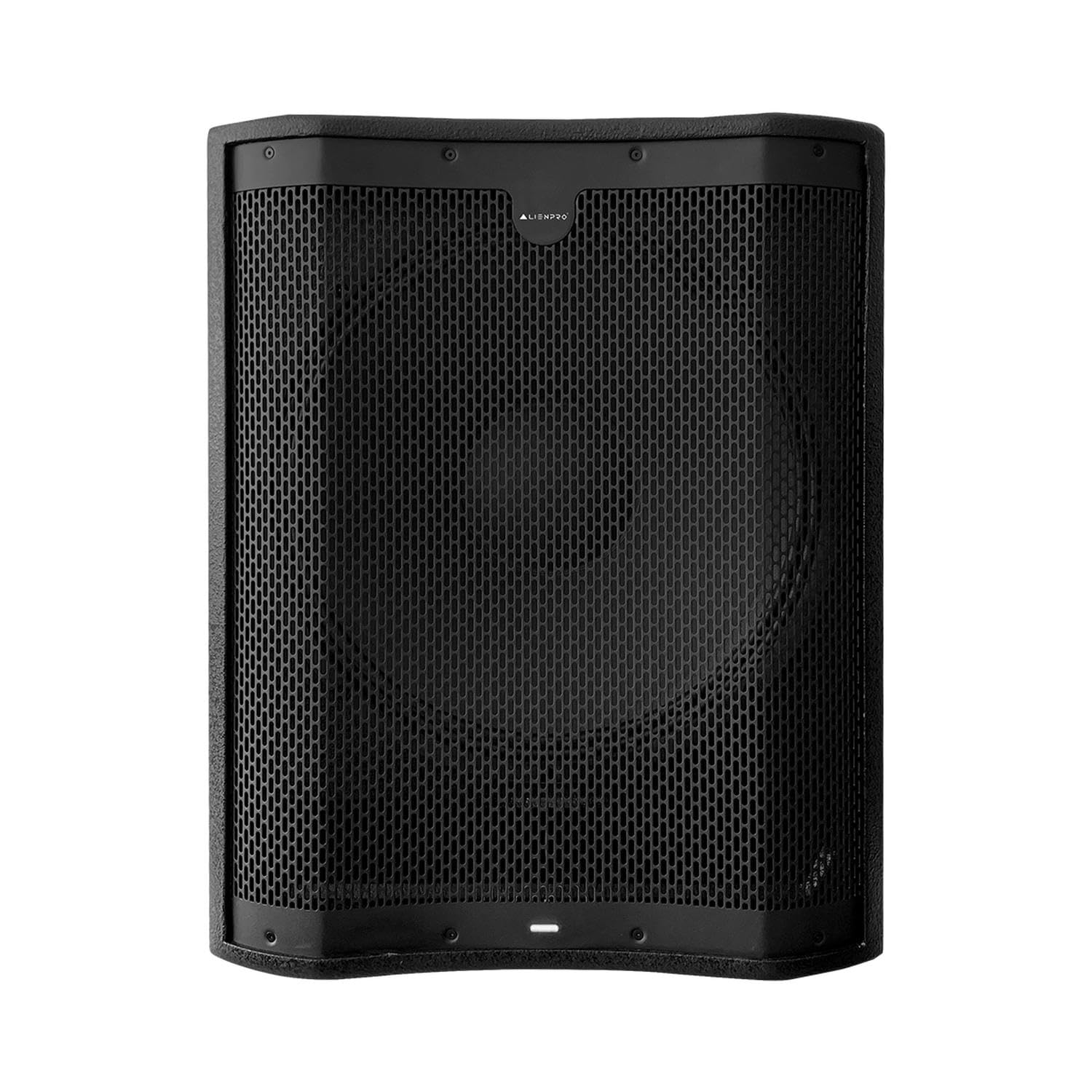
Image: Rear panel of the ALIENPRO Ultra 18 Subwoofer, showing XLR inputs, outputs, volume control, and phase switch.
- XLR Inputs (L/R): Connect your audio source (mixer, audio interface) to these inputs using balanced XLR cables.
- XLR Full-Range Outputs (L/R): These outputs pass the full audio signal received from the inputs. Use them to connect to other subwoofers or full-range speakers if you want the full signal.
- XLR 120Hz Outputs (L/R): These outputs provide a high-pass filtered signal (frequencies above 120Hz). Connect these to your main active speakers or amplifier inputs for main speakers. This ensures the main speakers do not reproduce low frequencies handled by the subwoofer, improving overall system clarity.
- Power Input: Connect the supplied power cable to this input and then to a suitable AC power outlet.
6. Operating Your Subwoofer
6.1 Power On/Off
After all connections are made, switch on your audio source devices first, then power on the Ultra 18 using the power switch located on the rear panel. When powering off, switch off the Ultra 18 first, then your audio source devices.
6.2 Volume Control
Adjust the VOLUME knob on the rear panel to set the desired output level of the subwoofer. Start with a low volume and gradually increase it to match the output of your main speakers.
6.3 DSP Integration
The integrated Digital Signal Processor (DSP) optimizes the subwoofer's performance. While specific DSP settings are typically factory-tuned for optimal sound, ensure any available DSP modes (if present on the control panel) are set according to your application (e.g., 'Music' for general playback, 'Live' for live sound reinforcement). Refer to the DSP section on the rear panel for available options.

Image: Close-up of the ALIENPRO Ultra 18 Subwoofer's DSP controls, showing options for 120Hz output, full-range inputs/outputs, and phase switch.
6.4 Phase Switch
The PHASE switch (0°/180°) allows you to adjust the acoustic alignment between the subwoofer and your main speakers. If the bass sounds weak or hollow, try flipping the phase switch. The correct setting will result in the most impactful and coherent bass response. This is often determined by the physical distance between the subwoofer and main speakers.
7. Care and Maintenance
Proper care ensures the longevity and optimal performance of your ALIENPRO Ultra 18 Subwoofer.
- Cleaning: Use a soft, dry cloth to clean the exterior of the subwoofer. Do not use abrasive cleaners, waxes, or solvents.
- Storage: When not in use for extended periods, store the subwoofer in a dry, dust-free environment.
- Transport: When transporting the unit, use appropriate protective covers or cases to prevent damage to the cabinet and components.
- Ventilation: Regularly check that the ventilation openings are clear of dust and debris.
8. Troubleshooting
If you encounter issues with your subwoofer, consult the table below for common problems and solutions.
| Problem | Possible Cause | Solution |
|---|---|---|
| No sound | Power not connected or unit not switched on. Input cables not connected correctly. Volume too low. | Check power cable and switch. Ensure XLR cables are securely connected. Increase volume. |
| Weak or distorted bass | Incorrect phase setting. Subwoofer placed incorrectly. Input signal too high/low. | Toggle the phase switch (0°/180°). Adjust subwoofer placement. Check input signal level from source. |
| Humming or buzzing noise | Ground loop issue. Faulty cables. | Ensure all equipment is properly grounded. Try different cables. |
| Subwoofer cuts out | Overheating or overload protection activated. | Reduce volume. Ensure adequate ventilation. Allow unit to cool down. |
If the problem persists after trying these solutions, please contact ALIENPRO customer support or a qualified technician.
9. Technical Specifications
| Feature | Specification |
|---|---|
| Brand | ALIENPRO |
| Model | ULTRA18 |
| Speaker Type | Portable Speaker (Subwoofer) |
| Speaker Size | 18 Inches |
| Woofer Diameter | 18 Inches |
| Max Speaker Output Power | 1000 Watts (Peak) |
| Audio Output Mode | Mono |
| Mounting Type | Floor Mount |
| Material | MDF |
| Enclosure Material | MDF |
| Color | Black |
| Recommended Uses | Stages, Live Productions, High-Level Applications |
| Item Dimensions (DxWxH) | 64.8 x 64.8 x 53.3 centimeters |
| Item Weight | 42 Kilograms |
| Compatible Devices | Game Console, Laptop, Projector, Music Player, Tablet, Television |
| Audio Controller Type | Dynamic Controller |
| Country of Origin | Mexico |
10. Warranty and Support
The ALIENPRO Ultra 18 Subwoofer comes with a manufacturer's warranty. Please refer to the warranty card included with your product for specific terms and conditions. For technical support, service, or warranty claims, please contact your authorized ALIENPRO dealer or visit the official ALIENPRO website for contact information.