
Product Overview
The ecoCalm Solar Ceiling Fan Light is designed for outdoor use, providing air circulation, lighting, and smart temperature control. This unit operates on solar power with a rechargeable battery, offering an energy-efficient solution for patios, pergolas, and other outdoor spaces. Its waterproof construction ensures durability against various weather conditions.
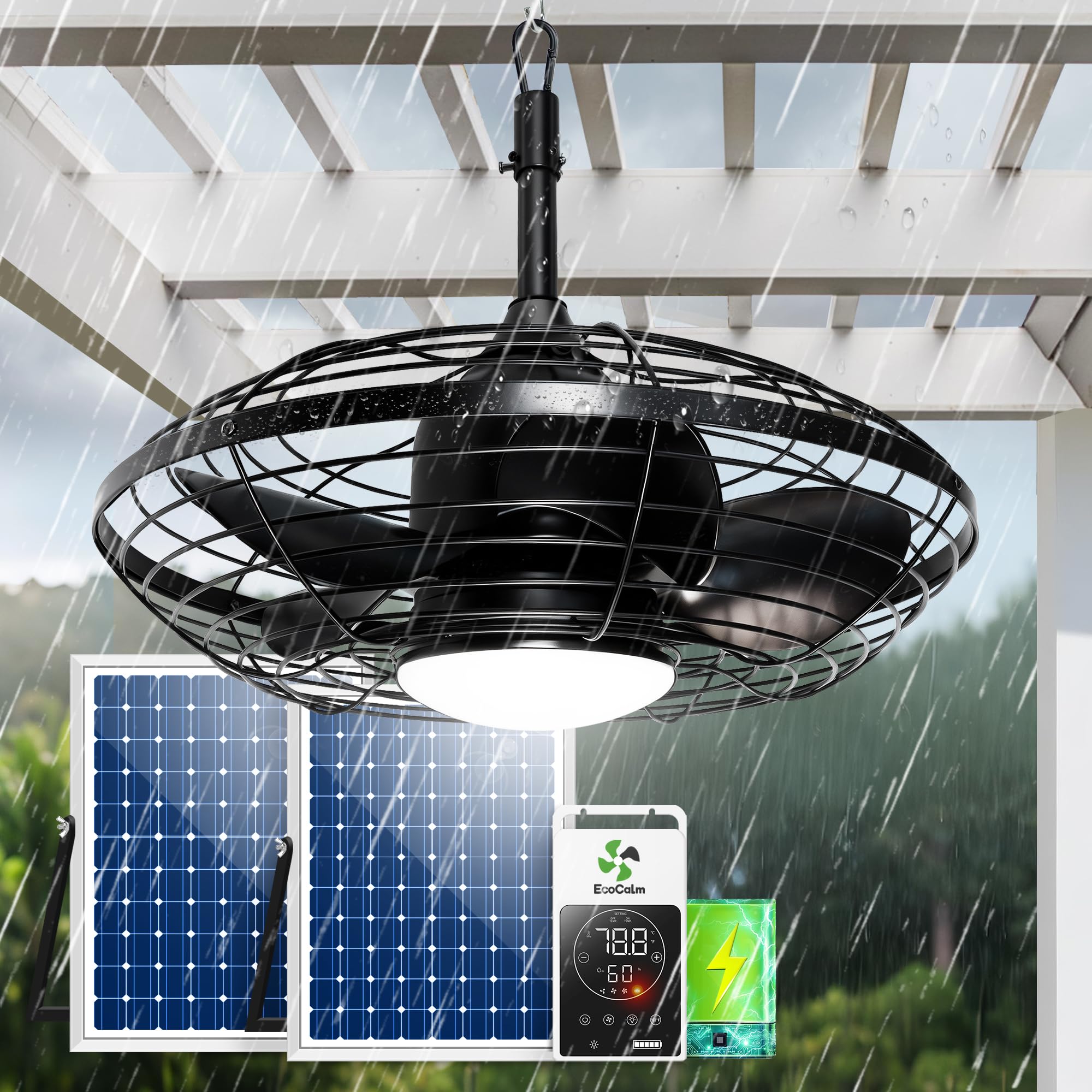
Image: The ecoCalm Solar Ceiling Fan Light installed in a gazebo, demonstrating its airflow and integrated lighting capabilities. The image highlights the fan's design and its suitability for outdoor covered areas.
Setup Instructions
Follow these steps for proper installation of your ecoCalm Solar Ceiling Fan Light:
- Unpack Components: Carefully remove all items from the packaging. Verify that all included accessories are present: 2 solar panels, 1 outdoor ceiling fan (20 inch), 1 solar power bank, cables, user manual, and screw set.
- Mount the Fan: Securely mount the ceiling fan to a stable overhead structure in your desired outdoor location. Ensure the mounting point can support the fan's weight.
- Position Solar Panels: Place the two 30W bifacial solar panels in an area that receives maximum direct sunlight throughout the day. The panels are designed to capture sunlight from both sides for enhanced efficiency.
- Connect Cables: Connect the fan to the solar power bank using the provided cables (14ft and 13ft cords). Then, connect the solar panels to the solar power bank. Ensure all connections are secure and waterproof.
- Initial Charge: Allow the solar panels to charge the power bank for 4-6 hours under direct sunlight before initial use to ensure optimal battery performance.

Image: An illustration detailing the included accessories and their dimensions, including the two solar panels, the 20-inch outdoor ceiling fan, the solar power bank, cables, manual, and screw set. This image provides a visual guide for component identification and basic setup.
Operating Instructions
The ecoCalm Solar Ceiling Fan Light features a smart controller for easy operation:
- Power On/Off: Use the power button on the smart controller to turn the fan and light system on or off.
- Fan Speed Control: Select from 3 fan speed settings to adjust airflow up to 1838 CFM.
- Light Control: The integrated LED light offers 3 dimmable brightness levels, providing a 4000K natural white light. Adjust the brightness as needed.
- Smart Thermostat (ECO Mode):
- In ECO Mode, the fan automatically turns on at 26℃ (78.8℉) and turns off at 20℃ (68℉) by default.
- To adjust the auto-on temperature, long press the '+' button. The display will flash. Use the '+' or '-' buttons to set your desired auto-on temperature. The setting will save automatically after 5 seconds of inactivity.
- To adjust the auto-off temperature, long press the '-' button. The display will flash. Use the '+' or '-' buttons to set your desired auto-off temperature. The setting will save automatically after 5 seconds of inactivity.
- Battery Indicator: The controller displays the current battery level, allowing you to monitor the remaining power.

Image: A detailed view of the ecoCalm smart thermostat controller, illustrating its digital temperature display, humidity display, ECO mode indicator, and buttons for adjusting temperature, fan speed, and light settings. This image helps users understand the controller's interface.
Video: This video demonstrates the functionality of the ecoCalm Solar Ceiling Fan Light, including its solar charging capabilities and the operation of the smart controller. It provides a visual guide to using the fan and light features.
Maintenance
Regular maintenance ensures optimal performance and longevity of your ecoCalm Solar Ceiling Fan Light:
- Cleaning Fan Blades: Periodically wipe the fan blades with a soft, damp cloth to remove dust and debris. Ensure the fan is turned off before cleaning.
- Cleaning Solar Panels: Keep the solar panels clean from dirt, leaves, and snow to maximize sunlight absorption. Use a soft cloth and mild cleaning solution if necessary.
- Battery Care: While the battery is designed for outdoor use, avoid prolonged exposure to extreme temperatures (both hot and cold) when possible to extend its lifespan. Ensure the battery is fully charged before long periods of inactivity.
- Inspect Connections: Annually check all cable connections for tightness and signs of wear or corrosion.

Image: The ecoCalm Solar Ceiling Fan Light installed under a pergola during rainfall, emphasizing its IP44 waterproof rating and robust construction designed to withstand outdoor elements like rain, snow, wind, and sun.
Troubleshooting
If you encounter issues with your ecoCalm Solar Ceiling Fan Light, refer to the following common solutions:
- Fan Not Turning On:
- Check all cable connections to ensure they are secure.
- Verify that the solar power bank has sufficient charge. Allow solar panels to charge for several hours in direct sunlight.
- Ensure the power button on the controller is pressed.
- Light Not Working:
- Confirm the fan system is powered on and the light function is activated on the controller.
- Check battery level; low battery may prioritize fan operation over lighting.
- Reduced Airflow:
- Clean fan blades to remove any accumulated dust or debris.
- Ensure the fan speed setting is at the desired level.
- Thermostat Not Responding:
- Ensure the controller is powered on.
- Re-enter ECO mode and re-set the desired temperatures.
Specifications
| Feature | Detail |
|---|---|
| Brand | ecoCalm |
| Model Name | Ceiling Fan Solar Powered |
| Model Number | KP-SCFM20 |
| Product Dimensions | 20"D x 20"W x 12"H |
| Power Source | Solar Powered |
| Wattage | 60 watts (2x 30W bifacial solar panels) |
| Air Flow Capacity | 1838 CFM |
| Number of Speeds | 3 |
| Light Color Temperature | 4000K Natural White |
| Light Brightness Levels | 3 (Dimmable) |
| Waterproof Rating | IP44 |
| Battery Capacity | 14.8V 7500mAh (108Wh) |
| Fan Operation Time (Full Charge) | 4-14 hours |
| Lighting Operation Time (Full Charge) | 11-32 hours |
| Material | Metal (frame), ABS (blades) |
| Mounting Type | Ceiling Mount |
| Room Type | Outdoor |
Warranty Information
This ecoCalm product is covered by a standard manufacturer's warranty against defects in materials and workmanship. For specific warranty terms and duration, please refer to the warranty card included in your product packaging or visit the official ecoCalm website. Keep your purchase receipt as proof of purchase for any warranty claims.
Customer Support
For technical assistance, troubleshooting, or any questions regarding your ecoCalm Solar Ceiling Fan Light, please contact ecoCalm customer support. You can typically find contact information (email, phone, or support portal) on the ecoCalm official website or in the user manual provided with your product.
Video: A brief overview of the 20-inch ecoCalm Solar Ceiling Fan, highlighting its waterproof features and general design. This video provides a quick visual summary of the product's key attributes.

