
1. Introduction
The BSIDE HX2 is an advanced infrared thermal imaging camera designed for precise temperature measurement and fault detection. It features a 320x240 pixel resolution, a wide temperature measurement range, and a high frame rate for clear and accurate thermal analysis. This manual provides essential information for the safe and effective operation, setup, and maintenance of your device.
2. Product Overview
The BSIDE HX2 camera integrates several features to enhance thermal imaging capabilities, including dual-light fusion, multiple color palettes, and data storage.

Figure 2.1: BSIDE HX2 Thermal Imaging Camera. This image illustrates the device's ability to visualize defects, offering clearer images and more accurate temperature measurements through infrared thermal imaging. Key features include dual-light fusion, 240x320 pixel heat map resolution, 15 pseudo-color modes, built-in 4GB memory, and data export support. Examples of applications like circuit board inspection, building floor heating, electrical equipment, and building pipeline analysis are shown.
Key Features:
- Dual-light Fusion: Combines thermal imaging with visible light for enhanced detail.
- High Resolution: 320x240 IR resolution for detailed thermal maps.
- Wide Temperature Range: Measures from -4°F to 1022°F (-20°C to 550°C).
- Fast Frame Rate: 25 Hz for smooth real-time temperature monitoring.
- Temperature Alarms: Configurable high/low temperature alarms.
- 15 Pseudo-Color Modes: Various color palettes for different visualization needs.
- Built-in Memory: 4GB internal storage for up to 26,000 BMP image files.
- Data Export: Connects via USB to a computer for data transfer.
- Wide-Angle Lens: 50°x50° lens for a broader field of view.
- Durable Design: Sturdy, wear-resistant, and durable casing with IP54 protection and 1.5m drop resistance.
3. Setup
3.1 Battery Installation and Charging
The BSIDE HX2 camera comes with a built-in Lithium-ion battery. Ensure the device is fully charged before first use. Connect the camera to a power source using the provided USB cable. The charging indicator will show the charging status.
3.2 Initial Power On
Press and hold the power button (usually marked with a power symbol) until the screen illuminates. The device will perform a self-check before displaying the thermal image.
4. Operating Instructions
4.1 Power On/Off
- To Power On: Press and hold the power button until the display activates.
- To Power Off: Press and hold the power button until the shutdown sequence initiates and the screen turns off.
4.2 Temperature Measurement Modes
The camera offers multiple temperature measurement modes for real-time monitoring.

Figure 4.1: Cold and Hot Spot Tracking. This image demonstrates the camera's ability to track the lowest temperature point (cold spot), the highest temperature point (hotspot), and display the center point temperature, providing comprehensive real-time temperature monitoring.
- Center Point Measurement: Displays the temperature at the center of the screen.
- Highest Temperature Point (Hotspot): Automatically identifies and displays the maximum temperature within the field of view.
- Lowest Temperature Point (Cold Spot): Automatically identifies and displays the minimum temperature within the field of view.
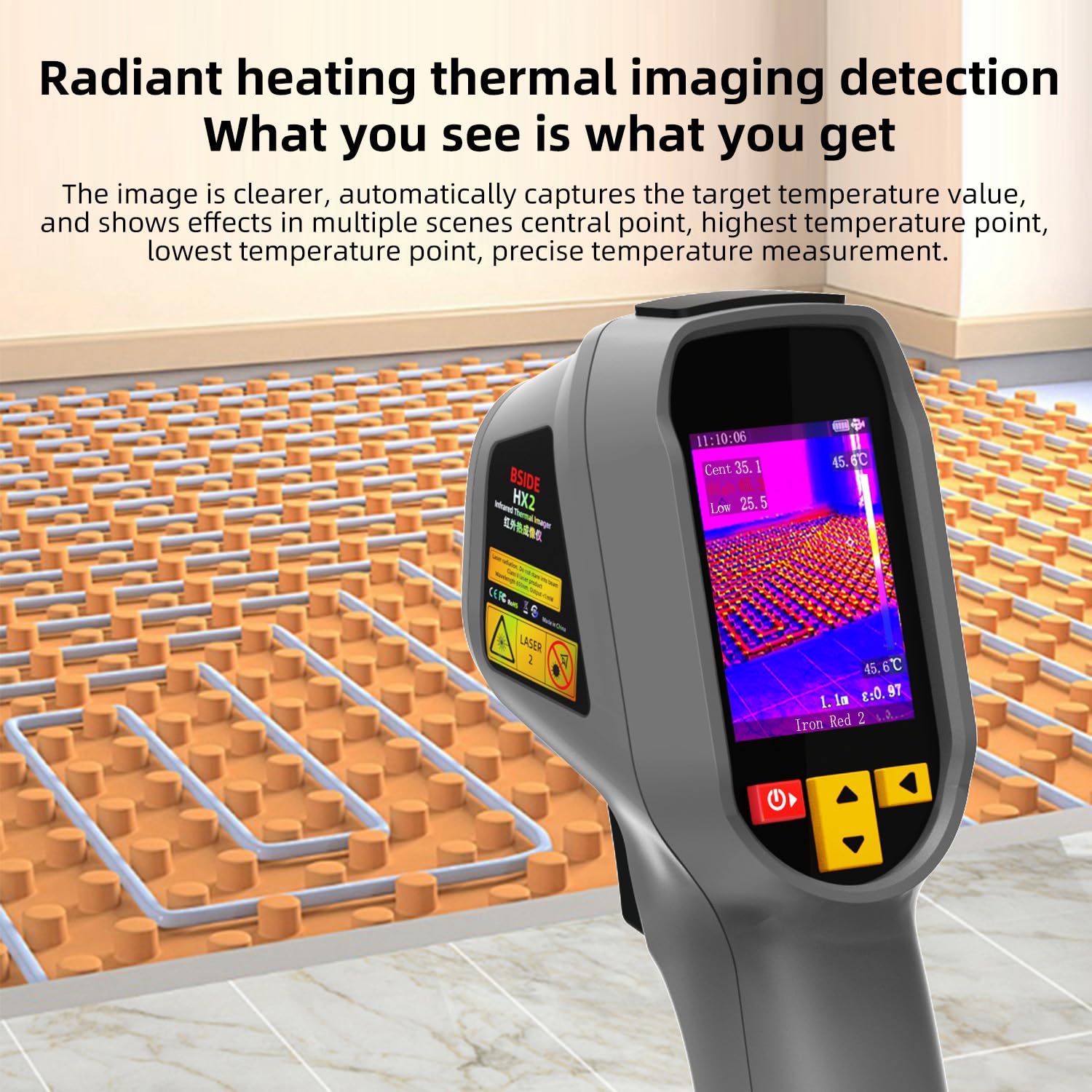
Figure 4.2: Radiant Heating Thermal Imaging Detection. This image illustrates how the camera provides clear images, automatically captures target temperature values, and shows effects in multiple scenes, including central point, highest temperature point, and lowest temperature point for precise temperature measurement.
4.3 Color Palettes
The BSIDE HX2 offers 15 types of color palette patterns to visualize temperature differences effectively. These can be switched quickly using dedicated keys.

Figure 4.3: Color Palette Selection. This image displays the variety of 15 color palette patterns available, such as Fusion1, Black hot, White hot, Deep blue, Red hot, Green hot, Rain, Ice and fire, Colour1, Colour2, Dark brown, Iron red1, Iron red2, and Rainbow. It also shows the settings menu for selecting these palettes and other display options.
4.4 Data Export
The camera includes a built-in 4GB memory card capable of storing approximately 26,000 BMP image files. Data can be exported to a computer via a USB connection.

Figure 4.4: Data Export via USB. This image shows the BSIDE HX2 connected to a laptop via USB, demonstrating the process of exporting images stored on the built-in 4GB memory card. The camera supports BMP image format.
4.5 Wide-Angle Lens
The 50°x50° wide-angle lens allows for a larger distance and a wider field of view, making it suitable for scanning larger areas efficiently.
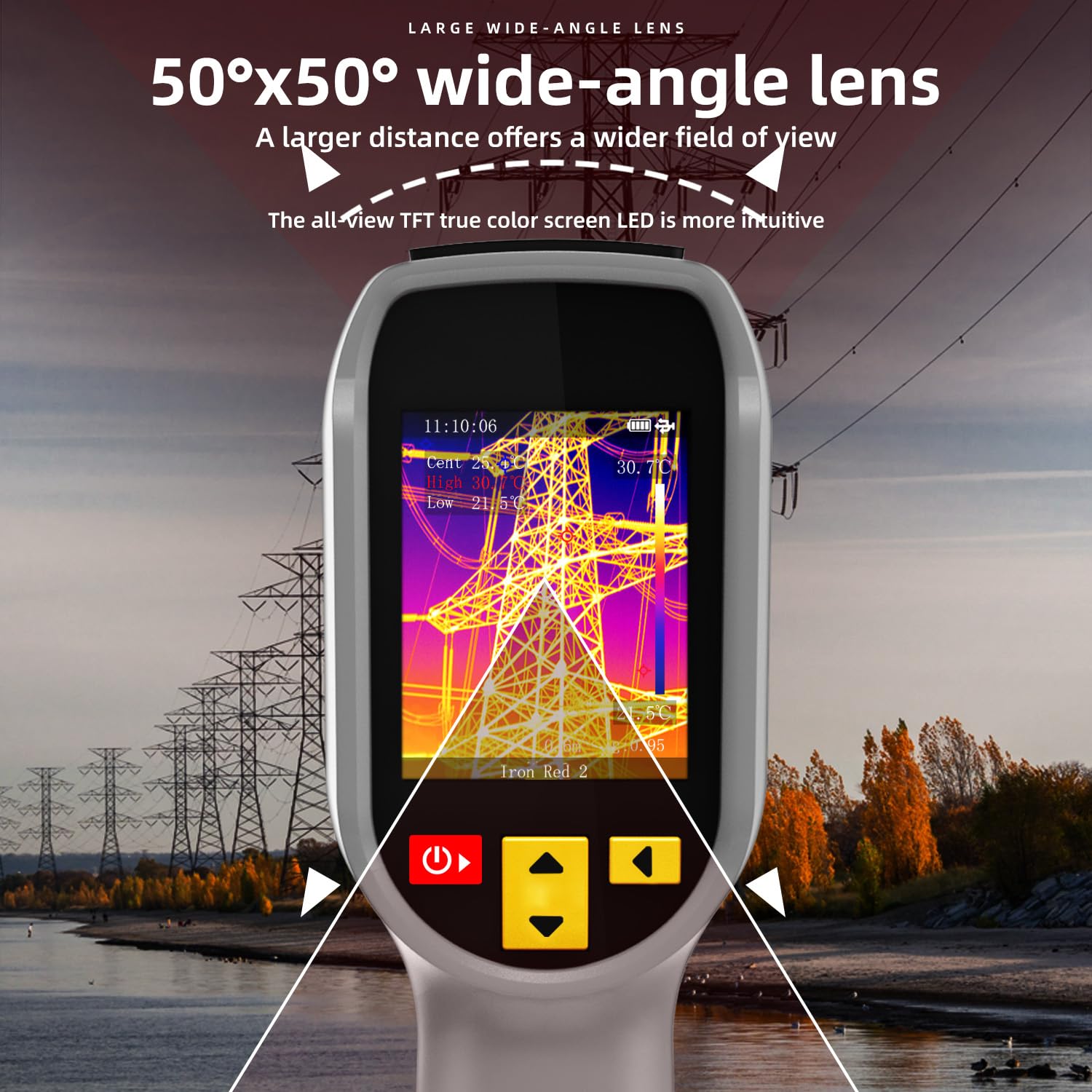
Figure 4.5: Wide-Angle Lens. This image illustrates the benefit of the 50°x50° wide-angle lens, providing a broader field of view for comprehensive thermal inspection, such as power lines.
5. Maintenance
5.1 Cleaning the Device
Regularly clean the camera body with a soft, dry cloth. For the lens, use a specialized lens cleaning cloth and solution to avoid scratches. Do not use abrasive cleaners or solvents.
5.2 Storage
Store the camera in a cool, dry place away from direct sunlight and extreme temperatures. Ensure the battery is partially charged if storing for extended periods.
5.3 Durability
The camera features a high-quality double injection molded casing, making it sturdy, wear-resistant, and durable. It has an IP54 protection level and is designed to withstand drops from up to 1.5 meters.
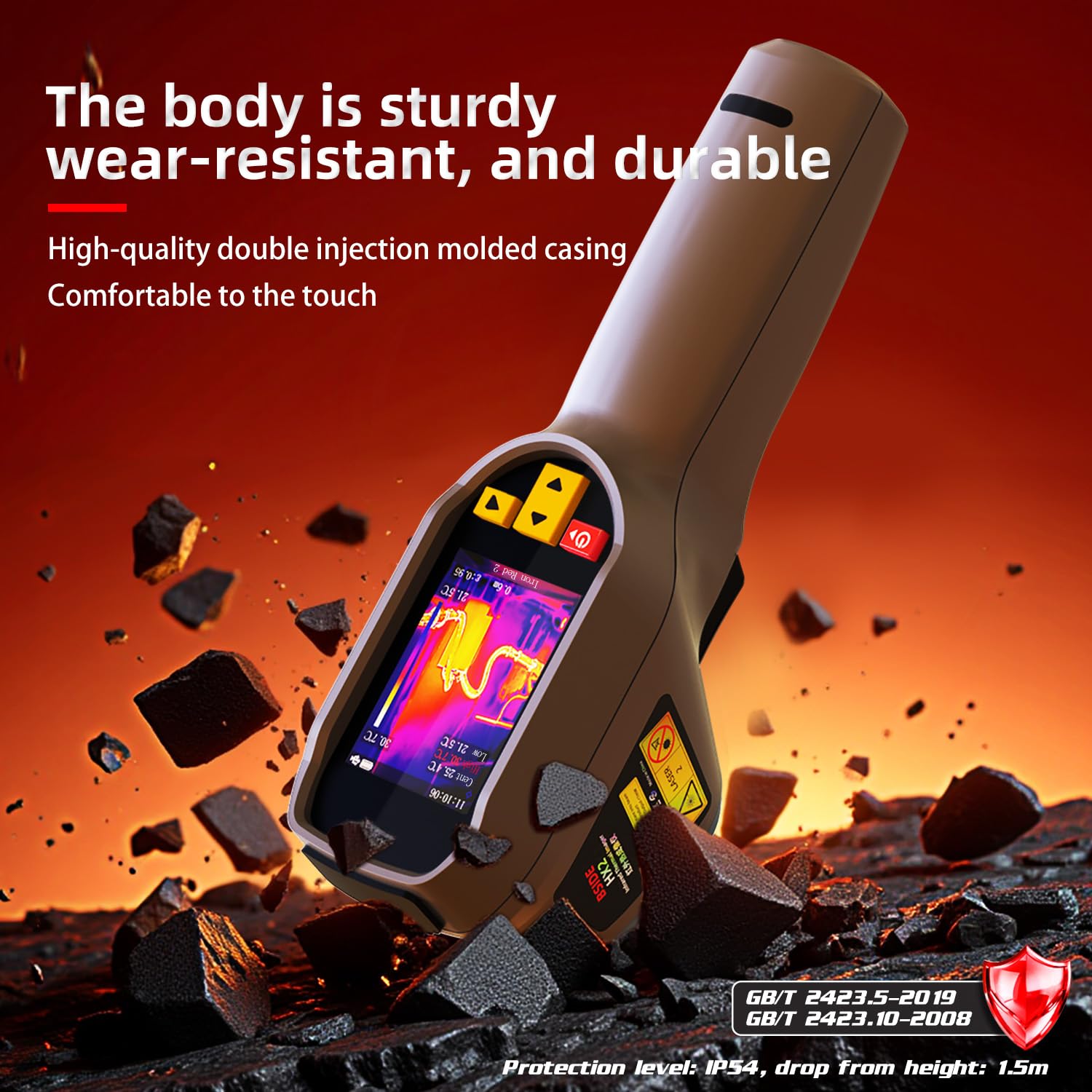
Figure 5.1: Durable Construction. This image highlights the sturdy, wear-resistant, and durable body of the BSIDE HX2, featuring a high-quality double injection molded casing for comfortable handling and enhanced protection, including IP54 rating and 1.5m drop resistance.
6. Troubleshooting
This section addresses common issues you might encounter with your BSIDE HX2 thermal imaging camera.
- Device not powering on: Ensure the battery is charged. Connect to a power source and try again. If the issue persists, contact support.
- Image appears blurry or unclear: Clean the lens with a soft, lint-free cloth. Ensure the focus is adjusted correctly if your model supports manual focus.
- Inaccurate temperature readings: Verify the emissivity setting is appropriate for the material being measured. Ensure the measurement distance is within the recommended range.
- Cannot export data: Ensure the USB cable is securely connected to both the camera and the computer. Check if the camera is in data transfer mode (if applicable).
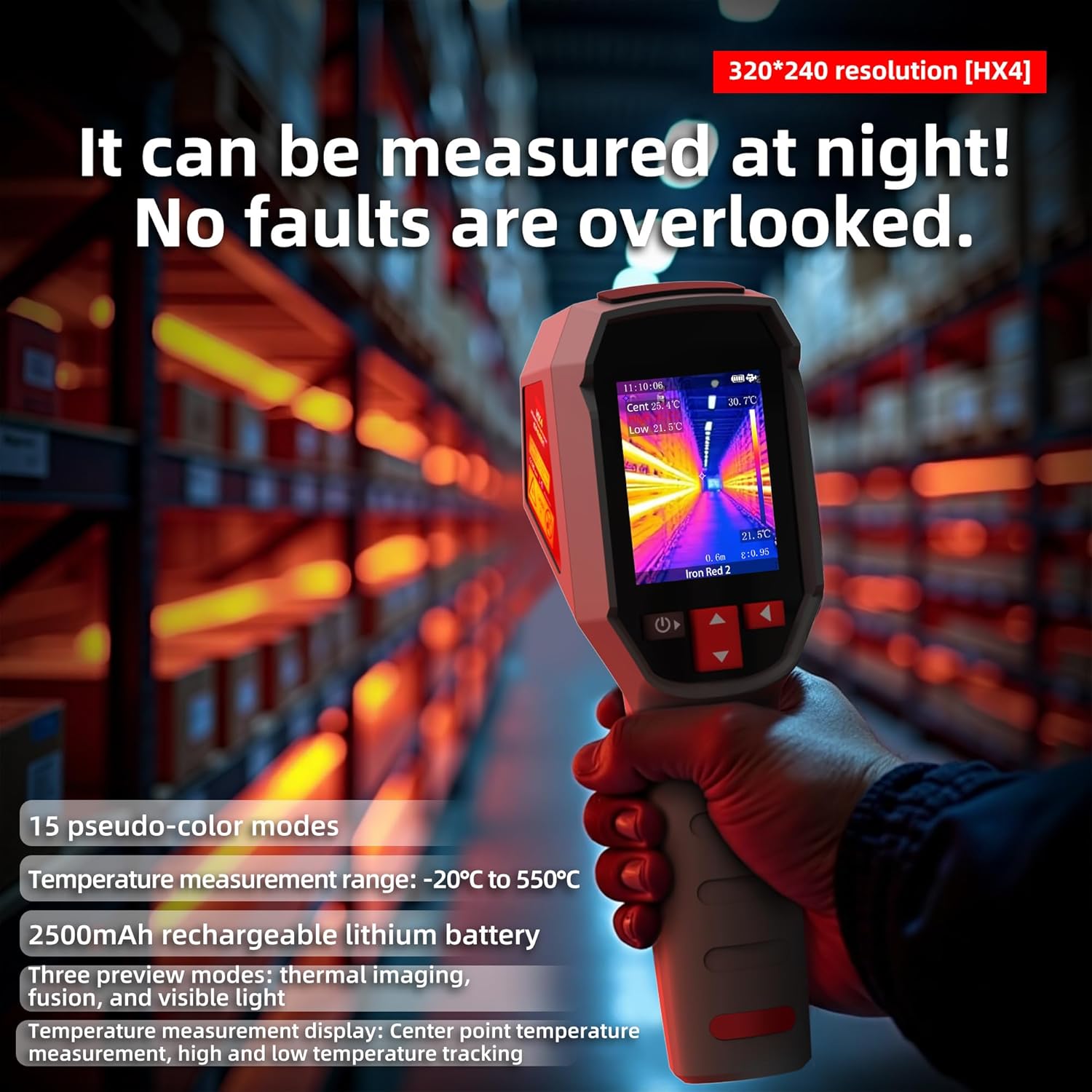
Figure 6.1: Night Measurement Capability. This image emphasizes the camera's ability to measure effectively at night, ensuring no faults are overlooked. It also highlights the 320*240 resolution, 15 pseudo-color modes, -20°C to 550°C temperature measurement range, 2500mAh rechargeable lithium battery, and three preview modes: thermal imaging, fusion, and visible light.
7. Specifications
| Manufacturer | BSIDE |
| Model Number | HX2 |
| Product Dimensions (L x W x H) | 5.94 x 7.74 x 19.34 cm |
| Item Weight | 280 Grams |
| Battery Type | 1 Lithium-ion (included) |
| Thermal Resolution | 320 x 240 pixels |
| Temperature Range | -4°F to 1022°F (-20°C to 550°C) |
| Frame Rate | 25 Hz |
| Memory | Built-in 4GB (approx. 26,000 BMP images) |
| Protection Level | IP54 |
| Drop Resistance | 1.5 meters |
8. Warranty and Support
Information regarding specific warranty terms and availability of spare parts is not provided in the product details. For technical support or service inquiries, please refer to the contact information provided with your purchase or visit the official BSIDE website.


