
Introduction
Thank you for choosing the SURFOU Wireless Doorbell Set. This manual provides detailed instructions for the installation, operation, and maintenance of your new doorbell system. Designed for convenience and reliability, this set features an ultra-long operating range, waterproof push buttons, and customizable chime options to enhance your home security and comfort.
Package Contents
Please verify that all items listed below are included in your package:
- Wireless Push Button (x2)
- Plug-in Receiver (x3)
- User Manual
- Welcome Guide
- 12V 23A Alkaline Battery (for push buttons)
- Double-sided Adhesive Tapes (x2)
- Screws (x2)
- Wall Anchors (x2)

Image: Contents of the SURFOU Wireless Doorbell Set, showing push buttons, receivers, manual, battery, adhesive, screws, and wall anchors.
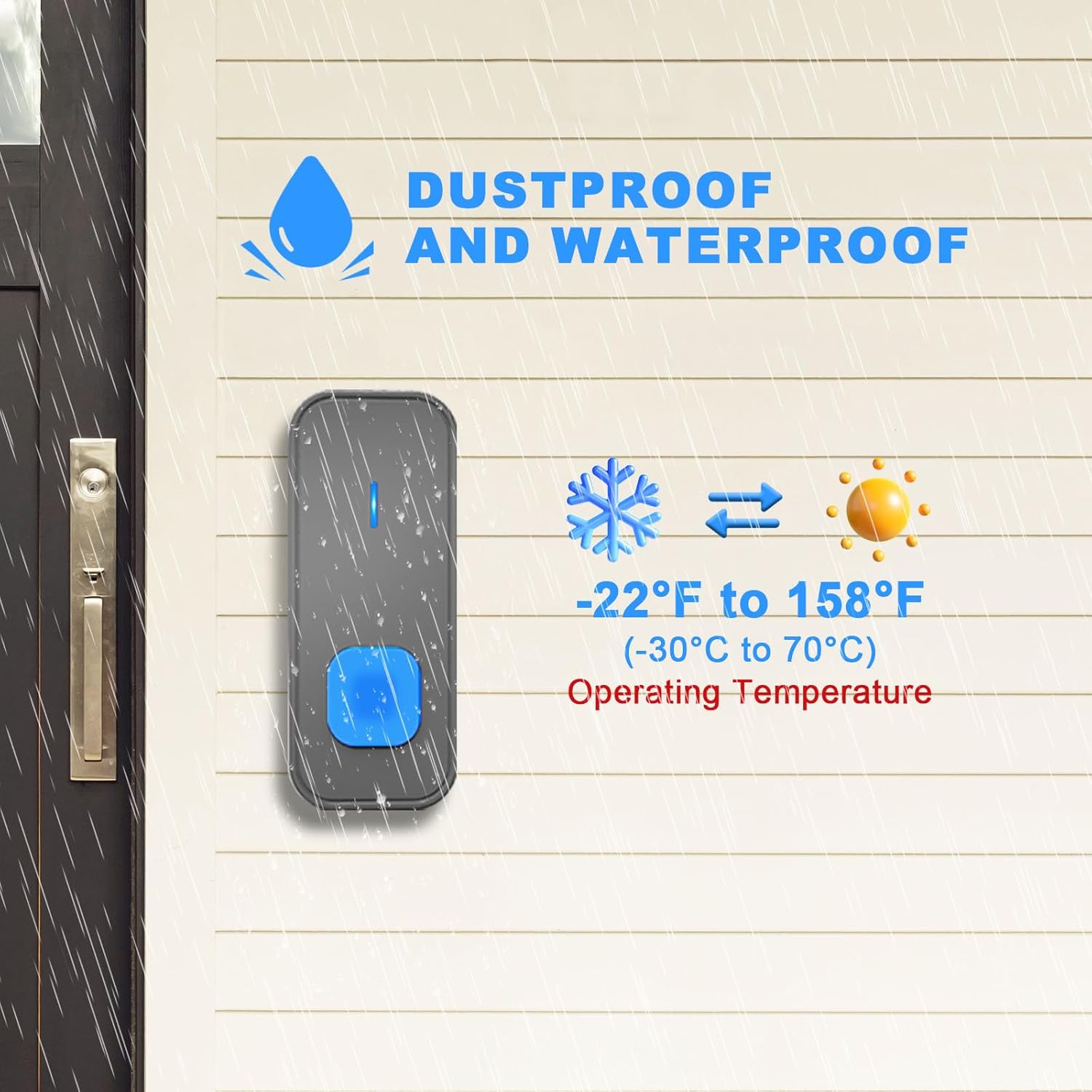
Image: Dimensions of the SURFOU wireless doorbell receiver (7cm x 7cm) and push button (8.6cm x 3.5cm).
Setup and Installation
The SURFOU Wireless Doorbell Set is pre-paired for immediate use. Follow these steps for quick installation:
1. Install the Push Button Battery
- Open the back cover of the push button.
- Insert the provided 12V 23A alkaline battery, ensuring correct polarity.
- Close the back cover securely.
2. Mount the Push Button
You have two options for mounting the push button:
Option A: Using Double-Sided Adhesive
- Clean the desired mounting surface thoroughly to ensure it is dry and free of dust.
- Peel off one side of the double-sided adhesive tape and apply it firmly to the back of the push button.
- Peel off the other side of the adhesive tape.
- Press the push button firmly onto the cleaned surface for at least 30 seconds.
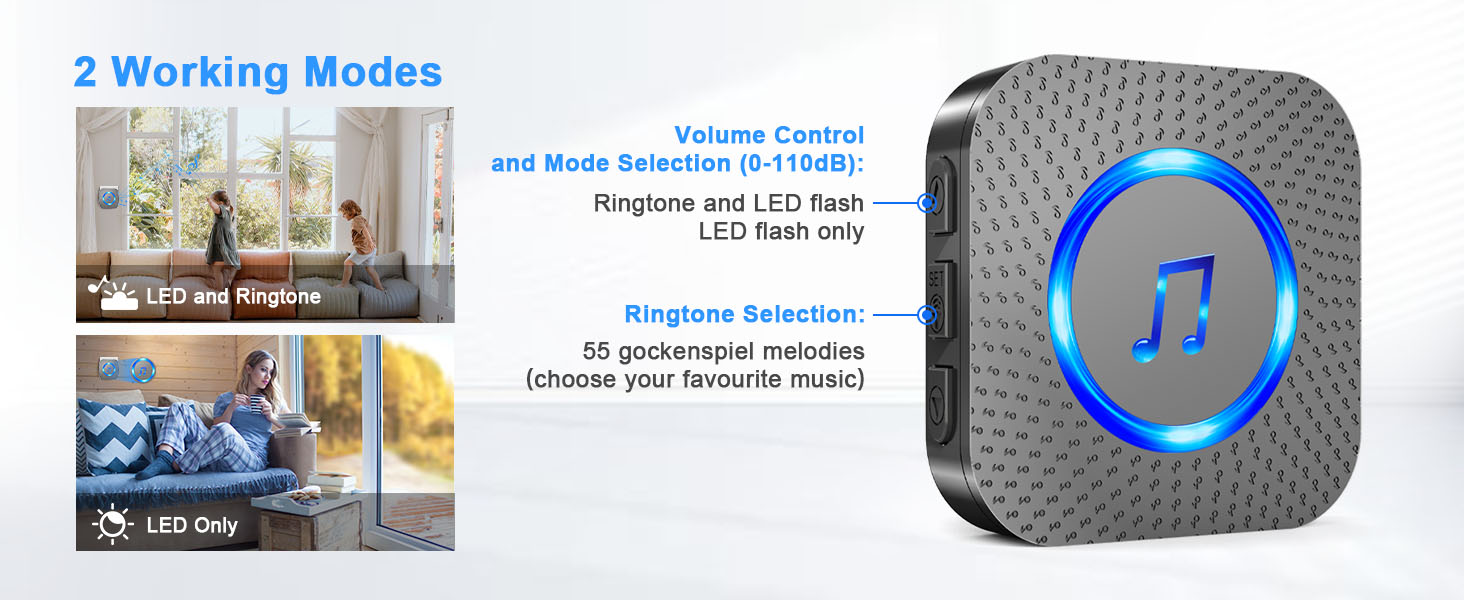
Image: Installation steps for the push button using adhesive tape.
Option B: Using Screws
- Open the back cover of the push button to expose the screw holes.
- Mark the desired mounting position on the wall.
- Drill two holes at the marked positions. Insert the wall anchors if mounting on masonry or drywall.
- Align the push button's back plate with the holes and secure it with the provided screws.
- Reattach the front cover of the push button.

Image: Installation steps for the push button using screws and wall anchors.
3. Plug in the Receiver
Simply plug each receiver into a standard electrical outlet in your desired locations. Ensure the outlets are within the 1300ft operating range of the push button.
Operating Instructions
Your SURFOU Wireless Doorbell Set is designed for ease of use. The push buttons and receivers are pre-paired from the factory.
Changing Melodies
To change the melody on a receiver:
- Press the "Music Selection" button (usually a musical note icon) on the side of the receiver to cycle through the 55 available melodies.
- Once you hear your desired melody, stop pressing the button. The receiver will save this selection automatically.
Adjusting Volume
To adjust the volume level:
- Press the "Volume Control" button (usually a speaker icon with +/-) on the side of the receiver.
- There are 5 adjustable volume levels (0dB to 110dB). Continue pressing until you reach your preferred volume.
Silent Mode (LED Alert)
To activate silent mode, which uses only an LED flash for notification:
- Press the "Volume Control" button repeatedly until the volume reaches 0dB. The receiver will then only flash its LED indicator when the push button is pressed.
- This mode is ideal for households with sleeping babies or for individuals with hearing impairments.
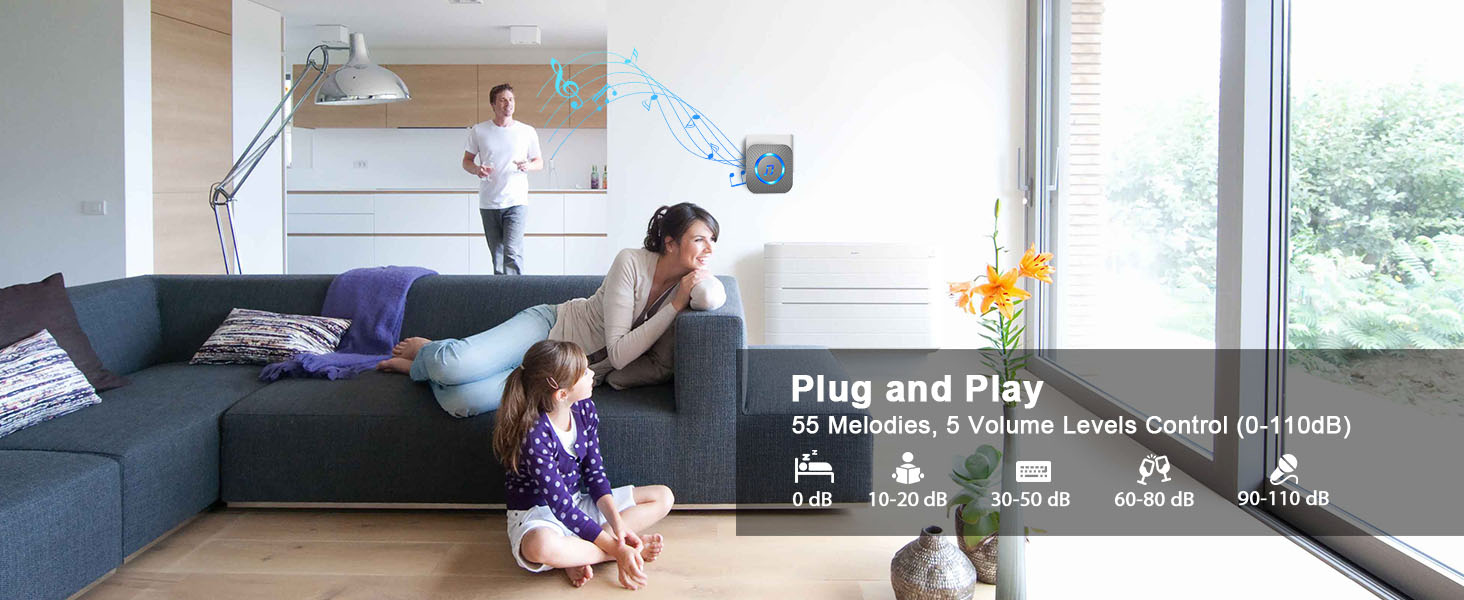
Image: Overview of doorbell features including 55 melodies, 5 volume levels, and silent mode with LED flash.
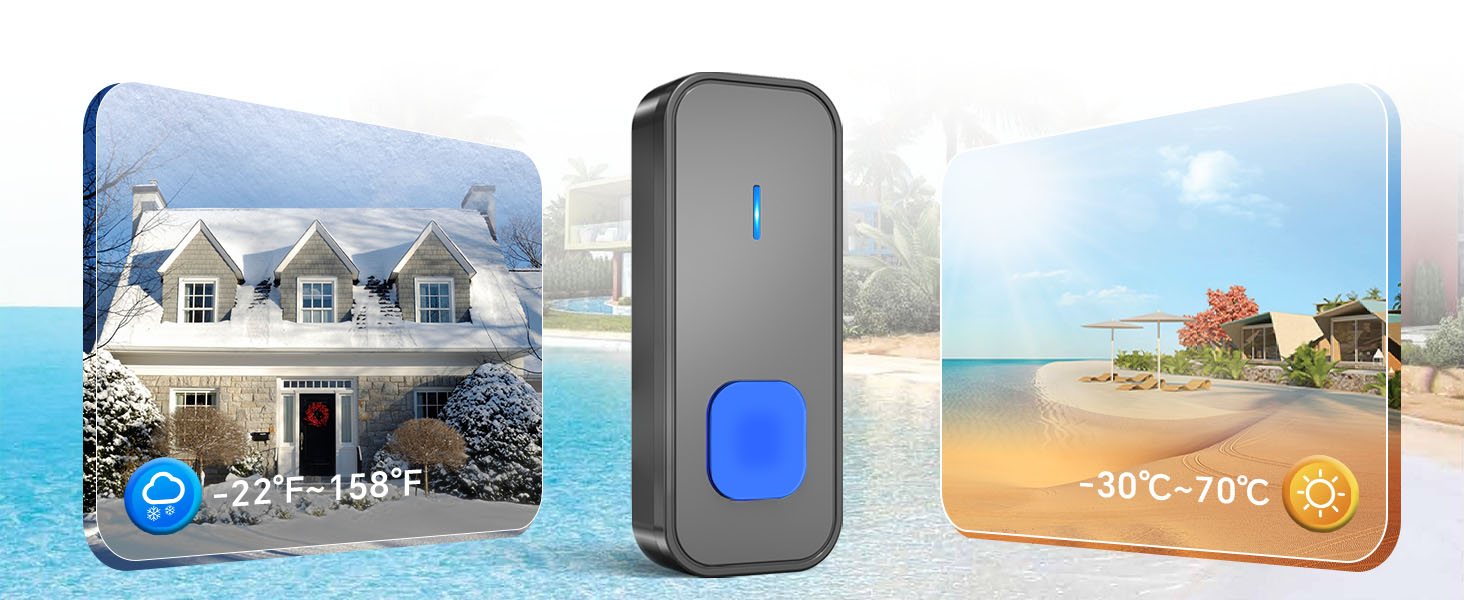
Image: The LED indicator on the receiver flashing, demonstrating its utility for silent alerts or for users with hearing impairments.
Expanding Your System
The SURFOU wireless chime system is expandable. You can add more SURFOU receivers or push buttons to cover additional entry points or areas within your property. Refer to the welcome guide or contact support for pairing instructions for new components.
Key Features
- Ultra-Long 1300ft Wireless Range: Advanced wireless technology ensures reliable signal transmission across large homes, gardens, or offices.
- Waterproof & Weather Resistant: The push button is designed to withstand harsh weather conditions, operating reliably from -22°F to 158°F (-30°C to 70°C).
- Customizable Chimes & Silent Mode: Choose from 55 diverse melodies and 5 adjustable volume levels (0dB to 110dB), including a silent mode with LED flash.
- Smart Memory Function: The system remembers your last set melody and volume level even after a power outage.
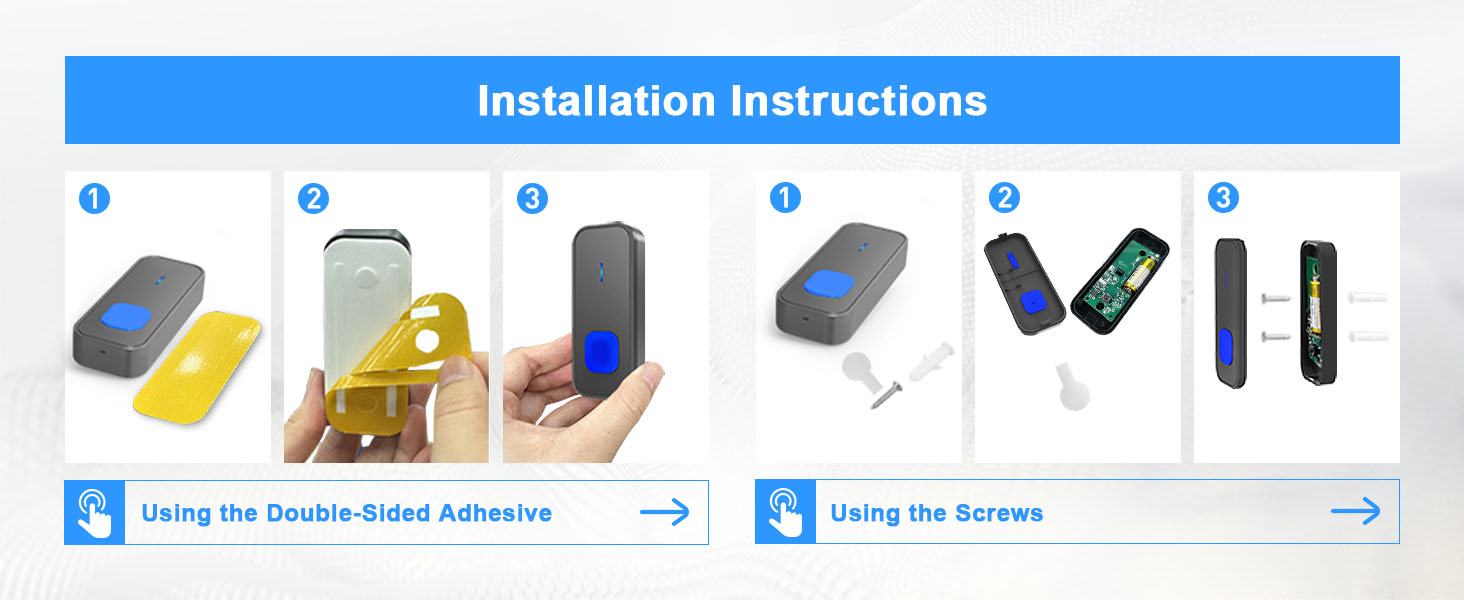
Image: Diagram illustrating the 1300ft wireless range of the doorbell system, covering multiple areas of a large home.

Image: Visual representation of the push button's dustproof and waterproof capabilities, alongside its wide operating temperature range.
Maintenance
- Cleaning: Wipe the doorbell components with a soft, dry cloth. Do not use abrasive cleaners or solvents.
- Battery Replacement: The push button uses a 12V 23A alkaline battery. When the push button's LED indicator no longer lights up or the range decreases significantly, it's time to replace the battery. Open the back cover, replace the old battery with a new one, ensuring correct polarity, and close the cover.
- Receiver Care: Ensure receivers are plugged into dry, indoor outlets.
Troubleshooting
| Problem | Possible Cause | Solution |
|---|---|---|
| Receiver does not chime. |
|
|
| Short operating range. |
|
|
| Doorbell rings randomly. |
|
|
Specifications
| Model Number | N128-Black--CDXH |
| Operating Range | Up to 1300ft (in open areas) |
| Melodies | 55 selectable chimes |
| Volume Levels | 5 levels (0dB to 110dB) |
| Operating Temperature | -22°F to 158°F (-30°C to 70°C) |
| Push Button Battery | 12V 23A Alkaline (included) |
| Receiver Power | AC Plug-in |
| Item Weight | 10.8 ounces (total package) |
| Product Dimensions | 5.5 x 3.3 x 3 inches (package) |
Warranty and Support
SURFOU products come with a standard warranty. For specific warranty details, please refer to the welcome guide included in your package or contact customer support.
If you encounter any issues or have questions regarding your SURFOU Wireless Doorbell Set, please contact our customer support team:
Email: service@surfou.com
Please provide your model number (N128) and a detailed description of your issue for faster assistance.


