
1. Introduction
This manual provides essential information for the safe and efficient use of your EcoFlow DELTA 3 Max Plus Portable Power Station. Please read this manual thoroughly before operating the device and retain it for future reference. This product is designed to provide reliable power for various applications, including outdoor activities, emergency backup, and mobile power needs.
2. Product Overview
The EcoFlow DELTA 3 Max Plus is a high-capacity portable power station featuring advanced technology and versatile output options. It is designed for both convenience and performance.
2.1 Key Features
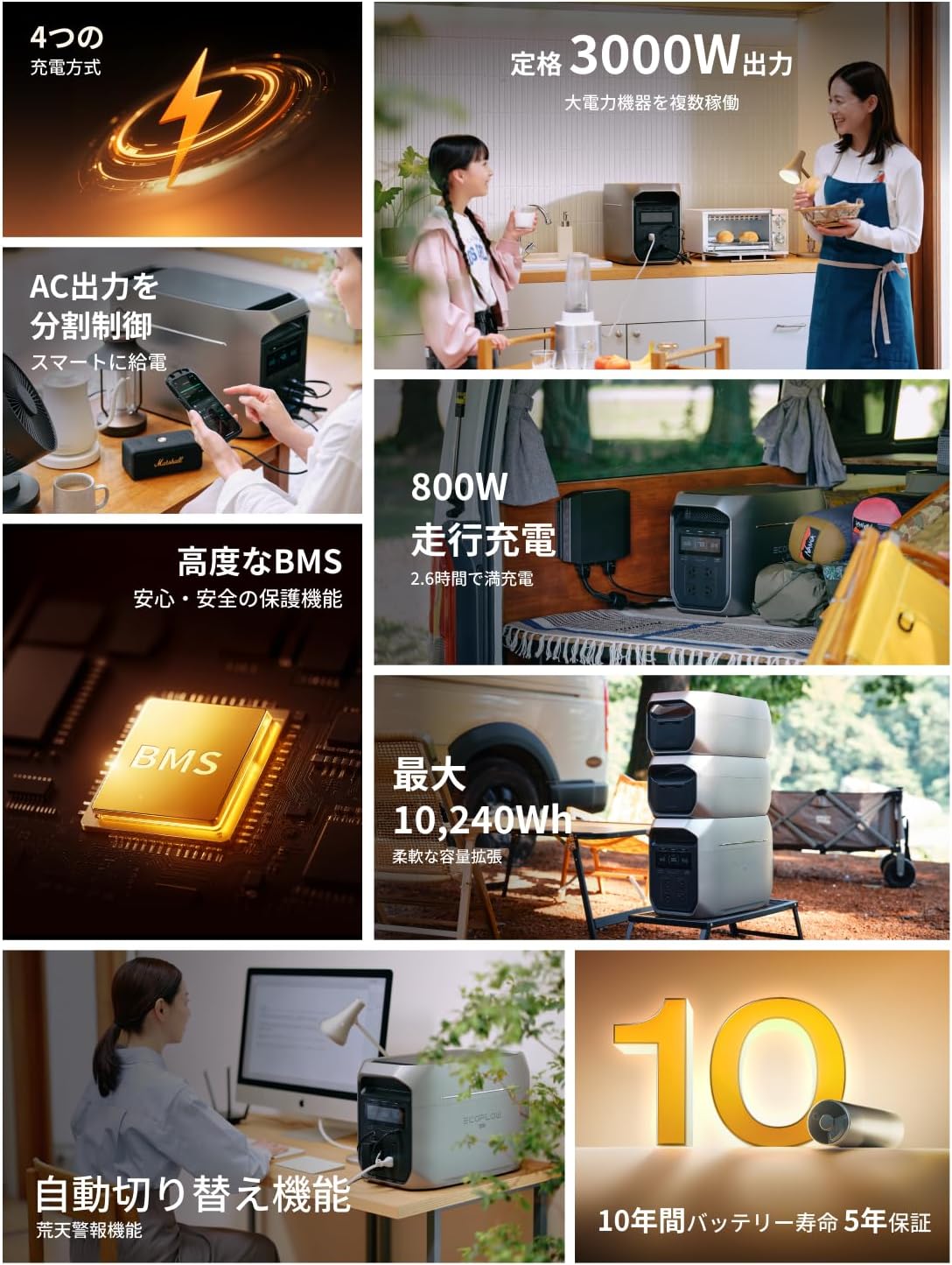
- High Capacity & Output: 2048Wh capacity with a rated output of 3000W (surge up to 3800W with X-Boost). Utilizes SiC power semiconductor technology for high efficiency.
- Fast Charging: Multiple charging methods allow for rapid recharging, with some combinations achieving full charge in as little as 72 minutes.
- Expandable Capacity: Flexible capacity options from 2,048Wh up to 10,240Wh by connecting additional batteries.
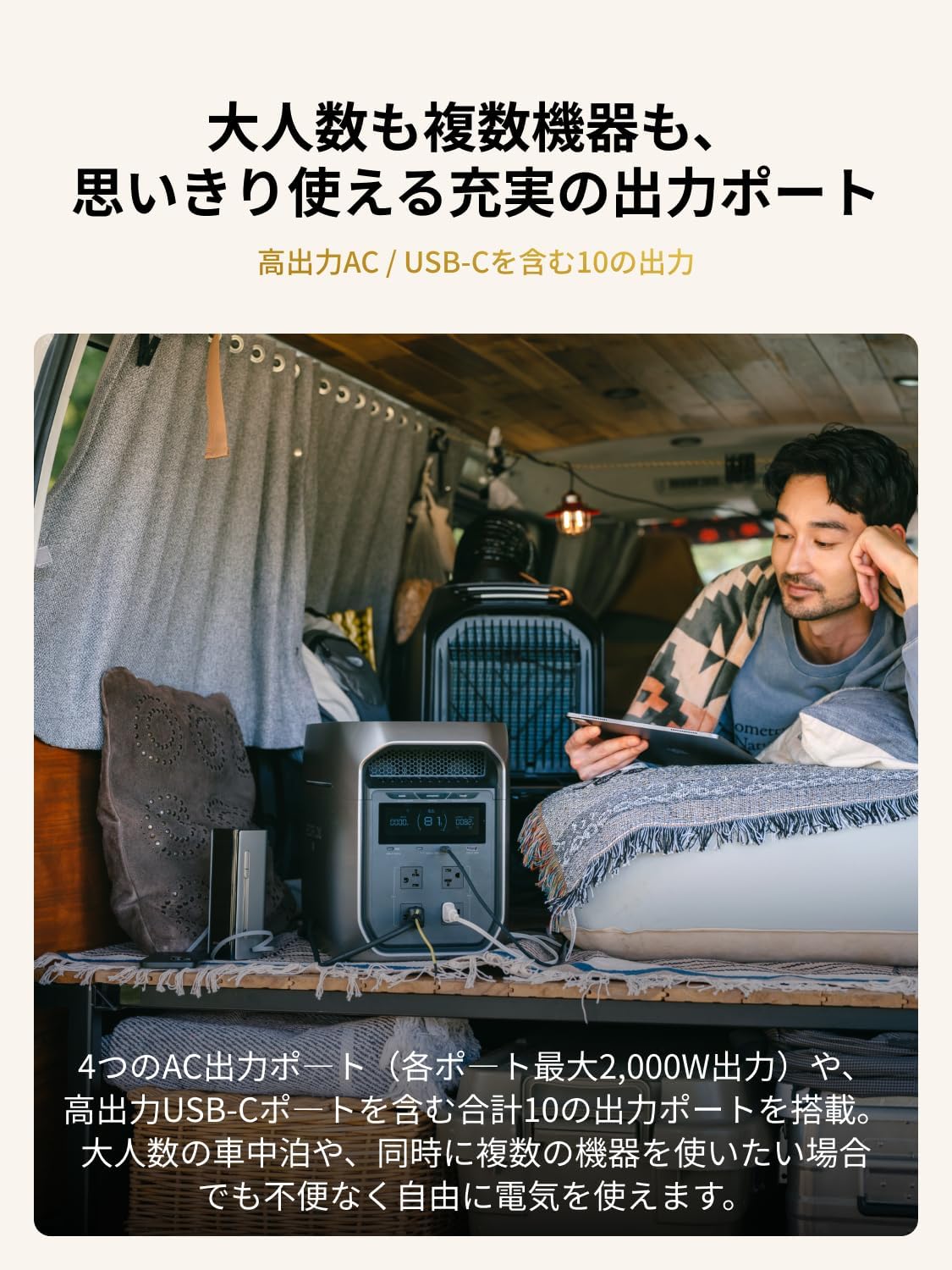
- Versatile Output: Equipped with 10 output ports, including 4 AC outlets (up to 2000W per port) and high-power USB-C ports.
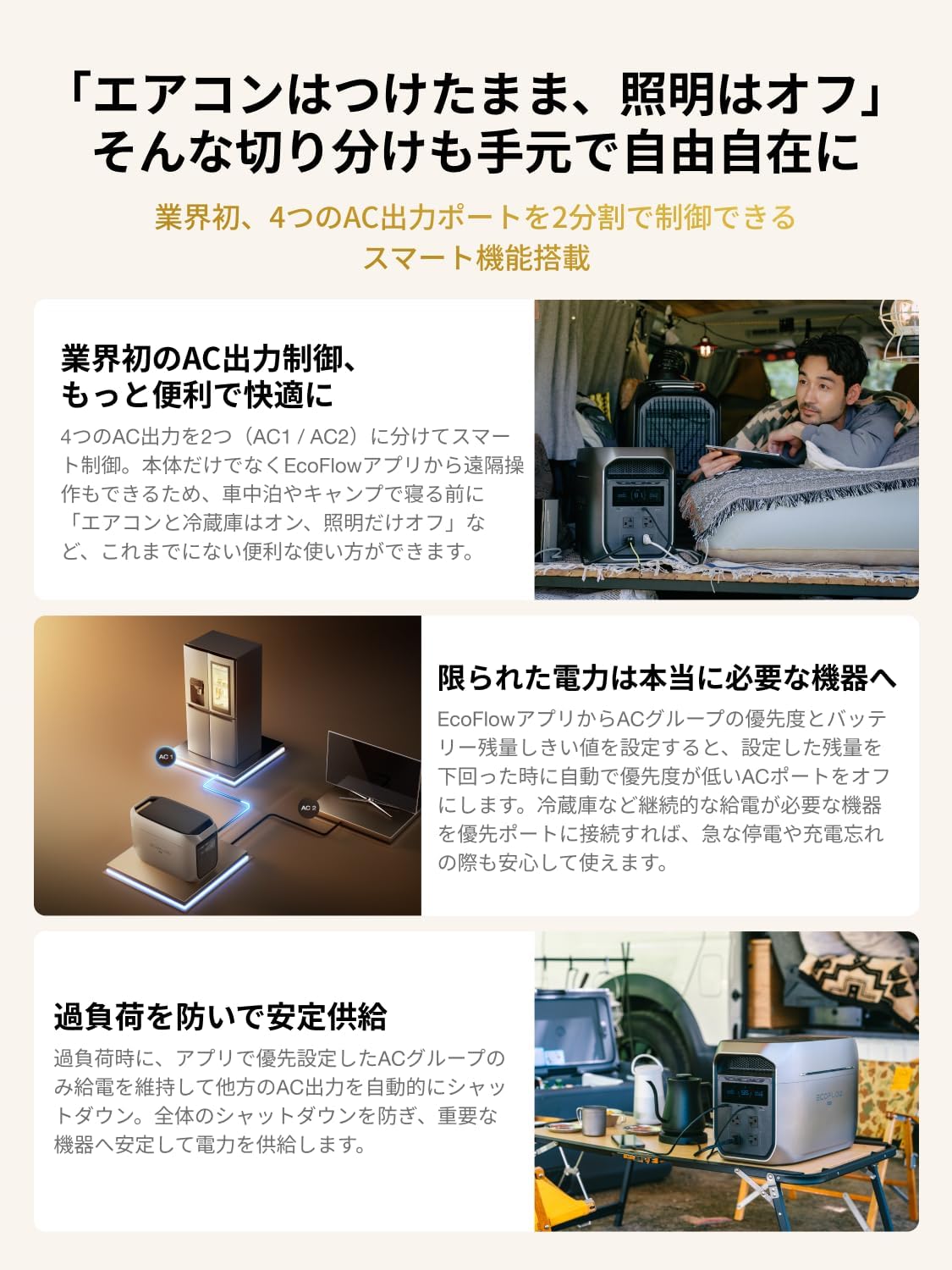
- Smart AC Output Control: Industry-first AC output division control, allowing smart management of AC ports via the EcoFlow app.
- Smart Functions: Includes StormGuard for automatic priority charging during bad weather alerts and TOU (Time-of-Use) mode for optimized charging/discharging based on electricity rates.
- User-Friendly Design: All frequently used AC outlets and USB ports are located on the front for easy access. Compact design with an integrated handle for portability and space efficiency.
2.2 Components
The DELTA 3 Max Plus features a robust design with clearly labeled ports and a central display for monitoring status.


3. Setup
3.1 Unboxing
Upon receiving your DELTA 3 Max Plus, carefully remove all components from the packaging. Verify that all accessories are present according to the packing list.
3.2 Initial Charge
It is recommended to fully charge the DELTA 3 Max Plus before first use to optimize battery performance and lifespan. Refer to the 'Charging Methods' section for detailed instructions.
4. Operating Instructions
4.1 Powering On/Off
- To power on the device, press and hold the main power button until the display illuminates.
- To power off, press and hold the main power button until the display turns off.
4.2 Charging Methods
The DELTA 3 Max Plus supports multiple charging options:
- AC Charging: Connect the AC charging cable to a standard wall outlet. The device can fully charge in approximately 108 minutes (1.8 hours) at 1500W.
- Solar Charging: Connect compatible solar panels (sold separately) to the solar input port. Charging time varies based on solar intensity and panel wattage.
- Car Charging: Use the car charger (sold separately) to charge from your vehicle's 12V/24V outlet.
- Combined Charging: For the fastest charging, combine solar and car charging, which can achieve a full charge in as little as 72 minutes.

4.3 Discharging (Using Output Ports)
The DELTA 3 Max Plus provides various output ports to power your devices:
- AC Outlets: Press the AC power button to enable AC output. Connect your AC-powered devices. Each AC port supports up to 2000W.
- USB-A Ports: Connect your USB-A compatible devices for charging.
- USB-C Ports: Connect your USB-C compatible devices for charging.
- DC Output: Use the DC output for compatible devices.

4.4 X-Boost Function
The X-Boost function allows the DELTA 3 Max Plus to power devices requiring up to 3800W by lowering the voltage and current, enabling it to run more appliances than its rated output. This feature is automatically enabled when the total output exceeds the rated power. It is suitable for resistive loads like heating elements.
4.5 Smart AC Output Control
The DELTA 3 Max Plus offers advanced control over its AC outputs:
- AC Grouping: The four AC outputs are divided into two controllable groups (AC1 / AC2). This allows for smart management of power distribution.
- Priority Settings: Through the EcoFlow app, you can set priority levels for AC groups and a battery threshold. When the battery level drops below the set threshold, the lower-priority AC ports will automatically turn off to conserve power for essential devices connected to high-priority ports (e.g., refrigerators).
- Overload Protection: In case of overload, the system will automatically shut down lower-priority AC groups while maintaining power to the prioritized AC group, preventing a complete system shutdown and ensuring critical devices remain powered.
4.6 EcoFlow App Control
The EcoFlow app provides comprehensive remote control and monitoring capabilities for your DELTA 3 Max Plus:
- Remote Operation: Turn AC outlets on/off, manage charging settings, and monitor power usage from your smartphone.
- StormGuard Function: When enabled, the device will automatically prioritize charging during severe weather alerts (based on weather forecasts within 12 hours), ensuring it's ready for potential power outages.
- Automatic Power Switching: In the event of a power outage, the device can automatically switch to battery power in less than 10ms, providing uninterrupted power to connected devices like PCs or refrigerators.
- TOU (Time-of-Use) Mode: Optimize charging and discharging based on peak and off-peak electricity rates, helping to reduce electricity costs.

4.7 Expandable Capacity
The DELTA 3 Max Plus's capacity can be expanded by connecting additional batteries (sold separately). This allows for flexible power solutions ranging from 2,048Wh to a maximum of 10,240Wh, suitable for various durations and power demands.

5. Maintenance
5.1 Storage
- Store the DELTA 3 Max Plus in a dry, well-ventilated area, away from direct sunlight and extreme temperatures.
- For long-term storage, it is recommended to discharge the battery to 30% and then recharge to 60% every 3 months to prolong battery life.
5.2 Cleaning
- Use a dry, soft cloth to wipe the exterior of the device.
- Do not use harsh chemicals or abrasive materials.
5.3 Battery Care
The DELTA 3 Max Plus is equipped with an advanced Battery Management System (BMS) to ensure safety and longevity. Regular use and proper storage practices will help maintain its 10-year battery lifespan.
6. Troubleshooting
If you encounter issues with your DELTA 3 Max Plus, please refer to the following common problems and solutions:
| Problem | Possible Cause | Solution |
|---|---|---|
| Device does not power on | Battery is completely discharged; Power button not pressed correctly. | Charge the device using an AC outlet; Press and hold the power button firmly. |
| AC output not working | AC output is not enabled; Device is overloaded; Battery level is too low. | Press the AC power button; Reduce the number of connected devices or use X-Boost; Recharge the device. |
| Slow charging speed | Charging input power is low; Environmental temperature is too high/low. | Ensure the charging source provides sufficient power; Charge in a suitable temperature range (0-45°C). |
| App connection issues | Bluetooth/Wi-Fi is off; Device is too far from smartphone. | Ensure Bluetooth/Wi-Fi is enabled on your smartphone; Move closer to the device. |
If the problem persists, please contact customer support.
7. Specifications
| Feature | Detail |
|---|---|
| Brand | EF ECOFLOW |
| Model Number | DELTA 3 MAX PLUS |
| Capacity | 2048Wh (Expandable up to 10,240Wh) |
| AC Output | 3000W (Rated), 3800W (X-Boost) |
| Number of Ports | 10 (including AC, USB-A, USB-C) |
| Dimensions (L x W x H) | 49.6 cm x 30.5 cm x 24.2 cm |
| Weight | 23 kg |
| Color | Silver |
| Warranty | 5 years |
| Compatible Devices | Laptops, various home appliances, outdoor equipment |
8. Warranty and Support
8.1 Warranty Information
The EcoFlow DELTA 3 Max Plus Portable Power Station comes with a 5-year warranty from the date of purchase. This warranty covers manufacturing defects and ensures the product meets its specified performance standards under normal use. Please retain your proof of purchase for warranty claims.
8.2 Customer Support
For technical assistance, troubleshooting not covered in this manual, or warranty inquiries, please contact EcoFlow customer support. You can find contact information and additional resources on the official EcoFlow website or through their Amazon store:


