
1. Introduction
This manual provides essential information for the installation, operation, and maintenance of your Lian Li SX1200P Platinum 1200W Compact ATX Power Supply. Please read this manual thoroughly before installation and retain it for future reference.
The Lian Li SX1200P Platinum power supply is designed to deliver stable and efficient power to high-performance computer systems. It features ATX 3.1 and PCIe 5.1 readiness, a compact ATX form factor, and a fully modular design for optimized cable management.

Image 1.1: Overview of the Lian Li SX1200P Platinum Power Supply, highlighting its compact design and modular connectors.
2. Safety Information
Always observe the following safety precautions to prevent injury or damage to the product:
- Ensure the power supply is disconnected from the AC outlet before installation or maintenance.
- Do not open the power supply unit. High voltages are present inside, which can cause electric shock.
- Install the power supply in a well-ventilated area, away from heat sources and moisture.
- Use only the provided modular cables with this power supply. Using incompatible cables may cause damage.
- Ensure all connectors are securely seated before powering on the system.
3. Package Contents
Verify that all components are present in the package:
- Lian Li SX1200P Platinum Power Supply Unit
- Modular Cable Set (including 12V-2x6 cable)
- AC Power Cord
- Mounting Screws
- User Manual (this document)
Video 3.1: An unboxing video demonstrating the contents of the Lian Li SXP Platinum PSU package, including the power supply unit and its accessories.
4. Setup and Installation
Follow these steps to install your power supply:
- Prepare Your System: Ensure your computer case is compatible with ATX form factor power supplies. Disconnect all power from your system.
- Mount the PSU: Secure the power supply into the designated PSU bay in your computer case using the provided mounting screws.
- Connect Main Power: Connect the 20+4 Pin Main Power cable to your motherboard.
- Connect CPU Power: Connect the ATX 12V (4+4 Pin) cable(s) to your motherboard's CPU power connector(s).
- Connect GPU Power: For graphics cards requiring PCIe power, use the appropriate PCIe (6+2 Pin) or 12V-2x6 cable. Ensure the 12V-2x6 cable's blue section is fully inserted for safe and efficient power delivery.
- Connect Peripherals: Connect SATA (5 Pin) cables for storage drives and Peripheral (4 Pin) cables for other accessories as needed.
- Cable Management: Utilize the flexible braided cables and cable combs for a clean and organized build, improving airflow.
- Final Check: Double-check all connections to ensure they are secure before connecting the AC power cord and powering on your system.

Image 4.1: Illustration of the ample PCIe 6+2 connectors available on the power supply, supporting multiple devices.

Image 4.2: Detailed diagram of the 12V-2x6 copper-alloy terminal, emphasizing the importance of fully inserting the blue section for secure connection.

Image 4.3: Cable configuration table detailing connector types, quantities, and lengths for different wattage models.
5. Operating Instructions
The Lian Li SX1200P Platinum power supply incorporates smart features for optimal performance and quiet operation.
Smart Cooling Technology
This power supply features a fanless mode for silent operation when the load is at or below 40%. The fan will automatically activate when the load exceeds 40% to maintain optimal temperatures. This feature can be enabled or disabled using the switch on the rear of the unit.
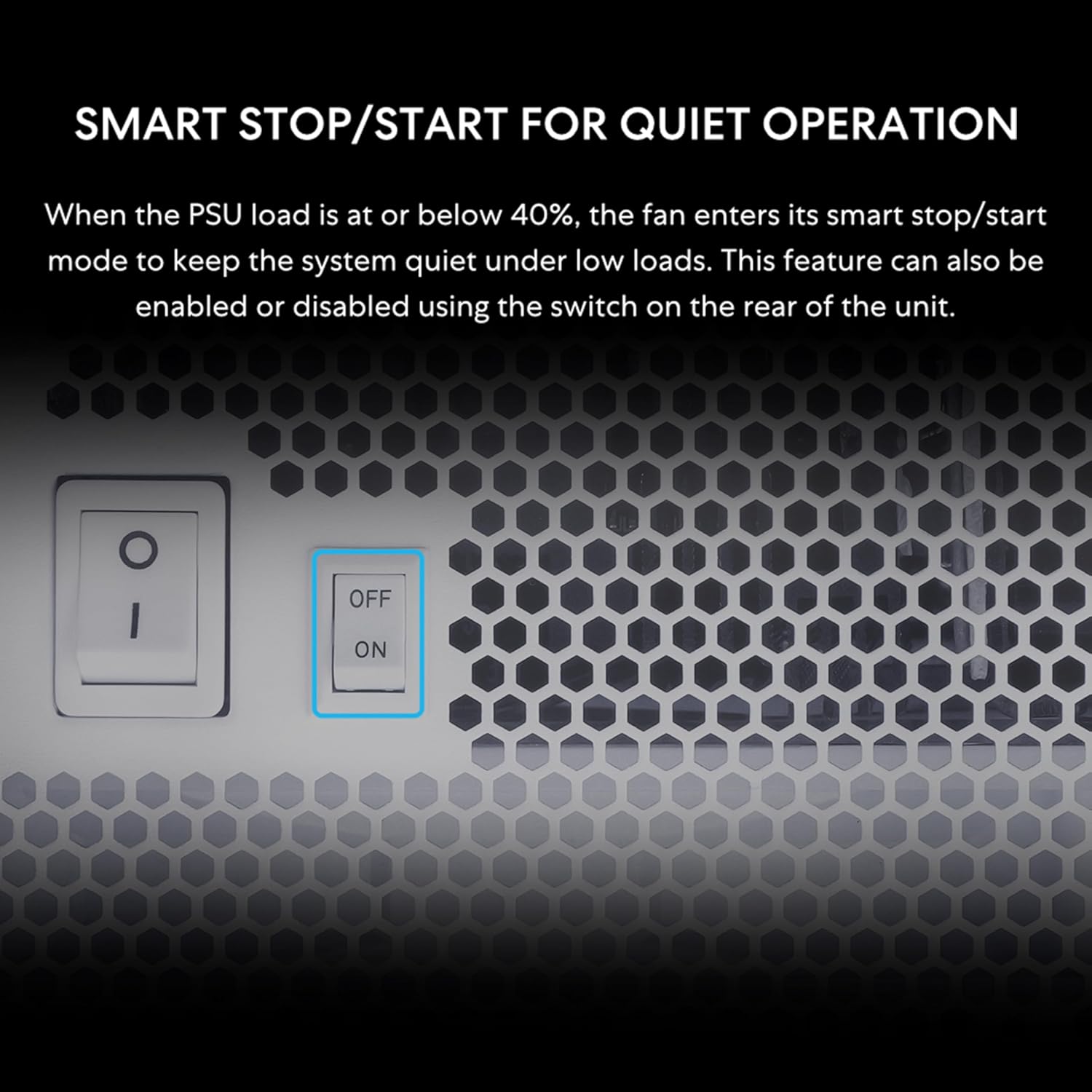
Image 5.1: Close-up of the Smart Stop/Start switch on the power supply, allowing users to enable or disable the fanless mode.
Efficiency and Noise Levels
The 80 Plus Platinum certification ensures high efficiency, reducing heat and noise. Refer to the efficiency and fan speed/noise curves below for detailed performance characteristics.

Image 5.2: Efficiency curve for the SX1200P model, showing performance at different system loads for 230Vac and 115Vac inputs.

Image 5.3: Fan speed and noise level curves for the SX1200P model, illustrating fan behavior with and without fanless mode enabled.
6. Maintenance
To ensure the longevity and optimal performance of your power supply, consider the following maintenance tips:
- Dust Removal: Periodically clean the power supply's fan and vents to prevent dust buildup, which can impede airflow and cooling. Use compressed air for this purpose.
- Airflow: Ensure your computer case has adequate airflow to prevent the power supply from overheating.
- Cable Integrity: Regularly check all modular cable connections for secure seating and signs of wear or damage.

Image 6.1: The vented front panel design of the power supply, crucial for maintaining optimal airflow and cooling.
7. Troubleshooting
If you encounter issues with your power supply, refer to the following common troubleshooting steps:
- No Power:
- Ensure the AC power cord is securely connected to both the power supply and the wall outlet.
- Check that the power switch on the rear of the PSU is in the 'ON' position.
- Verify all modular cables are correctly and firmly connected to the PSU and components.
- Test the wall outlet with another device to confirm it has power.
- System Instability/Crashes:
- Ensure your system's power requirements do not exceed the PSU's wattage.
- Check for loose cable connections, especially to the motherboard and graphics card.
- Monitor system temperatures to ensure components are not overheating.
- Fan Not Spinning:
- If the fanless mode is enabled (Smart Stop/Start switch 'ON'), the fan will not spin under low loads (below 40%). This is normal operation.
- If the fan is not spinning under higher loads or with fanless mode disabled, contact support.
8. Specifications
| Feature | Detail |
|---|---|
| Model Name | SX1200P.W |
| Brand | Lian Li |
| Output Wattage | 1200 Watts |
| Form Factor | ATX |
| Cooling Method | Air (120 mm FDB fan) |
| Efficiency Certification | 80 Plus Platinum |
| Capacitors | 100% Japanese 105°C-Rated |
| Dimensions (L x W x H) | 5.91 x 3.39 x 5.51 inches (150 x 86 x 140 mm) |
| Weight | 3.27 Kilograms |
| Maximum Input Voltage | 120 Volts (AC) |
| Minimum Input Voltage | 110 Volts (AC) |
| System Bus Connector Type | 24 Pin |
| PCIe Connector Type | PCI Express (6+2 Pin, 12V-2x6) |
Video 8.1: A product video showcasing the features and specifications of the Lian Li SX Series PSUs.
9. Warranty and Support
The Lian Li SX1200P Platinum Power Supply comes with a 10-year hardware protection, ensuring long-term stability and reliability. This warranty covers defects in materials and workmanship under normal use.
For missing parts, cable color issues, or any other support inquiries, please reach out to Lian Li customer service. Refer to the official Lian Li website for the most current support contact information.
RMA Support: If you experience any issues covered by the warranty, please contact Lian Li's customer support for Return Merchandise Authorization (RMA) procedures.