
1. Introduction
Thank you for choosing the ORICO Surge Protector Power Strip. This device is designed to provide convenient power distribution and surge protection for your electronic devices. It features multiple AC outlets, USB-A ports, and USB-C ports, along with a flat plug design and wall-mountable options for versatile use in various environments.
Please read this manual thoroughly before using the product to ensure safe and optimal operation. Keep this manual for future reference.
2. Safety Instructions
- Indoor Use Only: This product is intended for indoor use in dry locations only. Do not use it outdoors or in wet environments.
- Electrical Rating: Do not exceed the electrical ratings of 1250W/125V/10A. Overloading the power strip can cause damage to the unit and connected devices, and may pose a fire hazard.
- Grounding: Ensure the power strip is plugged into a properly grounded three-prong outlet.
- Children and Pets: Keep the power strip and connected cords out of reach of children and pets.
- Ventilation: Do not cover the power strip or place it in an enclosed space where heat cannot dissipate.
- Disassembly: Do not attempt to disassemble, repair, or modify the unit. Contact customer support if service is required.
- Damage: Do not use if the power strip, cord, or plug is damaged.
- Surge Protection: The integrated surge protection helps safeguard your electronics from power surges and spikes. In case of an overload, the power switch may automatically trip to protect connected devices.
3. Package Contents
- ORICO Surge Protector Power Strip (Model OG-6A2U2C-US)
- User Manual
4. Product Features
The ORICO Surge Protector Power Strip is designed for efficiency and safety, offering multiple functionalities:
- 10-in-1 Power Solution: Equipped with 6 AC outlets, 2 USB-A ports, and 2 USB-C ports to power and charge up to 10 devices simultaneously.
- Wide Spacing: AC outlets are spaced 1.7 inches apart to accommodate larger power adapters without blocking adjacent outlets.
- Advanced Surge Protection: Features comprehensive protection against short circuits, overheating, overcurrent, and overvoltage. Certified by FCC and UL Test Report.
- Fire-Resistant Material: Constructed with a fire-resistant PC shell for enhanced safety and durability.
- Flat Plug Design: An ultra-thin 0.35-inch flat plug with a 45-degree angle allows the power strip to fit easily behind furniture and prevents blocking the lower wall outlet.
- Wall-Mountable: Includes 2 keyhole slots for easy installation on walls, workbenches, or under counters, optimizing space management.
- Stable Placement: Four rubber feet on the base prevent slipping and sliding when placed on flat surfaces.

Image: ORICO Surge Protector Power Strip, showcasing its compact design and multiple ports.

Image: Diagram illustrating the 10-in-1 functionality with 6 AC outlets, 2 USB-A, and 2 USB-C ports.

Image: Visual representation of the multiple security protections including overload, short-circuit, overpressure, and overcurrent protection.
5. Setup
5.1 Initial Placement
Place the ORICO Surge Protector Power Strip on a stable, dry surface, such as a desk or floor. Ensure the 5-foot extension cord can reach your desired wall outlet without being stretched or obstructed.
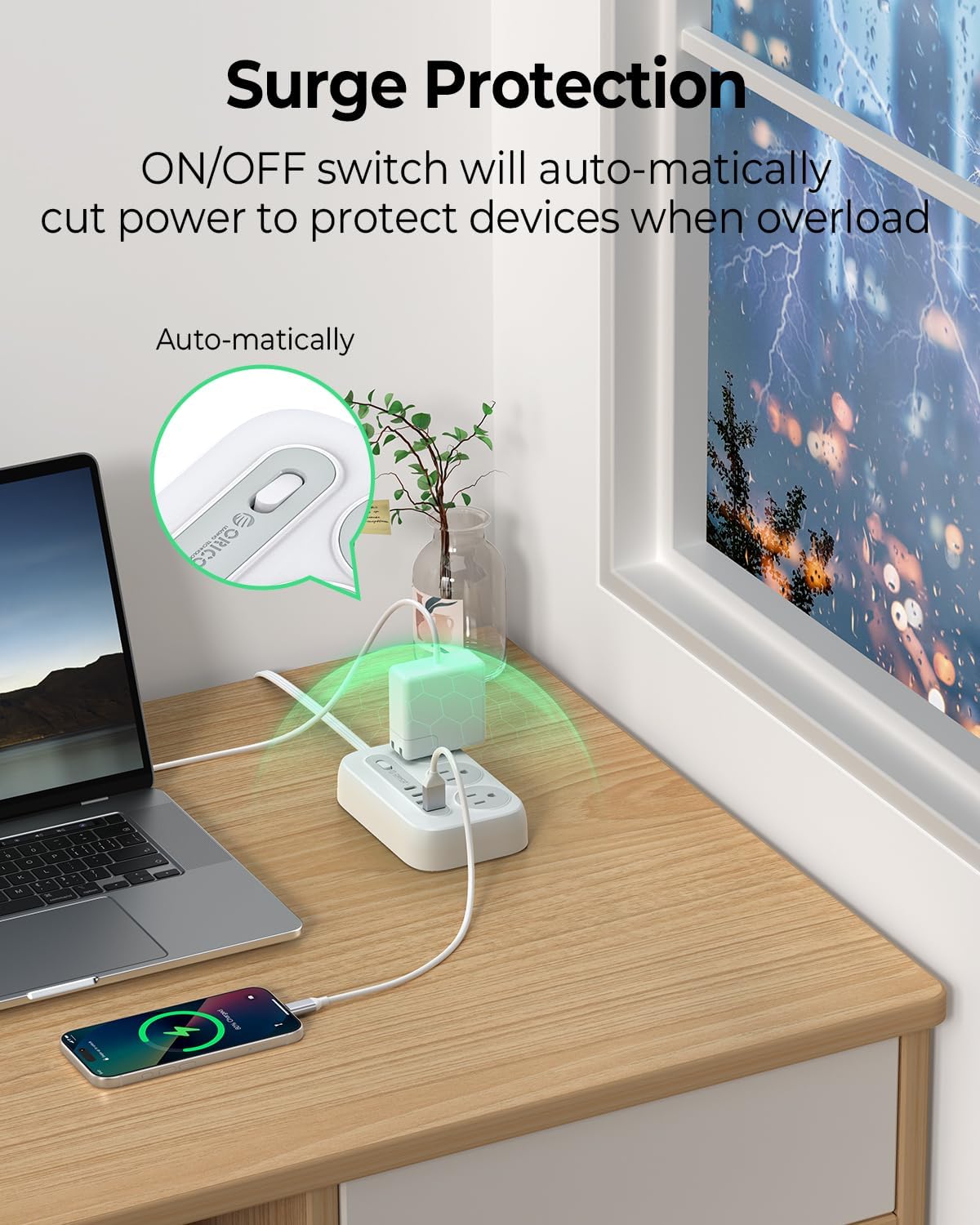
Image: The 5-foot flat extension cord shown in a typical home setting, demonstrating its length and flat design.
5.2 Wall Mounting (Optional)
The power strip can be securely mounted to a wall or other vertical surface using the integrated keyhole slots. Follow these steps:
- Prepare the Surface: Choose a suitable location on a wall or workbench.
- Mark Screw Positions: Use the provided 'WALL MOUNT SCREW POSITION MAKER' template (if included) or measure the distance between the two keyhole slots on the back of the power strip. Mark these positions on your desired mounting surface.
- Install Screws: Drive two screws (not included, suitable for your wall type) into the marked positions, leaving the screw heads slightly protruding (approximately 1/8 inch or 3mm). Ensure the screw heads are small enough to fit into the narrow part of the keyhole slots but large enough to hold the unit securely.
- Mount the Power Strip: Align the keyhole slots on the back of the power strip with the installed screws. Slide the power strip downwards to lock it into place.

Image: Illustration of the wall-mountable design, highlighting the keyhole slots and rubber feet for secure placement.
6. Operating Instructions
6.1 Connecting to Power
Plug the power strip's flat plug into a standard 125V AC wall outlet. The flat plug design allows for discreet placement behind furniture.

Image: The flat plug design shown fitting into a wall outlet behind furniture, demonstrating its space-saving benefit.
6.2 Powering On/Off
Locate the ON/OFF switch on the power strip. Press the switch to turn the power strip on or off. The switch also functions as an overload protector, automatically cutting power if the connected load exceeds the maximum rating.

Image: Close-up of the ON/OFF switch, indicating its role in surge and overload protection.
6.3 Connecting Devices
- AC Outlets: Plug your AC-powered devices (e.g., laptops, monitors, lamps) into the 6 standard AC outlets.
- USB Ports: Connect your USB-powered devices (e.g., smartphones, tablets, smartwatches) to the 2 USB-A ports or 2 USB-C ports. The USB ports provide intelligent charging with a maximum output of 15.5W.
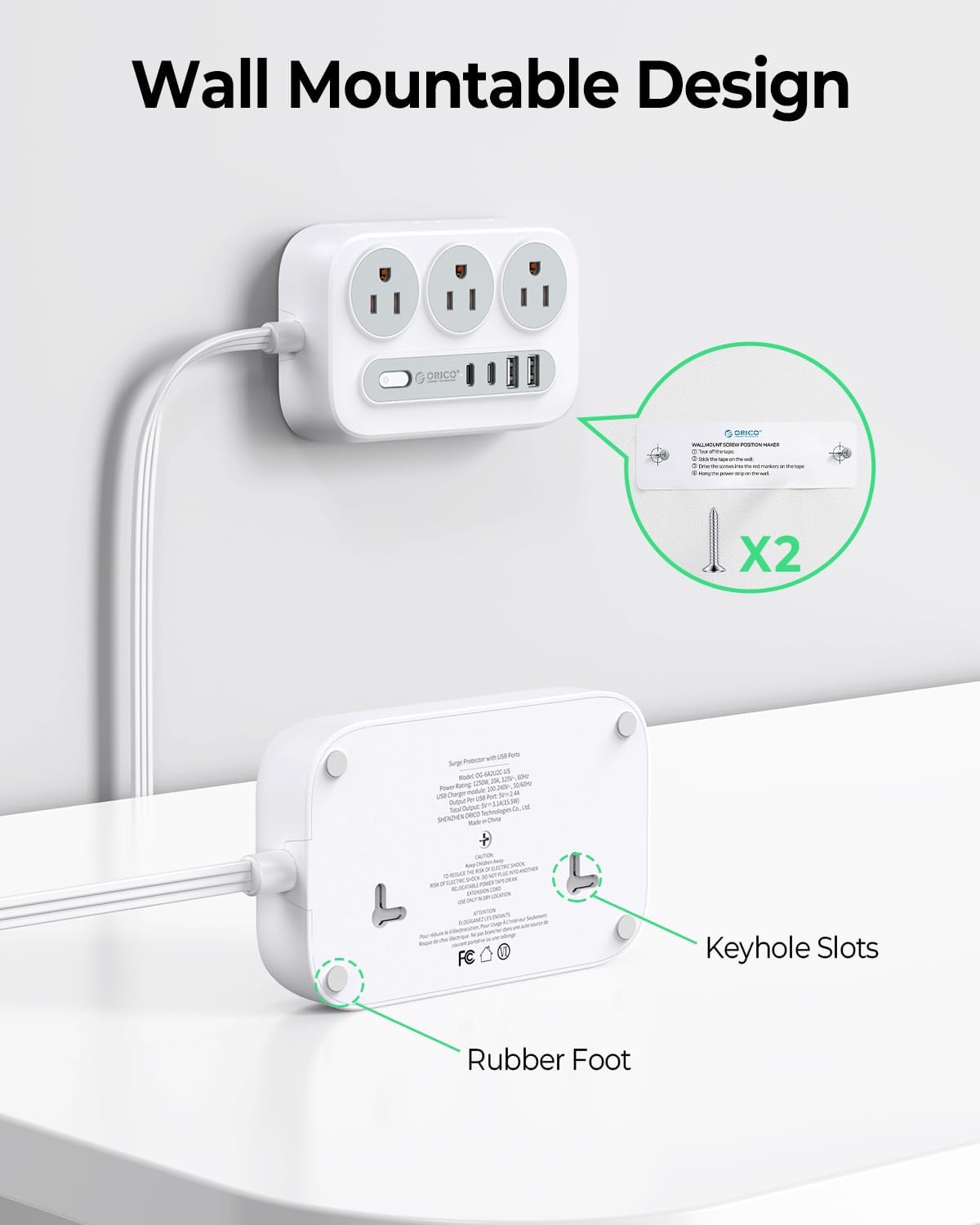
Image: The USB-A and USB-C ports in use, demonstrating simultaneous charging of multiple devices.
6.4 Product Demonstration Videos
Video: This video demonstrates the features of the ORICO Surge Protector Power Strip, including its flat extension cord and USB charging capabilities. (White model shown)
Video: An overview of the ORICO Surge Protector Power Strip, highlighting its design and utility in various settings. (Black model shown)
7. Maintenance
- Cleaning: Disconnect the power strip from the wall outlet before cleaning. Use a dry, soft cloth to wipe the surface. Do not use liquid cleaners or abrasive materials.
- Storage: When not in use, store the power strip in a cool, dry place away from direct sunlight and moisture.
- Cord Inspection: Periodically inspect the power cord and plug for any signs of damage. If damage is found, discontinue use immediately.
8. Troubleshooting
- No Power to Devices:
- Ensure the power strip's ON/OFF switch is in the 'ON' position.
- Check if the power strip is securely plugged into a working wall outlet.
- Verify that the wall outlet itself has power by testing it with another device.
- Overload Protection Tripped:
- If the power strip automatically turns off, it may be due to an overload. Disconnect some devices to reduce the total power draw.
- Press the ON/OFF switch to reset the power strip.
- USB Ports Not Charging:
- Ensure the power strip is turned on.
- Check the USB cable for damage and ensure it is properly connected to both the power strip and your device.
- Some devices may require specific charging protocols; ensure compatibility.
9. Specifications
| Model Number | OG-6A2U2C-US |
| Brand | ORICO |
| Color | White |
| AC Outlets | 6 |
| USB-A Ports | 2 |
| USB-C Ports | 2 |
| Total Power Outlets | 10 |
| Voltage Rating | 125 Volts |
| Current Rating | 10 Amps |
| Power Rating | 1250 Watts |
| USB Output | Max 15.5W (Intelligent Charging) |
| Cord Length | 5 feet |
| Item Weight | 8 ounces |
| Package Dimensions | 5.16 x 3.03 x 2.4 inches |
| Manufacturer | SHENZHEN ORICO TECHNOLOGIES CO.,LTD |
10. Warranty and Support
ORICO products are manufactured with high-quality standards and undergo rigorous testing. For specific warranty information, please refer to the warranty card included with your product or visit the official ORICO website.
If you encounter any issues or have questions regarding your ORICO Surge Protector Power Strip, please contact ORICO customer support for assistance. Contact details can typically be found on the product packaging or the official ORICO website.
