
1. Introduction
The ANFIER A9S AI Translation Earbuds are a cutting-edge device designed to facilitate real-time communication across language barriers. Featuring a built-in touchscreen and powered by advanced AI, including ChatGPT, this device offers versatile translation modes for various scenarios, from travel and business to daily conversations. It operates independently without requiring a smartphone application for core translation functions.
2. What's in the Box
- ANFIER A9S AI Translation Device with Integrated Earbuds
- USB-C Charging Cable
- User Manual
3. Setup
3.1 Initial Power On
- Press and hold the Power Button located on the side of the device until the screen illuminates.
- Swipe up on the touchscreen to unlock the device.
3.2 Network Connection
- Navigate to the 'Settings' menu on the touchscreen.
- Select 'Wi-Fi' and connect to an available network. The device also supports 4G connectivity (if applicable to your model) for independent operation.
3.3 Language Selection
- From the main menu, select 'Voice Translation' or 'Offline Translation'.
- Choose your desired source and target languages from the extensive list of 144 online and 16 offline languages.
4. Operating Modes
The ANFIER A9S offers multiple translation modes to suit different communication needs:
- Voice Translation: For real-time spoken conversations. Select your languages and speak into the device.
- Offline Translation: Translate without an internet connection for 16 essential languages. Ideal for travel in areas with limited connectivity.
- Translator Earbuds Mode (In-Ear Mode): For discreet one-on-one conversations. Translations are streamed privately into your earbuds.
- Speaker Mode: Output translations via the built-in 2W speaker, suitable for group discussions or meetings.
- Photo Translation: Instantly translate text from menus, signs, documents, or handwritten notes in 54 languages using the device's camera.
- Chat AI: Utilize the integrated ChatGPT for AI voice interaction and advanced smart convenience features.

Figure 1: ANFIER A9S device displaying its intuitive touchscreen interface.

Figure 2: The ANFIER A9S device comfortably held, highlighting its portable size and responsive screen.

Figure 3: Photo translation in action, translating text from a sign for easy understanding.
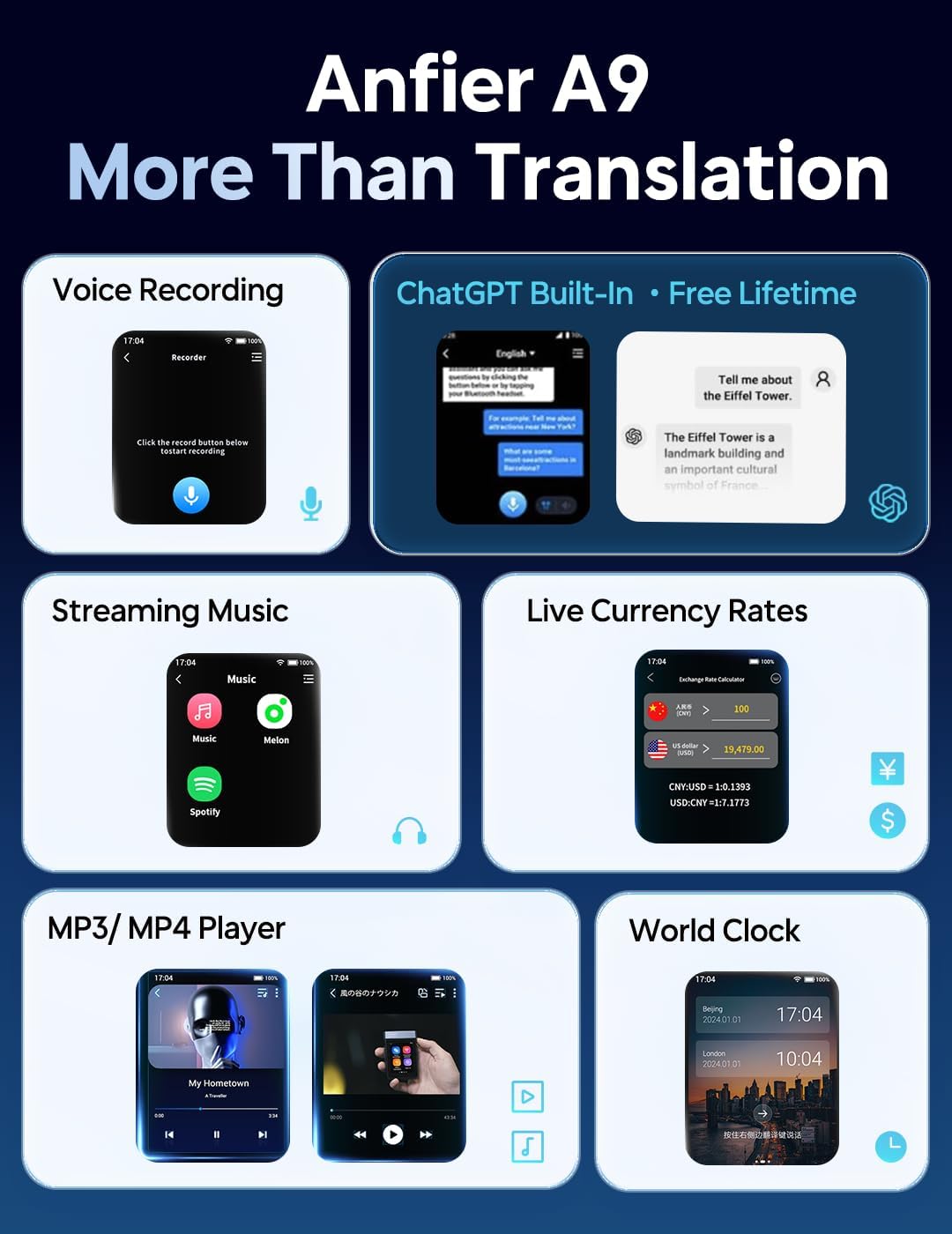
Figure 4: Display of the 16 languages available for offline translation.

Figure 5: The device also functions as a media player, supporting music and video playback.
5. Key Features and Specifications
- Real-time Translation: Ultra-precise translation powered by ChatGPT.
- Languages Supported: 144 online languages (74 languages, 70 accents) and 16 offline languages.
- Photo Translation: Supports 54 languages for instant text recognition and translation.
- Display: Larger 2.8" touchscreen for easy navigation and viewing.
- Processor: High-performance Qualcomm quad-core chipset for ultra-fast translations.
- Accuracy: Up to 98% accuracy in less than 0.5 seconds.
- Audio: ANFIER's state-of-the-art ENC noise cancellation technology for crystal-clear audio.
- Connectivity: Wi-Fi Only model (as per product variant).
- Additional Features: AI voice interaction, music streaming, live currency rates, MP3/MP4 player, world clock.
Video 1: Overview of the ANFIER A9 Translator, highlighting its capabilities beyond basic translation.
Video 2: Demonstrating the revolutionary real-time translation features of the ANFIER A9S.
Video 3: Illustrating the four distinct translation modes available on the ANFIER A9S.
6. Maintenance
- Cleaning: Use a soft, dry cloth to clean the device and earbuds. Avoid liquid cleaners.
- Storage: Store the device and earbuds in their charging case when not in use to protect them and ensure they remain charged.
- Battery Care: For optimal battery life, avoid fully discharging the device frequently. Charge regularly.
7. Troubleshooting
- Device Not Powering On: Ensure the device is fully charged. Connect it to a power source using the provided USB-C cable.
- Translation Inaccuracy: Verify that the correct source and target languages are selected. Ensure clear speech and minimal background noise. Check for a stable internet connection for online translation modes.
- Earbuds Not Connecting: Ensure the earbuds are properly seated in the charging case and that the device's Bluetooth is enabled.
- Wi-Fi Connection Issues: Confirm the Wi-Fi password is correct and that the device is within range of the network.
8. Support
For any questions, technical assistance, or feedback, please contact ANFIER customer support. ANFIER is committed to providing fast, friendly, and reliable 24/7 customer service.
- Online Support: Visit the official ANFIER website for FAQs and support resources.
- Customer Service: Available 24/7 for assistance.