
1. Introduction
This manual provides comprehensive instructions for the installation, operation, and maintenance of your VECHTEL 4G+64G Android 15 Car Stereo. Please read this manual thoroughly before using the product to ensure proper functionality and safety.
1.1. Compatibility
This car stereo is compatible with the following Mercedes Benz models:
- W169
- W245
- B160
- B170
- B180
- B200
- W639 Vito
- Viano
- W906 Sprinter
Before purchasing or installing, verify your vehicle's model year and center console shape. If your original car has a fiber optic system, a fiber optic box may be required for proper integration.
2. What's in the Box
The package includes the following components:
- VECHTEL 4G+64G Android 15 Car Stereo Unit
- HD Backup Camera
- GPS Antenna
- USB Cable (x2)
- Wiring Harness
- External Microphone
- RCA Cable
- Radio Antenna
- CAN-BUS Box
- Installation Tool Kit
- User Manual
Video: This video demonstrates the unboxing and lists the various components included in the product package, such as the main unit, cables, and accessories.

Image: An overview of the product dimensions and a visual representation of all included accessories and cables.
3. Specifications
| Feature | Detail |
|---|---|
| Operating System | Android 15 |
| RAM | 4GB |
| ROM | 64GB |
| Display Size | 9 Inches |
| Resolution | 1280*720 HD |
| Touch Screen Type | Capacitive |
| Connectivity | Bluetooth 5.0, USB, Wi-Fi |
| Special Features | 4 CORE Processor, Touchscreen, Wireless Android Auto, Wireless CarPlay, GPS, 32-Band EQ |
| Map Type | Worldwide (online/offline) |
| Audio Output Mode | Stereo |
| Item Weight | 3.3 pounds |
| Package Dimensions | 12.2 x 11.02 x 3.94 inches |
| Warranty | 2-year |
4. Setup
4.1. Installation
The car stereo is designed for a direct fit in compatible Mercedes Benz models. Professional installation is recommended. Ensure all power to the vehicle is disconnected before beginning installation.

Image: Visual comparison of the car's center console before and after the installation of the VECHTEL car stereo.
4.2. Wiring
Carefully connect all cables according to the provided wiring diagram. Ensure secure connections to prevent malfunctions.

Image: Detailed diagram illustrating the connections for power, RCA, USB, radio antenna, GPS antenna, rear camera input, and CAN-BUS.
4.3. CAN-BUS Setup
If your vehicle utilizes a CAN-BUS system, configure the CAN-BUS path through the factory settings menu. This ensures proper communication between the stereo and your vehicle's systems, including steering wheel controls.
Video: Demonstrates how to access factory settings and configure the CAN-BUS path for vehicle integration.
5. Operating Instructions
5.1. Basic Operations
The 9-inch 1280*720 HD touch screen provides intuitive control. The user interface is customizable, allowing you to arrange applications and widgets to your preference.

Image: Close-up view of the 9-inch HD touchscreen, highlighting its clarity and responsive touch interface.
5.2. Wireless CarPlay / Android Auto
Connect your smartphone wirelessly via Bluetooth to access CarPlay or Android Auto. This allows for seamless navigation, hands-free calls, messaging, and voice assistant functionality directly from the car stereo display.
Video: Demonstrates the process of connecting a smartphone to the car stereo for wireless CarPlay and Android Auto functionality.
Video: Shows the steps for establishing a wireless CarPlay and Android Auto connection with the car stereo.

Image: Illustrates the key features of wireless CarPlay and Android Auto, including navigation, voice control, and music playback.
5.3. GPS / WiFi Function
The unit has built-in GPS for navigation. You can use online maps via WiFi or download offline maps for use without a signal. Connect to your mobile phone's hotspot for internet access.

Image: Depicts the GPS navigation interface and the WiFi connectivity feature, allowing access to various online applications.

Image: Shows the integration of GPS navigation with WiFi for online services and app downloads.
5.4. Bluetooth 5.0
Utilize Bluetooth 5.0 for stable hands-free calls and high-quality music playback from your connected devices.

Image: Highlights Bluetooth 5.0 capabilities, Android 15 system, and mirror link functionality.
5.5. FM/RDS Radio & 32-Band EQ
Access FM radio stations and utilize the 32-band EQ for customized audio settings. You can also customize radio station names.
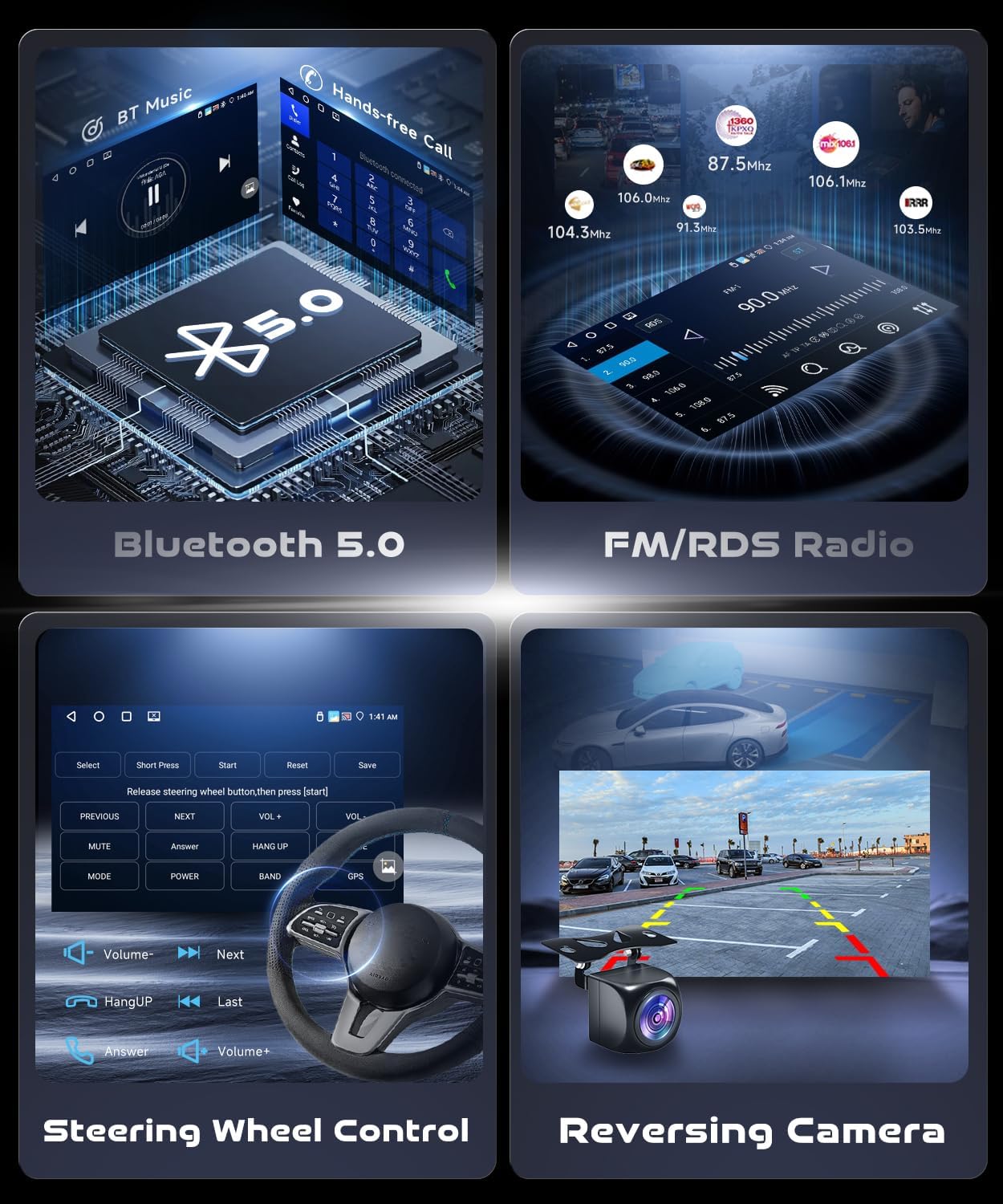
Image: Shows the interfaces for Bluetooth music, hands-free calls, FM/RDS radio, steering wheel control, and the reversing camera view.

Image: Displays the FM RDS radio interface and the 32-band equalizer for audio customization.
5.6. Steering Wheel Control (SWC)
The unit supports your original car's steering wheel controls, allowing you to manage audio, calls, and other functions without taking your hands off the wheel.
5.7. AHD Backup Camera
The included AHD backup camera provides a 170-degree wide-angle view with HD night vision for enhanced safety during reversing maneuvers.

Image: Shows the HD reversing camera and its wiring connections for installation.
5.8. Mirror Link
The unit supports wireless mirroring connection, allowing you to display your smartphone screen on the car stereo.
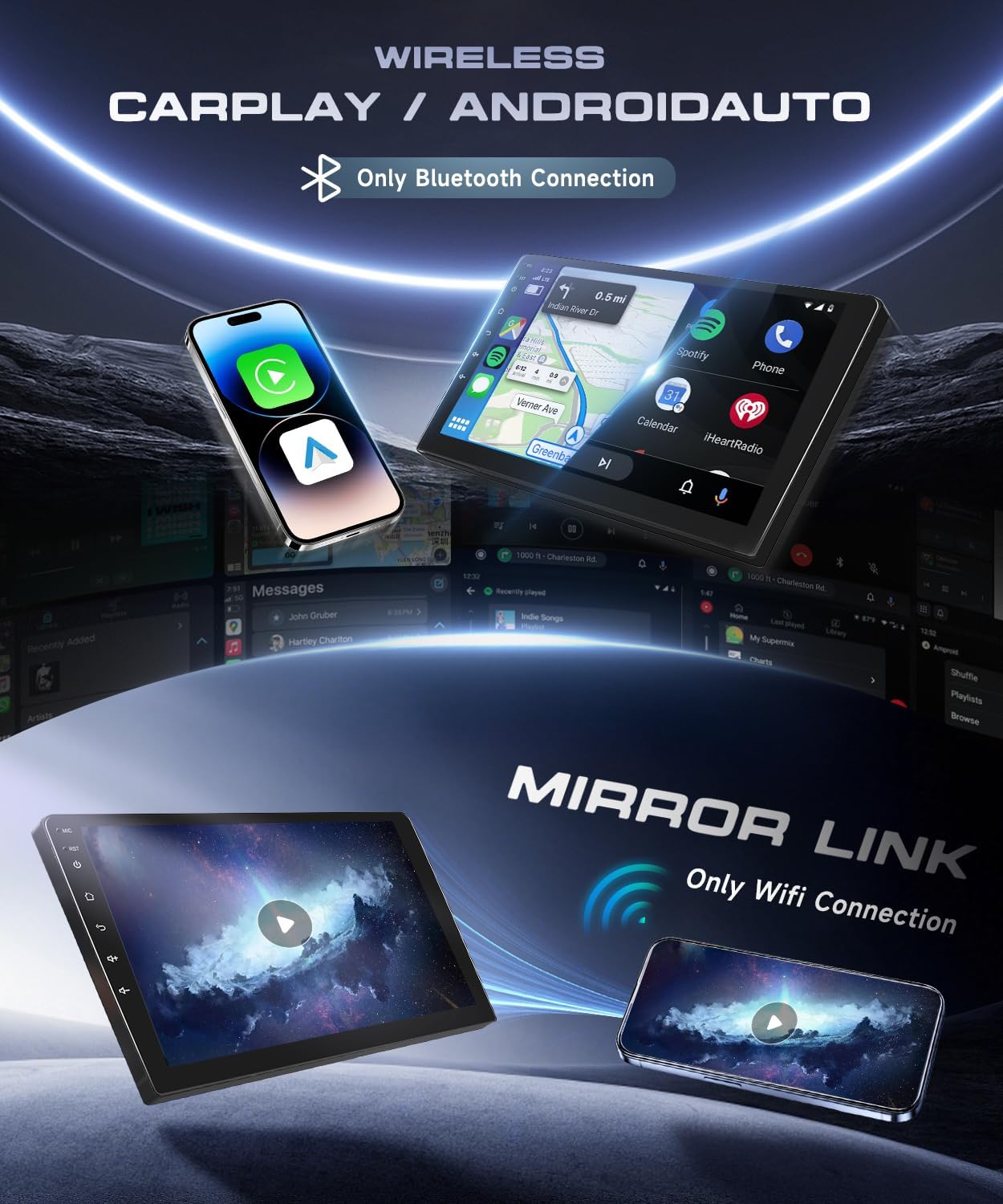
Image: Displays the wireless CarPlay, Android Auto, and Mirror Link features, showing smartphone content mirrored on the car stereo screen.
5.9. Split Screen Function
The split-screen feature allows you to run two applications simultaneously, such as navigation and music, for enhanced multitasking.

Image: Illustrates the split-screen function, showing two applications running concurrently on the display.
5.10. Font Size Settings
Adjust the font size in the display settings to improve readability according to your preference.
5.11. Day/Night Mode Display
Configure the display to automatically switch between day and night modes based on headlights or a set schedule for optimal visibility.
6. Maintenance
- Cleaning: Use a soft, dry cloth to clean the screen and unit. Avoid abrasive cleaners or solvents.
- Temperature: Operate the unit within recommended temperature ranges. Extreme heat or cold can affect performance and lifespan.
- Software Updates: Periodically check for software updates to ensure optimal performance and access to new features.
7. Troubleshooting
- Bluetooth Disconnections: If Bluetooth frequently disconnects, ensure your phone's Bluetooth is stable and there are no interfering devices. Try re-pairing the device.
- App Performance Issues: If apps like Netflix stutter, ensure a strong WiFi connection and that the device's memory is not overloaded. Close unnecessary background applications.
- No Power: Check all wiring connections, especially the power cable, and ensure the vehicle's fuse is intact.
- No Sound: Verify speaker connections, volume settings, and audio output mode.
- Steering Wheel Controls Not Working: Ensure the CAN-BUS is correctly configured in the factory settings.
8. Warranty and Support
8.1. Warranty Information
This VECHTEL car stereo comes with a 2-year warranty from the date of purchase, covering manufacturing defects. Please retain your proof of purchase for warranty claims.
8.2. Customer Support
For technical assistance, troubleshooting, or warranty inquiries, please contact VECHTEL customer support through the retailer where the product was purchased. Have your model number and purchase details ready for faster service.
