
1. Important Safety Information
Please read and understand all instructions before assembling or operating this product. Failure to follow these instructions may result in electric shock, fire, property damage, or personal injury.
- Keep all combustible materials at least 3 feet (0.9 meters) away from the front of the fireplace.
- Do not operate the fireplace if the power cord is damaged or if the heater malfunctions.
- Ensure the TV stand is placed on a stable, level surface to prevent tipping.
- Do not overload the TV stand shelves. Refer to the 'Specifications' section for weight limits.
- This product is designed for indoor use only.
- The product is delivered in two separate packages (fireplace insert and TV stand), which may arrive on different days. Ensure both packages are received before beginning assembly.
2. Package Contents
Verify that all components are present before assembly. If any parts are missing or damaged, contact customer support.
- TV Stand Components (MDF and wood grain particle board panels, hardware)
- 50-inch Electric Fireplace Insert
- Electric Fireplace Remote Control
- LED Strip and Remote Control
- Adjustable Glass Shelves
- Assembly Instructions
3. Setup and Assembly
Assembly requires two people. Follow the numbered parts and step-by-step instructions provided in the separate assembly guide included with your product. Basic tools such as a screwdriver and hammer may be required.
3.1 Pre-Assembly Checklist
- Clear a spacious area for assembly.
- Ensure all parts are present and undamaged.
- Have necessary tools readily available.
3.2 Assembly Steps Overview
- Assemble the main frame of the TV stand according to the provided diagrams.
- Install the adjustable glass shelves into the designated compartments.
- Carefully insert the 50-inch electric fireplace into its central opening.
- Attach the LED strip to the specified areas, ensuring proper cable management.
- Place the TV stand in its final desired location, ensuring it is level and stable.

Image: The Waleaf TV stand showcasing its optimal height, spacious open storage, and adjustable glass plates.
4. Operating Instructions
4.1 Electric Fireplace Operation
The electric fireplace can be operated via the control panel on the unit or the included remote control.
- Power On/Off: Press the power button to turn the fireplace on or off.
- Flame Colors: Cycle through 12 different flame color options using the flame color button.
- Flame Brightness: Adjust the flame brightness through 5 levels using the brightness control.
- Heat Settings: Select between 750W and 1500W heating modes. The thermostat control allows for temperature adjustment. The heater can be operated independently of the flame effect.
- Timer: Set a timer for automatic shut-off (refer to fireplace manual for specific intervals).
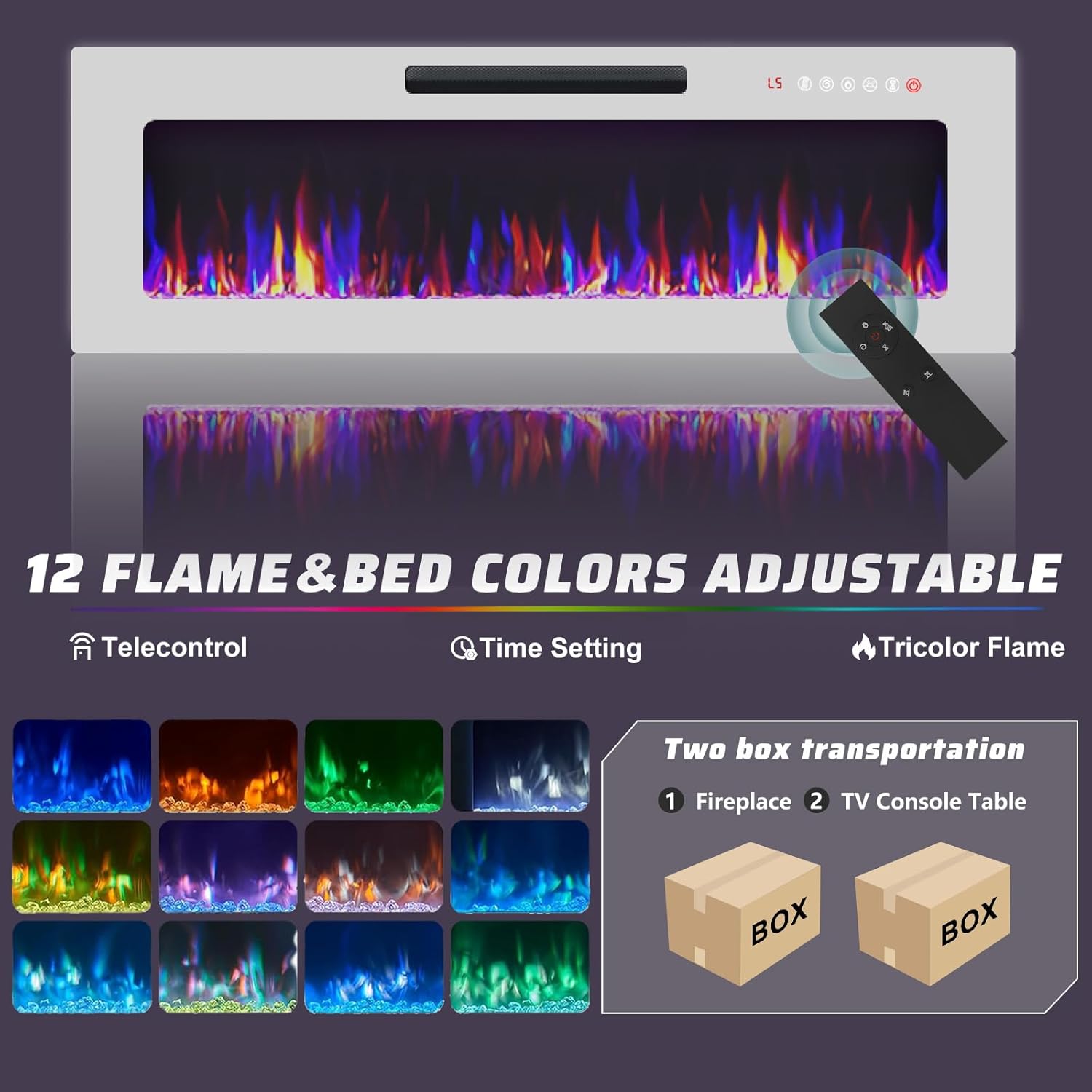
Image: The 50-inch electric fireplace insert, illustrating the remote control functionality for 12 flame and bed colors, time setting, and tricolor flame options.
4.2 LED Strip Lighting Operation
The integrated LED strip lighting is controlled by its dedicated remote control.
- Power On/Off: Use the remote to turn the LED lights on or off.
- Color Selection: Choose from 20 different color options to customize the ambiance.
- Brightness/Modes: Adjust brightness levels and select various lighting modes (e.g., fade, strobe) as available on the remote.

Image: The TV stand illuminated by its 20-color LED lighting system, demonstrating various color options.
5. Maintenance
Regular maintenance ensures the longevity and optimal performance of your TV stand and fireplace.
- Cleaning the TV Stand: Wipe surfaces with a soft, damp cloth. Avoid harsh chemicals or abrasive cleaners.
- Cleaning the Fireplace: Ensure the fireplace is turned off and unplugged before cleaning. Wipe the glass and exterior surfaces with a soft, lint-free cloth. Do not spray cleaners directly onto the unit.
- Dusting: Regularly dust the air intake and exhaust vents of the fireplace to maintain proper airflow and heating efficiency.
- Cord Inspection: Periodically inspect the power cord for any signs of damage or fraying.
6. Troubleshooting
If you encounter issues, refer to the following common problems and solutions:
| Problem | Possible Cause | Solution |
|---|---|---|
| Fireplace does not turn on. | No power, power cord unplugged, circuit breaker tripped. | Check power outlet, ensure cord is securely plugged in, reset circuit breaker. |
| No heat output from fireplace. | Heater function not activated, thermostat set too low, overheat protection engaged. | Activate heater function, increase thermostat setting, unplug unit for 5 minutes to reset overheat protection. |
| LED strip lights are not working. | LED strip unplugged, remote control battery dead, LED strip damaged. | Check connections, replace remote battery, contact customer support if damaged. |
| Remote control not responding. | Batteries are dead or incorrectly inserted, obstruction between remote and unit. | Replace batteries, ensure correct polarity, remove any obstructions. |
If problems persist after attempting these solutions, please contact Waleaf customer support.
7. Specifications
| Feature | Detail |
|---|---|
| Brand | Waleaf |
| Model Name | PB-82TVS-50F |
| Product Dimensions (D x W x H) | 15.7" x 82.7" x 38" |
| Max TV Size Supported | Up to 90 inches |
| Material | MDF, Wood Grain Particle Board (Stand), Metal (Fireplace components) |
| Fireplace Size (Viewing Area) | 50 inches |
| Heat Output | 750W / 1500W |
| Special Features | 12 Flame Colors, 5 Flame Brightness Levels, 20 LED Strip Colors, Adjustable Glass Shelves, Overheat Protection |
| Power Source | Corded Electric |
| Item Weight | Approximately 61.3 pounds |

Image: Detailed dimensions of the Waleaf 82-inch Fireplace TV Stand, including overall width, height, depth, and fireplace size.
8. Warranty and Support
Waleaf products are manufactured with quality and durability in mind. This product is covered by a manufacturer's warranty against defects in materials and workmanship. For specific warranty details, claims, or technical support, please refer to the warranty card included with your purchase or contact Waleaf customer service directly.
Please have your model number (PB-82TVS-50F) and purchase information ready when contacting support.