
Introduction
Thank you for choosing the Osaki Trion Flex Duo 4D+3D SL Flex Track Massage Chair. This manual provides essential information for the safe and effective operation, maintenance, and troubleshooting of your massage chair. Please read this manual thoroughly before use and retain it for future reference.
Important Safety Instructions
When using an electrical appliance, basic precautions should always be followed, including the following:
- Read all instructions before using this massage chair.
- Do not use this appliance near water.
- Always unplug this appliance from the electrical outlet immediately after using and before cleaning.
- This appliance should never be left unattended when plugged in.
- Close supervision is necessary when this appliance is used by, on, or near children, invalids, or disabled persons.
- Use this appliance only for its intended use as described in this manual. Do not use attachments not recommended by the manufacturer.
- Never operate this appliance if it has a damaged cord or plug, if it is not working properly, if it has been dropped or damaged, or dropped into water. Return the appliance to a service center for examination and repair.
- Do not carry this appliance by supply cord or use cord as a handle.
- Keep the cord away from heated surfaces.
- Never operate the appliance with the air openings blocked. Keep the air openings free of lint, hair, and the like.
- Never drop or insert any object into any opening.
- Do not use outdoors.
- Do not operate where aerosol (spray) products are being used or where oxygen is being administered.
- To disconnect, turn all controls to the OFF position, then remove plug from outlet.
- Do not stand on or in the appliance. Use only while seated.
- This appliance is intended for household use only.
Setup Guide
Carefully unpack all components and ensure all parts are present before beginning assembly. It is recommended to have at least two people for assembly due to the weight of the chair.
1. Unpacking and Placement
Remove the chair and all accessories from the packaging. Place the main body of the massage chair in your desired location, ensuring there is sufficient space around it for recline and leg rest extension. A minimum of 10 inches from the wall is recommended for full recline.
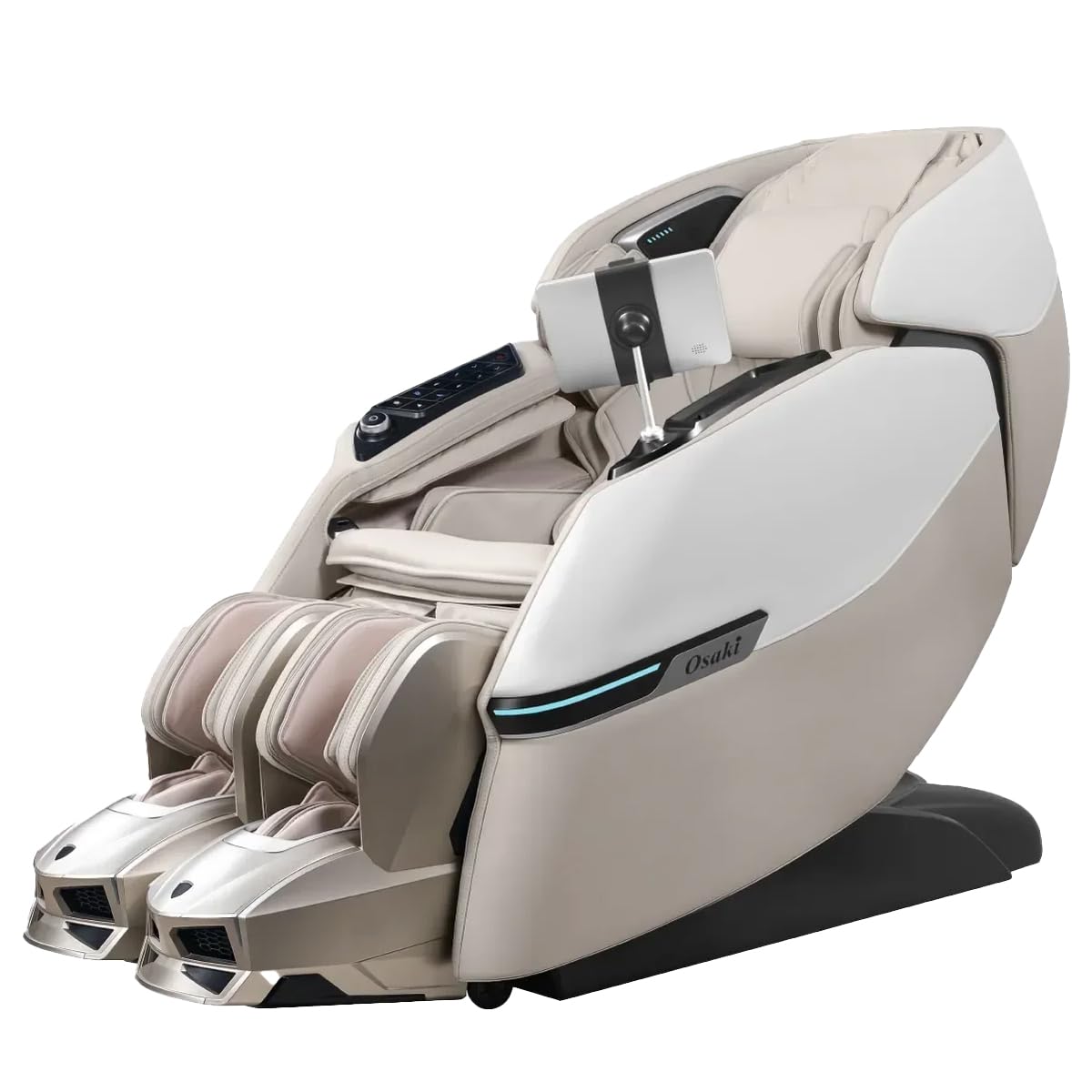
Image: The main unit of the Osaki Trion Flex Duo massage chair, showing its overall design and dimensions. This image helps visualize the chair's footprint for placement.
2. Connecting Components
Connect the leg rest assembly to the main chair body. Ensure all cables are securely connected according to the labels. Refer to the included quick start guide for specific connection points.
3. Power Connection
Plug the power cord into the designated port on the back of the chair, then into a grounded electrical outlet. Ensure the power switch is in the OFF position before plugging in.
Operating Instructions
This section details how to operate your Osaki Trion Flex Duo massage chair, including power on, program selection, and voice control.
1. Powering On and Initial Scan
Once plugged in, switch the main power button to ON. Sit comfortably in the chair. The chair will perform an initial body scan to detect your body shape and adjust the massage rollers for optimal coverage. This intelligent health detection ensures a personalized massage experience.
Video: A short preview demonstrating the initial body scan function of the massage chair. This video illustrates how the chair adjusts to the user's body for a customized massage.
2. Using the Remote Control
The remote control allows you to select from 12 auto programs and 6 massage styles, adjust intensity, recline position, and activate specific features like lumbar and calves heat therapy, and foot rollers.
- Auto Programs: Choose from various pre-set massage routines.
- Manual Modes: Select specific massage techniques (e.g., Kneading, Tapping, Shiatsu) and target areas.
- Heat Therapy: Activate heat for the lumbar and calf areas.
- Air Compression: Adjust intensity of the 50 air cell full body compression.
- Foot Rollers: Turn on or off the heated foot rollers.
- Recline: Adjust the chair's recline angle and extend the automatic extendable footrest.
3. Smart Voice Control
The Trion Flex Duo features smart voice control for hands-free operation. Simply use designated voice commands to start programs, adjust settings, or power off the chair. Refer to the voice command list in the supplementary guide for a full list of commands.
Video: A short preview demonstrating the voice control feature of the massage chair. This video shows how users can interact with the chair using spoken commands.
4. Independently Adjustable Leg Rests
The chair features independently adjustable leg rests, allowing for targeted foot massages tailored to each leg’s position and movement. Adjust these manually or via the remote control to find your preferred comfort and massage intensity.
Maintenance
Proper maintenance ensures the longevity and optimal performance of your massage chair.
1. Cleaning
- Exterior: Wipe the faux leather surface with a soft, damp cloth. Do not use abrasive cleaners, solvents, or harsh chemicals.
- Interior: Periodically vacuum any dust or debris from crevices.
- Air Cells: Ensure air cells are free from obstructions.
Always unplug the chair before cleaning.
2. Storage
If storing the chair for an extended period, unplug it, clean it thoroughly, and cover it to protect from dust. Store in a cool, dry place.
Troubleshooting
Refer to this section for common issues and their solutions.
| Problem | Possible Cause | Solution |
|---|---|---|
| Chair does not power on. | Power cord not securely plugged in. Main power switch is off. No power from outlet. | Ensure power cord is fully inserted. Turn main power switch to ON. Check outlet with another appliance or reset circuit breaker. |
| Massage rollers are not moving. | Chair is in standby mode. Program not selected. Safety sensor activated. | Press the power button on the remote. Select an auto program or manual massage. Ensure no obstructions are blocking the rollers. |
| Voice control not responding. | Microphone is off or obstructed. Incorrect voice commands used. | Ensure microphone is enabled and clear. Refer to the voice command list for correct phrases. Speak clearly and at a moderate volume. |
| Leg rests not adjusting. | Obstruction. Motor issue. | Check for any objects blocking the leg rest movement. If the issue persists, contact customer support. |
If you encounter issues not listed here, or if solutions do not resolve the problem, please contact Osaki customer support.
Specifications
| Feature | Detail |
|---|---|
| Model Name | Trion Flexi |
| Model Number | Osaki_Trion_Flexi_Duo |
| Brand | Osaki |
| Material | Faux Leather |
| Item Weight | 359.4 Pounds |
| Massage Mechanism | 4D+3D SL Flex Track, Walking Technology Duo Mech |
| Special Features | Intelligent Health Detection, Smart Voice Control, Lumbar & Calves Heat Therapy, 50 Air Cell Full Body Compression, 12 Auto Programs, 6 Massage Styles, Heated Foot Rollers, Automatic Extendable Footrest, 3 Arm Rollers, Body Scan Technology |
| UPC | 810081889865 |
Warranty & Support
Osaki provides a manufacturer's warranty for this product. Please refer to the warranty card included with your purchase for specific terms and conditions, including coverage duration and what is covered. Retain your proof of purchase for warranty claims.
Customer Support
For technical assistance, service, or warranty inquiries, please contact Osaki customer support. Contact information can typically be found on the official Osaki website or on your product's packaging.
- Manufacturer: Osaki
- Website: www.osakimassage.com (Example, actual link may vary)

