Product Overview
The Lamicall Adjustable Foldable 360° Rotating Tablet Stand (Model STDT02-B) is designed to provide stable and flexible support for a wide range of devices. Its ultra-slim, foldable design makes it highly portable, while the heavy-duty metal base ensures stability. Enjoy optimal viewing angles with dual-axis adjustment and effortless screen sharing with 360° rotation.
- Ultra-Slim Foldable: Folds flat to just 0.59 inches thick for easy portability in bags.
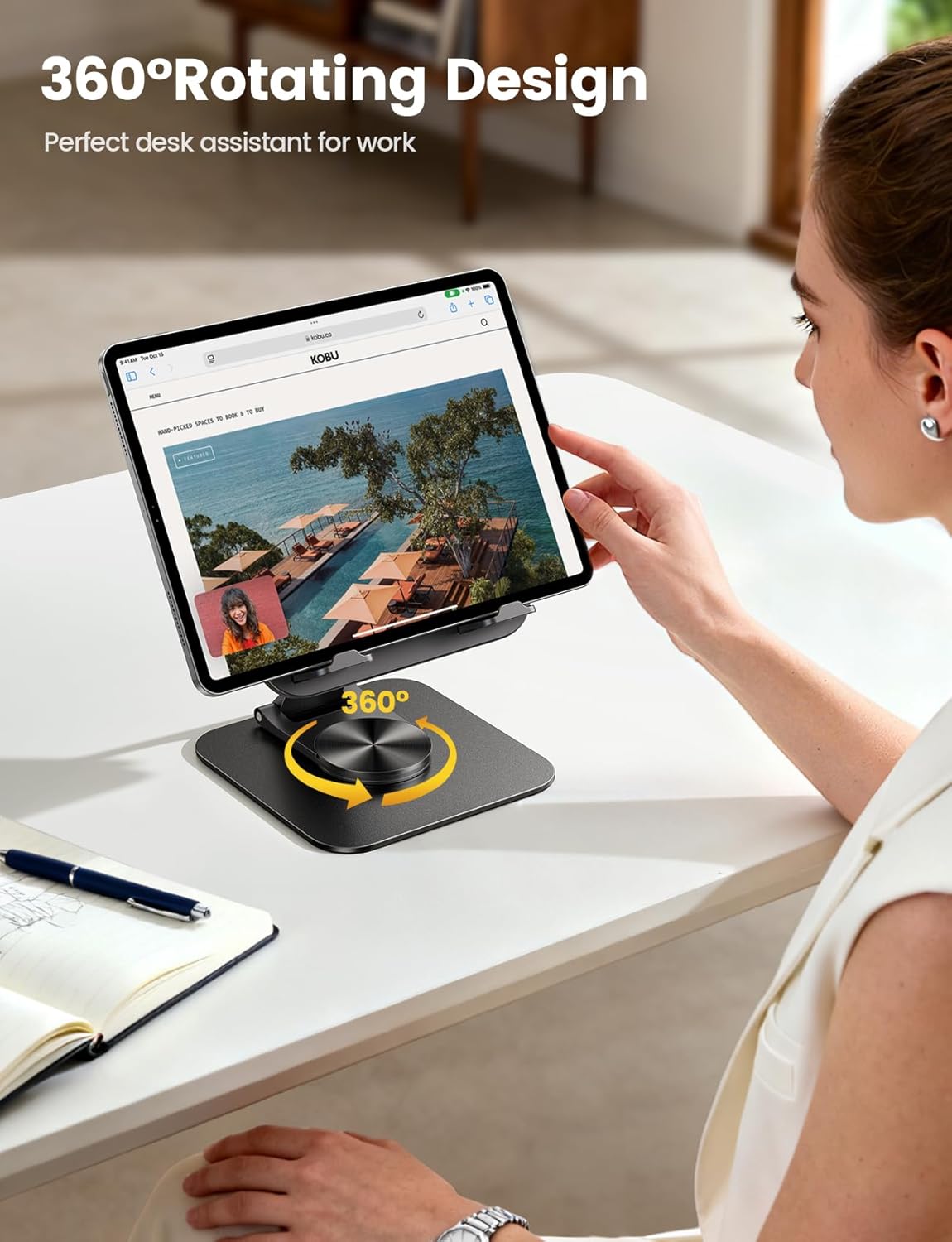
- 360° Rotation: The base rotates a full 360° for convenient screen sharing.
- Fully Adjustable: Two adjustable hinges allow for customizable tilt and height.
- Universal Compatibility: Supports 4.7-13 inch devices, including various iPad models, iPhones, Kindles, and more. Widened hooks accommodate cases up to 0.75 inches thick.
- Heavy-Duty Metal Base: Equipped with a weighted metal base and high-strength alloy steel connecting rod for stability and durability.
What's in the Box
- Lamicall Adjustable Foldable 360° Rotating Tablet Stand
- L-shaped Hex Wrench
- User Manual
Setup Instructions
- Unfold the Stand: Gently pull the top plate upwards and extend the support arm until the stand is in an upright position.
- Extend Device Holders: Flip out the small feet at the bottom of the device holding plate to create a secure resting place for your tablet or phone.
- Adjust Tightness (Optional): If the hinges feel too loose or too stiff, use the provided L-shaped hex wrench to adjust the screws on the hinges to your preferred tension.
Operating Instructions
- Place Your Device: Carefully place your tablet or smartphone onto the extended feet of the stand. Ensure it rests securely against the backplate.
- Adjust Viewing Angle: Use the two adjustable hinges to tilt the device holding plate up or down to achieve your desired viewing angle.
- Adjust Height: The main support arm can be extended or retracted to adjust the overall height of your device.
- Rotate the Base: The stand's base features a 360° rotating mechanism. Gently turn the base to swivel your device to any orientation without moving the entire stand. This is ideal for sharing your screen during meetings or collaborations.
- Charging Access: The design includes a cutout at the bottom of the device holding plate, allowing you to charge your device while it is on the stand.


Official Product Video
Maintenance
To ensure the longevity and optimal performance of your Lamicall tablet stand, follow these simple maintenance guidelines:
- Cleaning: Wipe the stand with a soft, damp cloth to remove dust and smudges. Avoid using abrasive cleaners or solvents, as they may damage the finish.
- Storage: When not in use, fold the stand flat for compact storage. Store it in a dry place away from extreme temperatures.
- Hinge Adjustment: If the hinges become too loose over time, use the provided hex wrench to tighten the screws slightly. Do not overtighten.
Troubleshooting
- Stand feels unstable: Ensure the stand is placed on a flat, stable surface. Check that the device is centered on the holding plate. If hinges are loose, tighten them with the hex wrench.
- Difficulty adjusting hinges: If the hinges are too stiff, apply a small amount of silicone-based lubricant to the hinge points. If too loose, tighten with the hex wrench.
- Device slipping: Ensure the non-slip pads on the holding plate and feet are clean and free of debris. The widened hooks are designed to hold devices with cases up to 0.75 inches thick; ensure your device fits within this limit.
Specifications
| Feature | Detail |
|---|---|
| Model Number | STDT02-B |
| Brand | Lamicall |
| Color | Black |
| Form Factor | Desk Stand |
| Compatible Devices | 4.7 - 13 inches tablets and phones (e.g., iPad Pro, iPad Air, iPad Mini, iPhone, Kindle, Surface, E-readers, portable monitors) |
| Max Case Thickness | 0.75 inches |
| Package Dimensions | 6.65 x 5.94 x 0.28 inches |
| Item Weight | 13.4 ounces |
Warranty and Support
Lamicall products are designed for durability and performance. For warranty information, technical support, or customer service inquiries, please refer to the contact details provided on the product packaging or visit the official Lamicall website. Keep your purchase receipt for warranty claims.


