
Introduction
Thank you for choosing the EDJO MK228 Pro Wireless Keyboard and Mouse Combo. This manual provides essential information for setting up, operating, and maintaining your new device. Please read it carefully to ensure optimal performance and longevity of your product.
Package Contents
- 1 x EDJO MK228 Pro Wireless Keyboard
- 1 x EDJO Wireless Mouse
- 1 x USB Receiver (stored on the back of the mouse)
- 1 x Type-C Charging Cable
- 1 x User Manual

Setup Instructions
- Initial Charge: Upon receiving the product, fully charge both the keyboard and mouse using the provided Type-C charging cable. This helps extend battery life.
- Locate USB Receiver: The single USB receiver for both devices is conveniently stored in the back compartment of the wireless mouse. Gently remove it.
- Connect Receiver: Plug the USB receiver into an available USB port on your computer (PC, laptop, Mac).
- Power On: Turn on the keyboard and mouse using their respective ON/OFF switches.
- Automatic Connection: The 2.4GHz wireless technology provides automatic frequency recognition, establishing a reliable signal connection up to 33 feet without any delays. The devices are plug-and-play and should connect instantly.

Operating Instructions
Keyboard Functions
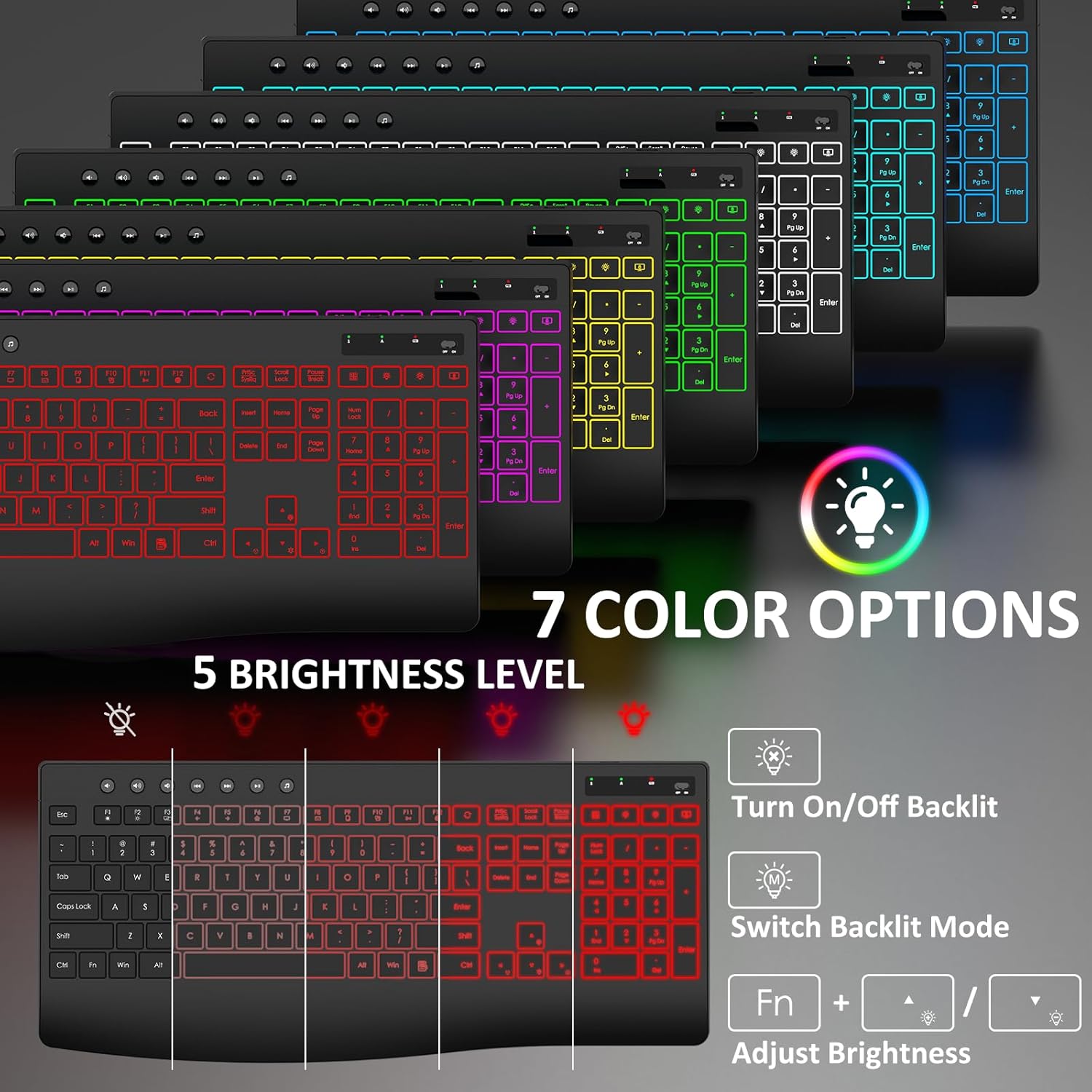
- Backlight Control: The keyboard features 3 lighting modes, 7 switchable backlight colors, and 5-level brightness adjustment. Use the dedicated keys (often Fn + arrow keys or specific backlight buttons) to cycle through modes, change colors, and adjust brightness.
- Hotkeys: Utilize the 19 integrated hotkeys for quick access to functions like browsing web pages, opening the calculator, and media control (volume up/down, mute, play/pause, next/previous track).
- Ergonomic Design: The keyboard includes a stain-resistant wrist rest and adjustable stands to reduce strain during long typing sessions.
- Quiet Typing: Enjoy a quiet typing experience thanks to increased key stability and silent micro motion technology, minimizing noise.

Mouse Functions
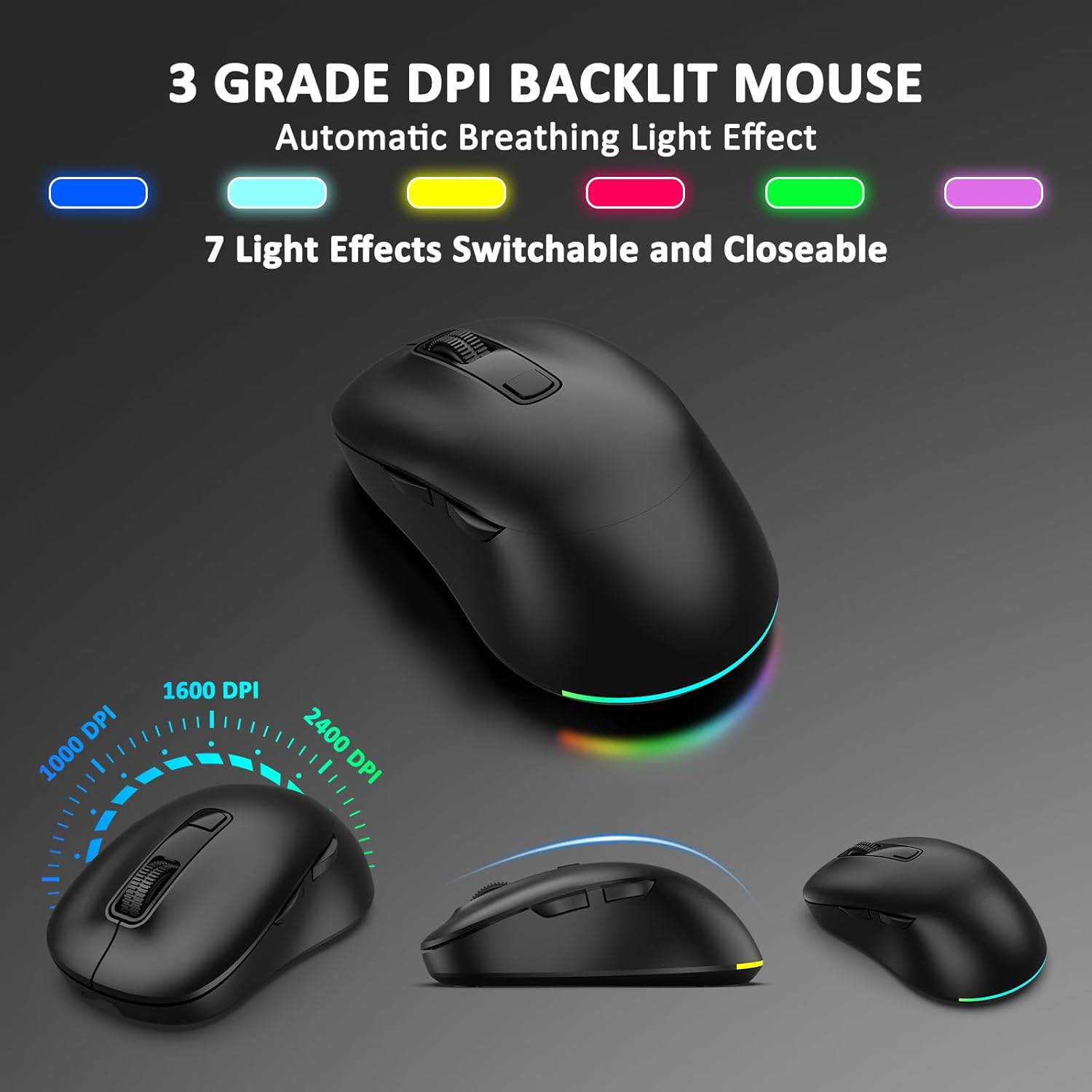
- DPI Adjustment: The 6-button mouse offers 3 adjustable DPI levels (1000/1600/2400) to customize cursor sensitivity. Use the DPI button (usually located near the scroll wheel) to switch between settings.
- Forward/Backward Buttons: Dedicated side buttons allow for quick navigation in web browsers and file explorers.
- RGB Backlight: The mouse features an RGB backlight that automatically changes color, adding to the aesthetic.
- Silent Clicks: The mouse utilizes silent micro motion technology for quiet operation, ideal for shared environments.

Maintenance and Battery Management
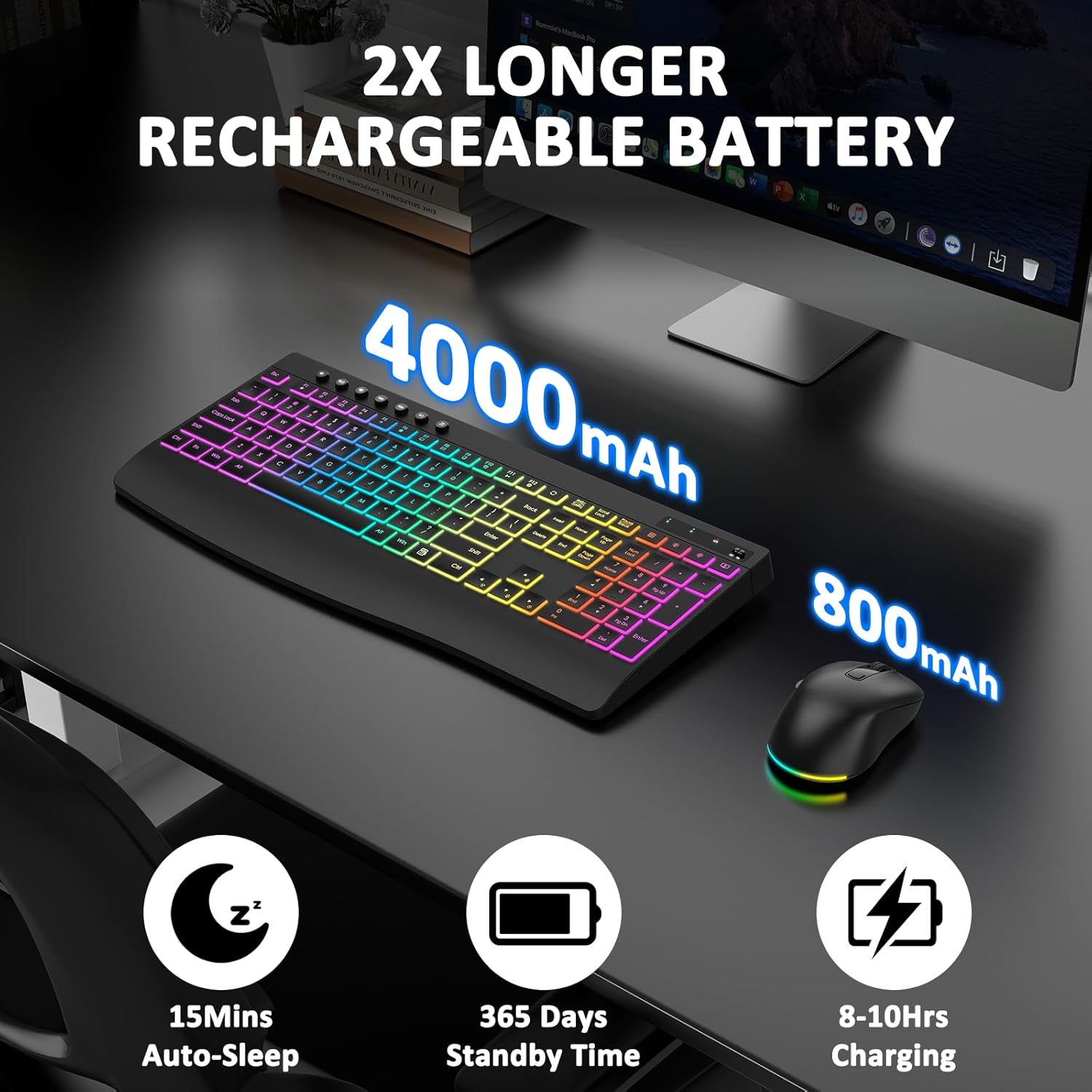
- Rechargeable Batteries: Both the keyboard (4000mAh) and mouse (800mAh) have built-in rechargeable batteries. Use the provided Type-C cable for charging.
- Charging Time: Keyboard charging typically takes 8-10 hours. Mouse charging typically takes 2-3 hours.
- Extended Battery Life: The keyboard's 4000mAh battery lasts significantly longer than standard backlit keyboards. The mouse's 800mAh battery also offers extended use.
- Smart Power-Saving: To conserve battery, both devices feature an auto-sleep mode. The keyboard backlight turns off after 120 seconds of inactivity, and the keyboard enters sleep mode after 15 minutes. The mouse backlight turns off after 120 seconds, and the mouse enters sleep mode after 15 minutes.
- Power Off for Storage: If you do not use the keyboard and mouse for a long time, turn off the power supply using the ON/OFF switch to prevent battery drain.

Troubleshooting
- No Connection: Ensure both the keyboard and mouse are powered on and fully charged. Verify the USB receiver is securely plugged into a working USB port on your computer. Try plugging the receiver into a different USB port.
- Lag or Disconnection: Ensure the devices are within the 33-foot wireless range and there are no significant obstructions between the devices and the receiver. Avoid using the devices near strong interference sources (e.g., other 2.4GHz wireless devices, microwaves).
- Backlight Not Working: Check if the backlight feature is enabled and the brightness level is adjusted. Ensure the keyboard has sufficient battery charge.
- Mouse Cursor Issues: Adjust the DPI settings on the mouse to your preferred sensitivity. Ensure the mouse sensor is clean and free from debris.
- Charging Issues: Ensure the Type-C charging cable is properly connected to both the device and a power source. Try a different charging cable or USB port.
Specifications
| Feature | Description |
|---|---|
| Brand | EDJO |
| Model Number | MK228 Pro |
| Color | Black |
| Connectivity Technology | 2.4G USB Wireless |
| Special Features | Backlit, Ergonomic, Wrist Rest, Silent, Full Size, Shortcut Keys, 3-Level DPI |
| Compatible Devices | Personal Computer, Laptop |
| Operating System | Windows, Macos |
| Batteries Required | No (Built-in rechargeable) |
| Keyboard Battery Capacity | 4000mAh |
| Mouse Battery Capacity | 800mAh |
| Wireless Range | Up to 33 feet |
Warranty and Support
The EDJO MK228 Pro Wireless Keyboard and Mouse Combo comes with a 12-month warranty. For any inquiries or assistance, please refer to the following support options:
- Hassle-free Replace/Return: Contact customer service for easy replacements or returns.
- 24-Hour Response: Expect a prompt response to your queries within 24 hours.
- 12-Month Quality Service: Enjoy comprehensive quality service for a full year.
- Lifetime Technical Support: Benefit from ongoing technical support for the lifetime of your product.

